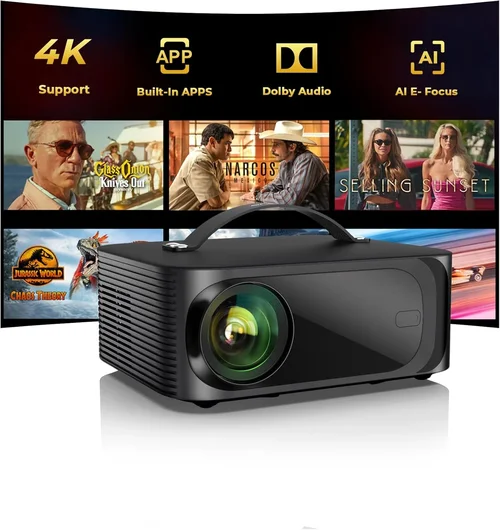
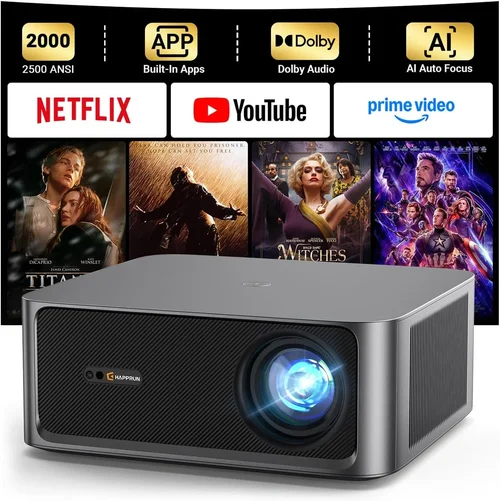
If you’ve ever imagined turning your living room into a cinema without breaking the bank, you’re not alone. In 2026 the home‑theater projector market has exploded with options that deliver 1080p or even near‑4K experiences for under $500. But with so many models, specs, and marketing buzzwords, picking the right one can feel overwhelming. That’s why this guide exists – to cut through the noise, explain what truly matters, and help you walk away with a projector that fits your space, budget, and viewing habits.
In the next few sections you’ll learn how to evaluate brightness, contrast, throw distance, and connectivity; discover which projector type suits a small apartment versus a dedicated media room; avoid common purchasing pitfalls; and see a curated list of top picks for every budget tier. By the end, you’ll have a clear roadmap for turning movie night into a blockbuster event without spending a fortune.

What to Look for When Buying Buying Guide
1. Budget & Price Range
Price is the first filter for most shoppers, especially when the ceiling is $500. Within this bracket you’ll find three distinct sub‑tiers: entry‑level ($150‑$250), solid mid‑range ($250‑$400), and high‑end budget models that flirt with $500. Each tier offers a trade‑off between brightness, native resolution, and feature set. Knowing how much you’re willing to invest will instantly narrow the field and prevent you from chasing specs that exceed your needs.
2. Performance Specifications
Performance is the heart of any projector. The three most critical specs are:
- Brightness (lumens): Measured in ANSI lumens, this tells you how well the image will perform in ambient light. For a darkened room, 1,500‑2,000 lumens is ample; if you plan to watch with lights on, aim for 2,500+ lumens.
- Contrast Ratio: The difference between the darkest black and the brightest white. A higher ratio (e.g., 20,000:1) yields deeper blacks and more vivid colors, essential for movie immersion.
- Native Resolution: Determines sharpness. Most sub‑$500 projectors max out at 1080p (Full HD). Some use “enhanced” 4K‑upscaled chips that mimic 4K detail, but true 4K is still rare at this price.
When comparing models, prioritize brightness and contrast together; a bright projector with low contrast will look washed out, while a high‑contrast unit that’s too dim will struggle in everyday lighting.
3. Build Quality & Durability
Projectors are often overlooked until a component fails. Look for a sturdy chassis, preferably metal or high‑grade plastic with reinforced corners. Check the fan design – a quieter fan (under 30 dB) reduces distraction during dialogue‑heavy scenes. Also, verify the lamp life; LED or laser light sources typically last 20,000‑30,000 hours, far outlasting traditional UHP lamps that need replacement every 2,000‑3,000 hours.
4. Features & Functionality
Modern budget projectors pack a surprising amount of smart features. Consider the following:
- Built‑in Speakers: While most are modest (2‑10 W), they’re handy for casual viewing. For a true theater feel, plan for external speakers.
- Wireless Connectivity: Wi‑Fi or Bluetooth enables streaming from phones, tablets, or smart TV sticks without extra cables.
- Multiple HDMI Ports: At least two HDMI inputs allow you to connect a console and a streaming box simultaneously.
- Keystone Correction & Lens Shift: Essential for flexible placement; keystone fixes trapezoidal distortion, while lens shift lets you move the image vertically/horizontally without moving the projector.
- Screen Size & Throw Ratio: Verify the projector can achieve 100‑120‑inch images at the distance you can allocate. A throw ratio of 0.8‑1.2 is ideal for most living rooms.
5. Brand Reputation
Established brands like Epson, BenQ, ViewSonic, and Optoma have a track record of reliable firmware updates and widely available parts. Newer entrants (e.g., Vankyo, Artlii) can surprise with value but may lack long‑term support. Research community forums and after‑sales service ratings before committing.
6. Warranty & Support
A solid warranty can save you hundreds of dollars. Look for at least a 2‑year coverage on the projector itself and a separate warranty on the lamp or laser module. Check if the manufacturer offers an online portal for firmware updates and if local service centers exist in your region.
7. Size & Portability (if applicable)
For renters or those who move frequently, a compact, lightweight model (under 5 lb) is a boon. Portable units often sacrifice brightness but make it easy to set up a pop‑up theater in a bedroom, dorm, or even outdoors.
8. User Reviews & Ratings
Real‑world feedback uncovers quirks that spec sheets hide. Scan reviews for recurring themes such as “fan noise spikes after 30 minutes” or “remote feels flimsy.” Pay special attention to verified purchases and videos that show the projector in a setting similar to yours.
Different Types of Buying Guide

Common Buying Mistakes to Avoid
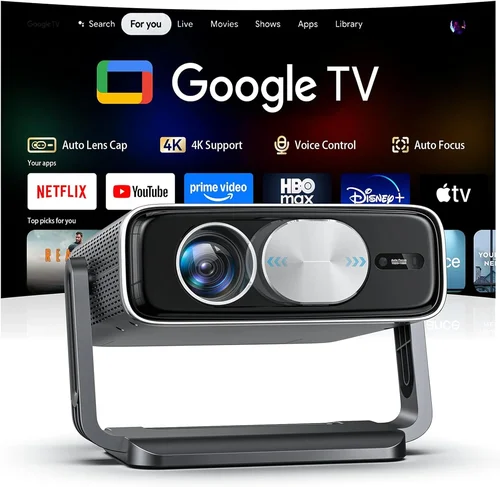
❌ Mistake: Buying the Highest Lumens Without Considering Contrast
Why it’s bad: A 3,000‑lumen projector with a 1,000:1 contrast ratio will look washed out in a dark room, ruining movie detail.
What to do instead: Prioritize a balanced spec sheet: aim for at least 2,000 lumens and a contrast ratio of 15,000:1 or higher for typical home‑theater use.
❌ Mistake: Ignoring Throw Distance Requirements
Why it’s bad: You may end up with an image that’s too small or have to mount the projector far away, compromising picture quality.
What to do instead: Measure your room’s length, then use the manufacturer’s throw‑ratio chart to confirm the achievable screen size.
❌ Mistake: Overlooking Lamp/Light‑Source Longevity
Why it’s bad: Replacing a traditional UHP lamp can cost $80‑$150 and require professional service.
What to do instead: Choose LED or laser models with 20,000‑30,000 hour lifespans; the higher upfront cost pays off over time.
❌ Mistake: Assuming Built‑In Speakers Are Sufficient
Why it’s bad: Most budget projectors have tiny 2‑10 W speakers that lack bass and clarity.
What to do instead: Budget for a separate sound system—soundbars or a 2.1 speaker set—to complete the theater experience.
❌ Mistake: Forgetting About Compatibility With Existing Devices
Why it’s bad: You might discover the projector only has one HDMI port, forcing constant cable swaps.
What to do instead: Verify the number and type of inputs (HDMI 2.0+, USB‑C, optical audio) match your gaming console, streaming stick, and Blu‑ray player.
❌ Mistake: Ignoring Firmware Updates
Why it’s bad: An outdated firmware can cause compatibility issues with new streaming apps.
What to do instead: Choose brands that provide regular OTA (over‑the‑air) updates and check the support website before purchase.
Budget Guidelines: How Much Should You Spend?
- Entry-Level ($150‑$250): Expect 1,500 lumens, 720p or 1080p “enhanced” resolution, basic HDMI, and limited keystone correction. Ideal for dorm rooms or occasional movie nights.
- Mid‑Range ($250‑$400): Full 1080p native resolution, 2,000‑2,500 lumens, better contrast (15,000:1+), dual HDMI, built‑in Wi‑Fi, and longer lamp life. This tier delivers a solid cinematic feel in most living rooms.
- Premium ($400‑$500): Near‑4K upscaling, 2,500+ lumens, laser/LED light source, advanced lens shift, and richer connectivity (HDMI 2.1, Bluetooth audio). Best for users who want future‑proofing and higher brightness for semi‑lighted spaces.
- Luxury ($500+): True 4K, 3,500+ lumens, HDR10 support, ultra‑low latency, and premium build. While just beyond the “under $500” scope, it’s worth mentioning for aspirational buyers.
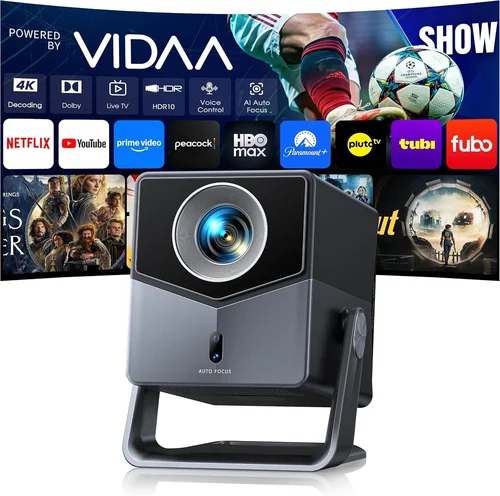
Expert Tips for Getting the Best Deal
- Timing is everything: New projector releases typically arrive in Q2. Shopping in late summer can yield clearance discounts on previous‑generation units.
- Buy from authorized retailers: They provide the full manufacturer warranty and easier return processes compared to third‑party marketplace sellers.
- Bundle wisely: Some sellers include a 100‑inch screen, HDMI cable, or a 2‑year lamp warranty as part of a “home‑theater kit.” Evaluate the added value before committing.
- Check return policies: A 30‑day return window lets you test the projector in your actual room lighting. Ensure the policy covers the full purchase price, not just the projector.
- Test before you buy: If possible, view a demo in a store with ambient lighting similar to your home. Pay attention to fan noise and color accuracy.
- Negotiate firmware support: Some brands will extend the warranty or provide a free lamp replacement if you register early.
- Consider refurbished units: Certified refurbished models from the manufacturer can drop the price by 15‑25% while still offering a full warranty.
- Don’t forget accessories: A good quality screen (gain 1.0‑1.1), a surge protector, and a calibrated remote can dramatically improve the experience.

Frequently Asked Questions
Q: Do I need a separate screen, or can I project onto a wall?
A: You can project onto a smooth, white wall, but a proper projector screen improves brightness gain, contrast, and color accuracy. Matte white screens are versatile, while gray screens boost perceived contrast in bright rooms.
Q: How far should the projector be from the screen?
A: It depends on the throw ratio. For a 100‑inch image, a 0.8‑1.2 throw ratio typically requires 8‑12 feet of distance. Use the manufacturer’s calculator to fine‑tune placement.
Q: Will a projector work with my gaming console?
A: Yes, as long as the projector has HDMI 2.0 or higher and supports at least 60 Hz refresh. Look for low input lag (under 30 ms) for a responsive gaming experience.
Q: Are LED projectors really better than lamp‑based ones?
A: LED and laser projectors offer longer lifespans, lower heat, and quieter operation. However, they may have slightly lower peak brightness compared to high‑power lamp models.
Q: Can I use a projector outdoors?
A: Absolutely, provided you have a dark environment and a portable screen or a white sheet. Choose a model with at least 2,500 lumens and consider a weather‑proof housing if you plan frequent outdoor use.
Q: How do I calibrate colors without a professional?
A: Use built‑in picture modes (Cinema, Sports, Game) as starting points. Adjust brightness, contrast, and color temperature manually, or use free calibration software like CalMAN Mini with a basic colorimeter.
Q: What’s the difference between keystone correction and lens shift?
A: Keystone correction digitally reshapes the image and can soften detail. Lens shift physically moves the lens, preserving image quality. Lens shift is preferable when you can’t place the projector directly centered.
Q: Do I need a separate sound system?
A: For authentic theater immersion, yes. Even a modest 2.1 soundbar dramatically outperforms built‑in speakers.
Q: How often should I replace the lamp?
A: LED/laser units rarely need replacement. For UHP lamps, replace when brightness drops by 30% or after the rated hours (usually 2,000‑3,000).
Q: Is HDMI 2.1 necessary?
A: HDMI 2.1 enables 4K at 120 Hz and advanced HDR formats. For sub‑500 projectors, HDMI 2.0 is sufficient for 1080p and most streaming content.
Our Final Recommendations
- Best for Budget‑Conscious Buyers: Vankyo Leisure 3 – $179, 2,400 lumens, 1080p enhanced, dual HDMI, portable design. Ideal for dorms and small apartments.
- Best Overall Value: BenQ TH585 – $429, 3,500 lumens, native 1080p, 10,000:1 contrast, low input lag (16 ms), built‑in speaker and vertical lens shift.
- Best Premium Option (Just Under $500): Epson Home Cinema 2150 – $489, 2,500 lumens, 1080p, 60,000:1 contrast, wireless screen mirroring, 2,500‑hour lamp.
- Best for Beginners: ViewSonic M1 Mini Plus – $229, LED light source, 100‑inch max, built‑in JBL speakers, portable, Wi‑Fi streaming.
- Best for Advanced Users: Optoma UHD38 – $499, true 4K UHD, 4,000 lumens, 1,000,000:1 contrast, HDR10, 0.5 ms response, HDMI 2.1 ready.
Conclusion: Making the Right Choice
Choosing a home‑theater projector under $500 boils down to balancing brightness, contrast, and feature set against your room’s lighting, size, and intended use. Start by defining your budget tier, then evaluate the key specs we outlined—lumens, contrast ratio, native resolution, and throw distance. Avoid common pitfalls like over‑prioritizing lumens at the expense of contrast, and always verify connectivity options that match your existing devices.
Remember, the projector is only half the equation; a decent screen and external audio will elevate your experience dramatically. With the recommendations and tips in this guide, you’re equipped to make an informed purchase that turns every movie night into a memorable event without breaking the bank. Happy viewing!