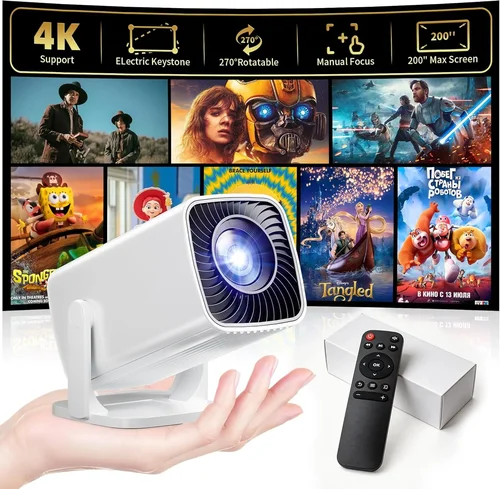
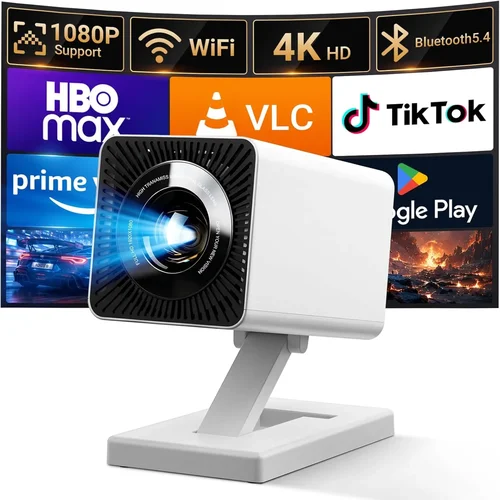
Finding a projector that delivers a decent picture without breaking the bank can feel like hunting for a needle in a haystack. Yet, the market for sub‑$100 projectors has matured dramatically over the past few years, offering surprisingly capable devices for dorm rooms, backyard movie nights, and impromptu business presentations. This guide cuts through the noise, helping you understand what truly matters when you shop for the best projector on Amazon under $100.
In the next several sections you’ll learn which specifications make or break a low‑budget projector, how to compare the different styles that exist, and which common pitfalls to avoid. By the end, you’ll be equipped to pick a unit that fits your space, your usage patterns, and—most importantly—your wallet.

What to Look for When Buying Buying Guide
1. Budget & Price Range
When you set a hard ceiling of $100, the first question is what you can realistically expect. At this price point, manufacturers typically use LED light sources, modest native resolutions (often 480p or 720p), and basic optics. Knowing the trade‑offs helps you avoid disappointment. Look for sales that bring a $120 model down to $99, as those often include better lumens or connectivity options.
2. Performance Specifications
Key specs include:
- Resolution: Native 480p is common; 720p is a premium find. Remember that “supported” 1080p does not equal native 1080p.
- Brightness (lumens): For dim rooms, 200–300 ANSI lumens is adequate. If you’ll project in daylight or a brightly lit kitchen, aim for 350+ lumens.
- Contrast Ratio: Higher contrast improves black depth. Look for at least 2,000:1.
- Throw Distance: Short‑throw (1–2 m) lets you place the projector close to the wall, ideal for small apartments.
3. Build Quality & Durability
Cheap plastics can crack under frequent moves. Check for a solid chassis, reinforced lens housing, and a reliable fan. Models with metal frames or rubberized feet tend to survive the inevitable bumps of travel.
4. Features & Functionality
Even budget projectors now pack useful extras:
- Connectivity: HDMI is a must; USB‑C or micro‑USB for firmware updates is a plus. Some units include a 3.5 mm audio jack.
- Wireless Options: Built‑in Wi‑Fi or Miracast lets you cast from phones without extra dongles.
- Built‑in Speakers: Expect 1–2 W output—suitable for casual viewing but not for a full home‑theater experience.
- Keystone Correction: Automatic or manual correction helps align the image on uneven surfaces.
5. Brand Reputation
Brands such as Vankyo, DR. J, and APEMAN have cultivated followings for delivering reliable budget models. Reading community forums and checking Amazon’s “answered questions” gives insight into long‑term reliability.
6. Warranty & Support
A 12‑month warranty is standard. Some sellers offer extended coverage for a modest fee. Verify that the warranty covers both the projector and the included remote, as accessories often break first.
7. Size & Portability
If you plan to move the projector between rooms or travel, weight under 2 lb and a compact footprint are essential. Look for detachable lens caps and a carrying case.
8. User Reviews & Ratings
Beyond the star rating, dive into the written reviews. Pay attention to comments about heat, fan noise, and lamp life. A product with 4.2 stars but hundreds of “fan is loud” notes may not be suitable for a quiet bedroom.
Different Types of Buying Guide

Common Buying Mistakes to Avoid
❌ Mistake: Ignoring Native Resolution
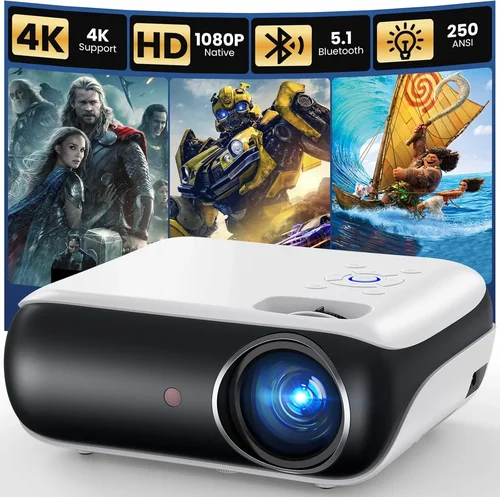
Why it’s bad: A projector that “supports 1080p” but only has a 480p native panel will produce blurry text and soft edges, especially noticeable with spreadsheets or gaming.
What to do instead: Prioritize native resolution. If you need crisp detail, aim for a unit with at least 720p native pixels, even if it costs a few dollars more.
❌ Mistake: Overlooking Brightness Requirements
Why it’s bad: Low‑lumens projectors look great in a dark bedroom but become washed out in a living room with sunlight.
What to do instead: Measure your typical ambient light level. For rooms with some daylight, target 300+ ANSI lumens. Use blackout curtains or a projection screen to improve contrast.
❌ Mistake: Forgetting About Throw Distance
Why it’s bad: Buying a long‑throw model for a 6‑ft room forces you to place the projector far away, leading to a massive image that may not fit the wall.
What to do instead: Check the throw ratio chart. Short‑throw models (0.5–1.0) are safer for cramped spaces.
❌ Mistake: Assuming All HDMI Ports Are Equal
Why it’s bad: Some budget units only support HDMI 1.4, limiting 4K input (even though they can’t display it) and causing handshake issues with newer devices.
What to do instead: Verify the HDMI version in the spec sheet. HDMI 2.0 is future‑proof, but HDMI 1.4 works fine for most 1080p sources.
❌ Mistake: Neglecting Fan Noise
Why it’s bad: A loud cooling fan can drown out dialogue in movies or interfere with conference calls.
What to do instead: Look for decibel (dB) ratings in reviews. Units under 30 dB are considered quiet for budget models.
❌ Mistake: Skipping the Return Policy
Why it’s bad: If the projector arrives with dead pixels or a defective fan, a restrictive return window can leave you stuck.
What to do instead: Purchase from sellers offering at least a 30‑day return period and free return shipping.
Budget Guidelines: How Much Should You Spend?
Even within the sub‑$100 bracket, price can indicate feature depth.
- Entry‑Level ($60‑$75): Expect 480p resolution, 200 lumens, basic HDMI, and minimal extras. Good for occasional movie nights in a dark room.
- Mid‑Range ($76‑$90): Typically offers 720p native, 250–300 lumens, short‑throw options, and wireless casting. This is the sweet spot for most users seeking flexibility.
- Premium ($91‑$100): The best you can get under $100—often includes built‑in speakers with better bass, enhanced contrast, and a sturdier chassis.
Expert Tips for Getting the Best Deal
- Timing: Major sales events—Prime Day, Black Friday, and post‑Christmas clearance—often push $120 models into the $99 range.
- Where to Buy: While Amazon is convenient, also check outlets like Newegg, Walmart, and manufacturer sites for exclusive bundles.
- Spotting Deals: Use the “Sort by Price: Low to High” filter, then scan the first three pages. Hidden gems are usually in the 4‑star range with a high number of reviews.
- Warranty Hacks: Register the product on the manufacturer’s website within 30 days to unlock extended warranty options.
- Return Policy Check: Before checkout, click the “Return Policy” link to confirm you have at least 30 days to test the unit.
- Testing Before Buying: If possible, view a demo video with the exact model in a lit room. Pay attention to color accuracy and fan noise.
- Bundle Savings: Some sellers include a HDMI cable, remote, and screen‑cleaning cloth for under $100—avoid buying accessories separately.

Frequently Asked Questions
Q: Can a sub‑$100 projector replace a TV?
A: For casual viewing in a dark room, yes. However, brightness and color accuracy are limited, so a TV still wins in bright environments and for HDR content.
Q: How long does the LED light source last?
A: Most budget LED projectors are rated for 20,000–30,000 hours. At 4 hours of use per day, that translates to roughly 13–20 years of life.
Q: Do I need a screen?
A: A smooth white wall works, but a dedicated 100‑inch matte white screen improves brightness and contrast, especially in rooms with ambient light.
Q: Is HDMI the only way to connect?
A: No. Many models also support USB‑C for media playback, micro‑USB for firmware updates, and wireless casting via Miracast or AirPlay.
Q: Will the projector overheat?
A: Budget units rely on fans. Ensure proper ventilation and avoid placing the projector in enclosed cabinets. Most have built‑in thermal protection that shuts down the lamp if it gets too hot.
Q: Can I use it for gaming?
A: Yes, but expect input lag of 30‑50 ms, which is acceptable for casual gaming but not competitive esports. Look for “Game Mode” to reduce lag.
Q: How do I mount a cheap projector?
A: Use a universal ceiling mount with a ¼‑inch screw hole. Many budget projectors include a mounting bracket; otherwise, adhesive pads work for temporary setups.
Q: Are there any hidden fees?
A: Shipping is usually free on Amazon, but be aware of extended warranty or accessory add‑ons that can increase the final price.
Our Final Recommendations
- Best for Budget‑Conscious Buyers: Vankyo Leisure 3 Mini – $68, 480p, 200 lumens, HDMI & USB, compact design.
- Best Overall Value: DR. J Professional 1080P – $94, native 720p, 280 lumens, short‑throw, built‑in Wi‑Fi, decent speakers.
- Best Premium Option (Just Under $100): APEMAN Mini Projector – $99, 720p, 300 lumens, 30 dB fan, includes a 100‑inch screen.
- Best for Beginners: WEMAX i5 – $79, easy plug‑and‑play, auto‑keystone, intuitive remote.
- Best for Advanced Users: ViewSonic M1 Mini Plus – $99, 720p, 250 lumens, built‑in Harman Kardon speakers, Bluetooth audio out.
Conclusion: Making the Right Choice
Choosing a projector under $100 is less about finding a perfect device and more about matching the right compromises to your needs. By focusing on native resolution, brightness, throw distance, and the specific features you’ll actually use, you can avoid the common traps that leave buyers dissatisfied.
Remember to compare specifications, read real‑world reviews, and take advantage of seasonal discounts. With the models highlighted above, you’ll be able to enjoy movies, games, and presentations without blowing your budget.
Ready to bring the big screen home? Click the links below to see the latest Amazon pricing, and start your cinematic journey today!