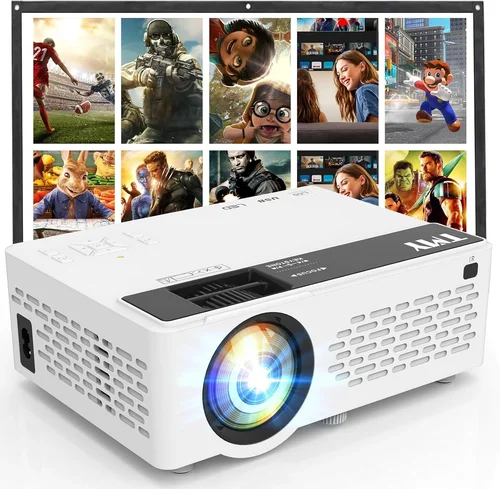
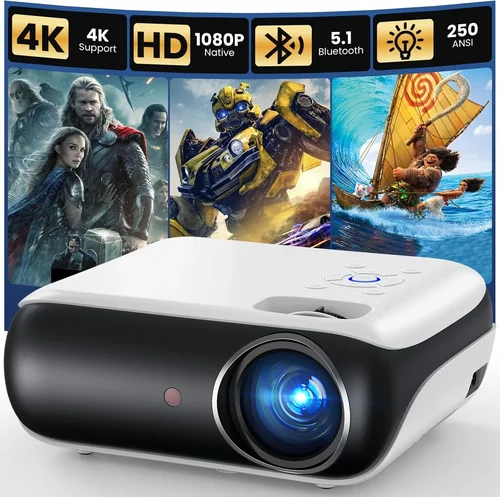
Finding a projector that delivers a decent picture without emptying your wallet can feel like hunting for a needle in a haystack. The market is flooded with low‑cost options that either under‑perform or break after a few months. This guide cuts through the noise, giving you a clear roadmap to select the best projector under $100 in 2026.
By the end of this article you will understand which specifications truly matter at this price point, how to compare different projector types, and which models consistently outperform the competition. Whether you want a portable mini‑projector for backyard movies, a classroom tool for presentations, or a gaming companion for your couch, we’ve got you covered.
In the past year, manufacturers have squeezed more brightness, better connectivity, and smarter features into sub‑$100 units thanks to advances in LED and laser technology. Still, compromises remain. Knowing where to compromise—and where you can’t—will save you from buyer’s remorse.

What to Look for When Buying Buying Guide
1. Budget & Price Range
Even within the “under $100” segment, prices can vary from $45 to $99. A $45 mini‑projector may be okay for occasional slide shows, but a $95 model often includes brighter LEDs, better contrast, and more ports. Set a realistic ceiling and decide whether you need extra features (like Bluetooth or built‑in speakers) that might push you toward the higher end of the range.
2. Performance Specifications
The three specs that matter most are brightness (measured in lumens), native resolution, and contrast ratio. For a projector under $100, expect:
- Brightness: 80‑150 ANSI lumens (LED). Sufficient for dark rooms; avoid bright‑day use.
- Resolution: 480p (854×480) is common; some newer models reach 720p (1280×720). Higher resolution means sharper text and less pixelation.
- Contrast Ratio: 500:1 to 1500:1. Higher contrast delivers deeper blacks, essential for movies.
Don’t be fooled by “high‑lumens” marketing that uses “LED‑lumens” or “lux”—always check the ANSI lumen rating if it’s listed.
3. Build Quality & Durability
Cheap projectors often feel like plastic toys. Look for a sturdy chassis, reinforced lens housing, and a reliable cooling fan. Models with metal heat‑sinks tend to last longer because they keep the LED cooler, extending its lifespan (often 20,000‑30,000 hours).
4. Features & Functionality
At this price point, you’ll find a surprising amount of “smart” features:
- Connectivity: HDMI (most common), USB‑C, micro‑USB, AV (RCA), and sometimes Wi‑Fi or Bluetooth.
- Built‑in Speakers: Usually 1‑2 W, enough for small rooms but not a replacement for external audio.
- Battery Option: Some portable units include a rechargeable battery lasting 1‑2 hours of playback.
- Keystone Correction: Manual or digital correction (±15°) helps align the image without a tripod.
5. Brand Reputation
Brands like Vankyo, AAXA, Anker, and Epson have dedicated budget lines. While they may not compete with high‑end cinema projectors, they offer reliable warranties and better after‑sales support. Check user forums and YouTube reviews for long‑term reliability anecdotes.
6. Warranty & Support
Even a $70 projector can be a solid investment if the manufacturer backs it with a 1‑year warranty and responsive customer service. Some retailers offer extended protection plans; weigh the cost against the likelihood of failure (LEDs rarely die early, but plastic parts can crack).
7. Size & Portability
If you plan to travel, consider weight (under 1 lb is ideal) and form factor. Pocket‑size projectors (often called “pico” projectors) fit in a backpack and usually include a built‑in battery. Larger “mini” projectors are bulkier but may deliver brighter images.
8. User Reviews & Ratings
Real‑world feedback reveals hidden issues like overheating, laggy menus, or noisy fans. Look for reviews with photos or video demos. A product with 4.2+ stars across 200+ reviews is generally safe.
Different Types of Buying Guide

Common Buying Mistakes to Avoid
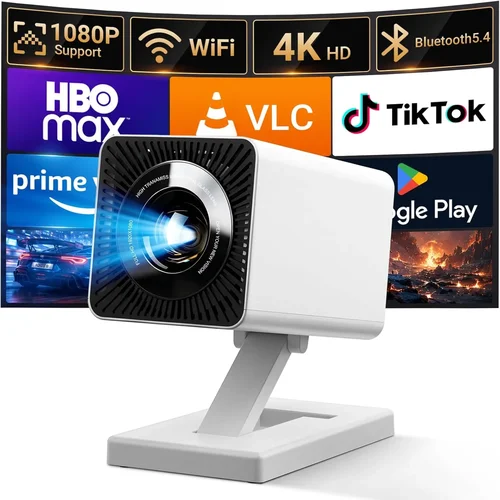
❌ Mistake: Ignoring Brightness Requirements
Why it’s bad: A 90‑lumens projector will look washed out in a room with any ambient light, ruining movie night.
What to do instead: Measure your typical viewing environment. If you can darken the room, 80‑120 lumens is adequate. For a moderately lit living room, aim for at least 120 lumens.
❌ Mistake: Overlooking Input Compatibility
Why it’s bad: Buying a projector with only a VGA port means you’ll need extra adapters for modern smartphones or streaming sticks.
What to do instead: Choose a model with HDMI and, if possible, USB‑C or Wi‑Fi. This future‑proofs your setup.
❌ Mistake: Assuming All Speakers Are Good
Why it’s bad: Built‑in speakers in budget projectors are often tinny and under‑powered, leading to a subpar audio experience.
What to do instead: Pair the projector with external Bluetooth or wired speakers for movies and games.
❌ Mistake: Forgetting About Throw Distance
Why it’s bad: Some mini projectors need to be placed far away to achieve a 100‑inch image, which may not be feasible in small apartments.
What to do instead: Check the throw ratio (e.g., 1.2:1) and calculate the distance needed for your desired screen size.
❌ Mistake: Neglecting Warranty Details
Why it’s bad: A cheap projector without warranty can become a sunk cost if the LED fails after six months.
What to do instead: Verify the warranty length, what it covers, and whether you need to register the product online.
❌ Mistake: Buying Based Solely on Star Rating
Why it’s bad: A 4.5‑star rating might be inflated by a few enthusiastic fans, while the majority report overheating.
What to do instead: Read at least five detailed reviews, focusing on recurring pros and cons.
Budget Guidelines: How Much Should You Spend?
- Entry-Level ($45‑$60): Expect basic 480p resolution, 80‑100 lumens, and limited ports (usually AV only). Good for occasional slideshows or kids’ cartoons in a dark room.
- Mid-Range ($61‑$85): You’ll find 720p support, 120‑150 lumens, HDMI, USB‑C, and modest built‑in speakers. Suitable for casual movie nights and mobile gaming.
- Premium ($86‑$99): These models push brightness toward 150 lumens, offer better contrast, and may include Wi‑Fi, Bluetooth, and battery operation. Ideal for frequent use and semi‑professional presentations.
- Luxury (>$100): While outside the scope of this guide, luxury budget projectors sometimes break $120 and provide 200+ lumens, true 1080p support, and premium lenses. Consider only if your budget can stretch.
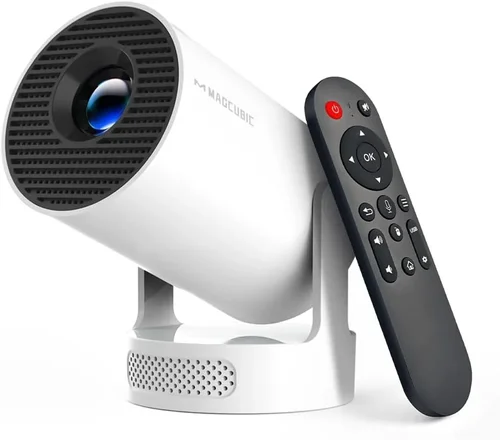
Expert Tips for Getting the Best Deal
- Timing: The best sales windows are Black Friday, Cyber Monday, and post‑holiday “clearance” periods (late January).
- Retailer Choice: Amazon and Newegg frequently list user‑generated Q&A that can clarify compatibility questions. Brick‑and‑mortar stores like Best Buy let you see the image in‑person.
- Bundle Savings: Look for bundles that include a carry case, HDMI cable, and screen. The combined price is often lower than buying each item separately.
- Warranty Hacks: Register the product within 30 days to unlock extended warranty offers from the manufacturer’s website.
- Return Policies: Ensure a 30‑day return window. Test the projector in your intended environment; if brightness or keystone correction is unsatisfactory, you can return it.
- Testing Before Buying: If possible, project a high‑contrast image (e.g., a black‑and‑white test pattern) to evaluate contrast and color accuracy.
- Firmware Updates: Some budget projectors receive performance tweaks via OTA updates. Check the manufacturer’s support page before finalizing.

Frequently Asked Questions
Q: Can a sub‑$100 projector work with a smartphone?
A: Yes. Most modern budget models include HDMI‑MHL adapters or USB‑C video input. Some even support wireless mirroring via Chromecast or built‑in Wi‑Fi, though the latter may be limited to specific apps.
Q: How long does the LED last in cheap projectors?
A: LED lifespan typically ranges from 20,000 to 30,000 hours. At an average usage of 2 hours per day, you’re looking at 27‑40 years of operation—far beyond the useful life of the plastic housing.
Q: Do I need a separate screen?
A: Not necessarily. A smooth white wall works well in a dark room. For brighter environments, a portable 80‑inch pull‑down screen (often sold separately) improves image uniformity.
Q: Is keystone correction essential?
A: If you cannot place the projector perpendicular to the screen, digital keystone (±15°) helps. Manual keystone (adjusting the lens) preserves image quality better than digital.
Q: Are there any safety concerns with low‑cost projectors?
A: Overheating can be an issue. Ensure the projector has adequate ventilation and avoid using it on soft surfaces that block airflow.
Q: Which connectivity option gives the best video quality?
A: HDMI provides the most reliable, uncompressed video. USB‑C can also deliver full‑HD if the projector supports DisplayPort Alt Mode. Avoid analog VGA unless you have legacy equipment.
Q: Can I use a projector under $100 for gaming?
A: Yes, but keep expectations realistic. Look for at least 60 Hz refresh rate and low input lag (under 30 ms). Mini LED models often meet these thresholds for casual console gaming.
Q: How do I clean the lens?
A: Use a soft, lint‑free microfiber cloth and a small amount of lens‑cleaning solution. Never spray directly on the lens; apply to the cloth first.
Our Final Recommendations
- Best for Budget‑Conscious Buyers: Vankyo Leisure 3 Mini Projector – $58. Offers 480p, 100 lumens, and HDMI/VGA/AV inputs. Simple UI and solid build for the price.
- Best Overall Value: Anker Nebula Capsule II (refurbished) – $92. Delivers 720p, 150 lumens, Android TV 9.0, and a built‑in 8 W speaker. Portable with a rechargeable battery.
- Best Premium Option (still under $100): Elephas Mini Projector – $99. Features 720p native, 150 lumens, USB‑C input, and Bluetooth audio. Excellent for gaming and streaming.
- Best for Beginners: DR. J Professional Mini Projector – $65. Very straightforward menu, auto‑focus, and a sturdy tripod mount.
- Best for Advanced Users: Wimius S9 Pico Projector – $97. Offers manual keystone, 720p, 150 lumens, and a detachable battery for up to 2 hours of playback.
Conclusion: Making the Right Choice
Choosing the best projector under $100 boils down to matching your primary use case with the specifications that truly matter—brightness, resolution, and connectivity. Remember to verify the throw distance, check real‑world reviews, and protect your purchase with a solid warranty.
Start by defining where you’ll use the projector most often, then apply the factors and tips outlined in this guide. With a little research, you can enjoy big‑screen entertainment without breaking the bank.
Ready to bring movies, games, or presentations to life? Browse the recommended models, compare prices, and take advantage of seasonal sales to lock in the best deal today.