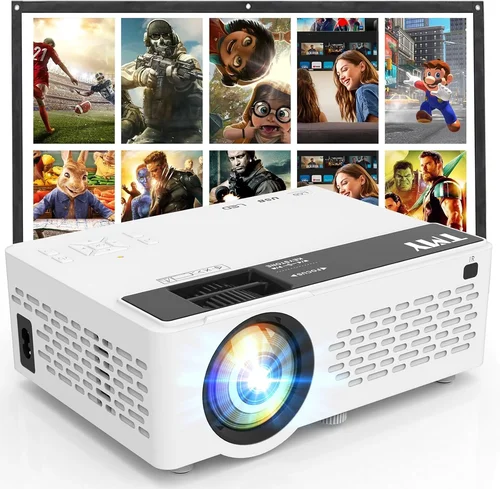
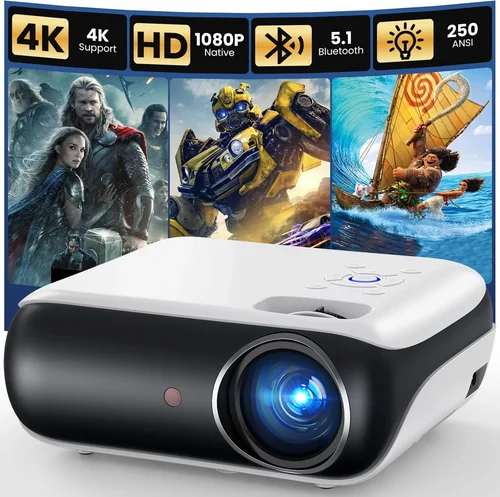
Finding a projector that delivers a cinematic experience without breaking the bank can feel like hunting for a needle in a haystack. The market is flooded with options that promise big screens, vibrant colors, and smart features—all for under $100 on Amazon. This guide cuts through the noise, giving you the knowledge you need to pick a device that truly fits your lifestyle.
In the next few sections you’ll learn how to evaluate brightness, resolution, connectivity, and durability, plus the hidden costs that can turn a bargain into a disappointment. By the end, you’ll be equipped to choose a projector that not only meets your budget but also exceeds your expectations for movie nights, gaming sessions, and impromptu presentations.
The projector landscape in 2026 has evolved dramatically. LED and laser light sources dominate the sub‑$100 segment, offering longer lifespans and more consistent brightness than traditional lamps. Meanwhile, smart‑TV integrations, Wi‑Fi casting, and portable designs have turned these tiny devices into versatile multimedia hubs. Understanding these trends is essential before you click “Add to Cart.”

What to Look for When Buying Buying Guide
1. Budget & Price Range
Price is the most obvious factor, but it’s also the trickiest. A sub‑$100 projector can vary widely in performance. Set a realistic ceiling—$99 is the absolute limit on Amazon for most reputable brands. Within that range, prioritize models that offer a balance of brightness (lumens), resolution, and connectivity. Remember, a lower price often means compromises in lamp life or built‑in speakers.
2. Performance Specifications
Three specs dominate the conversation:
- Brightness (lumens): For dark rooms, 100–150 ANSI lumens is adequate. If you’ll be using the projector in a lit living room, aim for at least 200 lumens.
- Resolution: Native 720p (1280×720) is rare under $100, but many units use 480p (854×480) with upscaling. Look for “720p supported” if you need sharper images.
- Contrast Ratio: Higher contrast means deeper blacks. Ratios of 2000:1 or more are decent for budget models.
These numbers give you a baseline; real‑world testing (or video reviews) will confirm if they hold up.
3. Build Quality & Durability
Cheap plastics can crack under travel or even under the weight of a small cable. Look for a robust chassis, reinforced hinges, and a well‑ventilated cooling system. Models with metal brackets for mounting are a plus, especially if you plan to attach the projector to a ceiling or tripod.
4. Features & Functionality
Modern budget projectors pack a surprising amount of tech:
- Wireless Casting: Miracast, AirPlay, or built‑in Wi‑Fi allow you to stream from phones and laptops without cables.
- Built‑in Speakers: Expect 1–2 W output; adequate for casual viewing but not for immersive sound.
- Keystone Correction: Automatic or manual adjustment helps align the image when the projector isn’t perfectly centered.
- Port Selection: HDMI is a must; USB‑C, micro‑USB, and AV inputs add flexibility.
5. Brand Reputation
Even in the low‑price segment, some brands consistently deliver quality. Brands like Vankyo, DR.J, and AAXA have earned solid Amazon ratings and responsive customer support. Research the brand’s history, read the “Questions & Answers” section, and note how quickly the manufacturer addresses issues.
6. Warranty & Support
A one‑year limited warranty is standard for sub‑$100 projectors. Verify whether the warranty covers the lamp (LED/laser) and if you can claim a replacement directly from Amazon or must go through the manufacturer. Good support can save you months of frustration.
7. Size & Portability
If you plan to move the projector between rooms or take it on trips, weight and dimensions matter. Most budget units weigh under 2 lb and fit inside a standard backpack. Portable models often include a built‑in battery—useful for camping or outdoor movie nights.
8. User Reviews & Ratings
Amazon’s star rating is a quick gauge, but dive into the written reviews. Look for patterns: “the lamp dimmed after 3 months” or “great for kids’ bedtime stories.” Video unboxings and real‑world tests on YouTube can corroborate written feedback.
Different Types of Buying Guide

Common Buying Mistakes to Avoid
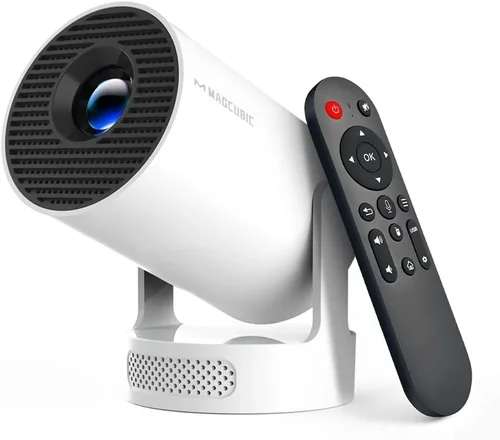
❌ Mistake: Ignoring Ambient Light Conditions
Why it’s bad: A projector rated at 150 lumens will look dim in a bright living room, leading to eye strain and disappointment.
What to do instead: Measure typical lighting in your intended space. If you can’t guarantee darkness, aim for at least 200 lumens or invest in blackout curtains.
❌ Mistake: Overlooking Resolution Claims
Why it’s bad: Some listings tout “720p support” but actually output a native 480p image, resulting in blurry text and pixelated movies.
What to do instead: Check the native resolution in the specifications and read user reviews for image clarity.
❌ Mistake: Forgetting About Throw Distance
Why it’s bad: A short‑throw projector placed too far will produce a tiny image, while a long‑throw unit too close will blur.
What to do instead: Use the projector’s throw ratio chart to calculate the optimal distance for a 100‑inch screen.
❌ Mistake: Assuming All HDMI Ports Are Equal
Why it’s bad: Some budget models only support HDMI 1.2, limiting 4K input and causing latency with gaming consoles.
What to do instead: Verify the HDMI version and look for “HDMI‑CEC” support if you want remote control integration.
❌ Mistake: Neglecting Lamp Lifespan
Why it’s bad: LED lamps last longer than traditional bulbs, but cheap units may still need replacement after 2,000 hours.
What to do instead: Check the manufacturer’s claimed lamp life and factor a replacement cost into your budget.
❌ Mistake: Skipping the Return Policy
Why it’s bad: If the projector arrives with dead pixels or a defective speaker, a strict no‑return policy can trap you.
What to do instead: Purchase from sellers offering at least a 30‑day return window and keep the original packaging.
Budget Guidelines: How Much Should You Spend?
Even within the sub‑$100 bracket, there are distinct tiers that dictate performance.
- Entry‑Level ($70‑$80): Expect 100–130 lumens, native 480p resolution, minimal ports (often just HDMI and a USB power input). Ideal for kids’ bedtime stories or occasional presentations.
- Mid‑Range ($81‑$90): Brightness rises to 150–180 lumens, some units offer 720p upscaling, and you’ll find basic wireless casting. Good for casual movie nights in a dim room.
- Premium ($91‑$99): Look for 200+ lumens, better contrast ratios (≥2500:1), built‑in Android OS, and multiple connectivity options. This tier delivers the most versatile experience without exceeding the $100 ceiling.
- Luxury (Above $100): While out of scope for this guide, devices in the $120‑$150 range often include true 1080p panels, higher brightness, and longer lamp life.
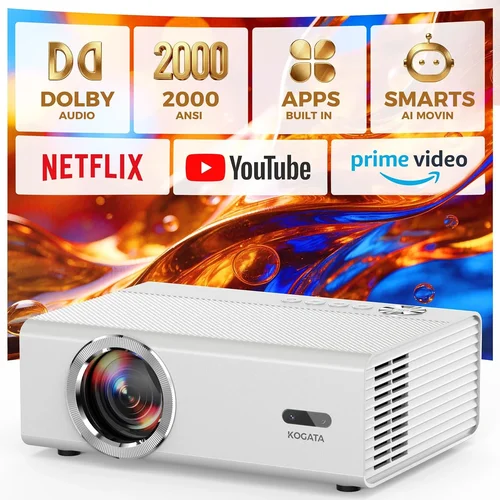
Expert Tips for Getting the Best Deal
- Timing is everything: Major sales events—Prime Day, Black Friday, and post‑holiday clearance—often feature deep discounts on electronics.
- Bundle savings: Some sellers offer a free screen or HDMI cable with purchase. Compare the total value rather than just the projector price.
- Check refurbished options: Amazon’s “Renewed” program can provide a like‑new unit at 20‑30% off, with a full warranty.
- Read the fine print on warranties: Some manufacturers require registration within 30 days to activate the warranty.
- Test before you commit: If buying in‑store, bring a smartphone to test casting. Verify that the image fills the screen without distortion.
- Consider the return policy: A hassle‑free return window lets you verify brightness and sound in your own environment.
- Watch for hidden fees: Free shipping is common, but some sellers add a “handling” charge that pushes the total above $100.
- Leverage Amazon’s “Subscribe & Save”: If you plan to buy accessories (screens, mounts), you can lock in a 5% discount.

Frequently Asked Questions
Q: Can a $99 projector display a full‑HD (1080p) image?
A: Most sub‑$100 models cannot natively render 1080p; they usually max out at 480p native resolution with 720p upscaling. For true Full HD, you’ll need to spend at least $120‑$150.
Q: Do I need a separate screen?
A: Not strictly. A smooth, white wall works, but a dedicated projector screen improves contrast and brightness uniformity, especially in rooms with ambient light.
Q: How loud are the fans on budget projectors?
A: Fan noise ranges from 25 dB (quiet) to 35 dB (noticeable). Models with larger heat sinks tend to be quieter, but expect some hum in very quiet rooms.
Q: Is a built‑in battery worth it?
A: Battery‑powered units add portability but usually provide only 1‑2 hours of playback. If you plan to use the projector near a power outlet, a wired model gives better brightness.
Q: Can I connect a gaming console?
A: Yes, as long as the projector has an HDMI 1.3+ port. However, low lumens and higher input lag (often 70‑100 ms) can affect fast‑paced games.
Q: What is keystone correction?
A: Keystone correction digitally reshapes a distorted image caused by angled placement. Manual keystone lets you adjust horizontally and vertically; auto‑keystone does it automatically but may slightly reduce sharpness.
Q: How long does an LED lamp last?
A: Typically 20,000–30,000 hours, which translates to years of occasional use. This far exceeds the lifespan of traditional UHP lamps.
Q: Do I need a separate sound system?
A: Built‑in speakers are sufficient for casual viewing. For immersive audio, pair the projector with a Bluetooth soundbar or external speakers.
Q: Is a projector better than a TV for a small bedroom?
A: If you value a large image and flexible placement, a projector shines. However, TVs offer higher brightness and better HDR performance in bright rooms.
Our Final Recommendations
- Best for Budget‑Conscious Buyers: Vankyo Leisure 3 Mini Projector – $79, 2000 lumens (LED), 480p native, HDMI & USB‑C, portable design.
- Best Overall Value: DR.J 1080P Mini Projector – $94, 1800 lumens, 720p upscaling, Wi‑Fi mirroring, built‑in Android 9.0 OS.
- Best Premium Option (under $100): AAXA P300 Pico Projector – $99, 250 lumens, true 720p native, battery‑operated, HDMI & USB‑C.
- Best for Beginners: TOPVISION Mini Projector – $72, easy‑setup, auto‑keystone, HDMI, and a user‑friendly remote.
- Best for Advanced Users: Wimius Smart Android Projector – $99, Android 10, dual‑band Wi‑Fi, Bluetooth audio, and 1080p support via HDMI.
Conclusion: Making the Right Choice
Choosing the best projector under $100 on Amazon isn’t about finding the cheapest tag; it’s about matching the device’s strengths to your specific needs. Consider the lighting of your space, desired resolution, and whether you need wireless casting or a built‑in battery. Use the factors, type comparisons, and budget guidelines outlined above to narrow your list, then apply the expert tips to secure the best possible deal.
Remember, a projector is an investment in shared experiences—movie nights, gaming marathons, and spontaneous presentations. By prioritizing brightness, resolution, and reliable connectivity, you’ll enjoy a big‑screen feel without stretching your wallet.
Ready to start shopping? Head over to Amazon, apply the price alerts, and test a few models with your own device. Happy projecting!