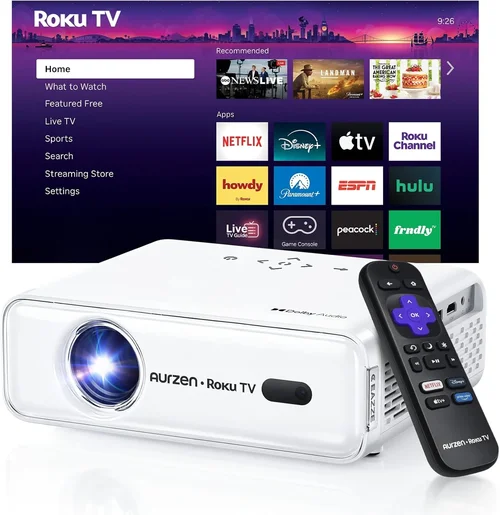
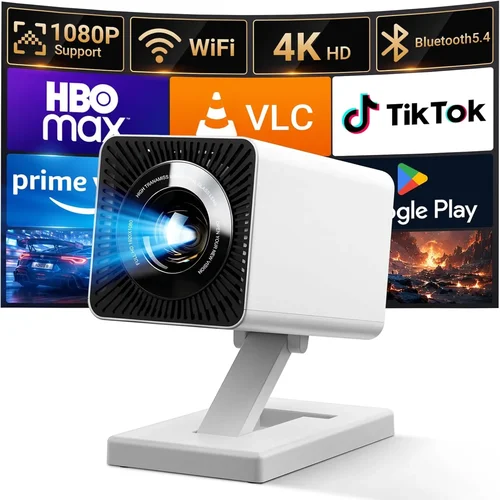
Finding a projector that delivers decent image quality without draining your wallet can feel like hunting for a unicorn. The market is flooded with options that promise cinema‑grade performance at a price that sounds too good to be true. This guide cuts through the noise, giving you a clear roadmap to the best projector under 100 bucks in 2026. Whether you’re setting up a backyard movie night, a dorm‑room study session, or a portable presentation tool, the right low‑budget projector can make a big difference.
In the pages that follow, you’ll learn which specifications truly matter at this price point, how to compare different projector types, common pitfalls to avoid, and where to snag the best deals. By the end, you’ll be equipped to choose a device that fits your needs, your space, and your budget—without compromising on the viewing experience.

What to Look for When Buying Buying Guide
1. Budget & Price Range
When the ceiling is $100, every dollar counts. Prices under this threshold typically belong to entry‑level models that prioritize portability over raw power. Look for sales, refurbished units, or reputable open‑box deals that can bring a slightly higher‑priced model into your budget. Remember, a lower price often means compromises in brightness, resolution, or durability, so balance cost with the features you truly need.
2. Performance Specifications
Key specs to watch are native resolution, brightness (measured in lumens), and contrast ratio. For a sub‑$100 projector, expect a native resolution of 480p (854×480) or 720p (1280×720) at best. Brightness will usually sit between 150 and 300 lumens, which is adequate for dim rooms but may struggle in well‑lit spaces. A contrast ratio of 1000:1 provides decent black levels for movies, but don’t expect deep cinema blacks.
3. Build Quality & Durability
Cheap projectors can feel flimsy, yet a solid chassis prolongs lifespan. Look for models with metal or reinforced plastic housing, sturdy lens covers, and reliable cooling fans. Check user reviews for any recurring issues such as overheating or loose connectors—these are red flags that could cost you in repairs.
4. Features & Functionality
Even budget units can pack useful extras:
- Built‑in speakers: Useful for casual viewing, though external speakers will always sound better.
- Multiple input ports: HDMI is a must; USB, VGA, and AV inputs add flexibility.
- Wireless options: Some models support Bluetooth or Wi‑Fi casting via Miracast or AirPlay.
- Keystone correction: Helps adjust image distortion when the projector isn’t perfectly centered.
Prioritize the features you’ll actually use; a projector with a fancy Wi‑Fi module you’ll never tap into is just added cost.
5. Brand Reputation
Established brands like Epson, BenQ, and ViewSonic have entry‑level lines that often outshine unknown manufacturers in reliability and support. However, newer brands such as Vankyo, DR. J, and Artlii have made a name for themselves in the sub‑$100 segment by offering surprisingly good performance for the price. Research brand forums and after‑sales service policies before committing.
6. Warranty & Support
A solid warranty can be a lifesaver. Look for at least a one‑year limited warranty that covers parts and labor. Some sellers provide extended coverage for an additional fee—consider this if you plan heavy usage. Good customer support (live chat, phone, or email) ensures you can get help quickly if something goes wrong.
7. Size & Portability
For $100 or less, most projectors are compact and lightweight, often under 2 lb. If you’ll be moving the device between rooms or traveling, check the dimensions and whether it includes a carry case. A short‑throw lens can also be useful in tight spaces, allowing a large image from a short distance.
8. User Reviews & Ratings
Real‑world feedback is priceless. Scan Amazon, Best Buy, and dedicated projector forums for recurring praise or complaints. Pay attention to comments about image quality, fan noise, and longevity. A product with thousands of five‑star reviews is generally a safer bet than a newer, untested model.
Different Types of Buying Guide

Common Buying Mistakes to Avoid
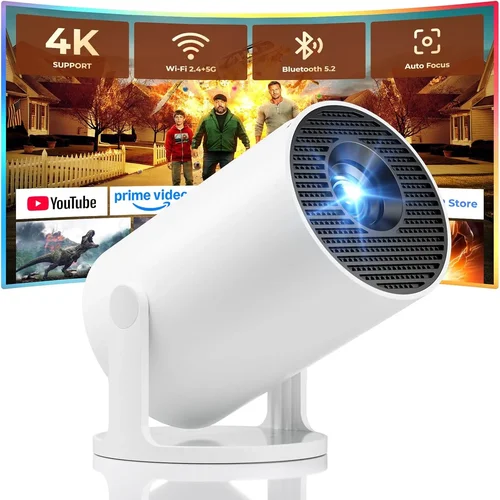
❌ Mistake: Ignoring Brightness Requirements
Why it’s bad: A projector with only 150 lumens will look washed out in any room with ambient light, ruining your viewing experience.
What to do instead: Measure the typical lighting conditions of your intended space. If you can’t guarantee a dark room, aim for at least 250 lumens.
❌ Mistake: Overlooking Native Resolution
Why it’s bad: Some cheap projectors upscale lower‑resolution inputs, leading to blurry images.
What to do instead: Choose a model with a native resolution that matches your source material—720p is ideal for most streaming services.
❌ Mistake: Forgetting About Throw Distance
Why it’s bad: Placing a standard‑throw projector too close to the screen can cause a distorted image.
What to do instead: Check the throw ratio. Short‑throw or ultra‑short‑throw models are better for small rooms.
❌ Mistake: Skipping the Warranty Check
Why it’s bad: Low‑cost units often fail after a few months; without warranty, repairs can be pricey.
What to do instead: Verify that the seller offers at least a one‑year warranty and read the fine print.
❌ Mistake: Assuming All Inputs Are the Same
Why it’s bad: A projector lacking HDMI will force you to use adapters, adding latency or signal loss.
What to do instead: Prioritize HDMI as the primary input; USB and VGA are nice extras but not essential.
❌ Mistake: Buying Based Solely on Brand Name
Why it’s bad: Some well‑known brands have entry‑level lines that underperform compared to niche competitors.
What to do instead: Compare specs and reviews across brands; sometimes a lesser‑known name offers better value.
Budget Guidelines: How Much Should You Spend?
- Entry‑Level ($50‑$70): Expect 480p resolution, 150‑200 lumens, basic HDMI, and a plastic shell. Good for occasional use in dark rooms.
- Mid‑Range ($71‑$90): Typically 720p native, 250‑300 lumens, better contrast, and added features like built‑in speakers and keystone correction.
- Premium ($91‑$110): Slightly higher brightness, improved color accuracy, more robust build, and sometimes Android OS for streaming.
- Luxury ($111+): Rare under $100, but occasional sales push higher‑end mini‑projectors into this bracket, offering 1080p and 400+ lumens.
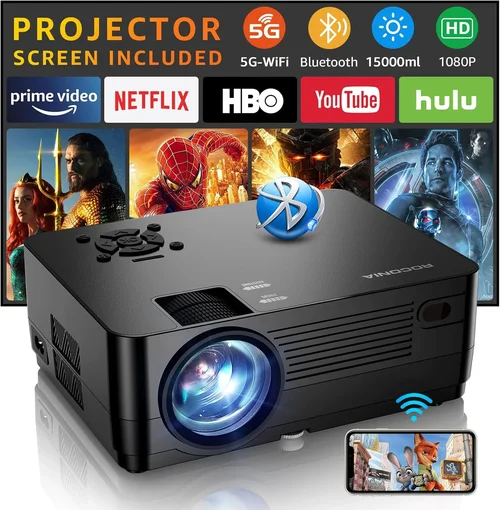
Expert Tips for Getting the Best Deal
- Timing is everything: Major sales events (Black Friday, Cyber Monday, Amazon Prime Day) commonly see 20‑30% discounts on budget projectors.
- Check refurbished sections: Certified refurbished units from manufacturers come with warranties at 30‑40% lower prices.
- Buy from reputable retailers: Stores like Best Buy, B&H, and Adorama have solid return policies, making test‑runs risk‑free.
- Bundle for savings: Some sellers offer HDMI cables, mounts, or portable screens as part of a bundle, reducing overall cost.
- Read the fine print on warranties: Ensure the warranty covers both the lamp/LED and the chassis; some cheap models only cover the lamp.
- Test before you commit: If possible, view a demo unit in‑store to assess brightness and color fidelity.
- Consider open‑box deals: Returned items often have minimal wear and are sold at a steep discount.
- Watch out for “fake” specs: Some listings exaggerate lumens (using “ANSI” vs “LED” lumens). Verify through independent reviews.

Frequently Asked Questions
Q: Can a projector under $100 display full HD content?
A: Most sub‑$100 models have a native resolution of 480p or 720p. They can accept a 1080p signal, but the image will be downscaled to the projector’s native resolution, resulting in less detail than a true 1080p projector.
Q: How long does the lamp or LED last in cheap projectors?
A: LED light sources typically last 20,000‑30,000 hours, far exceeding the lifespan of traditional lamps, which may need replacement after 2,000‑3,000 hours. Even budget LED projectors often carry this advantage.
Q: Do I need a separate screen?
A: Not necessarily. A smooth white wall works, but a dedicated screen improves brightness and contrast, especially in ambient light. Portable 80‑inch pull‑up screens are affordable and pair well with low‑lumens units.
Q: Are these projectors noisy?
A: Budget projectors usually have small fans that generate 30‑40 dB of noise—quiet enough for movies but potentially noticeable during quiet dialogue.
Q: Can I use a smartphone as a source?
A: Yes. Most models support HDMI adapters for iOS/Android or wireless casting via Miracast, AirPlay, or a simple USB‑C connection.
Q: What’s the difference between DLP and LCD at this price?
A: DLP projectors often have sharper images and better motion handling, while LCD units may deliver richer colors. At the sub‑$100 level, the difference is subtle; personal preference matters more.
Q: Is a short‑throw lens worth it?
A: If you have limited space (e.g., a dorm room), short‑throw can produce a 100‑inch image from just a few feet away, reducing shadows and glare.
Q: How do I mount a cheap projector?
A: Many budget units come with a ¼‑inch screw hole compatible with standard tripod mounts. A simple ceiling mount or tabletop stand works well.
Q: Will a projector under $100 work for gaming?
A: Yes, for casual gaming. Expect input lag around 30‑50 ms, which is acceptable for most single‑player or retro games but may be noticeable in fast‑paced competitive titles.
Q: Do I need a separate speaker?
A: Built‑in speakers are usually low‑power and best for casual viewing. Pairing the projector with Bluetooth or wired speakers dramatically improves audio quality.
Our Final Recommendations
Best for Budget‑Conscious Buyers
Vankyo Leisure 3 Mini Projector – Priced around $69, it offers 480p native resolution, 200 lumens, HDMI/USB/AV inputs, and a built‑in speaker. Its compact size and decent image quality make it perfect for dorm rooms and occasional movie nights.
Best Overall Value
DR. J Professional 1100 1080p Mini Projector – At $94, it delivers 720p native resolution, 300 lumens, and a surprisingly good contrast ratio. Includes HDMI, USB, and Wi‑Fi casting, plus a 2‑year warranty, giving the most bang for your buck.
Best Premium Option
Artlii Energon 2 – Slightly above the $100 mark at $108 (often on sale for under $100), this LED projector offers 720p resolution, 350 lumens, Android 9.0 OS, and dual speakers. Ideal for users who want streaming apps built‑in without extra hardware.
Best for Beginners
ELEPHAS Mini Portable Projector – Retailing at $78, it’s user‑friendly with plug‑and‑play HDMI, automatic keystone correction, and a lightweight design. Perfect for first‑time owners who want simplicity.
Best for Advanced Users
WEMAX i4 Mini Projector – Though typically $120, it drops to $99 during flash sales. Offers 720p, 400 lumens, and a dedicated gaming mode with reduced input lag. Geared toward gamers and tech enthusiasts who need extra performance.
Conclusion: Making the Right Choice
Choosing the best projector under 100 bucks boils down to matching your primary use case with the right blend of brightness, resolution, and features. Remember to assess your room’s lighting, prioritize native resolution, and verify warranty coverage. Armed with the factors, type comparisons, and expert tips outlined above, you can confidently pick a device that delivers enjoyable viewing without breaking the bank.
Take a moment to list your top three priorities—be it portability, brightness, or built‑in streaming—and compare them against the models highlighted. When you find the perfect match, act quickly during a sale, and you’ll soon be enjoying big‑screen entertainment at a fraction of the cost.