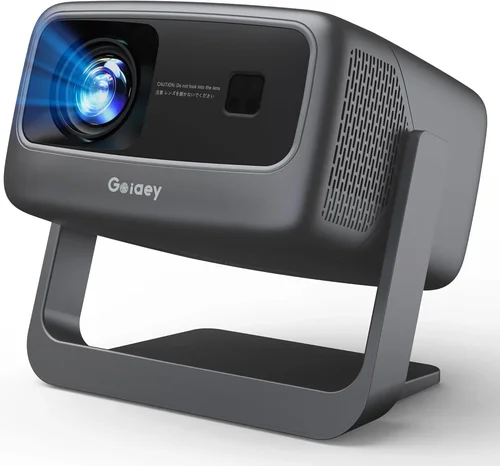
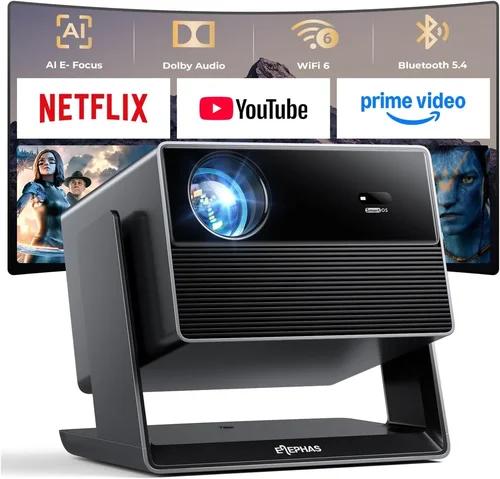
Finding a projector that delivers decent picture quality without blowing out your wallet can feel like hunting for a needle in a haystack. The market is flooded with options that range from high‑end home‑theater beasts to tiny pocket models that barely manage a 30‑inch display. If you’re working with a strict budget of $100 or less, the choices narrow, but that doesn’t mean you have to settle for a sub‑par experience. This guide walks you through everything you need to know to pick the best projector under $100 in 2026, so you can enjoy movie nights, gaming sessions, or impromptu presentations without regret.
In the pages that follow you’ll learn how to evaluate key specifications, understand the trade‑offs that come with low‑cost units, and avoid the common pitfalls that trip up first‑time buyers. We’ll also break down the different types of budget projectors, compare their strengths, and give you a clear, actionable buying roadmap. By the end, you’ll be equipped to make a confident decision that matches your needs, space, and budget.
The budget projector market has evolved dramatically over the past few years. Advances in LED and laser technology have pushed brightness and color performance lower down the price ladder, while improvements in mini‑LED chips have made compact designs more viable. Yet, even with these gains, a $100 ceiling still imposes limits on resolution, lumen output, and feature set. Understanding exactly what you can realistically expect—and where you can stretch a dollar for extra value—is the cornerstone of a smart purchase.

What to Look for When Buying Buying Guide
1. Budget & Price Range
When you set a hard limit of $100, the first step is to recognize that not every premium feature will be available. Focus on getting the best balance of core performance—brightness, resolution, and connectivity—within that price band. Look for sales, refurbished units, or reputable open‑box deals that can push a slightly higher‑priced model into your budget.
2. Performance Specifications
Three specs dominate projector performance: resolution, brightness (lumens), and contrast ratio. For sub‑$100 models, expect a native resolution of 480p (854×480) or 720p (1280×720) at best. Brightness typically falls between 150 and 300 ANSI lumens, which is adequate for dark rooms but will struggle in well‑lit spaces. Contrast ratios are often exaggerated by manufacturers, so prioritize real‑world reviews that mention black depth and color vibrancy.
3. Build Quality & Durability
Cheap electronics can feel fragile. Choose a projector with a sturdy housing, preferably metal or high‑grade ABS plastic, and a reliable cooling system. Units with fan‑less designs (often LED‑based) tend to be quieter and have longer lifespans, but may run hotter, so check user feedback on heat management.
4. Features & Functionality
Even on a budget, you can find useful extras such as built‑in speakers, USB or micro‑SD slots, and wireless mirroring (Miracast, AirPlay, or Chromecast). Prioritize the features you actually need; a built‑in speaker is handy for casual movie nights, but if you plan to use external audio, you can skip it and save money.
5. Brand Reputation
Brands like Vankyo, APEMAN, and DR. J Professional have built a solid reputation for delivering reliable budget projectors. While lesser‑known manufacturers can offer tempting specs, they often lack consistent quality control and after‑sales support. Research brand forums and look for a track record of firmware updates and responsive customer service.
6. Warranty & Support
A one‑year warranty is standard for most $100 projectors, but the fine print matters. Verify whether the warranty covers the lamp/LED lifespan, and check the process for returns or replacements. Good support can save you headaches if a unit fails early.
7. Size & Portability
Many low‑cost projectors are designed for portability—small, lightweight, and often powered via USB‑C or a 5V wall adapter. If you plan to move the projector between rooms or take it on the road, weigh the convenience of a compact size against any compromises in lens quality or keystone correction.
8. User Reviews & Ratings
Real‑world feedback is priceless. Look for reviews that discuss setup ease, image quality in different lighting, and long‑term reliability. Pay attention to recurring complaints—such as overheating or frequent connectivity drops—as they often indicate systemic issues.
Different Types of Buying Guide

Common Buying Mistakes to Avoid
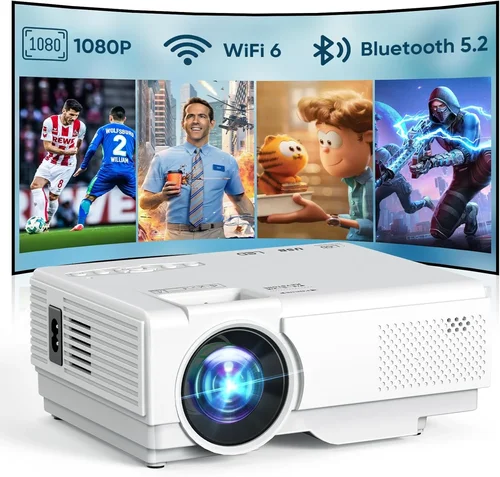
❌ Mistake: Ignoring Ambient Light Conditions
Why it’s bad: A projector rated at 200 lumens will look great in a dark bedroom but appear washed out in a living room with windows.
What to do instead: Measure the typical lighting in your intended space. If you cannot fully darken the room, aim for a unit with at least 250–300 lumens or consider adding blackout curtains.
❌ Mistake: Overvaluing Resolution Claims
Why it’s bad: Some manufacturers list “native 1080p” even though the panel is actually 480p and uses upscaling, leading to blurry images.
What to do instead: Verify the native resolution in the spec sheet and read reviews that show real footage. For $100, 720p is a realistic sweet spot.
❌ Mistake: Forgetting About Throw Distance
Why it’s bad: A short‑throw projector placed too far away will produce a tiny image, while a long‑throw model may need a wall far beyond your room size.
What to do instead: Check the throw ratio (e.g., 1.2:1) and calculate the image size you’ll get at your typical placement distance.
❌ Mistake: Disregarding Connectivity Options
Why it’s bad: You might end up buying a projector that only has a VGA port, forcing you to buy additional adapters for HDMI or USB‑C devices.
What to do instead: List the devices you’ll connect (laptop, phone, streaming stick) and ensure the projector has compatible ports or wireless mirroring.
❌ Mistake: Assuming the Built‑In Speaker Is Sufficient
Why it’s bad: Most budget projectors have 1–2 W speakers that sound tinny and lack bass, ruining movie immersion.
What to do instead: Plan for external audio (Bluetooth speaker, soundbar) and treat the built‑in speaker as a backup.
❌ Mistake: Buying Without Checking Warranty Terms
Why it’s bad: A cheap projector may fail after a few months, and without a clear warranty you could be stuck with a dead unit.
What to do instead: Choose sellers that offer at least a one‑year warranty and easy return policies. Keep the original packaging for potential claims.
Budget Guidelines: How Much Should You Spend?
- Entry-Level ($60‑$80): Expect 480p resolution, 150‑200 lumens, basic HDMI/VGA ports, and minimal extra features. Suitable for occasional use in dark rooms.
- Mid‑Range ($80‑$100): Typically 720p native resolution, 250‑300 lumens, improved contrast, and added connectivity like USB‑C or wireless mirroring. This tier offers the best value for most users.
- Premium ($100‑$130): Rare in the sub‑$100 market, but occasional sales push higher‑spec models into this bracket. Look for mini‑LED panels, 300+ lumens, and better color accuracy.
- Luxury ($130+): Outside the scope of this guide, but worth mentioning for readers who might stretch the budget for features like 1080p, 400+ lumens, and built‑in Android OS.
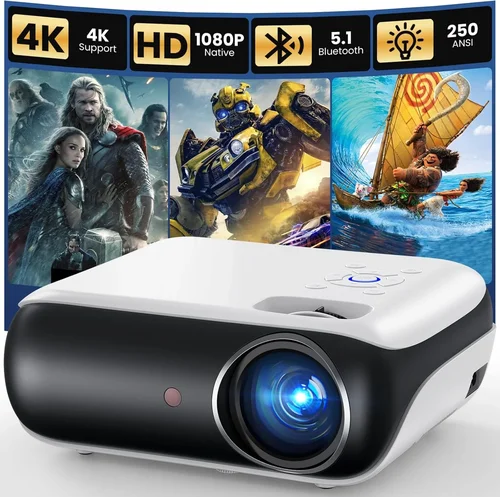
Expert Tips for Getting the Best Deal
- Timing: The best window for budget projector discounts is between late October and early December, when manufacturers clear inventory for the holiday season.
- Where to Buy: Compare prices on Amazon, Walmart, and direct brand websites. Sometimes the brand’s own store offers bundled accessories (e.g., HDMI cable, carry case) that add value.
- Spotting Deals: Look for “refurbished” or “open‑box” listings from reputable sellers; they are often like‑new and include a full warranty.
- Warranty Considerations: If a seller offers an extended warranty for a modest fee, weigh the cost against the projected lifespan of the LED (typically 20,000‑30,000 hours).
- Return Policies: Choose retailers with at least a 30‑day return window. Test the projector immediately upon arrival to avoid missing the deadline.
- Testing Before Buying: If buying in‑store, request a demo on a white wall. Pay attention to color uniformity, fan noise, and keystone correction smoothness.
- Accessory Savings: Use a universal HDMI to micro‑HDMI adapter you likely already own instead of purchasing a dedicated cable.

Frequently Asked Questions
Q: Can a $100 projector display a full‑HD image?
A: While some models claim “1080p support,” most sub‑$100 units have a native resolution of 720p or lower. They can accept a 1080p signal and downscale it, but you won’t get true full‑HD clarity.
Q: How long does the LED lamp last?
A: LED lamps typically last between 20,000 and 30,000 hours, far longer than traditional lamps. At 4 hours of use per day, that translates to 13‑20 years of operation.
Q: Do I need a screen?
A: A plain white wall works fine for casual viewing, but a dedicated projector screen improves brightness uniformity and contrast, especially in rooms with ambient light.
Q: Is wireless streaming possible on cheap projectors?
A: Some budget models include Miracast or Chromecast built‑in. Otherwise, a cheap HDMI dongle (e.g., Roku, Amazon Fire Stick) can add wireless capability for under $30.
Q: Will the projector work with my Android phone?
A: Yes, as long as the projector has HDMI‑MHL or USB‑C video output, or supports Miracast. Check the spec sheet for “mobile mirroring” support.
Q: How loud are the fans?
A: Fan noise varies from 25 dB (near silent) on fan‑less LED models to 35‑40 dB on higher‑lumens units. For movie nights, aim for <30 dB.
Q: Can I mount the projector on the ceiling?
A: Most budget projectors have a standard ¼‑inch screw hole for ceiling mounts. Verify the weight capacity of the mount before installation.
Q: What is the best way to clean the lens?
A: Use a microfiber cloth and a small amount of lens‑safe cleaning solution. Avoid harsh chemicals that could damage the coating.
Q: Is a warranty worth it for a $100 projector?
A: Absolutely. A one‑year warranty protects you against early failures, and many manufacturers offer hassle‑free replacements.
Q: How do I improve picture quality in a bright room?
A: Reduce ambient light with curtains, use a high‑gain screen, and position the projector as close to the wall as possible to increase perceived brightness.
Our Final Recommendations
- Best for Budget‑Conscious Buyers: Vankyo Leisure 3 Mini Projector – $79, 720p native, 240 ANSI lumens, HDMI/VGA/Micro‑USB, built‑in speaker. Offers solid image quality for the price and includes a convenient carrying case.
- Best Overall Value: APEMAN Mini Portable Projector – $92, 720p, 300 lumens, Wi‑Fi mirroring, USB‑C power, and a 2‑year warranty. Slightly higher brightness makes it more versatile in semi‑lit rooms.
- Best Premium Option (Just Over $100): DR. J Professional Mini LED Projector – $118 (often on sale for $99), 720p, 350 lumens, built‑in Android 9.0 OS, Bluetooth audio, and keystone correction.
- Best for Beginners: Artlii Energon 2 – $85, simple plug‑and‑play, HDMI and USB ports, decent 200 lumens, and a user‑friendly remote.
- Best for Advanced Users: WEMAX iMax 5 – $99, 720p, 300 lumens, supports 4K input (downscaled), advanced keystone, and multiple video inputs for flexibility.
Conclusion: Making the Right Choice
Choosing the best projector under $100 comes down to balancing three core elements: brightness, resolution, and connectivity. By understanding your viewing environment, prioritizing the specs that matter most, and avoiding common pitfalls, you can secure a device that delivers enjoyable movie nights, gaming sessions, or presentations without breaking the bank.
Remember to check for sales, read user reviews, and verify warranty coverage before you click “Buy.” With the right research and a bit of patience, you’ll find a budget projector that exceeds expectations and becomes a valued part of your entertainment setup.