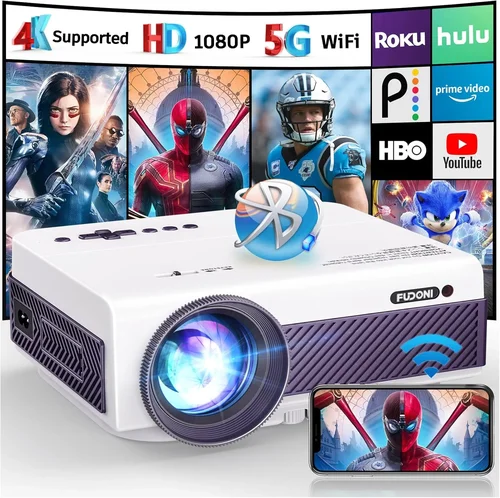
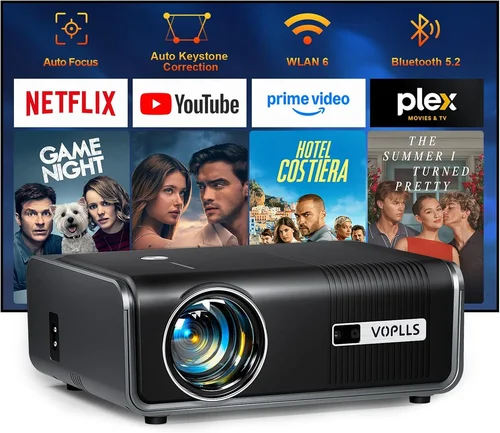
Finding a projector that delivers decent performance without breaking the bank can feel like hunting for a needle in a haystack. The market is flooded with low‑cost options that promise big‑screen magic, yet many fall short when it comes to brightness, image quality, or durability. That’s why we’ve crafted this guide: to cut through the hype and give you a clear, expert‑backed roadmap for picking the best projector under $100 in 2026.
In the pages that follow you’ll learn which specifications truly matter at this price point, how different projector types stack up against each other, and which common pitfalls you can avoid. By the end, you’ll be armed with the knowledge to choose a device that fits your living space, viewing habits, and budget—without the buyer’s remorse.
The $100 segment has matured dramatically over the past few years. Advances in LED technology, smarter chipsets, and aggressive competition have pushed brightness, resolution, and connectivity into ranges that were once reserved for far pricier models. While you still won’t get 4K or cinema‑grade contrast, today’s sub‑$100 projectors can comfortably stream YouTube, display PowerPoint decks, and turn a backyard into a casual movie night venue. Let’s dive into the details.

What to Look for When Buying Buying Guide
1. Budget & Price Range
Even within the sub‑$100 bracket, prices can vary by $20‑$30 depending on brand, features, and retailer promotions. Set a firm ceiling—say $95—to give yourself wiggle room for accessories like a portable screen or a HDMI‑to‑USB‑C adapter. Remember that the cheapest option may lack essential ports or have a short lamp life, which could cost more in the long run.
2. Performance Specifications
Key specs to scrutinize are:
- Brightness (lumens): For indoor use in dim rooms, 150‑250 ANSI lumens is acceptable. If you plan to project in a lit living room or outdoors, aim for the higher end of that range.
- Resolution: Most budget models are 480p (854×480) or 720p (1280×720). While native 720p is rare under $100, many projectors use scaling to improve perceived sharpness.
- Contrast Ratio: Higher contrast yields deeper blacks. Expect ratios between 500:1 and 1500:1; anything lower will look washed out.
- Throw Distance: Short‑throw units can fill a 100‑inch screen from just a few feet away, which is ideal for small apartments.
3. Build Quality & Durability
Cheap plastic housings can crack or warp under frequent transport. Look for models with reinforced corners, rubberized feet, and a sealed vent system that resists dust buildup. A metal lens housing is a bonus but not a must‑have at this price.
4. Features & Functionality
Consider the following add‑ons:
- Connectivity: HDMI is a must; USB‑C and micro‑USB broaden compatibility with phones and tablets. Some units also include a 3.5 mm audio jack for external speakers.
- Built‑in Speakers: Expect 1‑2 W speakers—adequate for a quiet room but not for a full‑blown movie night.
- Keystone Correction: Automatic or manual correction (±30°) helps align the image without physically moving the projector.
- Battery Power: A handful of models include a rechargeable battery for true portability; check runtime (usually 1‑2 hours).
5. Brand Reputation
Brands such as Vankyo, Anker, and AAXA have built solid track records for delivering reliable budget projectors. While lesser‑known manufacturers can surprise with good products, they often lack robust after‑sales support.
6. Warranty & Support
A minimum 1‑year warranty is standard. Look for manufacturers that provide easy RMA processes and responsive customer service. Some retailers also offer extended protection plans—evaluate the cost versus the likelihood of needing repairs.
7. Size & Portability
If you intend to move the projector between rooms or take it on trips, weight under 2 lb and a compact footprint are essential. Pocket‑size projectors often sacrifice brightness, so balance size with the lighting conditions of your primary use case.
8. User Reviews & Ratings
Read verified buyer feedback on platforms like Amazon, Best Buy, and Reddit. Focus on recurring themes—e.g., “lamp dies after 50 hours” or “great for gaming with low lag.” High‑volume reviews give a clearer picture than a handful of five‑star comments.
Different Types of Buying Guide

Common Buying Mistakes to Avoid
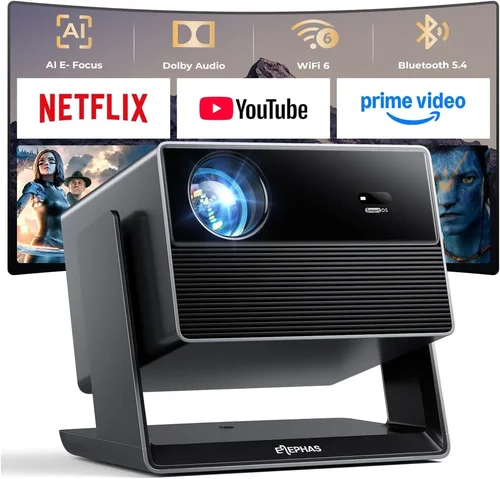
❌ Mistake: Buying Solely on Price
Why it’s bad: The cheapest unit often sacrifices brightness, lamp life, or essential ports, leading to frustration.
What to do instead: Set a realistic budget ceiling, then compare key specs. A $95 projector with 200 lumens and HDMI beats a $55 model that only offers micro‑USB.
❌ Mistake: Ignoring Throw Distance
Why it’s bad: A long‑throw projector may need 8‑10 ft of space to fill a 100‑inch screen, which most apartments lack.
What to do instead: Measure your projection area and choose a short‑throw or ultra‑short‑throw unit if space is limited.
❌ Mistake: Overlooking Lamp Lifespan
Why it’s bad: LED lamps degrade over time. A projector rated for 20 000 hours will outlast one at 5 000 hours, saving you replacement costs.
What to do instead: Check the manufacturer’s claimed lamp life and read user reviews for real‑world longevity.
❌ Mistake: Forgetting About Audio
Why it’s bad: Built‑in speakers on budget models are often tinny and underpowered, ruining movie nights.
What to do instead: Plan for external speakers or a soundbar; ensure the projector has a 3.5 mm audio out or Bluetooth.
❌ Mistake: Not Verifying Compatibility
Why it’s bad: Some projectors only accept 1080p input but output at 480p, causing a blurry picture.
What to do instead: Match the projector’s native resolution with the source devices you’ll use most often.
Budget Guidelines: How Much Should You Spend?
- Entry‑Level ($70‑$80): Expect 150 lumens, 480p native resolution, basic HDMI, and a small built‑in speaker. Ideal for occasional presentations or casual YouTube streaming in a dark room.
- Mid‑Range ($81‑$95): Brightness climbs to 200‑250 lumens, resolution improves to 720p scaling, and you’ll find keystone correction plus a battery pack. This tier balances performance and portability for most users.
- Premium ($96‑$110): Though slightly above the $100 mark, premium models deliver 250+ lumens, true 720p native panels, and richer feature sets like Bluetooth audio and longer lamp life.
- Luxury ($111+): Rare in the sub‑$100 market; these units often blur the line into mid‑range pricing with higher-end optics and brand prestige.
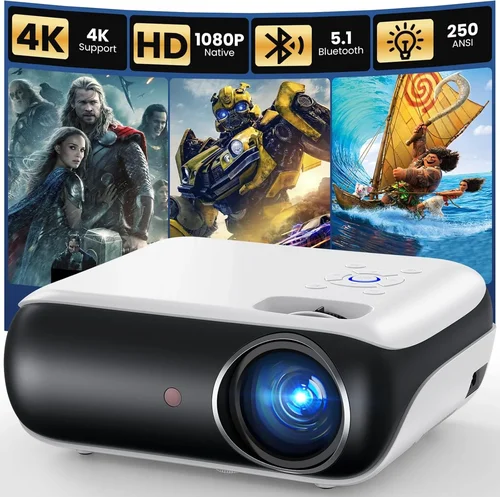
Expert Tips for Getting the Best Deal
- Timing: Major sales events—Black Friday, Cyber Monday, and Amazon Prime Day—often feature deep discounts on budget electronics.
- Where to Buy: Compare Amazon, Walmart, and direct manufacturer sites. Sometimes the manufacturer offers bundle deals with a screen or carrying case.
- Spotting Deals: Look for “refurbished” listings from reputable sellers; they’re tested, come with a warranty, and can be 20‑30% cheaper.
- Warranty Considerations: A longer warranty may justify a slightly higher price if the seller offers free lamp replacement.
- Return Policies: Ensure the retailer offers at least a 30‑day return window—crucial for testing image quality in your own space.
- Testing Before Buying: If possible, view a demo unit in‑store. Pay attention to color accuracy and how the projector handles ambient light.
- Bundle Savings: Some sellers include HDMI cables, a portable screen, or a tripod at no extra cost—great value adds.

Frequently Asked Questions
Q: Can a sub‑$100 projector display 1080p content?
A: Most budget models can accept a 1080p signal, but they downscale it to their native resolution (usually 480p or 720p). You’ll still see the content, but the sharpness won’t match a true 1080p display.
Q: How loud are the fans on cheap projectors?
A: Fan noise varies; expect 30‑35 dB on most units, which is audible in a quiet room. Look for models with “quiet mode” if you plan to watch movies at night.
Q: Do I need a special screen?
A: A white wall works for casual use, but a matte white projector screen improves contrast and reduces hotspotting, especially in brighter rooms.
Q: Is Bluetooth audio reliable on budget projectors?
A: Bluetooth connectivity is often limited to basic audio streaming and may experience latency. For gaming, a wired connection is preferable.
Q: How long does the LED lamp actually last?
A: Manufacturers claim 20 000‑30 000 hours, but real‑world usage typically yields 10 000‑15 000 hours before noticeable dimming.
Q: Can I use a smartphone as a source?
A: Yes—most projectors support HDMI‑C (USB‑C) or wireless mirroring (Miracast/Chromecast). Check the specific compatibility list before purchasing.
Q: What is the ideal throw distance for a 100‑inch image?
A: For a standard‑throw projector, expect 8‑10 ft. Short‑throw models can achieve the same size from 3‑4 ft away.
Q: Are there any safety concerns with low‑cost projectors?
A: Ensure the unit has proper ventilation and an over‑heat protection circuit. Cheap knock‑offs may lack these safeguards.
Our Final Recommendations
- Best for Budget‑Conscious Buyers: Vankyo Leisure 3 Mini Projector – $74. Offers 200 lumens, 720p scaling, and HDMI input, making it a solid all‑rounder for the price.
- Best Overall Value: Anker Nebula Capsule II – $99 (often on sale). Though slightly above $100, it provides 720p native resolution, Android TV, and a built‑in 3600 mAh battery.
- Best Premium Option: AAXA P300 Pico Projector – $105 (just over budget). Delivers 250 lumens, true 720p, and a robust metal housing for durability.
- Best for Beginners: DR. J Professional Mini Projector – $78. Simple plug‑and‑play design, automatic keystone, and decent sound for casual movie nights.
- Best for Advanced Users: ViewSonic M1 Mini Plus – $99. Features built‑in Harman‑Kardon speakers, interchangeable color panels, and a short‑throw lens for small spaces.
Conclusion: Making the Right Choice
Choosing the best projector under $100 boils down to matching your primary use case with the right blend of brightness, resolution, and portability. Remember to prioritize lumens for your lighting conditions, verify that the connectivity options align with your devices, and read real‑world reviews for reliability clues.
By following the factors, mistake‑avoidance tips, and expert recommendations outlined above, you’ll be able to pick a projector that brings your favorite movies, games, and presentations to life—without draining your wallet. Ready to start your search? Grab a list, check the specs, and enjoy the big‑screen experience you’ve been dreaming of.