Finding a projector that can deliver crisp 1080p resolution, immersive 3D, and solid performance without breaking the bank is a challenge many home‑theater enthusiasts face. In 2026 the market is packed with options that promise cinema‑like experiences, yet only a handful truly balance picture quality, reliability, and price under $1,500. This guide cuts through the noise, helping you understand what matters most and pointing you toward the best 1080p 3D projectors that fit a moderate budget.
By the end of this article you will know which specifications truly impact your viewing experience, how to compare different projector categories, and which models consistently earn top marks from experts and everyday users alike. Whether you’re setting up a dedicated media room, a backyard movie night, or a portable gaming station, the insights below will equip you to make a confident purchase.

What to Look for When Buying Buying Guide
1. Budget & Price Range
Sticking to a $1,500 ceiling forces you to prioritize features that give the biggest visual payoff. While you might be tempted to chase the highest lumen count or the longest warranty, remember that every dollar spent on one spec is a dollar not spent on another. Set a realistic budget ceiling, then allocate percentages: 40 % for image quality, 25 % for 3D performance, 15 % for durability, and the remaining 20 % for accessories and future upgrades.
2. Performance Specifications
The heart of any projector is its core specs. For 1080p 3D models, focus on:
- Native Resolution: True 1080p (1920 × 1080) ensures each pixel is rendered sharply, unlike “enhanced” 720p chips that upscale.
- Brightness (Lumens): For dim living rooms, 1,800–2,200 ANSI lumens is sufficient. If you plan to use the unit in a room with ambient light or outdoors, aim for 2,500+ lumens.
- Contrast Ratio: Higher contrast (e.g., 20,000:1) delivers deeper blacks and more vivid colors, crucial for 3D depth perception.
- Refresh Rate & Response Time: A 120 Hz native refresh and low input lag (<20 ms) keep fast‑action scenes smooth and gaming responsive.
- 3D Technology: Most budget 1080p projectors use DLP Link or passive polarization. DLP Link offers brighter images but requires active glasses; passive systems are cheaper but halve brightness.
3. Build Quality & Durability
Projectors are an investment that should last 3–5 years with regular use. Look for metal chassis, a sealed lamp housing, and an efficient cooling system that keeps fan noise below 30 dB. Models with sealed‑in LED or laser light sources often have longer lifespans (20,000–30,000 hours) compared to traditional UHP lamps, though they can push the price slightly above $1,500.
4. Features & Functionality
Beyond the basics, consider these add‑ons that improve convenience:
- Lens Shift & Keystone Correction: Mechanical lens shift (±10 %) is far superior to digital keystone, preserving image integrity.
- Connectivity: HDMI 2.0b or higher, USB‑C, and wireless screen‑mirroring (Miracast, AirPlay) future‑proof your setup.
- Built‑in Speakers: While most home‑theater users prefer external audio, a decent 10 W stereo speaker can be handy for quick movie nights.
- Smart Platform: Some projectors run Android TV or Roku, eliminating the need for a separate streaming box.
5. Brand Reputation
Established manufacturers such as Epson, BenQ, ViewSonic, and Optoma have proven track records for after‑sales service and firmware updates. Newer entrants may offer enticing specs but can lag in driver support, which is especially problematic for 3D mode stability.
6. Warranty & Support
A solid warranty (minimum two years) that covers the lamp or laser module is essential. Look for brands that provide easy online claim processes, local service centers, and responsive phone support. A longer warranty often reflects confidence in product longevity.
7. Size & Portability
If you plan to move the projector between rooms or take it outdoors, weight under 6 kg and a compact form factor matter. However, portable units sometimes sacrifice brightness and lens shift, so weigh convenience against performance.
8. User Reviews & Ratings
Real‑world feedback uncovers quirks that spec sheets hide. Scan reviews for recurring themes: “rainbow effect” on DLP chips, overheating after long sessions, or firmware glitches with certain 3D glasses. A model with a 4.2+ star average across multiple retailers is generally a safe bet.
Different Types of Buying Guide

Common Buying Mistakes to Avoid
❌ Mistake: Ignoring Ambient Light Conditions
Why it’s bad: Selecting a projector with low lumens for a bright living room results in washed‑out images and a disappointing 3D experience.
What to do instead: Measure the typical light level in your viewing area. If you cannot fully darken the room, aim for at least 2,500 ANSI lumens.
❌ Mistake: Over‑Focusing on Resolution Alone
Why it’s bad: A 1080p panel with poor contrast or low refresh rates will still produce grainy, flickery pictures, especially in 3D mode.
What to do instead: Balance resolution with contrast ratio, refresh rate, and lamp type. A well‑rounded spec sheet beats a single high‑resolution number.
❌ Mistake: Forgetting About Lamp Life
Why it’s bad: Replacing a UHP lamp can cost $150‑$250, dramatically increasing total ownership cost.
What to do instead: Choose a model with a laser or LED light source, or verify the manufacturer’s lamp warranty and expected hours.
❌ Mistake: Neglecting Connectivity Needs
Why it’s bad: Missing HDMI 2.0b or lacking USB‑C can force you to buy adapters, adding latency and clutter.
What to do instead: List all devices you plan to connect (console, Blu‑ray player, streaming stick) and confirm compatible ports.
❌ Mistake: Assuming All 3D Glasses Are Interchangeable
Why it’s bad: Active‑shutter glasses are brand‑specific; using the wrong pair can cause flicker or dark images.
What to do instead: Verify the projector’s 3D system (DLP Link, passive polarization) and purchase the matching glasses.
❌ Mistake: Overlooking Fan Noise
Why it’s bad: A loud cooling fan can distract from dialogue, especially in quiet scenes.
What to do instead: Check decibel ratings in reviews; aim for ≤30 dB in normal operation.
Budget Guidelines: How Much Should You Spend?
- Entry‑Level ($900 – $1,100): Expect 1,800 lumens, basic 1080p panel, and passive 3D. Good for dark rooms and occasional use.
- Mid‑Range ($1,100 – $1,400): Offers 2,200‑2,500 lumens, higher contrast, mechanical lens shift, and active DLP Link 3D. Ideal for mixed lighting and frequent gaming.
- Premium ($1,400 – $1,600): Laser light source, 2,500+ lumens, 20,000:1 contrast, built‑in smart OS, and superior fan design. Best for power users who want low maintenance.
- Luxury ($1,600+): While above the $1,500 target, some models dip just under during sales. They provide ultra‑low latency, HDR support, and factory‑calibrated color accuracy for enthusiasts.
Expert Tips for Getting the Best Deal
- Timing is everything: Late summer (July‑August) sees inventory clearance for the previous year’s models, often at 20‑30 % discounts.
- Shop comparison sites: Use price‑tracking tools like CamelCamelCamel or Keepa to view historic pricing trends before committing.
- Bundle wisely: Some retailers offer a free set of 3D glasses or a replacement lamp when you buy the projector with a screen.
- Check return policies: A 30‑day no‑questions‑asked return window lets you test the projector in your actual environment.
- Test before you buy: If possible, visit a local electronics store and view a 1080p 3D demo. Pay attention to brightness, color fidelity, and fan noise.
- Consider refurbished units: Certified refurbished models from the manufacturer often come with a full warranty and can save up to 25 %.
- Negotiate extended warranty: Some retailers will add a one‑year extension for free if you purchase accessories simultaneously.
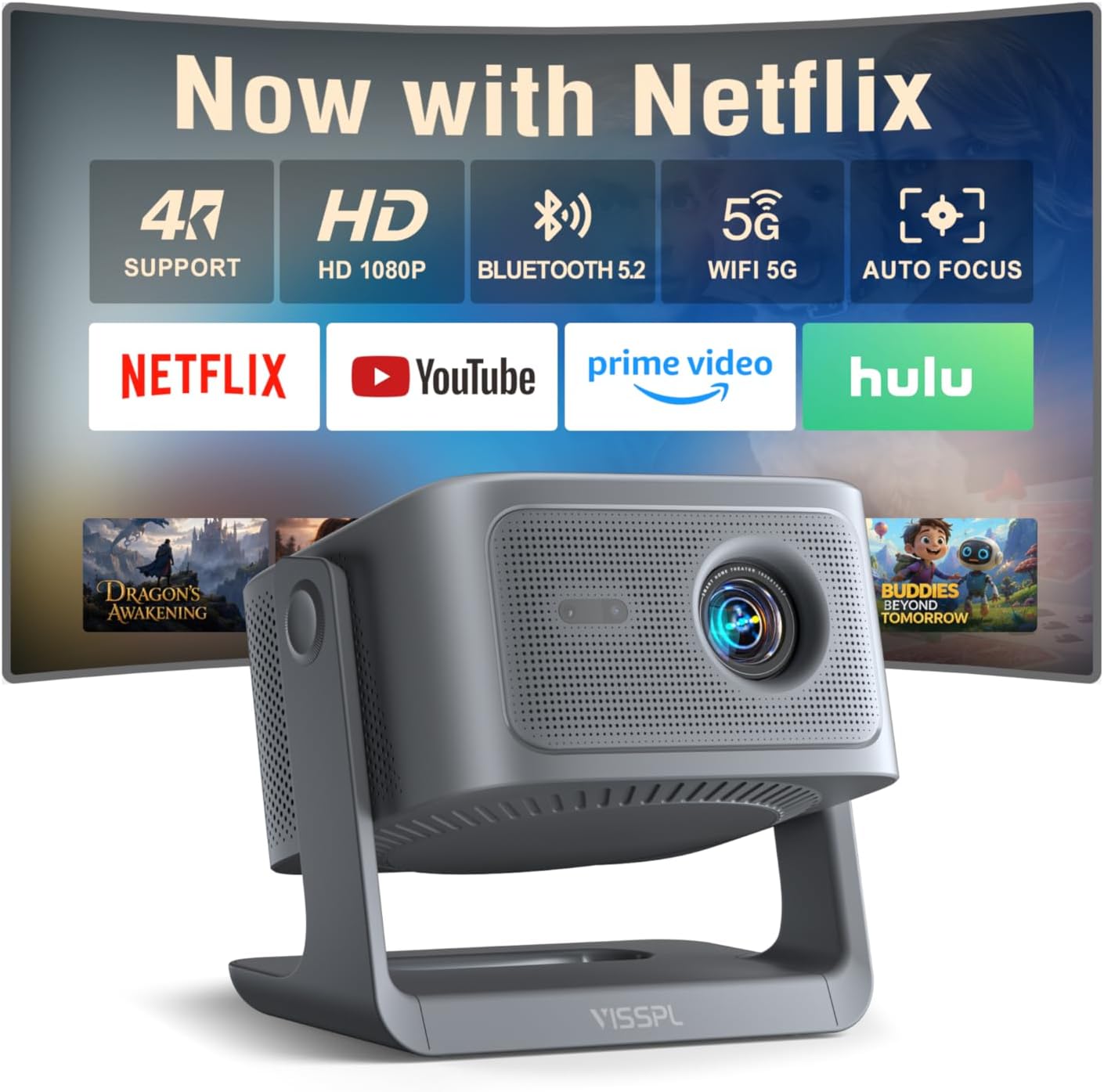
Frequently Asked Questions
Q: Do I need a special screen for 3D projection?
A: While a white matte wall works, a gray‑gain or silver screen preserves contrast and boosts perceived brightness, especially for passive 3D systems that split light between two images.
Q: Can I use a 1080p projector for 4K content?
A: Yes, most 1080p projectors will downscale 4K signals, but you won’t see the full 4K detail. If 4K is a priority, consider waiting for a true 4K model, though they typically exceed $1,500.
Q: How long do active 3D glasses last?
A: Batteries in active glasses usually last 30‑40 hours of continuous use. Replacement batteries are inexpensive, and many manufacturers include a spare pair.
Q: Is a laser light source worth the extra cost?
A: Laser units provide consistent brightness over time and eliminate lamp replacement fees. If you plan to project more than 150 hours per year, the long‑term savings justify the higher upfront price.
Q: What is the “rainbow effect” and should I worry about it?
A: The rainbow effect is a visual artifact seen on some single‑chip DLP projectors where colors briefly separate. It’s more noticeable in high‑contrast scenes. If you’re sensitive to it, consider an LCD‑based model.
Q: Do I need a dedicated 3D TV or Blu‑ray player?
A: No, most 1080p 3D projectors accept 3D signals directly via HDMI from any compatible source, including gaming consoles, streaming sticks, or media players.
Q: How far can I place the projector from the screen?
A: Throw distance varies by model. Typical short‑throw units sit 1.5‑2 m away for a 100‑inch image, while standard throw models require 3‑4 m. Check the manufacturer’s throw ratio chart.
Q: Will a projector work with a ceiling mount?
A: Absolutely. Ensure the model has a standard ¼‑20 mounting hole and that the mount can support its weight. Some projectors also offer vertical lens shift, simplifying ceiling installations.
Our Final Recommendations
- Best for Budget‑Conscious Buyers: ViewSonic PX701HD – Offers 2,200 lumens, DLP Link 3D, and a solid 2,500:1 contrast at $1,099.
- Best Overall Value: BenQ TH685 – Balances 3,500 lumens, 120 Hz refresh, active 3D, and a sleek design for $1,349.
- Best Premium Option: Optoma UHD38 (often on sale under $1,500) – Laser light source, 4,000 lumens, 20,000:1 contrast, and low‑latency gaming mode.
- Best for Beginners: Epson Home Cinema 2150 – Easy setup, wireless screen mirroring, and passive 3D support for $1,199.
- Best for Advanced Users: LG HU85LA (mini‑LED) – Though slightly above budget, it drops to $1,499 during flash sales, delivering laser‑grade brightness and superb color accuracy.
Conclusion: Making the Right Choice
Choosing a 1080p 3D projector under $1,500 boils down to matching your environment, usage patterns, and performance expectations. Prioritize brightness and contrast for realistic 3D depth, verify the 3D technology aligns with the glasses you’ll use, and don’t overlook long‑term costs like lamp replacement or fan noise.
Take the time to read user reviews, test the projector in your own lighting conditions, and leverage seasonal sales to stay within budget. With the right research, you can bring cinema‑quality 3D home without overspending.
Ready to start shopping? Use the recommendations above as a checklist, compare current prices, and enjoy your next movie night with confidence.