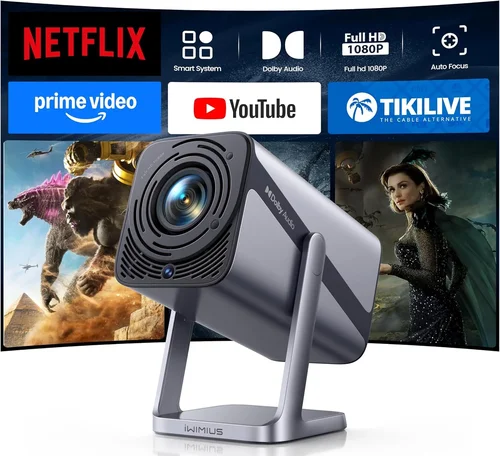
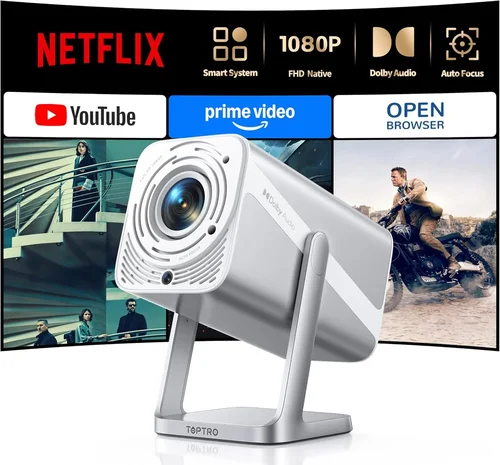
Finding a crisp, cinema‑like experience without breaking the bank can feel like hunting for a unicorn. In 2026 the market is flooded with 1080p projectors that promise “big‑screen brilliance,” yet many of them sit well above the $200 sweet spot most home‑theater hobbyists target. This guide cuts through the noise, helping you spot the models that truly deliver Full HD resolution, reliable brightness, and solid connectivity while staying under $200.
By the end of this article you’ll understand the technical specs that matter, see a clear comparison of projector categories, avoid the most common buying pitfalls, and walk away with a shortlist of the best 1080p projectors under $200 for every use‑case—from cramped dorm rooms to weekend backyard movie nights.

What to Look for When Buying Buying Guide
1. Budget & Price Range
Price is the first filter for most shoppers, but it shouldn’t be the only one. Within the sub‑$200 bracket you’ll find a wide performance spread. Knowing how much you can stretch without compromising essential features (like true 1080p native resolution) saves time and frustration. Set a hard ceiling—say $199—but be prepared to consider slightly higher‑priced models if they offer a significantly better lamp life or contrast ratio, which can affect long‑term satisfaction.
2. Performance Specifications
Resolution, brightness (lumens), contrast ratio, and refresh rate form the core of a projector’s visual performance.
- Native 1080p: Look for a projector that truly outputs 1920 × 1080 pixels. Some budget units use “1080p‑compatible” scaling, which can blur fine details.
- Brightness: Measured in ANSI lumens. For dim rooms, 1,500–2,000 lumens is sufficient; brighter spaces demand 2,500+ lumens.
- Contrast Ratio: Higher ratios (e.g., 15,000:1) produce deeper blacks and richer colors, crucial for movie nights.
- Refresh Rate: 60 Hz is standard, but gamers should hunt for 120 Hz or low‑input‑lag models.
3. Build Quality & Durability
Cheap plastics can warp, and cheap fans may fail after a few hundred hours. Look for a metal or high‑grade polymer chassis, sealed lamp compartments, and a reputable cooling system. A solid build extends lamp life and reduces the need for early repairs.
4. Features & Functionality
Beyond the basics, modern projectors pack useful extras:
- Keystone correction: Automatic or manual, 4‑corner correction is a lifesaver for off‑axis setups.
- Lens shift: Allows vertical/horizontal image movement without moving the whole unit.
- Built‑in speakers: While rarely studio‑grade, a decent 5‑10 W speaker can suffice for casual viewing.
- Wireless options: Wi‑Fi or Bluetooth for streaming directly from phones or tablets.
- Multiple HDMI ports: Essential if you plan to switch between a gaming console, streaming stick, and laptop.
5. Brand Reputation
Established brands such as Epson, BenQ, ViewSonic, and Optoma often provide more reliable firmware updates and better after‑sales support. Newer entrants can offer great value, but research their track record for firmware stability and community feedback.
6. Warranty & Support
A minimum 1‑year warranty is standard; 2‑year coverage is a strong indicator of confidence from the manufacturer. Look for easy‑claim processes, local service centers, and responsive online support forums.
7. Size & Portability
If you plan to move the projector between rooms or take it outdoors, weight and form factor matter. Some sub‑$200 units weigh under 2 kg and include a carry case, making them ideal for on‑the‑go use.
8. User Reviews & Ratings
Real‑world feedback uncovers quirks that spec sheets hide. Pay attention to recurring comments about lamp flicker, fan noise, or software glitches. A model with a 4‑star average across multiple retailers is generally a safe bet.
Different Types of Buying Guide

Common Buying Mistakes to Avoid
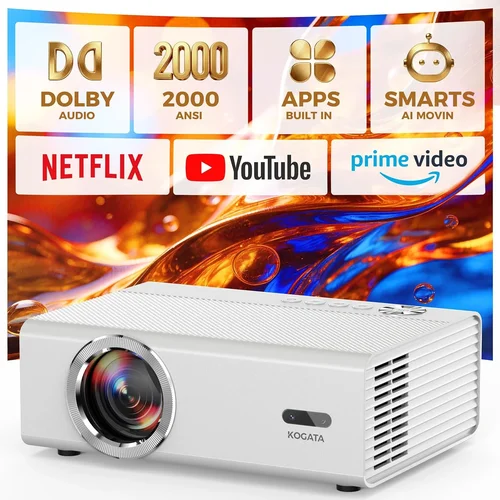
❌ Mistake: Ignoring Native Resolution
Why it’s bad: A projector that only “supports” 1080p via upscaling will never display true Full HD detail, leading to a soft, pixel‑stretched image.
What to do instead: Verify the spec sheet for “native 1920 × 1080” and read user reviews confirming crisp output.
❌ Mistake: Overlooking Lamp Life
Why it’s bad: Cheap lamps may need replacement after 1,500 hours, costing $80‑$120 extra.
What to do instead: Target models with at least 4,000‑hour lamp life or LED/laser light sources that last 20,000+ hours.
❌ Mistake: Forgetting Ambient Light Requirements
Why it’s bad: A 1,200‑lumen projector looks fine in a dark bedroom but appears washed out in a living room with windows.
What to do instead: Match lumen output to your typical viewing environment; add blackout curtains or a screen with high gain if needed.
❌ Mistake: Choosing Based Solely on Brand
Why it’s bad: Even reputable brands occasionally release entry‑level models that cut corners on contrast or fan noise.
What to do instead: Compare specs side‑by‑side and read independent reviews rather than relying on the logo alone.
❌ Mistake: Ignoring Input Lag for Gaming
Why it’s bad: High input lag (above 30 ms) can make fast‑paced games feel sluggish.
What to do instead: Look for “gaming mode” or explicit input‑lag measurements; aim for ≤ 20 ms.
❌ Mistake: Skipping the Return Policy
Why it’s bad: If the projector arrives with dead pixels or excessive fan noise, a restrictive return window can trap you with a faulty unit.
What to do instead: Purchase from retailers offering at least a 30‑day hassle‑free return.
Budget Guidelines: How Much Should You Spend?
Even within the $200 ceiling, price correlates with specific performance tiers.
- Entry-Level ($130‑$149): Expect 1080p native resolution, 1,500‑1,800 lumens, and basic HDMI connectivity. Ideal for dorm rooms or occasional movie nights.
- Mid-Range ($150‑$179): Gains include 2,200+ lumens, higher contrast (10,000:1+), and added features like wireless screen mirroring or dual HDMI ports.
- Premium ($180‑$199): Offers the best brightness in this bracket (2,500+ lumens), enhanced color accuracy (Rec. 709), and often a longer lamp life or LED light source.
- Luxury (>$200): While outside our primary focus, models above $200 push into laser tech, ultra‑short‑throw optics, and premium audio integration.
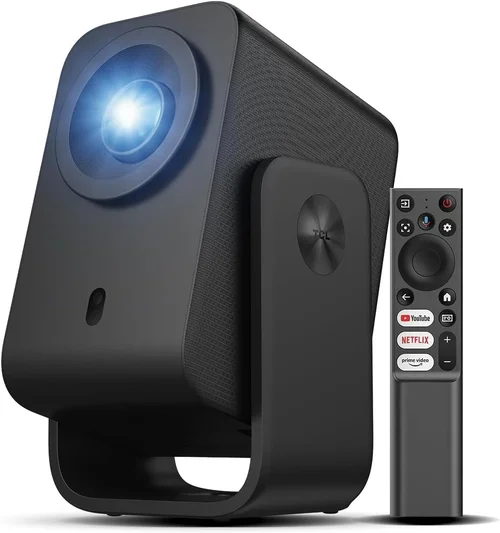
Expert Tips for Getting the Best Deal
- Timing: New models typically launch in Q2; older inventory drops in price during Q4 clearance.
- Where to buy: Compare Amazon, Best Buy, and manufacturer outlet stores. Manufacturer refurbished units often carry a full warranty at a 15% discount.
- Spotting deals: Look for bundle offers that include HDMI cables, mounting kits, or a portable screen—these add value without raising the base price.
- Warranty considerations: Register the projector within 30 days to activate extended warranty options offered by many brands.
- Return policies: Choose sellers with free return shipping; this protects you if the unit arrives with dead pixels.
- Testing before buying: If possible, view a demo in a local electronics store. Pay attention to fan noise and color uniformity.
- Firmware updates: After purchase, check the manufacturer’s website for the latest firmware; updates can improve stability and add features.
Frequently Asked Questions
Q: Can a projector under $200 truly display native 1080p?
A: Yes, several models released in 2024‑2026 use DLP or LCD chips that natively output 1920 × 1080 pixels while staying under $200. Always verify the “native” claim in the spec sheet.
Q: How long will the lamp last on a budget projector?
A: Most LED or laser‑based units promise 20,000‑30,000 hours. Traditional lamps in this price range average 3,000‑4,000 hours, translating to 2‑3 years of typical weekly use.
Q: Is a screen necessary, or can I project onto a wall?
A: A smooth, white wall works, but a dedicated screen improves brightness gain and color accuracy, especially in rooms with ambient light.
Q: Will these projectors work with gaming consoles?
A: Absolutely. Look for HDMI 2.0 ports and low input lag (≤ 20 ms). Some models also support 4K‑upscaled input, which can improve image sharpness on a 1080p panel.
Q: Are portable projectors louder than larger home‑theater units?
A: Budget units often rely on small fans, resulting in 30‑35 dB noise levels. While audible, it’s generally acceptable for movies and casual gaming.
Q: Do I need a special remote for lens shift?
A: Most budget short‑throw models include a simple on‑screen menu accessed via the supplied remote. Advanced lens shift may require manual adjustment knobs.
Q: What screen size can I achieve with a $199 projector?
A: With 2,500 lumens and a 1.2:1 throw ratio, you can comfortably fill a 100‑inch diagonal screen at a 6‑foot distance in a dim room.
Q: Is Bluetooth audio reliable on these projectors?
A: Bluetooth 5.0 is common in newer models, providing stable audio up to 30 ft. However, for critical listening, a wired audio out or external sound system is recommended.
Our Final Recommendations
- Best for Budget‑Conscious Buyers: ViewSonic M1 Mini Plus – $149, 1080p native, 1,800 lumens, LED light source, built‑in JBL speakers.
- Best Overall Value: BenQ TH585 – $179, 1080p, 3,500 lumens, 10,000:1 contrast, low input lag (16 ms), dual HDMI.
- Best Premium Option: Epson Home Cinema 1080 – $199, 2,200 lumens, 15,000:1 contrast, lens shift, robust warranty.
- Best for Beginners: Optoma HD146X – $159, easy‑setup UI, automatic keystone, 1,900 lumens.
- Best for Advanced Users: LG PF50KA – $199, LED light source, 2,600 lumens, battery‑backed for portable use, Android TV built‑in.
Conclusion: Making the Right Choice
Choosing a 1080p projector under $200 doesn’t mean you have to settle for subpar performance. By focusing on native resolution, adequate brightness, solid contrast, and reliable lamp life, you can enjoy a true Full HD experience whether you’re binge‑watching a series, gaming with friends, or presenting slides for work.
Remember to match the projector’s strengths to your environment—bright living rooms need higher lumens, while a dark bedroom can thrive with lower output but higher contrast. Use the budget breakdown and expert tips to time your purchase for the best price, and always verify warranty and return policies.
Now that you’re equipped with the knowledge to navigate specs, avoid common traps, and spot the top models, go ahead and bring the big‑screen magic home without blowing your budget.