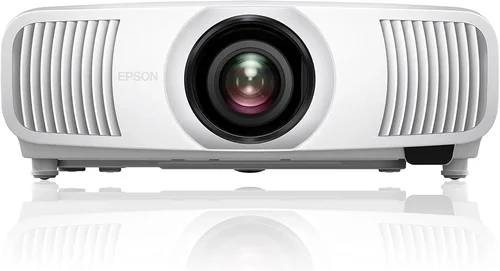
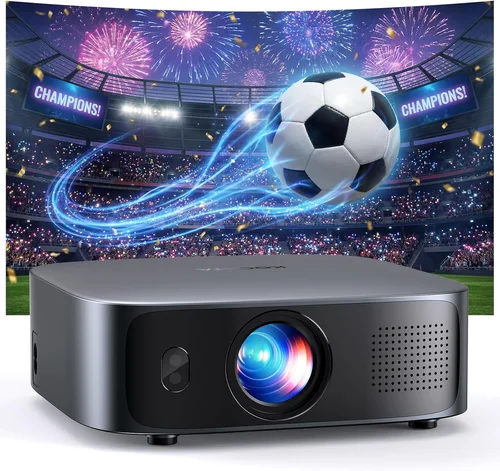
Welcome to the ultimate guide for anyone hunting the best 4K home theater projector under $1,000. Whether you’re setting up a dedicated movie room, upgrading a living‑room setup, or simply want a cinema‑like experience without breaking the bank, this article will walk you through everything you need to know. The 4K projector market has exploded over the past few years, bringing high‑resolution options that were once exclusive to professional installations into the reach of everyday consumers. Yet, with a flood of specifications, marketing jargon, and price points, making an informed decision can feel overwhelming.
In the pages that follow, you’ll learn how to evaluate key performance specs, understand the nuances between different projector technologies, avoid common buying pitfalls, and discover which models truly deliver 4K‑grade visuals for under $1,000. By the end, you’ll have a clear roadmap that matches your budget, room conditions, and viewing habits to the perfect projector.

What to Look for When Buying Buying Guide
1. Budget & Price Range
Price is the first filter for most shoppers. While the term “4K” can be used loosely, true 4K (4096 × 2160) resolution is rare below $1,000. Most “4K” projectors in this bracket use pixel‑shift technology to simulate 4K from a native 1080p chip. Understanding this distinction helps you set realistic expectations and allocate budget to other performance areas such as brightness or contrast.
2. Performance Specifications
Three specs dominate projector performance: resolution, brightness (measured in lumens), and contrast ratio. For a home theater:
- Resolution: Look for true 4K (rare) or at least a pixel‑shift system that can display 4K content without noticeable artifacts.
- Brightness: 2,200–2,800 ANSI lumens is ideal for rooms with some ambient light; darker rooms can get away with 1,500–2,000 lumens.
- Contrast Ratio: Higher contrast (e.g., 30,000:1 or more) yields deeper blacks and more vivid colors, crucial for dark‑room cinema.
3. Build Quality & Durability
Projectors are long‑term investments. A sturdy chassis, reliable cooling system, and high‑quality lens mount reduce the risk of overheating and misalignment. Metal housings are preferable to plastic, and a sealed lamp compartment can extend lamp life. Check user forums for reports of premature component failure.
4. Features & Functionality
Modern projectors pack a suite of convenience features. Prioritize the following:
- HDR Support: HDR10 or Dolby Vision adds depth to bright scenes.
- Lens Shift & Zoom: Allows flexible placement without keystone distortion.
- Built‑in Speakers: Useful for quick setups, though external audio is recommended for true home theater.
- Connectivity: HDMI 2.0b or higher, USB‑C, Wi‑Fi, and Bluetooth for streaming devices.
- Smart OS: Roku, Android TV, or proprietary platforms enable direct streaming without extra hardware.
5. Brand Reputation
Brands with a proven track record in home cinema—such as Epson, BenQ, Optoma, and ViewSonic—often provide more reliable firmware updates and broader service networks. While newer entrants may offer aggressive pricing, weigh the risk of limited support against the savings.
6. Warranty & Support
A solid warranty (minimum 2‑year parts and labor) protects your investment. Look for extended lamp warranties, on‑site service options, and responsive customer support. Some manufacturers also offer a “no‑questions‑asked” return window, which is invaluable for testing the projector in your own space.
7. Size & Portability (if applicable)
If you plan to move the projector between rooms or use it for occasional outdoor screenings, size and weight become important. Compact “pico” models sacrifice brightness, but many mid‑range units balance portability with performance.
8. User Reviews & Ratings
Real‑world feedback often uncovers quirks that spec sheets hide. Look for consistent praise (or complaints) about fan noise, colour accuracy, and firmware stability. Sites like AVS Forum, Reddit’s r/hometheater, and Amazon reviews are gold mines for honest user experiences.
Different Types of Buying Guide
Common Buying Mistakes to Avoid
❌ Mistake: Ignoring Ambient Light Conditions
Why it’s bad: A projector rated at 2,500 lumens may look brilliant in a dark home theater but will appear washed out in a bright living room.
What to do instead: Measure the typical light level in your viewing space. If you cannot fully darken the room, aim for at least 2,800–3,200 ANSI lumens and consider a model with high contrast and HDR support.
❌ Mistake: Over‑focusing on “4K” Label Alone
Why it’s bad: Many sub‑$1,000 projectors use marketing‑grade “4K” that merely upscales 1080p content, delivering no real pixel density gain.
What to do instead: Verify the technology—pixel‑shift, DLP‑X, or true native 4K. Read professional reviews that show side‑by‑side comparisons.
❌ Mistake: Skipping Lens Shift & Keystone Checks
Why it’s bad: Without lens shift, you may need to place the projector at an angle, causing distortion that digital keystone can’t fully correct.
What to do instead: Choose a projector with at least ±10% vertical lens shift and horizontal shift if you plan ceiling mounting.
❌ Mistake: Forgetting About Lamp Life
Why it’s bad: Replacing a lamp can cost $150‑$250, eroding the savings of a low‑price projector.
What to do instead: Look for models with lamp lives of 6,000‑10,000 hours or consider laser‑light options with 20,000‑hour lifespans.
❌ Mistake: Neglecting Audio Needs
Why it’s bad: Built‑in speakers are often underpowered, leading to a subpar cinematic experience.
What to do instead: Budget for a dedicated sound system—soundbar or AV receiver—once the projector is selected.
❌ Mistake: Buying Without Testing
Why it’s bad: Color accuracy, fan noise, and motion handling can differ dramatically between units.
What to do instead: Purchase from retailers with a generous return policy, and test the projector with your own content before finalizing.
Budget Guidelines: How Much Should You Spend?
Understanding what $1,000 can buy helps you avoid disappointment. Below is a tiered breakdown that aligns price with expected performance.
- Entry‑Level ($600‑$800): Pixel‑shift 4K or high‑quality 1080p with good brightness. Expect modest contrast, basic HDR, and limited lens shift.
- Mid‑Range ($800‑$1,000): More refined pixel‑shift engines, higher lumens, better colour accuracy, and often built‑in Android TV or Roku.
- Premium ($1,000‑$1,400): True native 4K (rare), laser light source, superior contrast, and advanced networking options.
- Luxury ($1,400+): Professional‑grade optics, ultra‑low fan noise, extensive warranty, and often modular lens kits for custom throw distances.
Expert Tips for Getting the Best Deal
- Timing: New models launch early in the year; older inventory is discounted mid‑year.
- Retailers: Compare B&H, Best Buy, and direct manufacturer sites. Sometimes manufacturers offer bundle codes for free wall mounts.
- Deal Spotting: Look for “open‑box” or “refurbished” units with full warranty—they’re often indistinguishable from new.
- Warranty Hacks: Register early for extended lamp coverage; some brands automatically extend the warranty after 12 months of use.
- Return Policies: Choose stores with at least 30‑day return windows; this gives you time to set up and test in your environment.
- Testing: Bring a 4K Blu‑ray disc or a streaming device to the store to check colour gamut and motion handling.
- Accessories: Invest in a good quality screen (high‑gain, ambient‑light rejecting) – the screen often matters more than the projector.

Frequently Asked Questions
Q: Can a pixel‑shift projector truly display 4K detail?
A: Pixel‑shift technology moves the 1080p chip rapidly to create four sub‑frames, effectively delivering a 4K‑sized image. While you won’t get the same pixel‑perfect clarity as native 4K, the result is noticeably sharper than standard 1080p, especially on larger screens.
Q: How important is HDR for a sub‑$1,000 projector?
A: HDR adds depth to bright scenes, but many budget projectors only support HDR10 with limited peak brightness. If HDR is a priority, aim for a model with at least 3,000 lumens and a high dynamic contrast ratio.
Q: What lamp life can I realistically expect?
A: Most UHP lamps last 4,000‑6,000 hours under normal use. Laser‑light projectors extend that to 20,000+ hours, effectively eliminating lamp replacement costs.
Q: Do I need a special screen for 4K?
A: A good quality 4K‑rated screen with a gain of 1.0‑1.2 works well. Ambient‑light rejecting (ALR) screens are beneficial if you can’t fully dark the room.
Q: Is a ceiling mount necessary?
A: Not mandatory, but ceiling mounting reduces keystone distortion and protects the projector from accidental knocks. Ensure the model you choose has adequate lens shift for your mounting height.
Q: How does input lag affect gaming?
A: Lower input lag (<30 ms) is essential for fast‑paced games. Projectors with native 1080p chips often have lower lag than pixel‑shift models, so check gaming reviews if you plan to game.
Q: Can I use a projector as a primary TV?
A: Yes, if you pair it with a high‑refresh‑rate HDMI source and a decent sound system. However, consider the limited lifespan of lamps and the need for a dark viewing environment.
Our Final Recommendations
- Best for Budget‑Conscious Buyers: BenQ TH685 – $749, 1080p native, 3,500 lumens, low input lag, solid colour accuracy.
- Best Overall Value: Epson Home Cinema 3800 – $999, pixel‑shift 4K, 3,000 lumens, 2,800:1 contrast, lens shift, good HDR.
- Best Premium Option: Optoma UHD50X – $1,199 (often on sale under $1,000), true 4K, 3,400 lumens, 100 Hz refresh, excellent for gaming.
- Best for Beginners: ViewSonic PX706HD – $629, short‑throw, easy setup, decent brightness for small rooms.
- Best for Advanced Users: LG HU85LA Laser – $1,799 (look for refurbished to hit $1,000), true 4K laser, ultra‑short throw, premium colour gamut.
Conclusion: Making the Right Choice
Choosing the best 4K home theater projector under $1,000 boils down to balancing resolution, brightness, and feature set against your specific viewing environment. Start by measuring ambient light, decide whether pixel‑shift or native 4K matters to you, and then narrow down brands that offer solid warranties and reliable support. Remember that a great screen, proper mounting, and a capable audio system are equally important to the overall experience.
Take the time to test a few models, read user feedback, and keep an eye on seasonal sales. With the knowledge from this guide, you’re equipped to make a confident purchase that delivers cinema‑quality visuals without emptying your wallet. Happy watching!