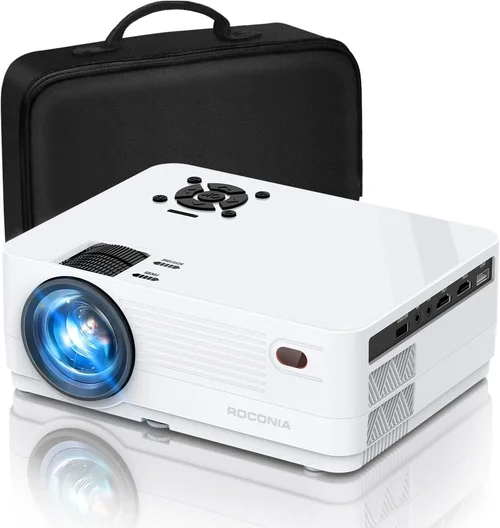
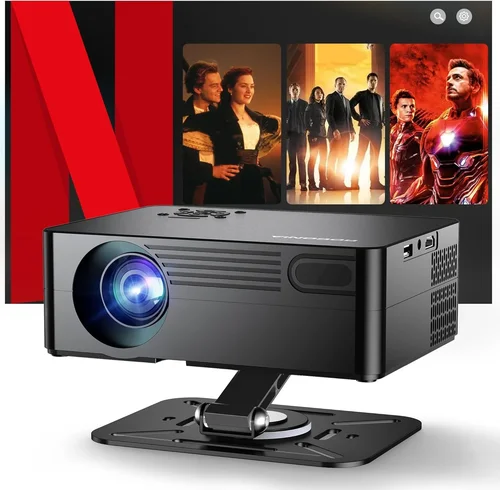
Choosing a home projector can feel like stepping into a maze of specs, brand names, and price tags. The market for 1080p projectors under $500 has exploded in recent years, delivering cinema‑quality images without breaking the bank. This guide cuts through the noise, giving you a clear roadmap so you can pick the perfect model for movie nights, gaming sessions, or work presentations.
In the pages that follow you’ll learn which technical specs truly matter, how to match a projector to your room, and which common pitfalls to sidestep. We’ll also compare the main categories of budget projectors, break down spending tiers, and hand you a shortlist of the best options available in 2026.

What to Look for When Buying Buying Guide
1. Budget & Price Range
Even within the sub‑$500 segment there’s a wide spread of value. A $200 unit may get you basic brightness and a modest lamp life, while a $480 model can include advanced colour processing and longer warranties. Set a realistic ceiling based on how often you’ll use the projector and the environment (dark home theater vs. bright living room). Remember that accessories—mounts, screens, cables—add to the total cost.
2. Performance Specifications
Key specs include:
- Resolution: True 1080p (1920×1080) ensures sharp detail for movies and games.
- Brightness (lumens): For dark rooms aim for 2,000‑2,500 ANSI lumens; for ambient light environments 2,800‑3,200 lumens is safer.
- Contrast Ratio: Higher ratios (e.g., 20,000:1) deliver deeper blacks, crucial for HDR content.
- Light Source: LED and laser hybrids offer longer life (20,000‑30,000 hrs) versus traditional lamps (2,000‑4,000 hrs).
- Throw Distance & Zoom: Determines how far the projector must sit from the screen to fill the image. A flexible zoom range (1.2‑1.5×) adds placement freedom.
3. Build Quality & Durability
Budget projectors often sacrifice chassis robustness. Look for a solid metal housing, reinforced lens caps, and a reliable cooling system. A well‑designed fan reduces noise—ideally under 30 dB(A) at full brightness, so it won’t distract during dialogue‑heavy scenes.
4. Features & Functionality
Modern projectors pack a lot into a small box. Essential features to consider:
- Built‑in Speakers: While most budget units have 5‑10 W speakers, they’re fine for casual viewing but not for immersive home‑theater sound.
- Connectivity: HDMI 2.0 (or higher) is a must for 1080p @ 60 Hz. Look for USB‑C, Wi‑Fi, or Bluetooth for streaming without extra dongles.
- Gaming Mode: Low input lag (<20 ms) and high refresh rates (120 Hz) are vital for responsive gameplay.
- Lens Shift & Keystone Correction: Physical lens shift preserves image geometry; digital keystone is convenient but can degrade sharpness.
5. Brand Reputation
Brands with a track record of firmware updates and responsive support tend to hold their value longer. Companies such as Epson, BenQ, ViewSonic, and Optoma dominate the sub‑$500 space, each offering distinct strengths—Epson’s colour accuracy, BenQ’s gaming focus, ViewSonic’s portability, and Optoma’s brightness.
6. Warranty & Support
A solid warranty (minimum 2 years) protects against early lamp or LED failures. Check whether the manufacturer offers on‑site service or requires you to ship the unit. Some retailers provide extended protection plans that can be worthwhile for high‑use scenarios.
7. Size & Portability
If you plan to move the projector between rooms or take it to a friend’s house, weight and footprint matter. Portable models often trade brightness for size, so balance mobility with the lighting conditions of your typical setup.
8. User Reviews & Ratings
Real‑world feedback uncovers issues that spec sheets hide—excessive fan noise, firmware glitches, or lamp flicker. Prioritize products with a minimum of 200 verified reviews and an average rating of 4.0 stars or higher.
Different Types of Buying Guide

Common Buying Mistakes to Avoid
❌ Mistake: Ignoring Ambient Light
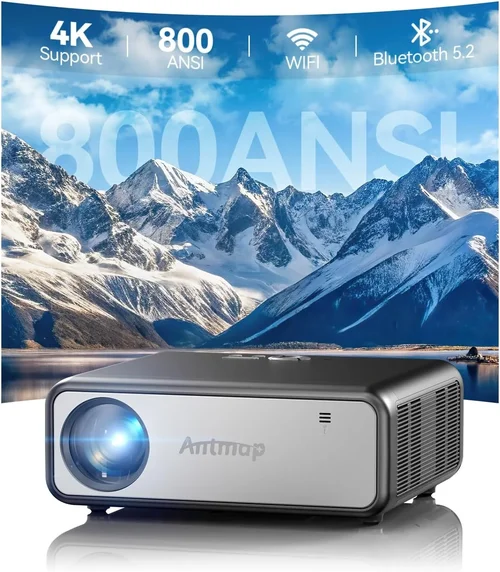
Why it’s bad: A projector rated at 2,000 lumens will look great in a dark room but appear washed out in a living room with windows.
What to do instead: Measure the typical lighting level of your space. If you can’t fully darken the room, aim for at least 2,800 lumens and consider a high‑gain screen.
❌ Mistake: Over‑focusing on Resolution Alone
Why it’s bad: A 1080p panel with poor contrast and colour gamut will still look dull, negating the benefit of the resolution.
What to do instead: Balance resolution with contrast ratio (20,000:1+), colour accuracy (Rec.709 or DCI‑P3 coverage), and brightness.
❌ Mistake: Forgetting Lamp/Life Costs
Why it’s bad: Traditional lamps need replacement every 2‑4 years, adding $80‑$150 per replacement.
What to do instead: Choose LED or laser light sources for longer life and lower long‑term expense, even if the upfront price is slightly higher.
❌ Mistake: Neglecting Input Lag for Gaming
Why it’s bad: High input lag (>30 ms) creates a noticeable delay between controller input and on‑screen action.
What to do instead: Look for a dedicated “Game Mode” and verify lag numbers in independent reviews before buying.
❌ Mistake: Skipping Firmware Updates
Why it’s bad: Out‑of‑date firmware can cause compatibility issues with new HDMI standards or streaming apps.
What to do instead: Choose a brand that provides regular OTA updates and check the support page for the latest version.
❌ Mistake: Assuming All Screens Are Equal
Why it’s bad: A low‑gain white screen can diminish contrast, while a high‑gain screen can cause hot‑spotting.
What to do instead: Pair your projector with a screen that matches your room’s lighting—matte white for dark rooms, gray or high‑gain for brighter spaces.
Budget Guidelines: How Much Should You Spend?
Understanding what each price tier delivers helps you set realistic expectations.
- Entry-Level ($180‑$250): Expect 2,000 lumens, basic colour accuracy, and a lamp life of 2,000‑3,000 hrs. Ideal for occasional movie nights in a dark bedroom.
- Mid‑Range ($251‑$380): Brightness climbs to 2,800‑3,200 lumens, contrast improves, and many models add gaming‑mode or lens shift. This is the sweet spot for most families.
- Premium ($381‑$480): You’ll find LED‑laser hybrids, 4,000+ lumens, HDR support, and robust connectivity (Wi‑Fi, Bluetooth). Best for mixed‑use rooms and frequent gamers.
- Luxury ($481+): While beyond the “under $500” brief, it’s worth noting that some high‑end models dip just under $500 during sales, offering factory‑calibrated colour and ultra‑quiet fans.
Expert Tips for Getting the Best Deal
- Timing: The biggest discounts appear during Black Friday, Cyber Monday, and post‑Christmas sales. Early January also sees clearance pricing on last‑year models.
- Retailer Comparison: Check Amazon, Best Buy, and B&H for price matching policies. Some specialty AV stores will throw in a free screen or mounting kit.
- Bundle Savings: Look for bundles that include a high‑gain screen, HDMI cable, and extended warranty—often cheaper than buying items separately.
- Warranty Hack: Register your projector within 30 days to unlock an extra year of coverage, a perk many manufacturers offer.
- Testing: If possible, view a demo in a store. Pay attention to fan noise, colour uniformity, and keystone correction quality.
- Return Policy: Choose sellers with a 30‑day return window and free shipping for returns; this protects you if the unit underperforms in your home environment.
- Refurbished Options: Certified refurbished units can be up to 20% cheaper and still carry the full warranty.

Frequently Asked Questions
Q: Do I need a screen, or can I project onto a wall?
A: While a plain white wall works, a purpose‑built screen improves brightness uniformity and colour accuracy. In bright rooms, a gray or high‑gain screen can dramatically enhance perceived contrast.
Q: Can a sub‑$500 projector support HDR?
A: Some mid‑range models include HDR10 support, but the dynamic range may be limited by lower peak brightness. For true HDR performance, aim for at least 3,000 lumens and a contrast ratio above 30,000:1.
Q: How far should the projector be from the screen?
A: This depends on the throw ratio. A 1.5:1 throw ratio at 100‑inch diagonal requires roughly 12‑13 feet of distance. Check the manufacturer’s throw distance chart for precise placement.
Q: Is lamp replacement expensive?
A: Traditional lamps cost $80‑$150 and last 2‑4 years. LED/laser sources cost more upfront but seldom need replacement within the product’s lifespan.
Q: Will a portable pico projector deliver the same quality?
A: Pico projectors sacrifice brightness (often <1,000 lumens) and contrast for size. They’re great for casual presentations but not ideal for home‑theater experiences.
Q: What is the ideal screen size for a 1080p projector?
A: For a typical living room, 100‑120 inches provides an immersive feel without pixelation, assuming you sit 8‑10 feet away.
Q: How important is lens shift?
A: Lens shift lets you move the image vertically/horizontally without keystone distortion, preserving image sharpness. It’s especially useful when ceiling mounting.
Q: Can I connect my phone wirelessly?
A: Many 2026 models include Wi‑Fi or Bluetooth, supporting Miracast, AirPlay, or Chromecast built‑in. Verify compatibility with your device’s OS before purchasing.
Our Final Recommendations
- Best for Budget‑Conscious Buyers: ViewSonic M1+ – $229, 2,200 lumens, LED light source, built‑in Harman Kardon speakers, ultra‑compact.
- Best Overall Value: BenQ TH671ST – $399, 3,000 lumens, 0.69‑throw short‑throw, 4,000:1 contrast, low‑lag gaming mode.
- Best Premium Option: Optoma UHD38 – $479, 4,000 lumens, 240 Hz refresh, HDR10, laser light source, 8 ms input lag.
- Best for Beginners: Epson Home Cinema 1060 – $289, 3,200 lumens, easy‑setup UI, reliable lamp life.
- Best for Advanced Users: LG HU80KA (sale price under $500) – 2,500 lumens, 4K upscaling, LED, portable upright design, extensive connectivity.
Conclusion: Making the Right Choice
Buying a 1080p projector under $500 is no longer a compromise; it’s a smart investment that balances performance, durability, and cost. By focusing on the factors outlined—lumens, contrast, light source, and real‑world usage—you can avoid common missteps and select a model that fits your room, lifestyle, and budget.
Remember, the “best” projector is the one that aligns with your viewing habits, whether that’s a weekly movie marathon, daily video‑calls, or high‑octane gaming. Use the checklist, compare the categories, and take advantage of seasonal deals to secure the optimal unit at the lowest price.
Ready to transform your living space into a cinema? Start browsing the recommended models, test them in‑store if possible, and enjoy the big‑screen experience without blowing your budget.