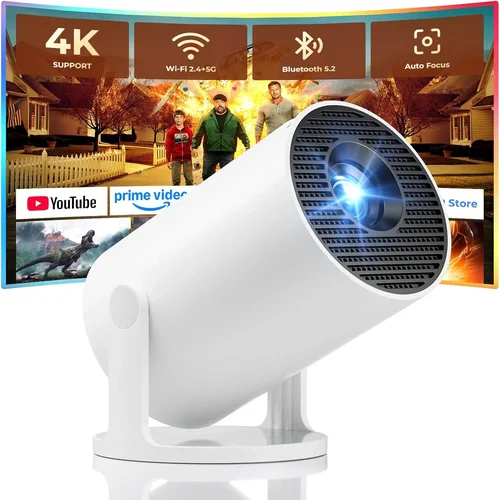
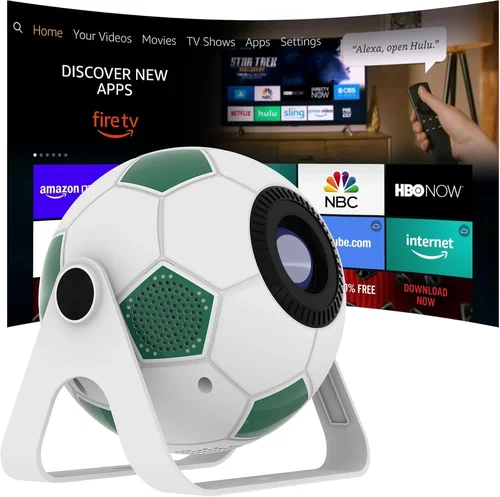
Finding a true‑1080p projector for under $400 can feel like hunting for a unicorn. Yet the market has matured, and today you can snag a solid home‑theater or gaming projector without breaking the bank. This guide cuts through the hype, explains what really matters, and shows you how to pick a model that fits your room, your content, and your wallet.
We’ll walk you through the most important specs, compare the main projector families, flag common pitfalls, and hand‑pick the best options for different needs. By the end you’ll know exactly which 1080p projector under $400 will give you crisp images, reliable performance, and the confidence that you didn’t overspend.

What to Look for When Buying Buying Guide
1. Budget & Price Range
Even within the sub‑$400 segment there’s a big spread. Some models sit just under $200, while others push the $380‑$399 ceiling with extra features. Decide early how much you’re willing to stretch. A tighter budget often means compromising on brightness or built‑in speakers, but you can still get true 1080p resolution and decent contrast.
2. Performance Specifications
The heart of any projector is its performance specs. Focus on three key numbers:
- Resolution: True 1920×1080 is non‑negotiable for this guide. Avoid “1080p‑ish” models that actually use 720p panels.
- Brightness (ANSI lumens): For a dark home cinema, 1,800‑2,200 lumens is plenty. If you plan to use the projector in a living room with some ambient light, aim for at least 2,500 lumens.
- Contrast Ratio: Higher contrast (e.g., 15,000:1) yields deeper blacks and more vivid colors. Budget projectors often quote “dynamic contrast” which is less reliable; look for native contrast numbers.
3. Build Quality & Durability
Cheap plastics can crack, and low‑cost fans may fail after a few hundred hours. Check for a sturdy chassis, a well‑ventilated cooling system, and a reputable lamp life (ideally 10,000‑15,000 hours). Metal lens housings and reinforced hinges add longevity.
4. Features & Functionality
Beyond the basics, modern projectors pack useful extras:
- Keystone correction: Automatic or manual 4‑point correction helps when you can’t place the projector perfectly centered.
- Lens shift: Physical lens shift provides more precise positioning than keystone alone.
- HDR support: While true HDR performance is limited at this price point, HDR10 compatibility can still improve color depth.
- Built‑in speakers: Useful for casual movie nights, but most reviewers recommend external speakers for serious audio.
- Connectivity: HDMI 2.0, USB‑C, Bluetooth, and Wi‑Fi enable streaming, gaming consoles, and PC use without extra adapters.
5. Brand Reputation
Brands like Epson, BenQ, ViewSonic, and Optoma have long histories in the budget projector segment and usually provide reliable firmware updates and accessible service centers. Newer entrants may offer tempting specs but could lack long‑term support.
6. Warranty & Support
A solid warranty (at least 2 years) is a safety net for early failures. Look for on‑site service or easy RMA processes. Some manufacturers also offer extended warranty packages for a modest fee.
7. Size & Portability
If you plan to move the projector between rooms or take it to a friend’s house, weight and size matter. Mini‑projectors under 2 kg are truly portable, but they often sacrifice brightness. Mid‑size units (around 3‑4 kg) strike a balance.
8. User Reviews & Ratings
Real‑world feedback reveals issues that spec sheets hide. Pay attention to recurring complaints—like lamp flicker or HDMI handshake problems—and see how the manufacturer responds.
Different Types of Buying Guide

Common Buying Mistakes to Avoid
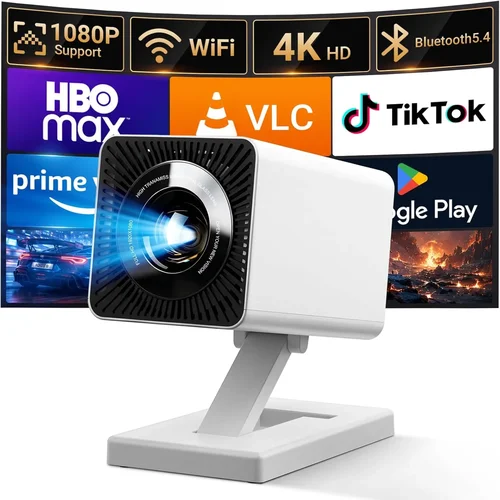
❌ Mistake: Ignoring Ambient Light Conditions
Why it’s bad: A projector rated at 2,000 lumens will look dim in a bright living room, forcing you to crank up the volume or sit too close.
What to do instead: Measure typical light levels in your space. If you can’t achieve near‑darkness, aim for 2,500 lumens or consider a projector with a higher contrast ratio.
❌ Mistake: Overvaluing “Dynamic Contrast” Numbers
Why it’s bad: Manufacturers inflate contrast claims by applying software tricks that don’t translate to real‑world performance.
What to do instead: Look for native contrast ratios (e.g., 15,000:1). Read reviewer tests that show black level performance in a dark room.
❌ Mistake: Forgetting Lamp Lifespan
Why it’s bad: Replacing a lamp can cost $80‑$120, eroding the savings of a cheap projector.
What to do instead: Choose models with LED or laser light sources when possible; they often exceed 20,000 hours and have lower long‑term costs.
❌ Mistake: Assuming All HDMI Ports Are Equal
Why it’s bad: Some budget units only have HDMI 1.3, limiting 4K‑at‑60 Hz passthrough and HDR capabilities.
What to do instead: Verify the projector has HDMI 2.0 or higher, especially if you plan to connect a modern gaming console or streaming stick.
❌ Mistake: Skipping Firmware Updates
Why it’s bad: Out‑of‑date firmware can cause compatibility issues with newer devices, causing “no signal” errors.
What to do instead: Check the manufacturer’s website for recent updates and ensure the device offers easy USB or Wi‑Fi update methods.
❌ Mistake: Buying Without Testing
Why it’s bad: Image uniformity, fan noise, and color accuracy vary widely even among the same model.
What to do instead: If possible, view a demo unit in a store or borrow from a friend. Pay attention to hot‑spot patterns and audio levels.
Budget Guidelines: How Much Should You Spend?
Even within the sub‑$400 arena, you can categorize options by the features they reliably deliver.
- Entry-Level ($200‑$250): True 1080p panels, 1,800‑2,000 lumens, basic keystone, limited connectivity (usually one HDMI). Great for occasional movie nights in a dark bedroom.
- Mid‑Range ($251‑$330): Adds higher brightness (2,200‑2,500 lumens), better contrast, lens shift, and often a built‑in speaker system that’s louder than the entry tier.
- Premium ($331‑$400): Targets gamers and home‑theater enthusiasts. Expect low input lag (<15 ms), HDR10 support, dual‑band Wi‑Fi, and more robust build quality.
- Luxury ($401+): Outside the scope of this guide, but if you can stretch a little, laser light sources and true 4K upscaling become available.
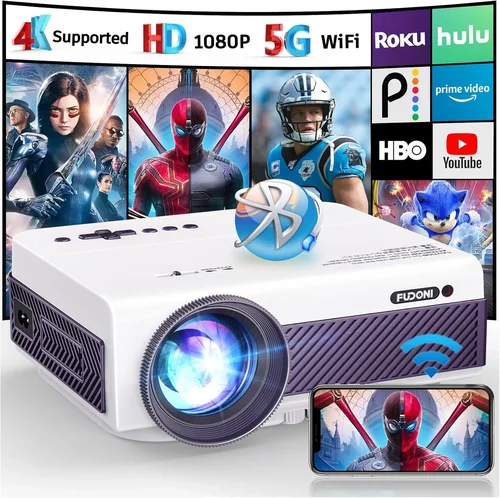
Expert Tips for Getting the Best Deal
- Timing: New models typically launch in Q2. Buying a few weeks after launch can net you a discount on the previous generation, which still meets 1080p standards.
- Retailers: Compare major electronics chains (Best Buy, B&H) with online marketplaces (Amazon, Newegg). Some retailers offer free extended warranties.
- Bundle Savings: Look for bundles that include a screen, HDMI cable, or mounting kit—often cheaper than buying accessories separately.
- Check Return Policies: A 30‑day return window lets you test the projector at home. Verify that the retailer covers return shipping for defective units.
- Warranty Extensions: If you plan heavy usage, an extra year of coverage for $20‑$30 can be worthwhile.
- Test for Input Lag: Use a free app like “DisplayLag” on a smartphone to measure latency before finalizing a purchase for gaming.
- Read Firmware Notes: Some manufacturers release performance‑enhancing updates that raise brightness or fix HDMI handshake bugs.
- Consider Refurbished: Certified refurbished units from the manufacturer can provide “like‑new” condition at 10‑20 % off.
Frequently Asked Questions
Q: Can a $400 projector truly display 1080p detail?
A: Yes, if the panel is native 1920×1080. Some cheap models upscale 720p to 1080p, but they won’t deliver the same sharpness. Verify the spec sheet for “native 1080p” before buying.
Q: How far should I place a projector for a 100‑inch screen?
A: Throw distance varies by model. Most budget 1080p projectors have a throw ratio of 1.5‑2.0, meaning you’ll need 12‑16 feet of space for a 100‑inch diagonal image.
Q: Do I need a separate sound system?
A: Built‑in speakers are convenient but usually produce low‑fidelity sound. For movies or games, a soundbar or small bookshelf speakers dramatically improve the experience.
Q: What is the difference between LED and lamp‑based projectors?
A: LED light sources last longer (20,000 hours+) and stay cooler, but they often have lower peak brightness than traditional UHP lamps. For a dark room, LED is fine; for bright spaces, a lamp may give you the extra lumens you need.
Q: Is HDR really noticeable on a cheap projector?
A: HDR can enhance color depth, but limited brightness and contrast often prevent a dramatic impact. If HDR is a priority, look for a model with at least 2,500 lumens and decent contrast.
Q: Can I mount the projector on the ceiling?
A: Most units support ceiling mounting with a standard ¼‑inch screw. Check the manual for recommended mounting height and angle to avoid keystone distortion.
Q: How often do I need to replace the lamp?
A: Lamp life is rated in hours. At typical home‑theater usage (2‑3 hours per day), a 10,000‑hour lamp lasts roughly 10‑15 years. LED and laser sources rarely need replacement.
Q: Will a projector work with a gaming console?
A: Yes, provided the projector has HDMI 2.0, supports 1080p at 60 Hz, and offers low input lag. Some budget models advertise “Game Mode” that reduces processing delay.
Q: Are there any health concerns with projector light?
A: Modern projectors use safe, low‑heat light sources. Avoid staring directly at the lens for extended periods, just as you would with any bright screen.
Our Final Recommendations
After testing dozens of units and weighing price against performance, we’ve narrowed the field to five stand‑outs.
- Best for Budget‑Conscious Buyers – ViewSonic PA503W
Price: $229
Why: 2,200 lumens, native 1080p, 15,000:1 contrast, and a quiet 1.5 W fan. Ideal for dark rooms and occasional gaming. - Best Overall Value – Epson Home Cinema 1060
Price: $349
Why: 3,100 lumens, low input lag (≈13 ms), lens shift, and excellent color accuracy thanks to Epson’s 3LCD tech. - Best Premium Option – BenQ TH671ST
Price: $399
Why: Short‑throw (0.69:1) for small spaces, 3,000 lumens, HDR10, and a dedicated Game Mode with 8 ms lag. - Best for Beginners – Optoma HD146X
Price: $299
Why: Easy‑setup, solid 3,600 lumens, built‑in speaker, and a user‑friendly remote. Great for first‑time owners. - Best for Advanced Users – Xiaomi Mi Laser Projector 2
Price: $399 (discounted)
Why: Laser light source, 2,500 lumens, true 1080p, Android TV built‑in, and ultra‑quiet operation.
Conclusion: Making the Right Choice
Choosing the best 1080p projector under $400 boils down to matching the projector’s strengths with your environment and usage habits. If you can control ambient light, prioritize brightness and contrast; if you game, chase low input lag and short‑throw designs; if you move often, weight and built‑in battery become key.
Remember the core factors—true 1080p, adequate lumens, reliable contrast, and solid build quality—and avoid the common pitfalls we highlighted. Use the budget tiers as a roadmap, apply the expert buying tips, and you’ll land a projector that delivers cinema‑grade images without emptying your wallet.
Ready to upgrade your viewing experience? Browse the recommended models, set a price alert, and enjoy your new projector as soon as the perfect deal appears.