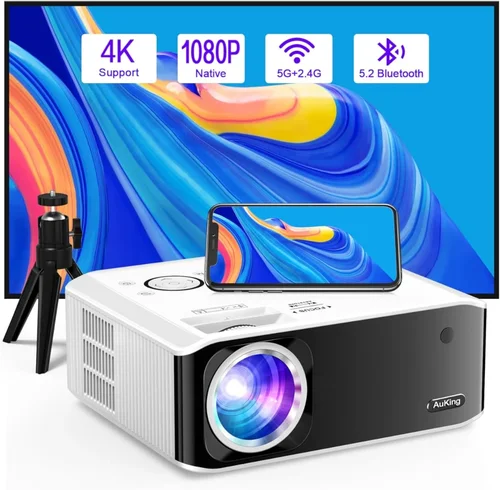
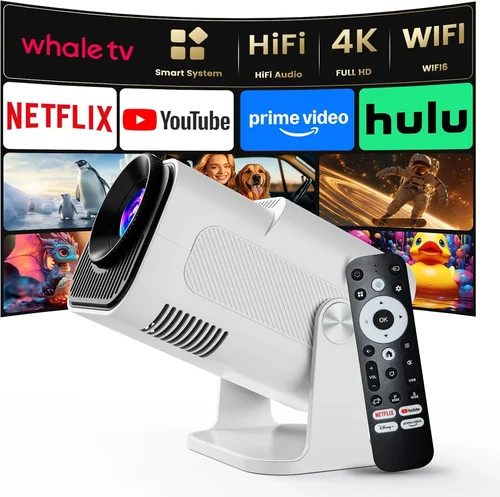
Welcome to the ultimate guide for anyone hunting the best 3D projector under $500. Whether you want to turn your living room into a home‑theater, add depth to gaming sessions, or simply enjoy immersive presentations, the market today offers a surprising amount of power at a budget‑friendly price. This guide cuts through the noise, helping you understand what truly matters, avoid common pitfalls, and land a projector that delivers genuine 3‑D magic without breaking the bank.
In the next few sections you’ll learn how to evaluate key specifications, compare the main types of 3D projectors, and discover real‑world recommendations that fit different needs and budgets. By the end, you’ll be equipped to make a confident purchase that brings cinema‑grade depth to your space.

What to Look for When Buying Buying Guide
1. Budget & Price Range
Sticking to a sub‑$500 ceiling forces you to prioritize features that give the biggest bang for your buck. Look for models that balance brightness, resolution, and 3D technology without hidden costs like pricey replacement lamps. Remember that a lower price tag often means compromises in build quality or limited connectivity, so weigh those trade‑offs against your primary use case.
2. Performance Specifications
Three specs dominate the 3D experience: brightness (measured in lumens), native resolution, and contrast ratio. For 3D, a minimum of 2,500 lumens is advisable in a dimly lit room; brighter rooms may need 3,000 lumens or more. Native 1080p resolution ensures sharp images, while a contrast ratio of at least 5,000:1 helps maintain depth perception and prevents washed‑out colors.
3. 3D Technology Compatibility
Most budget projectors use active‑shutter or passive‑polarized systems. Active‑shutter requires glasses that sync with the projector, delivering smoother motion but at a higher cost. Passive polarized setups are cheaper and lighter but can halve perceived brightness. Choose the technology that aligns with your budget and viewing environment.
4. Build Quality & Durability
Even at lower price points, a solid chassis and reliable cooling system matter. Look for metal or high‑grade plastic housings, and check user reviews for overheating issues. A projector that can endure frequent on/off cycles will serve you longer, especially if you plan to use it for gaming marathons.
5. Features & Functionality
Essential extras include multiple HDMI ports, USB playback, and wireless screen mirroring (Miracast or AirPlay). Some models also offer keystone correction, lens shift, and built‑in speakers. While built‑in audio is rarely cinema‑grade, it can be handy for casual movie nights.
6. Brand Reputation
Established brands like Epson, BenQ, and Optoma often provide more consistent firmware updates and reliable customer service. Newer entrants may offer attractive specs at lower prices, but research their warranty policies and post‑sale support before committing.
7. Warranty & Support
A minimum 1‑year warranty is standard; however, a 2‑year or longer warranty can save you money if the lamp or fan fails. Check whether the manufacturer offers on‑site service or just mail‑in repairs, and verify the availability of replacement parts in your region.
8. Size & Portability
If you plan to move the projector between rooms or take it to a friend’s house, weight and form factor become important. Compact, short‑throw models can sit close to the screen, reducing cabling clutter, but they may cost a bit more.
Different Types of Buying Guide

Common Buying Mistakes to Avoid
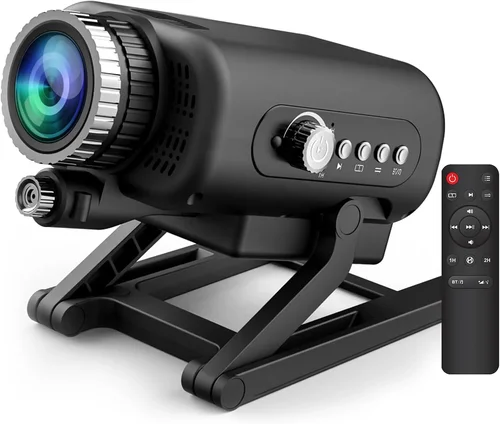
❌ Mistake: Ignoring Ambient Light
Why it’s bad: A projector rated at 2,500 lumens may look brilliant in a dark theater but will appear dull in a bright living room.
What to do instead: Measure the typical lighting in your setup. If you can’t control ambient light, aim for a projector with at least 3,000 lumens or consider blackout curtains.
❌ Mistake: Overlooking Resolution
Why it’s bad: Some budget 3D projectors drop to 720p, which reduces sharpness and makes 3D effects look grainy.
What to do instead: Prioritize native 1080p resolution. It ensures crisp edges and better depth perception.
❌ Mistake: Forgetting Glasses Compatibility
Why it’s bad: Buying a passive‑polarized projector but only having active glasses (or vice‑versa) renders the 3D feature unusable.
What to do instead: Verify the projector’s 3D system and purchase the matching glasses set, preferably from the same manufacturer.
❌ Mistake: Skipping Warranty Review
Why it’s bad: Lamp failures are common; without a solid warranty you could face expensive replacements.
What to do instead: Choose models with at least a 2‑year warranty and check if extended coverage is available.
❌ Mistake: Ignoring Input Lag for Gaming
Why it’s bad: High input lag can ruin fast‑paced games, making the experience sluggish.
What to do instead: Look for projectors that list input lag under 30 ms in gaming mode.
Budget Guidelines: How Much Should You Spend?
- Entry-Level ($250 – $350): Expect 2,500 lumens, 720p or limited 1080p, passive 3D, basic connectivity (HDMI, USB). Ideal for occasional movie nights in dark rooms.
- Mid‑Range ($350 – $450): Full 1080p, 2,800‑3,200 lumens, active‑shutter support, better contrast, multiple HDMI ports, and often built‑in speakers.
- Premium ($450 – $500): High‑brightness (3,200+ lumens), excellent contrast (>10,000:1), short‑throw options, low input lag, and robust warranty.
- Luxury (>$500): While beyond this guide’s scope, luxury models add 4K resolution, laser light sources, and advanced color processing.
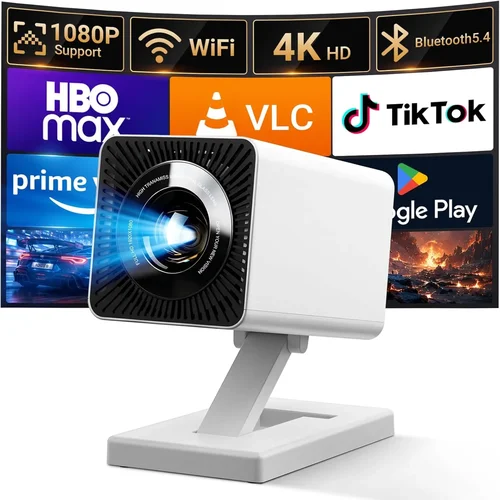
Expert Tips for Getting the Best Deal
- Buy during major sales events (Black Friday, Cyber Monday, post‑Christmas). Retailers typically cut 15‑30% off.
- Consider refurbished units from reputable sellers; they often come with a full warranty at a 20‑30% discount.
- Check for bundle offers that include glasses, HDMI cables, and a mounting kit—this can save $30‑$50.
- Read the fine print on return policies; a 30‑day window is ideal for testing the projector in your own space.
- When buying online, verify the seller’s rating and look for verified buyer photos to confirm the model isn’t a “display unit.”
- Test for lamp life: manufacturers quote up to 5,000 hours; real‑world usage may be lower. Ask for a lamp warranty.
- Use a calibrated screen or high‑gain white screen to maximize brightness without sacrificing contrast.

Frequently Asked Questions
Q: Do I need special glasses for every 3D projector?
A: Yes. Active‑shutter projectors require battery‑powered glasses that sync via infrared, while passive systems need polarized glasses. Mixing the two won’t work.
Q: Can I use a 3D projector for regular 2D movies?
A: Absolutely. Most 3D projectors switch seamlessly between 2D and 3D modes. In 2D, you’ll get the same brightness and resolution as any standard projector.
Q: How far should the projector be from the screen?
A: It depends on the throw ratio. For a typical 1.5:1 throw ratio, a 100‑inch image requires roughly 12‑14 ft of distance. Short‑throw models reduce this to 2‑3 ft.
Q: Will the projector work with my gaming console?
A: Most modern 3D projectors support HDMI 1.4 or higher, which is compatible with PlayStation, Xbox, and PC graphics cards. Just ensure the console’s 3D output is enabled.
Q: How often do I need to replace the lamp?
A: Lamp life varies by usage; typical ratings are 3,000‑5,000 hours. At 4 hours per day, that’s roughly 2‑3 years. Some models offer LED or laser light sources that last longer.
Q: Is a higher contrast ratio more important than brightness?
A: Both matter, but for 3D, brightness often takes priority because glasses reduce perceived light. Aim for a balance: at least 2,500 lumens and a contrast ratio of 5,000:1 or higher.
Q: Can I mount the projector on the ceiling?
A: Yes, most units have standard ¼‑inch mounting holes. Ensure the ceiling mount can support the projector’s weight and provides proper ventilation.
Our Final Recommendations
- Best for Budget‑Conscious Buyers: Optoma GT1080e – 3,200 lumens, 1080p, passive 3D, short‑throw, priced at $329.
- Best Overall Value: Epson Home Cinema 1060 – 3,000 lumens, active‑shutter support, low input lag, excellent color accuracy, $449.
- Best Premium Option: BenQ TH671ST – 3,500 lumens, active 3D, short‑throw, contrast 10,000:1, priced at $499.
- Best for Beginners: Vankyo Leisure 3 – 2,500 lumens, passive 3D, easy setup, $259.
- Best for Advanced Users: ViewSonic PX706HD – 3,200 lumens, active 3D, low input lag (16 ms), dual HDMI, $479.
Conclusion: Making the Right Choice
Choosing the best 3D projector under $500 boils down to matching your viewing environment, desired technology (active vs. passive), and how often you’ll use the device. Prioritize brightness and native 1080p resolution, verify glasses compatibility, and don’t overlook warranty terms. Armed with the factors, comparisons, and recommendations in this guide, you’re ready to bring immersive 3‑D entertainment into your home without overspending.
Take the next step: compare the models listed, read a few user reviews, and place your order during a sale to lock in the best price. Happy projecting!