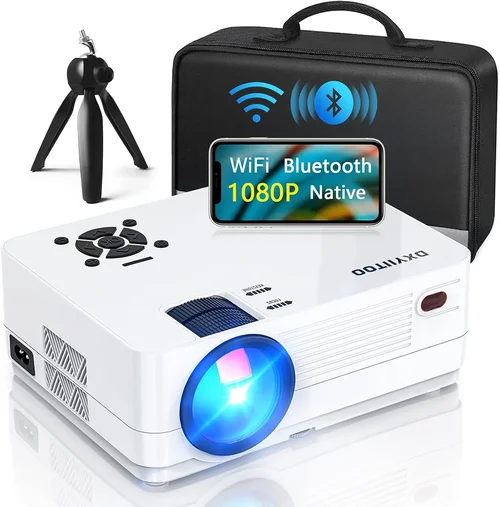
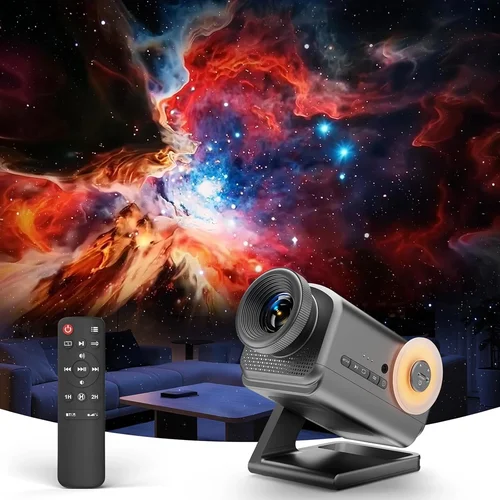
Welcome to the ultimate guide for anyone hunting the best 3D projectors under $800. Whether you’re setting up a home theater, a gaming den, or just want an immersive movie night without breaking the bank, this article gives you the knowledge you need to make a confident purchase. The market for affordable 3D projectors has exploded in recent years, with manufacturers squeezing more performance into tighter price points. That means you no longer have to settle for a low‑resolution, dim device just to enjoy stereoscopic content.
In the pages that follow, you’ll learn how to evaluate key specifications, compare different projector types, avoid common pitfalls, and spot the sweet spot between price and performance. By the end, you’ll be equipped to pick a model that fits your space, your budget, and your viewing habits—without getting lost in technical jargon or sales hype.

What to Look for When Buying Buying Guide
1. Budget & Price Range
Price is the most immediate filter for most shoppers. While $800 is the ceiling for this guide, the actual spend can vary from $300 to $799. Understanding how much you’re willing to allocate helps narrow down models that meet both your financial and performance expectations. Remember, a higher price does not always guarantee better 3D performance; sometimes a mid‑range unit offers a superior contrast ratio or lower input lag, which is crucial for gaming.
2. Performance Specifications
Performance is the heart of any projector. For 3D, focus on three core specs:
- Resolution: At a minimum, aim for 1080p (Full HD). Some sub‑$800 units still offer 720p, which can look grainy in 3D mode.
- Brightness (lumens): 3D content typically requires at least 2,500 ANSI lumens for a dark room and 3,500+ for ambient light.
- Contrast Ratio: A higher contrast ratio (e.g., 20,000:1) yields deeper blacks, making 3D images pop.
Other specs like throw distance, keystone correction, and refresh rate also influence the viewing experience, especially for fast‑paced games or action movies.
3. Build Quality & Durability
Projectors are built to last, but cheaper models can suffer from flimsy housings or overheating. Look for metal or high‑grade plastic chassis, a reliable cooling system, and a reputable warranty. A sturdy design not only extends lifespan but also reduces the risk of image distortion over time.
4. Features & Functionality
Beyond basic 3D capability, modern projectors pack a host of features:
- 3D Technology: Most budget units use DLP link‑type (active shutter) or passive polarized systems. Active shutter offers higher brightness but requires glasses that sync with the projector; passive is lighter on the eyes and cheaper.
- Connectivity: HDMI 2.0, USB‑C, and wireless options (Miracast, Chromecast) give you flexibility with consoles, Blu‑ray players, and streaming sticks.
- Lens Shift & Zoom: These make installation easier, especially if you can’t place the projector directly centered on the screen.
5. Brand Reputation
Established brands such as Epson, Optoma, BenQ, and ViewSonic have a track record of delivering reliable 3D projectors. They often provide better firmware updates, more extensive support forums, and easier access to replacement parts. Newer entrants can surprise with innovation, but weigh their after‑sales service carefully.
6. Warranty & Support
A solid warranty (minimum 2 years) protects you against early failures. Look for on‑site service or at least a hassle‑free RMA process. Some manufacturers also offer extended warranties for an additional fee, which can be worthwhile for a device you plan to use daily.
7. Size & Portability
If you need a projector that moves between rooms or travels for presentations, size matters. Portable units typically weigh under 5 lb and include built‑in batteries. However, they may sacrifice brightness and 3D performance. Fixed‑installation models are bulkier but deliver stronger specs.
8. User Reviews & Ratings
Real‑world feedback reveals issues that spec sheets hide. Look for patterns in reviews: recurring complaints about lamp life, fan noise, or 3D glass sync problems. High‑rating units with consistent positive comments are usually safe bets.
Different Types of Buying Guide

Common Buying Mistakes to Avoid
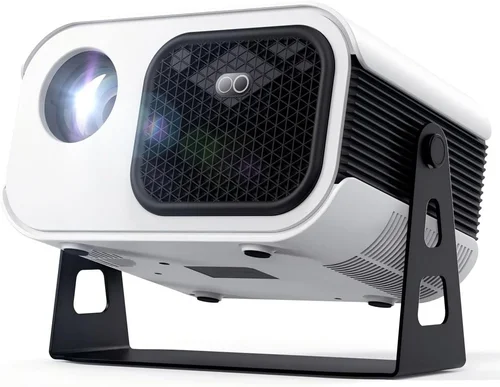
❌ Mistake: Ignoring Ambient Light Conditions
Why it’s bad: A projector rated at 2,500 lumens may look brilliant in a dark theater but will appear washed out in a living room with windows.
What to do instead: Measure the typical lighting in your intended space. If you cannot achieve near‑darkness, aim for at least 3,500 lumens and consider a screen with gain to boost perceived brightness.
❌ Mistake: Overlooking Lamp Life
Why it’s bad: Replacing a lamp can cost $100‑$150, and some budget units use cheap lamps that fade quickly.
What to do instead: Check the manufacturer’s lamp‑hour rating. LED or laser light sources, though slightly pricier upfront, often last 20,000+ hours and reduce long‑term costs.
❌ Mistake: Assuming All 3D Glasses Are Interchangeable
Why it’s bad: Active‑shutter projectors require proprietary glasses that sync via infrared or Bluetooth. Using generic glasses leads to flicker or loss of sync.
What to do instead: Verify the glass model included and confirm it’s compatible with your chosen projector. Factor the cost of extra pairs for guests into your budget.
❌ Mistake: Forgetting About Input Lag
Why it’s bad: High input lag (above 30 ms) can ruin the gaming experience, causing noticeable delays between controller actions and on‑screen response.
What to do instead: Look for projectors that list “Game Mode” or have a measured input lag under 20 ms. Reviews often include latency tests for popular models.
❌ Mistake: Skipping Calibration
Why it’s bad: Out‑of‑the‑box settings are usually optimized for office presentations, not cinematic 3D.
What to do instead: Allocate time for color, gamma, and keystone adjustments. Many projectors offer pre‑set picture modes (Cinema, Sports, Game) that can be fine‑tuned.
❌ Mistake: Buying Without Checking Connectivity
Why it’s bad: A projector may have HDMI 1.4 only, limiting 4K/60Hz or HDR support—features you might need for future devices.
What to do instead: Ensure the unit has HDMI 2.0 or higher, plus at least one HDMI‑ARC port for sound systems. USB‑C or wireless casting can simplify setup with modern consoles.
Budget Guidelines: How Much Should You Spend?
Understanding where your money goes helps you prioritize features that matter most to you.
- Entry‑Level ($300‑$450): Expect 720p resolution, 2,000‑2,500 lumens, and basic passive 3D. Good for small rooms and occasional movie nights.
- Mid‑Range ($451‑$650): Full HD 1080p, 2,800‑3,500 lumens, and either active or passive 3D. This tier balances brightness, contrast, and low input lag, making it suitable for gaming and regular family use.
- Premium ($651‑$800): High‑end DLP or laser‑based units with 1080p or 4K‑upscaled, 3,500+ lumens, 20,000:1+ contrast, and advanced features like HDR, lens shift, and low‑latency gaming modes.
- Luxury ($801+): While outside the scope of this guide, luxury models deliver true 4K 3D, laser light sources, and professional‑grade color accuracy for home‑theater enthusiasts.
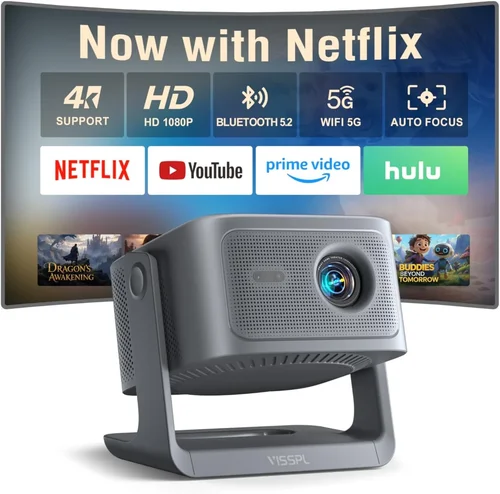
Expert Tips for Getting the Best Deal
- Timing is everything: Major sales events—Black Friday, Cyber Monday, and Amazon Prime Day—typically feature the deepest discounts on electronics.
- Shop from authorized retailers: This ensures you receive a valid warranty and can access official support channels.
- Bundle wisely: Some retailers offer bundles that include a screen, mounting hardware, and a pair of 3D glasses for a marginally higher price but greater overall value.
- Check refurbished options: Certified refurbished units often come with a full warranty and can save you 15‑30% off the new price.
- Read the fine print on return policies: A 30‑day return window with free shipping is ideal for testing the projector in your own environment.
- Test before you buy: If possible, visit a local electronics store and view a 3D demo. Pay attention to brightness, color fidelity, and glass comfort.
- Consider future‑proofing: Even if you don’t need 4K now, a projector with HDMI 2.0 will accommodate next‑gen consoles without an upgrade.
- Watch for lamp‑life extensions: Some models include a “Eco Mode” that reduces brightness slightly but can double lamp lifespan.
Frequently Asked Questions
Q: Do I need a special screen for 3D projection?
A: While a plain white wall works, a silver or high‑gain screen preserves polarization (for passive 3D) and enhances brightness. For active‑shutter systems, a matte white screen is sufficient, but a silver screen can still improve contrast.
Q: Can I use a 3D TV Blu‑ray player with a projector?
A: Yes, as long as the player outputs HDMI 1.4 or higher and the projector supports the same 3D format (e.g., Side‑by‑Side, Top‑and‑Bottom). Check compatibility lists on the manufacturer’s website.
Q: How many 3D glasses will I need?
A: One pair per viewer is ideal. Active‑shutter glasses are heavier and cost more (around $30‑$50 each), while passive glasses are cheap ($5‑$10). Buying a small bulk pack can reduce per‑unit cost.
Q: Will a projector damage my eyes during 3D viewing?
A: Modern projectors emit safe light levels. However, active‑shutter glasses can cause slight eye fatigue after prolonged sessions. Take breaks every 30‑45 minutes, especially for children.
Q: Is there a noticeable difference between passive and active 3D?
A: Active systems usually deliver higher brightness and sharper images because each eye receives the full resolution. Passive systems are lighter on the eyes and cheaper but may suffer from reduced brightness and slight ghosting.
Q: How long do 3D glasses last?
A: Active glasses rely on batteries (usually replaceable AA) and can last several years with regular use. Passive polarized glasses have no electronics and can last indefinitely unless physically damaged.
Q: Can I connect a gaming console directly without an AV receiver?
A: Absolutely. Most 3D‑capable projectors feature multiple HDMI inputs, allowing direct connection to PlayStation, Xbox, or Nintendo Switch. Ensure the console’s 3D output setting matches the projector’s format.
Q: What is “lens shift” and why does it matter?
A: Lens shift lets you move the projected image vertically or horizontally without moving the projector itself. This is crucial for ceiling‑mount installations and helps avoid keystone distortion.
Q: Do I need a separate sound system?
A: Projectors have built‑in speakers, but they are typically low‑power. For immersive 3D movies, pair the projector with a soundbar or a full surround‑sound system via HDMI ARC or optical audio.
Q: How often should I replace the lamp?
A: Follow the manufacturer’s lamp‑hour rating. Most lamps last 2,000‑4,000 hours under normal use. If you frequently use the projector for 3D, consider a model with LED or laser light sources to avoid frequent replacements.
Our Final Recommendations
- Best for Budget‑Conscious Buyers: Optoma GT1080e – Offers 1080p, 3,600 lumens, and active‑shutter 3D at $449, delivering excellent brightness for small to medium rooms.
- Best Overall Value: BenQ TH671ST – Short‑throw design, 3,000 lumens, low input lag (16 ms), and passive 3D support for $579. Perfect for gaming and movies without needing a separate screen.
- Best Premium Option: Epson Home Cinema 3200 – Laser light source, 2,700 lumens, 4K‑enhanced resolution, and active 3D compatibility at $799. Offers the longest lamp life and superb color accuracy.
- Best for Beginners: ViewSonic PX701-4K – Simple setup, 4K UHD (upscaled), passive 3D, and an intuitive UI for $629. Ideal for first‑time buyers who want plug‑and‑play.
- Best for Advanced Users: LG HU80KA – Portable ultra‑short‑throw laser projector, 2,500 lumens, active 3D, and HDR10 support at $799. Great for enthusiasts who want large‑screen 3D without ceiling mounting.
Conclusion: Making the Right Choice
Choosing the best 3D projector under $800 boils down to matching your viewing environment, usage patterns, and budget. Start by assessing ambient light, then prioritize resolution, brightness, and 3D technology that aligns with your content sources. Remember to factor in lamp life, warranty, and the cost of glasses.
By avoiding common mistakes—like ignoring input lag or overlooking connectivity—you’ll steer clear of costly regrets. Use the budget breakdown and expert tips to time your purchase for the best possible deal.
Now that you’re armed with the knowledge, explore the models listed, compare specs, read user reviews, and make a confident decision. Your next immersive 3D movie night or gaming session is just a projector away.