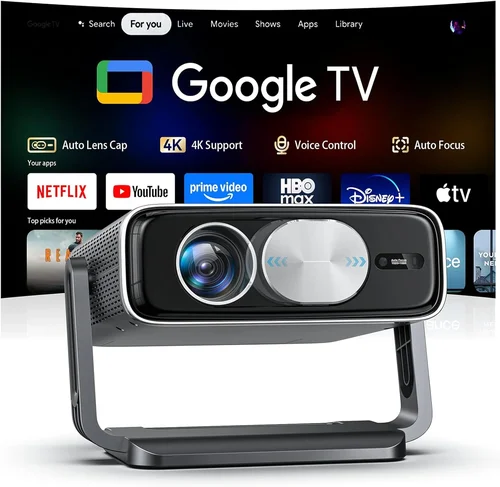
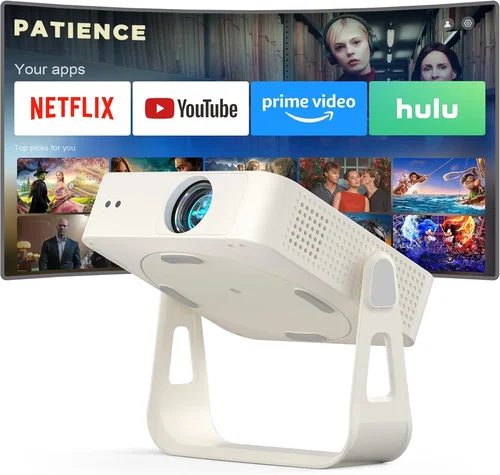
Welcome to the definitive guide for anyone hunting the perfect 4K projector without blowing the budget. In the past few years, 4K projection has moved from niche‑high‑end installations into the living rooms of everyday movie lovers, gamers, and home‑office warriors. Yet, the market is still crowded with models that promise “true 4K” while delivering sub‑par performance, or they simply sit well above the $5,000 mark you may be comfortable spending.
This guide cuts through the hype. You’ll learn exactly which specifications matter, how to match a projector to your space, and which models consistently rank among the best 4K projectors under $5,000 in 2026. By the end, you’ll have a clear roadmap to pick a projector that fits your viewing habits, room conditions, and wallet.
The 4K projector landscape in 2026 is defined by three major trends: laser light sources becoming more affordable, HDR support moving from optional to standard, and smart‑home integration finally arriving in mainstream units. These advances mean you no longer have to choose between picture quality and price—there’s a sweet spot where both coexist. Let’s dive into the factors that separate a true 4K experience from a merely “4K‑labelled” disappointment.

What to Look for When Buying Buying Guide
1. Budget & Price Range
Even within the “under $5,000” segment, prices can vary widely. Entry‑level 4K models may start around $2,200, while premium‑feature units hover near the $4,900 ceiling. Your budget determines which light source (laser vs. LED vs. traditional lamp) and which performance tier you can realistically expect. Set a hard ceiling, then allocate a portion of that budget to accessories—screen, mounting hardware, and calibration tools—all of which affect the final picture.
2. Resolution & Pixel Architecture
True 4K (3840 × 2160) is a must, but how those pixels are generated matters. Most budget 4K projectors use “pixel‑shifting” or “up‑scaling” technologies to simulate 4K from a lower‑resolution chip. While the image can look impressive, true native 4K chips (found in higher‑priced models) deliver sharper text and finer detail, especially noticeable in UI elements and high‑resolution gaming.
3. Light Source & Brightness
Brightness is measured in ANSI lumens. For a dedicated home theater with controlled lighting, 1,500–2,500 lumens is sufficient. If you plan to watch in a living room with some ambient light, aim for 2,500–3,500 lumens. Laser light sources dominate the sub‑$5,000 market because they offer high brightness, long life (20,000+ hours), and consistent color performance without the frequent lamp replacements of traditional UHP lamps.
4. Contrast Ratio & Black Levels
Contrast ratio tells you how deep the blacks will be compared to the brightest whites. Dynamic contrast ratios (measured in millions:1) can be misleading; focus on native contrast and, more importantly, the projector’s ability to maintain black depth in real‑world scenes. Laser and DLP (digital light processing) chips tend to produce superior black performance compared to LCD when paired with a good contrast‑enhancing engine.
5. HDR & Color Gamut
High Dynamic Range (HDR) expands both brightness and color depth. Look for HDR10 support at a minimum; HDR10+ and Dolby Vision are bonuses but still rare under $5,000. A wide color gamut—ideally DCI‑P3 95%+—ensures the projector can reproduce cinema‑grade colors. Some budget models still rely on the sRGB color space, which looks muted compared to true cinema standards.
6. Throw Ratio & Installation Flexibility
Throw ratio determines how far the projector must sit from the screen to achieve a specific image size. Short‑throw (0.5–1.0) units are ideal for small rooms where you can’t mount the projector far back. Standard throw (1.5–2.5) offers more flexibility in larger spaces. Consider the mounting options (ceiling, table, rear‑projection) and whether the projector has lens shift—both vertical and horizontal—to fine‑tune placement without keystone distortion.
7. Connectivity & Smart Features
Modern projectors are expected to be plug‑and‑play. Look for HDMI 2.1 ports (necessary for 4K @ 120 Hz gaming), USB‑C for quick media playback, and Wi‑Fi or Ethernet for streaming. Built‑in operating systems (Android TV, Roku, or proprietary platforms) let you stream Netflix, Disney+, or Twitch directly, eliminating the need for an external media box.
8. Build Quality & Reliability
Projectors are long‑term investments. Metal housings, robust cooling systems, and sealed optics protect against dust and overheating. Check manufacturer MTBF (Mean Time Between Failures) figures and read user forums for real‑world reliability reports. A well‑built projector will maintain calibration over years, reducing the need for frequent professional servicing.
Different Types of Buying Guide

Common Buying Mistakes to Avoid
❌ Mistake: Ignoring Ambient Light Conditions
Why it’s bad: Purchasing a dim 1,500‑lumens unit for a bright living room results in washed‑out colors and poor contrast, making movies feel flat.
What to do instead: Measure the typical ambient light level in your viewing area. If you cannot fully darken the room, target a projector with at least 2,500 lumens and a high contrast engine.
❌ Mistake: Chasing “True 4K” Without Checking Pixel Architecture
Why it’s bad: Some “true 4K” models actually use a 1080p chip with pixel‑shifting. While the marketed resolution is 4K, fine text and UI may still appear soft.
What to do instead: Verify whether the projector uses a native 4K DLP/LCD chip. If it relies on pixel‑shifting, read independent reviews that test text clarity and gaming performance.
❌ Mistake: Overlooking Throw Ratio & Placement Space
Why it’s bad: Buying a standard‑throw projector for a 6‑foot room may force you to place the unit far enough away that you can’t achieve a 100‑inch image.
What to do instead: Calculate the required throw distance (Screen Width × Throw Ratio). If your room is small, consider a short‑throw model.
❌ Mistake: Forgetting About Lens Shift & Keystone
Why it’s bad: Relying solely on digital keystone correction degrades image quality and reduces brightness.
What to do instead: Choose a projector with at least ±10% vertical lens shift and, if possible, horizontal shift. Use physical alignment for the best picture.
❌ Mistake: Ignoring Connectivity Needs
Why it’s bad: A projector without HDMI 2.1 will limit you to 4K @ 60 Hz, which is a bottleneck for next‑gen consoles.
What to do instead: Ensure the unit has HDMI 2.1 ports, Wi‑Fi, and at least one USB‑C or HDMI‑ARC for audio‑video integration.
❌ Mistake: Skipping Warranty & Support Research
Why it’s bad: A cheap warranty may not cover the laser module, which is the most expensive component.
What to do instead: Look for at least a 3‑year parts warranty and a separate laser‑module warranty of 5 years or more.
Budget Guidelines: How Much Should You Spend?
Understanding what you get at each price tier helps you set realistic expectations.
- Entry‑Level ($2,200 – $3,000): Expect LED or hybrid‑pixel technology, 2,500 lumens, HDR10, and basic lens shift. Ideal for casual movie nights in dim rooms.
- Mid‑Range ($3,000 – $4,000): Laser light source becomes common, brightness climbs to 3,000+ lumens, DCI‑P3 95% color, and full HDMI 2.1. This tier offers the best balance of picture quality and longevity.
- Premium ($4,000 – $5,000): High‑end laser DLP with native 4K chips, 4,000+ lumens, dynamic HDR10+, extensive lens shift, and premium smart platforms. Perfect for dedicated home theaters and serious gamers.
- Luxury ($5,000+): While outside the scope of this guide, these units deliver cinema‑grade optics, 6,000+ lumens, and often dual‑laser engines for unparalleled color accuracy.
Expert Tips for Getting the Best Deal
- Timing is everything: Major sales events—Black Friday, Cyber Monday, and post‑New Year clearance—often feature 20‑30% discounts on 4K models.
- Bundle wisely: Some retailers include a 120‑inch screen or premium mounting kit for free when you purchase a projector over $3,500.
- Check refurbished inventory: Certified refurbished units from the manufacturer come with full warranty and can shave $400‑$800 off the MSRP.
- Negotiate extended warranty: Retailers are usually willing to add an extra year of laser‑module coverage for a modest fee.
- Test before you buy: If possible, visit a local AV store and view the projector on a 100‑inch screen with a calibrated source. Bring a sample of your favorite 4K content to evaluate HDR handling.
- Consider future‑proofing: Choose a model with HDMI 2.1 and at least 4K @ 120 Hz capability if you plan to use next‑gen consoles.
- Read the fine print on lamp life: Laser modules are rated in hours, but the warranty may only cover 5,000 hours. Calculate the long‑term cost of replacement if you exceed that.

Frequently Asked Questions
Q: Do I need a special screen for a 4K projector?
A: While a plain white wall can work, a dedicated 4K‑rated screen (gain 1.0–1.2) preserves detail and improves color uniformity. For rooms with some ambient light, a gray or high‑gain screen helps maintain contrast.
Q: Can I use a 4K projector for gaming?
A: Absolutely. Look for HDMI 2.1 ports, low input lag (under 15 ms), and a refresh rate of 120 Hz if you own a PS5 or Xbox Series X. Laser DLP models often have the best response times.
Q: Is HDR10+ worth the extra cost?
A: HDR10+ provides dynamic metadata, improving scene‑by‑scene brightness. If you stream a lot of HDR10+ content (Amazon Prime Video, some Blu‑rays), it’s a nice bonus, but HDR10 alone already offers a noticeable jump over SDR.
Q: How far should I sit from a 100‑inch 4K image?
A: The optimal viewing distance is roughly 1.2–1.5 times the screen height. For a 100‑inch diagonal (height ≈ 49 in), sit about 5–6 feet away for an immersive experience without seeing individual pixels.
Q: Will a projector work with my existing AV receiver?
A: Yes, as long as the receiver supports HDMI ARC or eARC for audio pass‑through. Most modern receivers handle 4K HDR signals, but double‑check the supported HDMI version.
Q: Are there any maintenance tasks I should perform?
A: Keep the projector’s air filters clean (every 3‑6 months) and ensure the ventilation area is dust‑free. Laser units need almost no maintenance, but periodic fan cleaning prolongs lifespan.
Q: What is the difference between DLP and LCD?
A: DLP uses micro‑mirrors for fast response and deep blacks, making it ideal for gaming and dark rooms. LCD offers richer color saturation and is often cheaper, but can suffer from slight motion blur in fast scenes.
Q: Can I mount a projector on the ceiling myself?
A: Yes, most units come with a universal mounting bracket. Ensure the ceiling can support the weight (usually 8–12 lb) and run power/HDMI cables through conduit for a clean look.
Our Final Recommendations
- Best for Budget‑Conscious Buyers: Optoma UHD50X – 3,400 lumens, 240 Hz refresh, HDR10, native 4K DLP, and a price around $2,499.
- Best Overall Value: Epson Home Cinema 5050UB – Laser‑enhanced 4K‑enhanced (pixel‑shift), 2,600 lumens, excellent color accuracy, and a solid $3,799 price tag.
- Best Premium Option: BenQ HT3550i – True 4K laser DLP, 2,200 lumens, DCI‑P3 95%, HDR10+, and robust lens shift for $4,699.
- Best for Beginners: LG CineBeam HU85LA – Ultra‑short‑throw laser, 2,700 lumens, built‑in Android TV, easy setup, priced at $4,299.
- Best for Advanced Users: Sony VPL‑VW715ES – Native 4K SXRD, 2,800 lumens, HDR10+, dual‑laser, and professional‑grade calibration tools for $4,950.
Conclusion: Making the Right Choice
Choosing a 4K projector under $5,000 is less about finding the cheapest unit and more about aligning performance specs with your viewing environment and usage habits. Remember to assess ambient light, decide between laser and LED, verify true 4K chip architecture, and prioritize connectivity that matches your future devices.
Use the budget breakdown and expert tips above to narrow your list, then test a few models if possible. With the right research, you’ll bring cinema‑grade visuals into your home without breaking the bank. Happy projecting!