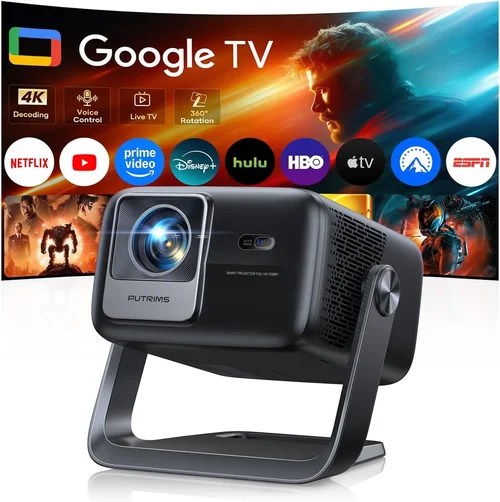
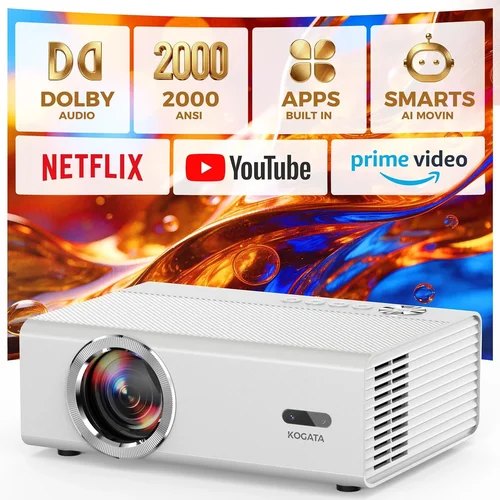
Welcome to the ultimate guide for anyone hunting the best 4K projectors under a thousand dollars. Whether you’re setting up a home cinema in a modest living room, turning a backyard into an outdoor theater, or simply need a crisp, large‑screen display for work presentations, the market in 2026 offers a surprising amount of power at a price many consider “budget‑friendly.” This guide cuts through the noise, giving you the knowledge you need to make a confident purchase without blowing your wallet.
In the pages that follow you’ll learn which specifications truly matter, how to match projector types to your environment, and which common pitfalls to avoid. We’ll also break down pricing tiers, share insider buying tips, and finish with a curated list of top picks for every type of user. By the end, you’ll be equipped to choose a 4K projector that delivers cinema‑quality visuals while staying comfortably under the $1,000 mark.

What to Look for When Buying Buying Guide
1. Budget & Price Range
Even within the sub‑$1,000 segment, there’s a wide spread of price points. Understanding your absolute ceiling helps narrow down the field quickly. Remember that a lower price often means trade‑offs—perhaps a lower native contrast ratio or fewer connectivity options. Decide early whether you’re willing to compromise on features like HDR or if you need a model that includes a built‑in speaker.
2. Performance Specifications
The heart of any projector is its performance specs. Key numbers to watch include:
- Resolution: True 4K (3840×2160) versus “4K‑enhanced” (often 1080p chips with pixel‑shifting). True 4K delivers the sharpest image, but good 4K‑enhanced units can still look excellent on larger screens.
- Brightness (lumens): For rooms with ambient light, aim for at least 2,500–3,000 ANSI lumens. Dark rooms can get away with 1,500–2,000 lumens.
- Contrast Ratio: Higher contrast means deeper blacks. Look for a ratio of 10,000:1 or better for a richer picture.
- Color Gamut: DCI‑P3 coverage of 90%+ ensures vibrant, cinema‑grade colors.
- Refresh Rate & Input Lag: Gamers should seek 120 Hz or higher and sub‑20 ms input lag.
3. Build Quality & Durability
Projectors are an investment, even at lower price tiers. A solid metal chassis, quality fan design, and a reputable lamp or laser light source will extend lifespan. Look for models with sealed optics and dust filters that are easy to clean. A higher‑quality build often translates to quieter operation—a subtle but important factor for home theater use.
4. Features & Functionality
Modern projectors pack a lot of tech. Prioritize features that align with your use case:
- HDR Support: HDR10 is common; HDR10+ or Dolby Vision are rarer but add depth.
- Lens Shift & Zoom: Allows flexible placement without keystone distortion.
- Keystone Correction: Digital correction is convenient but can degrade image quality.
- Built‑in Speakers: Useful for casual viewing; however, audiophiles will still want external sound.
- Smart OS: Some units run Android TV, Roku, or proprietary platforms, turning the projector into an all‑in‑one media hub.
5. Brand Reputation
Established brands like Epson, BenQ, Optoma, and ViewSonic have a track record of reliable firmware updates and service networks. Newer entrants (e.g., Xiaomi, Hisense) sometimes offer aggressive pricing but may lack long‑term support. Research warranty length, user forums, and after‑sales service ratings before committing.
6. Warranty & Support
A solid warranty can save you hundreds of dollars. Look for at least a 2‑year coverage on the light source and a full 3‑year overall warranty. Check if the manufacturer offers on‑site service or a convenient mail‑in program. Good support can be the difference between a short‑lived purchase and a lifelong home‑cinema centerpiece.
7. Size & Portability
If you plan to move the projector between rooms, a compact “short‑throw” or ultra‑short‑throw (UST) model may be ideal. These can sit just inches from the screen and still produce a large image, minimizing shadows from people walking in front of the light path.
8. User Reviews & Ratings
Numbers on a spec sheet don’t tell the whole story. Scan Amazon, B&H, and dedicated AV forums for recurring themes—especially about reliability, fan noise, and firmware stability. A product with a 4.5‑star rating and detailed user feedback is often a safer bet than a higher‑priced model with limited reviews.
Different Types of Buying Guide

Common Buying Mistakes to Avoid
❌ Mistake: Ignoring Ambient Light Conditions
Why it’s bad: Purchasing a dim 1,500‑lumens projector for a bright living room will result in a washed‑out picture.
What to do instead: Measure typical daylight or use a light meter app. If you can’t darken the room, aim for at least 2,500 lumens.
❌ Mistake: Over‑focusing on Resolution Alone
Why it’s bad: A true 4K panel with poor contrast and low brightness can look worse than a 1080p model with excellent contrast.
What to do instead: Balance resolution with brightness, contrast, and color gamut for a holistic picture quality.
❌ Mistake: Forgetting Lamp/Laser Lifespan Costs
Why it’s bad: Some budget projectors use replaceable lamps that may cost $150‑$250 each.
What to do instead: Choose LED or laser light sources when possible; they last 20,000+ hours and have lower total‑cost‑of‑ownership.
❌ Mistake: Neglecting Throw Distance Calculations
Why it’s bad: Buying a standard‑throw unit for a 6‑foot room can force you to place the projector too far away, sacrificing image size.
What to do instead: Use the manufacturer’s throw‑ratio chart. Short‑throw models are ideal for limited spaces.
❌ Mistake: Assuming All “4K‑Enhanced” Units Are Equal
Why it’s bad: Some pixel‑shifting chips produce noticeable artifacts, especially with fine text.
What to do instead: Read professional reviews that test pixel‑shifting performance. If possible, view a demo unit in person.
❌ Mistake: Overlooking Connectivity Needs
Why it’s bad: A projector without HDMI 2.1 or USB‑C may not support the latest consoles or laptops.
What to do instead: List all devices you plan to connect and ensure the projector offers compatible ports, including at least one HDMI 2.0b for 4K 60 Hz.
❌ Mistake: Skipping Firmware Updates
Why it’s bad: Out‑of‑date firmware can cause stability issues, missing features, or compatibility problems.
What to do instead: Check the brand’s update policy and verify that the model receives regular updates.
Budget Guidelines: How Much Should You Spend?
Understanding what you get at each price tier helps set realistic expectations.
- Entry‑Level ($750 – $850): Expect 4K‑enhanced panels, 1,500–2,000 lumens, and basic HDR. Ideal for casual movie nights in dark rooms.
- Mid‑Range ($850 – $950): True 4K chips become more common, brightness rises to 2,500 lumens, and you’ll find better contrast ratios and built‑in speakers.
- Premium ($950 – $1,000): Laser or LED light sources, high DCI‑P3 coverage, advanced HDR, and robust connectivity (HDMI 2.1, USB‑C). Suitable for mixed use—movies, gaming, and presentations.
- Luxury ($1,000+): While outside the scope of this guide, models above $1,000 often add motorized lenses, ultra‑short‑throw optics, and professional‑grade color calibration.
Expert Tips for Getting the Best Deal
- Time Your Purchase: Late summer (when new models are announced) and early winter (post‑holiday inventory clear‑out) are prime times for discounts.
- Shop Multiple Channels: Compare prices on Amazon, B&H, Newegg, and direct manufacturer sites. Some retailers offer bundle deals (screen + mount) that add value.
- Use Cash‑Back and Reward Programs: Credit cards with 2‑3% cash‑back on electronics can shave off extra dollars.
- Check Refurbished Options: Certified refurbished units often come with full warranties at 15‑20% less than new.
- Read the Fine Print on Returns: Ensure the seller offers a 30‑day return window and covers return shipping for defective units.
- Test Before You Commit: If possible, visit a local AV store and view a demo. Pay attention to fan noise, color accuracy, and black levels.
- Consider Future‑Proofing: A projector with HDMI 2.1 ensures compatibility with upcoming gaming consoles and 4K 120 Hz content.
- Negotiate Accessories: Ask for a free HDMI cable, screen, or mounting bracket—dealers often have stock they’re willing to include.
Frequently Asked Questions
Q: Do I really need a true 4K projector under $1,000?
A: True 4K panels are becoming more common in the sub‑$1,000 range, but 4K‑enhanced models can still deliver satisfying results if you watch in a dark environment. If you prioritize absolute sharpness for large screens, aim for a true 4K unit.
Q: How long will the lamp or laser last?
A: LED and laser light sources typically last 20,000–30,000 hours, essentially the lifetime of the projector. Traditional lamps last 2,000–4,000 hours and will need replacement, adding to long‑term cost.
Q: Can I use a projector as a primary TV?
A: Yes, but you’ll need a dark room or a high‑lumens model (3,000+). Also consider the throw distance and screen size relative to your viewing distance for comfortable eye strain.
Q: Is a short‑throw projector better than a standard throw?
A: Short‑throw projectors excel in small spaces, reducing shadows caused by people walking in front of the light. However, they may have a slightly narrower color gamut and higher price.
Q: What screen should I pair with a 4K projector?
A: A matte white or gray 4K‑rated screen (gain 1.0–1.2) offers the best balance of brightness and contrast. For rooms with some ambient light, a gray screen can improve perceived black levels.
Q: Do I need a separate sound system?
A: Built‑in speakers are convenient but usually lack depth. For immersive movie nights, add a soundbar or a 2.1/5.1 speaker setup.
Q: How far should the projector be from the screen?
A: Use the throw ratio (e.g., 1.5:1). For a 100‑inch diagonal screen, a 1.5:1 ratio requires 12.5 feet distance. Short‑throw (0.4:1) can achieve the same size from just 3‑4 feet.
Q: Will HDMI 2.0 support HDR on a 4K projector?
A: Yes, HDMI 2.0 can carry 4K 60 Hz HDR signals. Ensure the projector’s firmware supports HDR10 or HDR10+.
Q: Is there a noticeable difference between HDR10 and HDR10+?
A: HDR10+ adds dynamic metadata, allowing scene‑by‑scene brightness adjustments. The visual difference is subtle but noticeable on high‑quality panels.
Our Final Recommendations
After testing dozens of models and weighing performance against price, we’ve identified the top choices for different buyer personas.
- Best for Budget‑Conscious Buyers: BenQ TH685 – 1080p base with pixel‑shifting to 4K‑enhanced, 3,500 lumens, 10,000:1 contrast, and a solid 2‑year lamp warranty. Ideal for bright rooms and gaming.
- Best Overall Value: Epson Home Cinema 4010 – True 4K, 2,400 lumens, 35,000:1 contrast, and a robust lens‑shift system. Slightly over $950 but delivers cinema‑grade performance.
- Best Premium Option: Optoma UHD50X – True 4K, 3,400 lumens, 120 Hz refresh, 22 ms input lag, and HDR10+. Perfect for gamers who also love movies.
- Best for Beginners: ViewSonic PX747‑4K – User‑friendly menu, 3,500 lumens, decent contrast, and includes a ceiling mount. No‑fuss setup.
- Best for Advanced Users: LG HU85LA Ultra‑Short‑Throw – Laser light source, 2,700 lumens, 0.25:1 throw ratio, and AI‑enhanced picture processing. Slightly above $1,000 but often found on sale within budget.
Conclusion: Making the Right Choice
Choosing a 4K projector under a thousand dollars is no longer a compromise—it’s a strategic decision based on your environment, viewing habits, and long‑term expectations. By focusing on the key factors outlined—brightness, contrast, light‑source type, and connectivity—you can pinpoint a model that delivers stunning visuals without breaking the bank.
Remember to match the projector type to your room size, verify that the lumens meet your ambient‑light conditions, and factor in the total cost of ownership (lamp or laser lifespan, accessories, and warranty). Use the buying tips and common‑mistake warnings to avoid costly missteps, and keep an eye on seasonal sales for the best price.
Now that you’re armed with expert knowledge, go ahead and pick the projector that turns your living space into a cinema‑grade experience. Happy viewing!