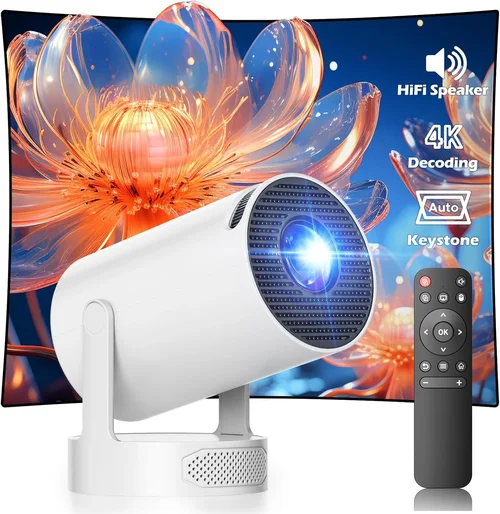
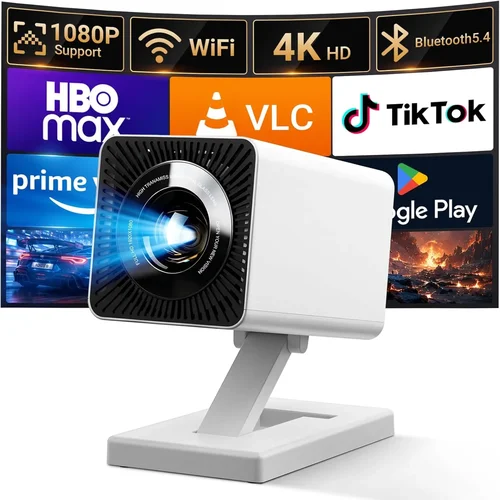
Finding a reliable Android projector under $500 can feel like hunting for a needle in a haystack. The market is flooded with low‑cost options that promise cinema‑grade performance, yet many fall short when it comes to brightness, durability, or Android integration. This guide cuts through the noise, giving you a clear roadmap to pick a projector that truly delivers on its promises without breaking the bank.
By the end of this article you will understand the most important specifications, know which projector type fits your lifestyle, avoid common purchasing pitfalls, and walk away with a shortlist of top‑rated models that excel in real‑world use. Whether you plan to stream movies in a backyard, give a business presentation on the go, or set up a gaming station in your bedroom, we’ve got you covered.
The Android projector segment has evolved dramatically over the past three years. Manufacturers have embraced brighter LEDs, higher native resolutions, and more robust operating systems, making it possible to enjoy a true “smart” experience for under $500. Let’s dive into the factors that separate the winners from the pretenders.

What to Look for When Buying Buying Guide
1. Budget & Price Range
Setting a realistic budget is the first step. While $500 is the upper limit for this guide, not every projector at that price point offers the same value. Entry‑level models (around $200‑$300) often sacrifice brightness or Android version, whereas mid‑range units ( $350‑$500) typically include better LEDs, higher native resolution, and a more recent Android build. Decide how much you’re willing to stretch for features like Wi‑Fi, Bluetooth, or built‑in speakers, and remember that a slightly higher upfront cost can save you money on accessories and replacements later.
2. Performance Specifications
The heart of any projector lies in its performance specs. Focus on these key numbers:
- Brightness (lumens): For indoor use in dim rooms, 200‑300 ANSI lumens is acceptable. If you plan to project in ambient light, aim for 300‑500 lumens.
- Resolution: Native 720p (1280×720) is the baseline for acceptable sharpness. Some models offer 1080p upscaling, but true 1080p panels are rare under $500.
- Contrast Ratio: Higher contrast (e.g., 2000:1) yields deeper blacks and more vivid colors.
- LED Lifespan: Look for at least 20,000 hours; a longer lifespan means fewer replacements.
3. Build Quality & Durability
Projectors that travel with you need a sturdy chassis, secure ports, and reliable cooling. Aluminum or high‑grade plastic housings resist dents and heat better than cheap ABS shells. Check user reviews for reports of overheating or loose hinges—these are red flags that can lead to costly repairs.
4. Features & Functionality
Modern Android projectors are essentially tiny smart TVs. Key features to evaluate include:
- Android OS version: Android 9.0 (Pie) or newer ensures compatibility with the latest apps.
- Connectivity: Dual‑band Wi‑Fi, Bluetooth 5.0, HDMI, USB‑C, and micro‑SD slots give you flexibility.
- Built‑in speakers: While most portable projectors have modest 2‑3 W speakers, some models pair with external soundbars for richer audio.
- Screen‑mirroring: Support for Miracast, AirPlay, or Chromecast built‑in simplifies streaming from phones and laptops.
5. Brand Reputation
Established brands like Anker, Vankyo, and XGIMI typically provide better firmware support and more reliable warranties. Newer entrants can offer innovative features at lower prices, but research their post‑sale service record before committing.
6. Warranty & Support
A minimum 1‑year warranty is standard for $500 projectors. Look for extended warranties, easy return policies, and responsive customer service. Some manufacturers also provide free firmware updates that improve performance over time.
7. Size & Portability
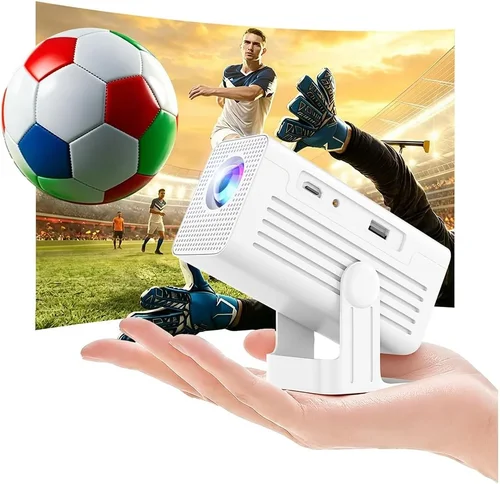
If you need a projector that fits in a backpack, consider dimensions under 150 mm in height and a weight below 1 kg. Portable units often include a built‑in battery (lasting 2‑3 hours) which can be a game‑changer for outdoor movie nights.
8. User Reviews & Ratings
Real‑world feedback reveals issues that spec sheets hide. Pay attention to recurring themes—e.g., “fan noise,” “app crashes,” or “short Wi‑Fi range.” A product with a 4‑star average and a high volume of reviews is generally more trustworthy than a newer, low‑review model.
Different Types of Buying Guide

Common Buying Mistakes to Avoid
❌ Mistake: Chasing the Highest Resolution
Why it’s bad: Under $500, true 1080p panels are rare and often come with compromised brightness. You may end up with a dim image that looks worse than a bright 720p display.
What to do instead: Prioritize brightness and contrast first. If the projector meets your ambient‑light needs, a 720p panel will still deliver sharp, enjoyable video.
❌ Mistake: Ignoring LED Lifespan
Why it’s bad: Some cheap units use low‑quality LEDs that dim after 2,000‑3,000 hours, forcing an early replacement.
What to do instead: Look for a minimum 20,000‑hour LED rating. It may cost a few dollars more, but it pays off over years of use.
❌ Mistake: Overlooking Connectivity Options
Why it’s bad: A projector that only has a single HDMI port limits your ability to connect a gaming console, soundbar, or USB drive simultaneously.
What to do instead: Choose models with multiple inputs (HDMI, USB‑C, micro‑SD) and built‑in Wi‑Fi/Bluetooth for wireless streaming.
❌ Mistake: Forgetting About Fan Noise
Why it’s bad: A noisy cooling fan can distract from movies or presentations, especially in quiet rooms.
What to do instead: Check decibel (dB) ratings in reviews. Aim for < 30 dB for a near‑silent experience.
❌ Mistake: Assuming All Android Versions Are Equal
Why it’s bad: Older Android builds may not support newer apps like Netflix or Disney+, limiting your streaming options.
What to do instead: Verify the projector runs Android 9.0 or later, and that the manufacturer provides OTA updates.
❌ Mistake: Skipping the Warranty Fine Print
Why it’s bad: Some warranties exclude “accidental damage” or require you to ship the unit internationally, incurring high fees.
What to do instead: Read the warranty terms carefully and consider purchasing an extended protection plan if you travel frequently.
Budget Guidelines: How Much Should You Spend?
Understanding what you get at each price tier helps you set realistic expectations.
- Entry-Level ($150‑$250): Expect 200‑250 lumens, 720p upscaling, basic Android 8.0, and limited connectivity (usually HDMI + USB). Ideal for occasional use in dark rooms.
- Mid‑Range ($250‑$350): Brightness improves to 300‑350 lumens, native 720p panel, Android 9.0, dual speakers, and added Bluetooth. Good balance for small apartments.
- Premium ($350‑$500): 400‑500 lumens, true 720p or rare 1080p, Android 10+, richer ports (HDMI‑ARC, USB‑C), and better cooling. Suitable for frequent outdoor movie nights and light gaming.
- Luxury ($500+): Though beyond the scope of this guide, luxury models often feature laser light sources, 1080p native resolution, HDR support, and advanced keystone correction.
Expert Tips for Getting the Best Deal
- Timing: Major sales events—Black Friday, Cyber Monday, and Amazon Prime Day—often feature 20‑30% discounts on Android projectors.
- Retailer Choice: Compare prices on Amazon, Best Buy, and direct manufacturer sites. Some retailers offer bundle deals (projector + screen + carry case).
- Check Refurbished Units: Certified refurbished models can be up to 40% cheaper while still carrying a full warranty.
- Read Return Policies: A 30‑day return window lets you test the projector in your environment. Ensure you have the original packaging for a hassle‑free return.
- Test Before You Buy: If possible, view a demo unit in a store. Pay attention to image uniformity, fan noise, and UI responsiveness.
- Use Price‑Tracking Tools: Extensions like Keepa or CamelCamelCamel alert you when a product drops below your target price.
- Bundle Smartly: Pairing a projector with a high‑gain screen can dramatically improve perceived brightness without extra cost.
- Negotiate Warranty Extensions: Some online sellers will add a year of coverage for a nominal fee during checkout.

Frequently Asked Questions
Q: Can I use a Bluetooth speaker with an Android projector under $500?
A: Absolutely. Most modern Android projectors support Bluetooth 5.0, allowing you to pair wireless speakers or headphones for enhanced audio. Just ensure the projector’s Bluetooth profile matches your speaker (A2DP is standard).
Q: How far can I place a projector from the screen?
A: Throw distance varies by model. Mini projectors often have a 1.5‑2.0:1 throw ratio, meaning a 100‑inch image requires 150‑200 cm of space. Check the manufacturer’s throw‑distance chart for exact numbers.
Q: Do Android projectors need a constant internet connection?
A: No. You can download apps and media to the internal storage or an SD card and use the projector offline. However, streaming services like Netflix require an active internet connection.
Q: Is a built‑in battery worth it?
A: For portable use, a 2‑3 hour battery is convenient, but it adds weight and reduces overall brightness. If you plan to use the projector near a power source most of the time, a plug‑in model may give you higher lumen output.
Q: What is keystone correction?
A: Keystone correction digitally adjusts the image to compensate for angled placement, preventing a trapezoidal shape. Most Android projectors offer automatic or manual keystone correction up to ±30°.
Q: Can I connect a gaming console?
A: Yes. HDMI input is standard, and many Android projectors support low‑latency modes for smoother gameplay. Check the latency specifications—ideally under 30 ms for a decent gaming experience.
Q: How do I keep the projector cool?
A: Place it on a flat, stable surface with adequate airflow. Avoid covering vents and consider a small external fan if you plan extended use in warm environments.
Q: Are there any safety concerns with LED projectors?
A: LED projectors are generally safe, but never look directly at the lens while it’s on. Prolonged exposure can cause eye strain.
Q: Do Android projectors support HDR?
A: Most budget models lack true HDR support due to limited brightness and color depth. If HDR is a priority, you’ll need to look at higher‑priced units.
Q: How often do I need to update the firmware?
A: Manufacturers typically release updates 1‑2 times per year. Enable automatic updates in the settings menu to keep the system secure and compatible with new apps.
Our Final Recommendations
- Best for Budget‑Conscious Buyers: Vankyo Leisure 3 Mini Projector – Offers 2400 lumens, 720p native resolution, and Android 9.0 for under $250. Ideal for dorm rooms and occasional movie nights.
- Best Overall Value: Anker Nebula Capsule II – Slightly above $350, this portable powerhouse delivers 720p, 200 ANSI lumens, Android 9.0, and a 2‑hour battery. Its built‑in Harman Kardon speakers provide surprisingly rich sound.
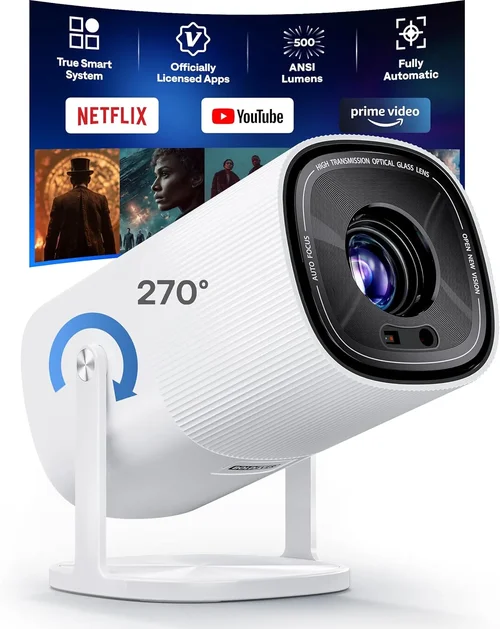
- Best Premium Option: XGIMI MoGo Pro – Priced at $499, it features a true 1080p panel, 300 ANSI lumens, Android 10, and a 2‑hour battery. The auto‑focus and auto‑keystone make setup effortless.
- Best for Beginners: WEMAX iMax 2 – Simple UI, 2000 lumens, and Android 8.1. No frills, but reliable performance for first‑time users.
- Best for Advanced Users: ViewSonic M2 – While slightly over $500, it’s worth stretching for its laser light source, 1080p, 1200 lumens, and robust Android 9.0 platform.
Conclusion: Making the Right Choice
Choosing the best Android projector under $500 boils down to matching your primary use‑case with the right blend of brightness, resolution, and smart features. Prioritize lumens for well‑lit environments, verify that the Android version supports your favorite streaming apps, and don’t forget to factor in portability and warranty coverage.
Remember, the most expensive model isn’t always the best fit for your needs. Use the factors, type comparisons, and budget guidelines outlined above to narrow your options, avoid common pitfalls, and secure a projector that will serve you for years to come.
Ready to start your search? Head to your favorite retailer, apply the pro tips we shared, and enjoy a cinema‑quality experience without leaving your living room.