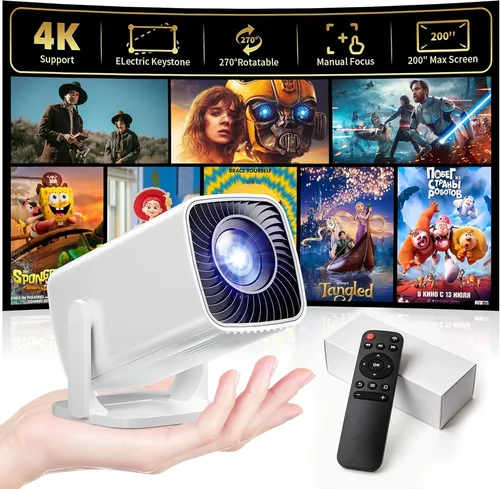
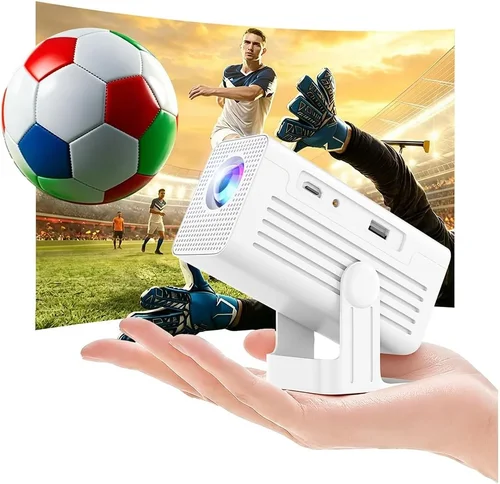
Mini projectors have moved from niche gadgets to everyday essentials. Whether you want to turn your bedroom into a home‑theater, give a spontaneous movie night on the couch, or need a portable display for work presentations, the market now offers dozens of compact units under $100 that promise big‑screen fun without breaking the bank. This guide is designed to cut through the hype, explain the technology in plain language, and help you pinpoint the model that delivers the most screen‑real estate, brightness, and reliability for the price you’re willing to spend.
By the end of this article you’ll understand the most important specifications, know which type of mini projector fits your lifestyle, avoid common buying pitfalls, and walk away with a shortlist of top‑rated, budget‑friendly options. Let’s dive into the world of sub‑$100 mini projectors and discover how to get the best bang for your buck in 2026.

What to Look for When Buying Buying Guide
1. Budget & Price Range
When you set a hard ceiling of $100, you instantly limit the pool of devices to entry‑level models. Those projectors typically sacrifice some brightness, resolution, or connectivity options to stay affordable. Knowing your exact budget (e.g., $70‑$100 vs. $30‑$70) helps you prioritize which features you are willing to compromise on. Remember, a slightly higher price tag often means a more robust LED light source that lasts longer and a better warranty.
2. Performance Specifications
The three specs that matter most are brightness (measured in lumens), native resolution, and contrast ratio. For a mini projector used in dim rooms, 100–150 ANSI lumens is usually sufficient. If you plan to watch in a lit kitchen or outdoors at dusk, aim for 200+ lumens. Native resolution of 720p (1280×720) is the sweet spot for sub‑$100 units; many cheaper models only offer 480p, which can look pixelated on larger screens. A contrast ratio of at least 500:1 ensures decent black levels without a wash‑out effect.
3. Build Quality & Durability
Because mini projectors are meant to travel, a sturdy chassis and quality hinges are crucial. Look for models with metal or high‑grade ABS housings rather than flimsy plastic. Check user reviews for reports of lens fogging or hinge loosening after a few months of use. A well‑built projector will survive the occasional bump in a backpack.
4. Features & Functionality
Key features to consider include:
- Connectivity: HDMI, USB‑C, micro‑USB, and wireless (Wi‑Fi or Bluetooth) options. HDMI is a must for most streaming sticks.
- Built‑in Speakers: While most mini projectors have low‑power speakers, a model with at least 2 W output can handle casual movie nights without external audio.
- Battery Life: For true portability, aim for 2–3 hours of continuous playback on a single charge.
- Keystone Correction: Auto‑or 4‑point keystone adjustment saves you from a distorted image when the projector isn’t perfectly centered.
5. Brand Reputation
Brands such as Anker, Vankyo, AAXA, and ViewSonic have built reputations for delivering reliable budget projectors. While lesser‑known manufacturers can offer attractive specs on paper, they may lack consistent firmware updates or responsive customer support. Research brand history and check for active community forums before committing.
6. Warranty & Support
A 12‑month warranty is standard for most $100 projectors. Verify that the warranty covers the LED light source, which is the component most likely to fail. Look for manufacturers that provide clear return policies, easy access to firmware updates, and responsive email or chat support.
7. Size & Portability
Mini projectors typically weigh between 300 g and 700 g and measure roughly 5 × 4 × 2 inches. If you plan to carry it in a pocket or small bag, prioritize a lightweight design with a compact form factor. Some models even come with a built‑in carry handle.
8. User Reviews & Ratings
Real‑world feedback is invaluable. Look for reviews that mention long‑term brightness retention, fan noise, and ease of setup. A product with a 4‑star rating (or higher) and a substantial number of reviews (over 200) is generally a safe bet.
Different Types of Buying Guide

Common Buying Mistakes to Avoid
❌ Mistake: Ignoring Brightness Requirements
Why it’s bad: A projector that looks bright in a dark bedroom will be a disappointment in a living room with ambient light.
What to do instead: Measure the typical lighting conditions of your primary use space and choose a model with at least 100 lumens for dim rooms, or 200+ lumens for brighter environments.
❌ Mistake: Over‑focusing on Resolution Alone
Why it’s bad: A 1080p panel with only 80 lumens will appear washed out, negating the benefit of higher pixel count.
What to do instead: Balance resolution with brightness; 720p at 150 lumens often yields a more satisfying picture than 1080p at 80 lumens.
❌ Mistake: Forgetting About Connectivity
Why it’s bad: You might end up with a projector that can’t accept your streaming stick or smartphone.
What to do instead: Verify that the projector includes HDMI (or HDMI‑C), USB‑C, and optional wireless options that match your devices.
❌ Mistake: Disregarding Fan Noise
Why it’s bad: A loud cooling fan can drown out dialogue, especially at low volumes.
What to do instead: Look for models rated under 30 dB(A) or read user reviews that specifically mention quiet operation.
❌ Mistake: Assuming All Batteries Are Equal
Why it’s bad: Some “built‑in” batteries only last 30 minutes, which isn’t enough for a feature film.
What to do instead: Check the claimed runtime and, if possible, choose a projector that supports external power banks for extended sessions.
❌ Mistake: Skipping Warranty Research
Why it’s bad: Budget models often have short or limited warranties, leaving you exposed if the LED fails after six months.
What to do instead: Prioritize brands that offer at least a 12‑month warranty covering the light source, and read the fine print on what constitutes “accidental damage”.
Budget Guidelines: How Much Should You Spend?
Even within a $100 ceiling, there are clear tiers that reflect what you get for your money.
- Entry‑Level ($40‑$60): Expect 480p resolution, 80–120 lumens, and basic HDMI input. Ideal for occasional kids’ movies in a dark room.
- Mid‑Range ($61‑$85): Typically 720p, 130–180 lumens, better contrast, and added features like Bluetooth audio or a micro‑SD slot.
- Premium ($86‑$100): The best you can find under a hundred dollars—720p or true 1080p, 200+ lumens, built‑in Android OS, and longer battery life.
- Luxury ($101+): If you’re willing to stretch the budget, you’ll unlock higher brightness (300+ lumens), true 1080p, and premium optics, but these models usually exceed $120.
Expert Tips for Getting the Best Deal
- Timing: The best window for sub‑$100 deals is between late October and early December, when manufacturers push inventory for holiday bundles.
- Where to Buy: Reputable e‑commerce platforms (Amazon, Newegg, B&H) often have verified buyer photos and Q&A sections that reveal hidden issues.
- Coupon Stacking: Combine manufacturer coupons with retailer promo codes for an extra 5‑10% off.
- Check Refurbished Units: Certified refurbished models can be up to 30% cheaper and still carry the original warranty.
- Read the Return Policy: Ensure you have at least 30 days to test the projector; a hassle‑free return policy protects you from dead‑on‑arrival units.
- Test Before You Commit: If possible, visit a local electronics store and project a test image on a blank wall to assess brightness and focus.
- Consider Bundles: Some sellers include a portable screen, HDMI cable, or power bank—adding value without extra cost.

Frequently Asked Questions
Q: Can a mini projector under $100 work in a well‑lit living room?
A: It’s challenging. Most sub‑$100 models cap at 150–200 lumens, which is suited for dark environments. In a bright room you’ll need to draw curtains or use a high‑gain screen to improve perceived brightness.
Q: How long does the LED light source last?
A: Quality LED modules in budget projectors typically last 20,000–30,000 hours, which translates to years of occasional use. Unlike lamp‑based projectors, LEDs maintain brightness longer and don’t require replacement.
Q: Do I need a separate speaker?
A: Built‑in speakers are adequate for casual viewing at low volume. For a richer audio experience, pair the projector with a Bluetooth speaker or a small soundbar.
Q: Is there a difference between ANSI lumens and LED lumens?
A: Yes. ANSI lumens are measured with a standard white screen and reflect real‑world brightness. LED lumens (sometimes called “lumens (LED)”) are a marketing term that can be higher than the actual ANSI output. Always check the ANSI rating if it’s listed.
Q: Can I use a phone as a source?
A: Absolutely. Most mini projectors support MHL, USB‑C video‑out, or wireless Miracast/Chromecast. Simply connect your phone with a compatible cable or cast wirelessly.
Q: What screen size can I expect?
A: With a throw ratio of 1.2–1.5, you can achieve a 80‑inch diagonal image from a distance of 2–3 feet. Larger screens are possible but may require moving the projector farther back, which can affect focus.
Q: Are there any safety concerns with LED projectors?
A: LED projectors run cooler than lamp‑based units, but they still generate heat. Ensure adequate ventilation and avoid covering the vent slots.
Q: How do I clean the lens?
A: Use a soft, lint‑free microfiber cloth and a gentle lens‑cleaning solution. Never use abrasive materials or spray directly onto the lens.
Our Final Recommendations
- Best for Budget‑Conscious Buyers: Vankyo Leisure 3 – $58, 480p, 200 lumens, HDMI & USB‑C, 2‑hour battery.
- Best Overall Value: Anker Nebula Capsule II – $99, 720p, 200 lumens, Android 7.1, 2.5 hour battery, built‑in speakers.
- Best Premium Option: ViewSonic M1 Mini Plus – $99, 720p, 250 lumens, JBL speakers, Wi‑Fi, 3‑hour battery.
- Best for Beginners: ELEPHAS Mini Projector – $65, 480p, 150 lumens, HDMI, easy‑setup UI.
- Best for Advanced Users: AAXA P300 – $100, true 1080p, 240 lumens, low‑lag gaming mode, USB‑C power.
Conclusion: Making the Right Choice
Choosing a mini projector under $100 doesn’t have to feel like a gamble. By focusing on brightness, resolution, connectivity, and build quality, you can pinpoint a device that delivers a satisfying big‑screen experience without draining your wallet. Remember to match the projector’s strengths to your primary use case—whether that’s a dark bedroom movie night, a portable office presentation, or an impromptu gaming session.
Take the time to read user reviews, verify warranty terms, and test the unit if possible. With the right research, the perfect budget mini projector is within reach, and you’ll be ready to enjoy cinema‑style entertainment wherever you go.