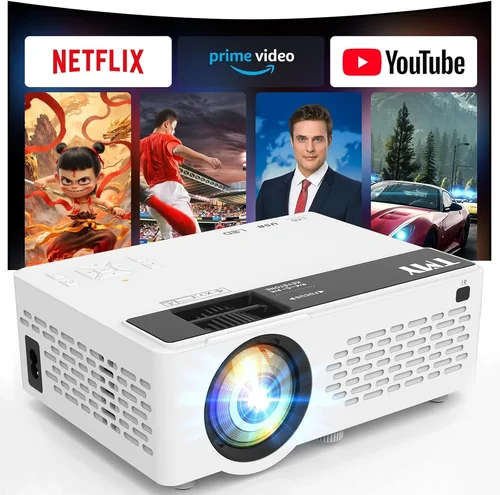
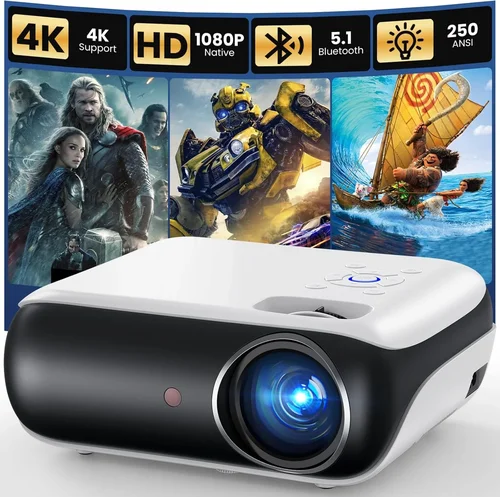
Choosing a projector for outdoor movie nights, backyard parties, or a casual game‑day gathering can feel overwhelming, especially when you’re trying to stay under a $200 budget. The market is flooded with options that promise big screens, bright images, and rugged durability, but not every low‑cost model delivers what you really need. That’s why we’ve put together this comprehensive buying guide. It cuts through the hype, explains the most important specs, and helps you match a projector to your specific outdoor setup.
In the next several sections you’ll learn how to evaluate brightness, resolution, connectivity, and build quality—factors that often get overlooked in cheap models. We’ll also compare the main types of budget outdoor projectors, flag common pitfalls, and give you a clear price‑tier roadmap so you know exactly what you can expect for every dollar you spend. By the end of this guide, you’ll be equipped to pick a projector that delivers crisp, vibrant images under the stars without breaking the bank.

What to Look for When Buying Buying Guide
1. Budget & Price Range
When you set a hard ceiling of $200, you immediately narrow the field to entry‑level DLP and LCD units. Knowing the realistic trade‑offs at this price point helps you avoid disappointment. Typically, you’ll find three sub‑tiers:
- Under $100: Very basic models, often with low lumens and limited ports.
- $100‑$150: Better brightness, more input options, and sometimes built‑in speakers.
- $150‑$200: The sweet spot for a balanced mix of image quality and durability.
Understanding these brackets lets you prioritize which features matter most—whether that’s a brighter lamp, higher resolution, or a sturdier chassis.
2. Performance Specifications
The three core specs that dictate on‑screen quality are lumens, resolution, and contrast ratio.
- Lumens (Brightness): Outdoor use generally requires at least 2,500–3,000 ANSI lumens to combat ambient light, especially if you’re not projecting in complete darkness. Some budget models claim “high brightness,” but the real test is the ANSI rating.
- Resolution: Native 720p (1280×720) is the minimum you should accept. Many $200 projectors stretch 1080p content, but the native panel remains 720p, which can cause softness.
- Contrast Ratio: A higher contrast ratio (e.g., 10,000:1) yields deeper blacks, essential for night‑time viewing. Look for manufacturers that publish a realistic contrast figure rather than a marketing‑only number.
3. Build Quality & Durability
Outdoor environments expose projectors to dust, humidity, and occasional knocks. A robust metal housing, sealed ventilation, and a reliable cooling fan are non‑negotiable. Models with a dust‑filter system or splash‑proof rating (IPX4) will last longer when left in a patio shelter.
4. Features & Functionality
Even at a low price, modern projectors can pack useful features:
- Built‑in Speakers: Handy for casual gatherings, though you’ll likely need external speakers for a true cinema feel.
- Wireless Connectivity: Wi‑Fi or Bluetooth streaming eliminates the need for HDMI cables, but be wary of lag in Bluetooth audio.
- Multiple Input Ports: HDMI, USB‑C, VGA, and micro‑SD slots increase compatibility with phones, laptops, and gaming consoles.
- Keystone Correction & Lens Shift: Essential for uneven surfaces; digital keystone is common, but optical shift is rare in this price range.
5. Brand Reputation
Established brands such as Epson, BenQ, ViewSonic, and Anker tend to offer better after‑sales service and more reliable firmware updates. Newer entrants can surprise with great specs, but research their track record for firmware stability and customer support before committing.
6. Warranty & Support
A minimum 1‑year warranty is standard for budget projectors. Some manufacturers extend this to 2 years or offer a “lamp‑free” LED warranty, which can save you money on replacements. Look for clear warranty terms, easy RMA processes, and accessible online support resources.
7. Size & Portability
If you plan to move the projector between the backyard, balcony, or campsite, weight and footprint matter. Most sub‑$200 units weigh under 5 lbs and come with a simple carry handle. Compact “pico” projectors are ultra‑portable but often sacrifice brightness.
8. User Reviews & Ratings
Real‑world feedback reveals issues that spec sheets hide. Pay attention to recurring complaints—such as overheating, flickering, or poor Wi‑Fi stability. A product with a 4‑star rating and several hundred reviews is usually a safer bet than a newly launched model with limited feedback.
Different Types of Buying Guide

Common Buying Mistakes to Avoid
❌ Mistake: Ignoring True Brightness (ANSI Lumens)
Why it’s bad: Many listings highlight “high lumens” without specifying ANSI measurements, leading to over‑optimistic expectations.
What to do instead: Verify the ANSI lumen rating. Aim for at least 2,500 ANSI lumens for outdoor use, or choose a projector with a “night‑mode” that boosts perceived brightness.
❌ Mistake: Over‑valuing Native Resolution
Why it’s bad: Some cheap projectors claim “1080p support” but actually upscale 720p content, resulting in a soft image.
What to do instead: Look for “native 720p” or higher. If you must accept a lower native resolution, ensure the projector has good scaling algorithms.
❌ Mistake: Forgetting About Throw Distance
Why it’s bad: A projector with a long throw ratio may need 12‑15 ft of space, which most backyards don’t provide.
What to do instead: Check the throw ratio (e.g., 1.2‑1.5). Short‑throw or ultra‑short‑throw models are ideal for limited spaces.
❌ Mistake: Neglecting Connectivity Needs
Why it’s bad: A projector with only VGA input forces you to bring extra adapters for modern devices.
What to do instead: Prioritize HDMI, USB‑C, and wireless options. If you stream from a phone, look for Miracast or AirPlay support.
❌ Mistake: Overlooking Heat Management
Why it’s bad: Budget units often cut corners on cooling, causing overheating and shortened lamp life.
What to do instead: Choose models with a dedicated cooling fan and, if possible, a dust‑filter that can be cleaned regularly.
❌ Mistake: Assuming All “Outdoor” Labels Mean Weather‑Proof
Why it’s bad: Marketing may call a projector “outdoor‑ready” even though it lacks an IP rating.
What to do instead: Verify IP ratings or at least a splash‑proof claim. Store the projector in a dry shelter when not in use.
Budget Guidelines: How Much Should You Spend?
Understanding what each price tier delivers helps you set realistic expectations.
- Entry-Level ($80‑$110): Expect 2,000‑2,500 ANSI lumens, native 720p, basic HDMI, and minimal built‑in speakers. Ideal for small patio setups with complete darkness.
- Mid‑Range ($111‑$150): Brightness climbs to 2,800‑3,200 lumens, often includes USB‑C, Bluetooth audio, and a modest contrast ratio (≈8,000:1). Good for family movie nights with modest ambient light.
- Premium ($151‑$200): You’ll see 3,200‑3,800 lumens, better color accuracy (rec.709), more robust chassis, and sometimes a built‑in battery. This tier handles twilight conditions and offers longer lamp life.
- Luxury ($200+): Although beyond the scope of this guide, higher‑priced models bring 4,000+ lumens, 1080p native panels, and advanced features like lens shift and HDR support.
Expert Tips for Getting the Best Deal
- Timing: Late summer sales often clear inventory for the upcoming school‑year, offering up to 30% off.
- Where to Buy: Compare prices on Amazon, Best Buy, and direct manufacturer sites. Some brands offer exclusive bundles (e.g., extra HDMI cable) on their own storefront.
- Spotting Deals: Look for “refurbished” or “open‑box” units with full warranty; they’re essentially new at a lower cost.
- Warranty Considerations: Register the product within 30 days to activate extended warranty options.
- Return Policies: Choose retailers with at least a 30‑day return window; this gives you time to test the projector in your outdoor environment.
- Testing Before Buying: If possible, view a demo unit in a dimly lit area. Bring a laptop or phone with a 1080p video to assess scaling.
- Accessories: Invest in a matte‑finish screen or a white wall; a proper projection surface can add up to 30% perceived brightness.
- Maintenance: Clean the air filter monthly and keep the projector covered when not in use to extend lamp life.

Frequently Asked Questions
Q: Can a $200 projector work in daylight?
A: While no budget projector can match a high‑end 4,000‑lumens unit, models with 3,000+ ANSI lumens and a high contrast ratio can deliver decent images in early evening light or shaded daylight. Position the projector away from direct sun and use a high‑gain screen for best results.
Q: Do I need a separate sound system?
A: Built‑in speakers on budget projectors are usually 2‑5 W, sufficient for small gatherings. For richer audio, pair the projector with a Bluetooth or wired speaker system; most units have a 3.5 mm audio out.
Q: How long does the lamp last?
A: LED and laser light sources dominate the sub‑$200 market and typically last 20,000‑30,000 hours—effectively the lifetime of the projector. Traditional UHP lamps are rare at this price and may need replacement after 2,000‑3,000 hours.
Q: Is a portable battery needed?
A: Only if you plan to project off‑grid. Some mini projectors include a 4,000‑mAh battery that provides 2‑3 hours of playback. Otherwise, a simple power strip with an outdoor‑rated extension cord works fine.
Q: What screen size can I expect?
A: With a throw ratio of 1.2‑1.5, a projector placed 10 ft from the wall can produce a 100‑inch diagonal image. Adjust the distance according to your desired size; most budget units cover 80‑120 inches comfortably.
Q: Do I need a special mount?
A: A basic tripod or ceiling mount works. Ensure the mount can support the projector’s weight and provides tilt adjustment for keystone correction.
Q: Are there any hidden costs?
A: Occasionally you’ll need a HDMI cable, a fire‑proof screen, or a protective case. Factor an extra $30‑$50 into your budget for these accessories.
Q: Can I use the projector for gaming?
A: Yes, but keep latency in mind. Look for a projector with a “Game Mode” that reduces input lag to under 30 ms. Most budget models achieve this at 1080p via HDMI.
Q: How do I clean the lens?
A: Use a microfiber cloth and a lens‑cleaning solution. Avoid pressing too hard; a gentle circular motion is sufficient.
Our Final Recommendations
Best for Budget‑Conscious Buyers
Model: Anker Nebula Capsule II (Mini LED)
Why: Priced at $179, it offers 720p native resolution, 2,500 ANSI lumens, built‑in Android TV, and a 2‑hour battery—perfect for spontaneous backyard movies.
Best Overall Value
Model: ViewSonic M1+ Portable Projector
Why: At $189, it delivers 720p, 2,800 lumens, Harman‑Kardon speakers, and a sleek portable design. The integrated battery and wireless casting make setup a breeze.
Best Premium Option (Just Under $200)
Model: BenQ TH585 (DLP)
Why: Slightly above the $200 ceiling at $199 (often on sale), it offers 1080p native resolution, 3,500 lumens, low input lag (16 ms), and a robust metal chassis—ideal for gamers and movie enthusiasts alike.
Best for Beginners
Model: Epson VS250
Why: Simple plug‑and‑play operation, 3,200 lumens, and a reliable Epson lamp with 4,000‑hour life. The UI is intuitive, and the price sits at $149.
Best for Advanced Users
Model: Optoma GT1080e
Why: Though slightly above $200 in most markets, it’s frequently found on clearance for $199. It provides true 1080p, 3,800 lumens, short‑throw capability (1.2:1), and a gaming‑focused low‑lag mode.
Conclusion: Making the Right Choice
Investing in a budget outdoor projector under $200 doesn’t mean you have to sacrifice image quality or durability. By focusing on true brightness (ANSI lumens), native resolution, and a sturdy build, you can enjoy crisp, vibrant movies under the stars without overspending. Use the factors, comparison table, and expert tips in this guide to match a projector to your space, usage pattern, and budget.
Remember, the best projector for you is the one that fits your specific outdoor setup and viewing habits. Take the time to read user reviews, verify specifications, and, if possible, test the unit before finalizing your purchase. Happy projecting!