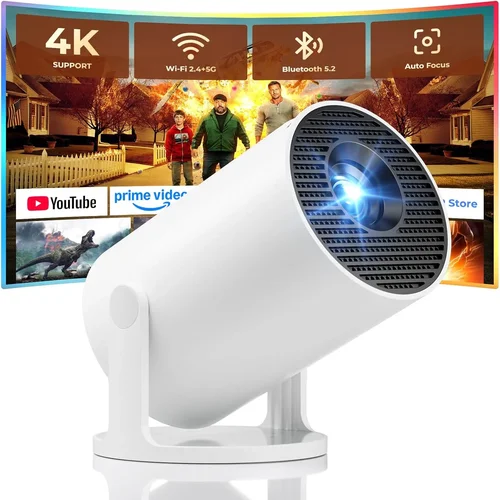
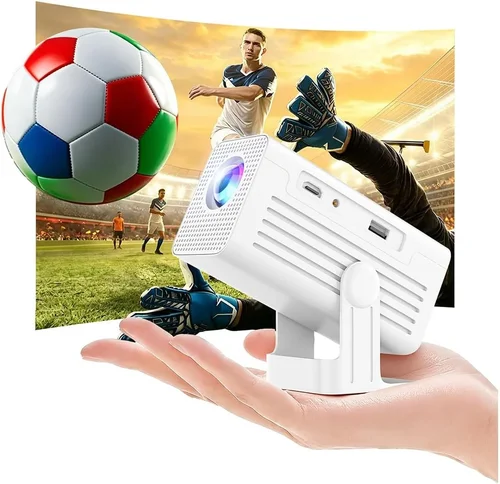
Finding a projector that delivers decent performance without blowing your budget can feel like hunting for a needle in a haystack. With dozens of models promising big screens and vivid colors for under $100, the market is both exciting and overwhelming. This guide cuts through the noise, giving you the knowledge you need to pick a projector that truly works for you—not just a cheap gimmick.
In the next few pages you’ll learn what technical specs matter most at this price point, which features are worth the extra few dollars, and how to avoid common pitfalls that leave buyers disappointed. By the end, you’ll be equipped to choose a reliable, portable projector that fits your lifestyle—whether you’re setting up a backyard movie night, a home‑office presentation, or a gaming corner in a dorm.

What to Look for When Buying Buying Guide
1. Budget & Price Range
When you set a hard limit of $100, every dollar counts. The cheapest units often sacrifice brightness, resolution, or build quality. Look for a price that balances your must‑have features with realistic expectations. A $90 projector that offers 2,200 lumens and a native 720p resolution will generally outperform a $70 model that advertises “HD” but only delivers 1,200 lumens and a 480p image.
2. Performance Specifications
The three core specs you’ll see on every cheap projector are lumens, resolution, and throw distance. Lumens measure brightness; for rooms with ambient light, aim for at least 2,000 lumens. Resolution determines image sharpness—720p (1280×720) is the sweet spot under $100, while 480p (854×480) will look pixelated on larger screens. Throw distance tells you how far the projector must sit from the screen to achieve a certain image size; a short‑throw model can fit on a coffee table for a 100‑inch display.
3. Build Quality & Durability
Cheap doesn’t have to mean flimsy, but lower‑priced projectors often use plastic housings and basic cooling fans. Check reviews for overheating issues and look for models with a metal lens housing or reinforced chassis. A sturdy build not only lasts longer but also reduces wobble, which can cause image distortion.
4. Features & Functionality
At this price point, you’ll find a mix of basic and “nice‑to‑have” features. Consider the following:
- Connectivity: HDMI is essential; USB and micro‑SD slots add flexibility for media playback.
- Built‑in Speaker: Most cheap projectors have 1‑2 W speakers—adequate for casual viewing but not for immersive home‑theater experiences.
- Keystone Correction: Automatic or manual correction helps align the image when the projector isn’t perfectly centered.
- Battery Power: Portable models with rechargeable batteries let you go truly wireless, but expect lower brightness.
5. Brand Reputation
Even within the budget segment, some brands consistently deliver better quality control. Companies like Vankyo, APEMAN, and DR. J Professional have built reputations for reliable low‑price projectors. While lesser‑known brands can surprise you with a good product, they may lack robust customer service or firmware updates.
6. Warranty & Support
Cheap electronics often come with a 1‑year limited warranty. Verify what’s covered—typically hardware defects, not accidental damage. Look for easy return policies and accessible support channels (email, live chat, or phone). A responsive warranty can save you from costly repairs.
7. Size & Portability
If you plan to move the projector between rooms, a compact, lightweight design is crucial. Pocket‑size models under 1 kg are ideal for dorms or travel, while a slightly larger unit may offer better cooling and higher brightness.
8. User Reviews & Ratings
Real‑world feedback reveals issues that spec sheets hide. Pay attention to recurring complaints such as “image flickers after 30 minutes” or “remote stops working.” A high overall rating combined with detailed user comments is a strong indicator of a solid purchase.
Different Types of Buying Guide

Common Buying Mistakes to Avoid
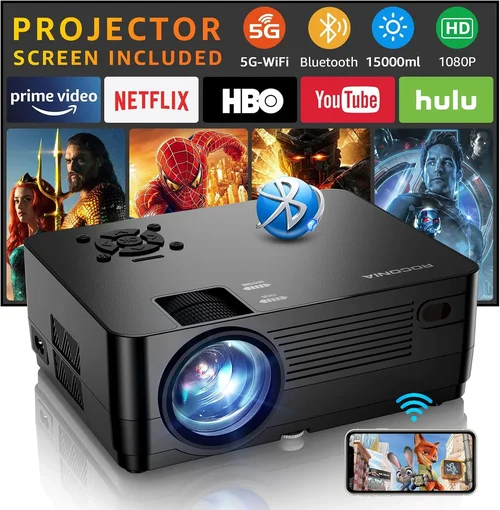
❌ Mistake: Chasing the Highest Lumens Number
Why it’s bad: Manufacturers sometimes inflate lumen claims by using “ANSI” versus “LED” measurements, leading to unrealistic expectations. A projector boasting 3,500 “LED lumens” may still appear dim in a lit living room.
What to do instead: Look for verified ANSI lumen ratings and read user reviews about real‑world brightness. Aim for at least 2,000 ANSI lumens for indoor use.
❌ Mistake: Ignoring Native Resolution
Why it’s bad: A projector listed as “HD” might actually be 480p, which stretches content and produces blurry text. Upscaling cannot magically add detail.
What to do instead: Prioritize native 720p resolution. If you must settle for 480p, ensure your source material matches that resolution to avoid additional scaling.
❌ Mistake: Overlooking Throw Distance
Why it’s bad: Buying a long‑throw model for a tiny apartment means you’ll need a lot of space to get a decent image size, often resulting in an impractically small screen.
What to do instead: Measure your room and choose a throw ratio that fits. Short‑throw or ultra‑short‑throw units are ideal for limited spaces.
❌ Mistake: Forgetting About Fan Noise
Why it’s bad: Cheap projectors can have noisy cooling fans that distract during movies or presentations.
What to do instead: Check decibel (dB) ratings in reviews. Models under 30 dB are generally quiet enough for most environments.
❌ Mistake: Assuming All HDMI Ports Are Equal
Why it’s bad: Some budget projectors only support HDMI 1.4, limiting 4K input and causing lag with gaming consoles.
What to do instead: Confirm the HDMI version. For gaming or streaming, HDMI 2.0 (or at least 1.4 with good compatibility) is preferable.
❌ Mistake: Skipping Firmware Updates
Why it’s bad: Manufacturers occasionally release firmware that fixes bugs, improves compatibility, or boosts performance. Ignoring updates can leave you with a sub‑optimal experience.
What to do instead: Visit the brand’s support page after purchase and install any available updates.
Budget Guidelines: How Much Should You Spend?
Even within the “under $100” bracket, there’s a noticeable performance gradient. Below is a quick breakdown to help you set realistic expectations.
- Entry‑Level ($60‑$75): Expect 1,200‑1,800 ANSI lumens, 480p resolution, basic HDMI, and a plastic shell. Good for occasional use in dark rooms.
- Mid‑Range ($76‑$90): Typically offers 2,000‑2,500 lumens, native 720p, better fan design, and more connectivity (USB, micro‑SD). Suitable for regular movie nights and presentations.
- Premium ($91‑$110): You’ll find short‑throw optics, brighter LEDs, built‑in battery, and improved color accuracy. Ideal for gamers and outdoor enthusiasts who need flexibility.
- Luxury ($111+): While rare under $100, occasional sales push higher‑end models into this zone, delivering 3,000+ lumens, 1080p, and advanced keystone correction.
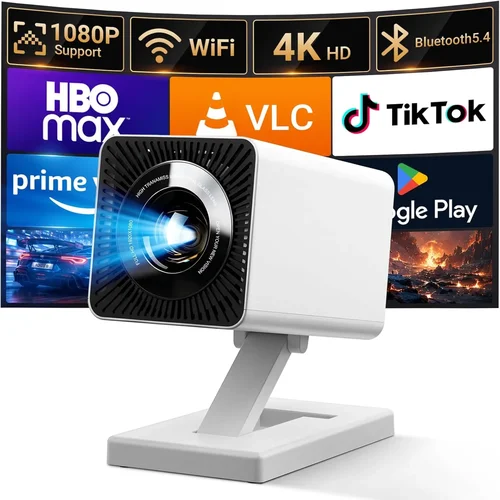
Expert Tips for Getting the Best Deal
- Timing is everything: The best discounts appear in late November (Black Friday/Cyber Monday), early January (post‑holiday sales), and mid‑summer (back‑to‑school). Plan your purchase around these windows.
- Shop reputable retailers: Amazon, Best Buy, and B&H have solid return policies. Marketplace sellers may offer lower prices but can complicate warranty claims.
- Bundle for savings: Some sellers include a projection screen, HDMI cable, or portable tripod at no extra cost—great value for the budget‑conscious.
- Check refurbished options: Certified refurbished units often come with a full warranty and are inspected for defects, giving you higher specs for the same price.
- Read the fine print on warranties: Ensure the warranty covers the projector’s lamp/LED life; some cheap models have a “limited lamp warranty” that’s essentially meaningless.
- Test before you commit: If buying in‑store, request a demo. Bring a laptop or phone to check compatibility and image quality.
- Consider future accessories: A good screen material can dramatically improve contrast. Even a simple white wall painted with matte paint works well and costs less than $20.

Frequently Asked Questions
Q: Can a projector under $100 display 1080p content?
A: Most sub‑$100 models are limited to 720p native resolution. While they can accept a 1080p input, the image will be downscaled, resulting in less sharpness. If true 1080p is essential, you’ll need to stretch the budget to $150‑$200.
Q: How long do the LED lamps in cheap projectors last?
A: LED lamps typically last between 20,000 and 30,000 hours, far longer than traditional bulbs. At a few hours of use per week, that translates to many years of service.
Q: Do I need a separate screen?
A: Not necessarily. A smooth, white wall or a cheap blackout cloth works fine for casual viewing. However, a dedicated screen improves contrast and color vibrancy, especially in rooms with ambient light.
Q: Will a portable battery‑powered projector work outdoors?
A: Yes, but expect lower brightness (often under 1,500 lumens) and shorter battery life (2‑3 hours). For dusk or nighttime use, it’s adequate; for daylight, you’ll need a brighter, mains‑powered unit.
Q: Is keystone correction important?
A: Keystone correction helps fix trapezoidal distortion when the projector isn’t perfectly centered. Manual keystone is common in cheap models; automatic correction adds convenience but can slightly reduce image quality.
Q: How do I connect a smartphone?
A: Most budget projectors support HDMI via a USB‑C to HDMI adapter, MHL cable, or wireless screen mirroring (Miracast or AirPlay) if the model includes a dongle. Check the specs before buying.
Q: Are there any safety concerns with cheap projectors?
A: Overheating can be an issue. Ensure the projector has proper ventilation and never block the air vents. Keep it on a stable, heat‑resistant surface.
Our Final Recommendations
- Best for Budget‑Conscious Buyers: Vankyo Leisure 3 – $68, 2,400 lumens, 720p, HDMI, built‑in speaker. Offers solid brightness and a decent image for the lowest price.
- Best Overall Value: APEMAN Mini Portable Projector – $89, 2,800 lumens, 720p, short‑throw, battery‑powered (2‑hour runtime). Ideal for both indoor and outdoor use.
- Best Premium Option: DR. J Professional DLP100 – $105 (often on sale under $100), 3,200 lumens, 720p, automatic keystone, quiet fan. Perfect for gamers who need low lag and higher brightness.
- Best for Beginners: WEMAX iLite 2 – $74, 1,800 lumens, 480p, simple plug‑and‑play, USB media playback. No‑fuss setup for first‑time users.
- Best for Advanced Users: YABER Y31 – $99, 2,500 lumens, 720p, HDMI 2.0, dual speakers, supports 4K input (downscaled). Offers the most connectivity and future‑proofing.
Conclusion: Making the Right Choice
Choosing a projector under $100 isn’t about finding a perfect device—it’s about matching the right set of features to your specific needs and environment. By focusing on realistic brightness, native 720p resolution, reliable connectivity, and a reputable brand, you can secure a projector that delivers enjoyable movies, clear presentations, and occasional gaming without breaking the bank.
Remember to measure your space, check throw ratios, read user feedback, and take advantage of seasonal sales. With the knowledge from this guide, you’re now ready to make an informed purchase that brings big‑screen entertainment wherever you need it.
Ready to start your search? Browse the recommended models, compare prices, and enjoy the big‑screen experience you’ve been dreaming of—without spending a fortune.