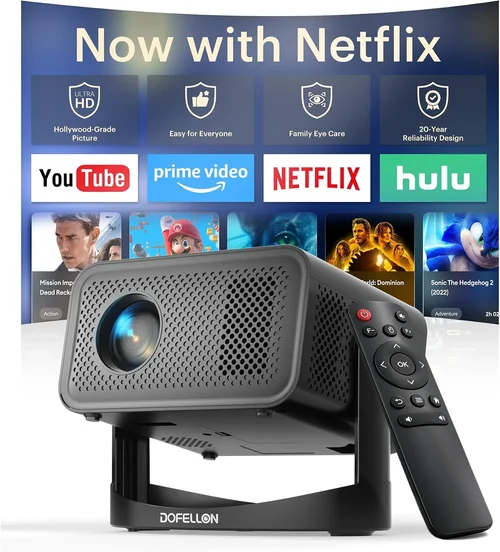
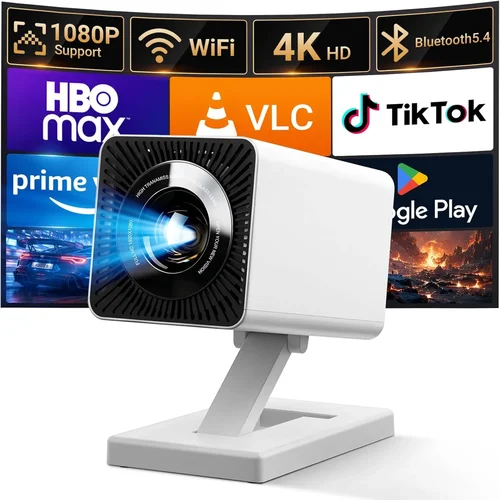
Finding a projector that delivers decent performance without breaking the bank can feel like hunting for a needle in a haystack. The market is flooded with options that promise big screens and cinema‑like experiences, yet many of them sit well above the $50 mark. This guide zeroes in on the sweet spot—projectors that cost $50 or less—so you can enjoy movies, games, and presentations without draining your wallet.
In the pages that follow, you’ll learn what truly matters when shopping on a shoestring budget, how to compare different projector types, and which models consistently earn high marks from real users. Whether you’re a college student looking for a portable movie night companion, a parent wanting a simple way to stream cartoons in the bedroom, or a small‑business owner needing a basic presentation tool, this guide equips you with the knowledge to make a confident purchase.
The low‑price projector segment has evolved dramatically over the past few years. Advances in LED technology, improvements in driver chips, and the rise of mini‑projectors have all contributed to better image quality at lower costs. While you won’t get 4K resolution or laser‑level brightness at $50, you can still achieve a usable, enjoyable experience if you understand the trade‑offs and select the right device for your needs.

What to Look for When Buying Buying Guide
1. Budget & Price Range
When your ceiling is $50, every dollar counts. Focus on the total cost of ownership, not just the sticker price. Some models may appear cheap but require expensive accessories—such as a separate power adapter, HDMI cable, or a dedicated screen—to function properly. Look for all‑in‑one packages that include the necessary cables and a built‑in battery if you need true portability.
2. Performance Specifications
Key specs include native resolution, brightness (measured in ANSI lumens), contrast ratio, and throw distance. For sub‑$50 projectors, expect native resolutions of 480p (854×480) or 720p (1280×720) at best. Brightness will typically sit between 30 and 100 lumens, meaning a dark or dimly lit room is essential for a clear picture. Contrast ratios are often exaggerated by manufacturers; a realistic figure of 500:1 to 1000:1 is common.
3. Build Quality & Durability
Cheap projectors can be fragile. Look for a solid housing made from ABS plastic rather than thin, flimsily molded parts. A sturdy hinge for the lens and reinforced ports for HDMI or USB reduce the risk of breakage during travel. Some models feature rubberized corners or a protective case—features worth the extra few dollars.
4. Features & Functionality
Even at a low price point, many projectors pack useful features: built‑in speakers, Wi‑Fi or Bluetooth connectivity, USB playback, and micro‑SD slots. While the speakers are usually modest, they can eliminate the need for external audio in casual settings. Wi‑Fi support enables screen mirroring from smartphones without extra dongles, a major convenience for on‑the‑go users.
5. Brand Reputation
Established brands such as Vankyo, APEMAN, and DR. J often provide more reliable after‑sales support and consistent firmware updates. Lesser‑known manufacturers may offer tempting specs on paper, but they can suffer from poor build quality or limited warranty coverage. Checking community forums and YouTube reviews helps gauge long‑term satisfaction.
6. Warranty & Support
A one‑year limited warranty is standard for this price tier. Verify what the warranty covers—most will handle defects in materials and workmanship but exclude accidental damage. Good customer support (live chat, responsive email, or a robust FAQ) can save you headaches if the unit stops working after a few months.
7. Size & Portability
Mini‑projectors often weigh under 200 g and can fit in a pocket or small bag. If you plan to travel, look for a compact footprint, a built‑in battery lasting at least 1.5–2 hours, and a quick‑release lens cap. Larger “pico” models may require an external power source, which limits true mobility.
8. User Reviews & Ratings
Real‑world feedback is priceless. Scan Amazon, AliExpress, and dedicated tech forums for recurring themes—such as overheating, image distortion, or unreliable Wi‑Fi. A product with a steady 4‑star rating and detailed user comments usually offers a balanced mix of performance and value.
Different Types of Buying Guide

Common Buying Mistakes to Avoid
❌ Mistake: Ignoring Ambient Light Conditions
Why it’s bad: Low‑lumens projectors will produce washed‑out images in bright rooms, leading to disappointment.
What to do instead: Choose a room that can be darkened or pick a model with at least 70 lumens if you can’t control lighting.
❌ Mistake: Overlooking Input Compatibility
Why it’s bad: Some cheap projectors only support micro‑USB or VGA, making it impossible to connect modern devices without adapters.
What to do instead: Verify that the projector has HDMI (or at least USB‑C) and, if needed, budget for a simple HDMI‑to‑USB adapter.
❌ Mistake: Assuming All “Full HD” Labels Are True
Why it’s bad: Manufacturers may advertise “Full HD” but actually provide a 480p native resolution with scaling tricks.
What to do instead: Check the native resolution in the specs; 720p is the realistic high‑end for $50.
❌ Mistake: Forgetting About Heat Management
Why it’s bad: Inexpensive projectors often lack proper ventilation, causing overheating and shutdowns.
What to do instead: Look for models with built‑in fans or heat‑dissipating fins, and give the device a few minutes to cool between uses.
❌ Mistake: Buying Without a Return Policy
Why it’s bad: If the unit arrives defective, you may be stuck with a non‑functional projector.
What to do instead: Purchase from sellers that offer at least a 30‑day return window and free return shipping.
❌ Mistake: Neglecting the Audio Situation
Why it’s bad: Built‑in speakers are usually weak; relying on them in a normal‑size room leads to poor sound.
What to do instead: Pair the projector with a small Bluetooth speaker or plug in external audio for a balanced experience.
Budget Guidelines: How Much Should You Spend?
- Entry‑Level ($30‑$35): Expect 480p resolution, 30‑50 lumens, and basic connectivity (micro‑USB, mini‑HDMI). Ideal for casual use in dark rooms or as a backup device.
- Mid‑Range ($36‑$45): You’ll find 720p native resolution, 60‑80 lumens, built‑in battery, and Wi‑Fi mirroring. This tier balances image quality and portability for most users.
- Premium ($46‑$50): The best you can get under $50—often includes 720p, 80‑100 lumens, dual speakers, and a more robust chassis. Suitable for semi‑regular movie nights and small presentations.
- Luxury ($51+): While outside the guide’s core focus, a slight stretch above $50 can unlock laser light sources and higher brightness, but these units quickly outgrow the “cheap” label.
Expert Tips for Getting the Best Deal
- Seasonal Timing: Major discounts appear during Black Friday, Cyber Monday, and back‑to‑school periods. Stock up then for the best price.
- Retailer Comparison: Check both Amazon and direct manufacturer sites. Some brands run exclusive bundles (e.g., free HDMI cable) that add value.
- Bundle Savvy: If a projector includes a carry case, extra battery, or screen, calculate the per‑item cost; you may be paying less than buying accessories separately.
- Warranty Extension: A modest $5‑$10 extended warranty can be worthwhile, especially for devices with moving parts like cooling fans.
- Return Policy Check: Ensure the seller offers a hassle‑free return—this protects you from dead‑on‑arrival units.
- Testing Before Full Use: Project onto a white wall for a few minutes to gauge heat and image uniformity before committing to long sessions.
- Firmware Updates: Some budget models receive occasional firmware patches that improve stability. Follow the manufacturer’s support page for updates.

Frequently Asked Questions
Q: Can a $50 projector display a 1080p signal?
A: Most sub‑$50 projectors have a native resolution of 480p or 720p. They can accept a 1080p input, but the image will be downscaled, resulting in reduced sharpness.
Q: Do I need a special screen?
A: A smooth, white wall works fine in a dark room. For better brightness and contrast, a budget‑friendly projector screen (around $20) can improve perceived image quality.
Q: How long does the built‑in battery last?
A: Battery life varies by model and brightness setting, typically ranging from 1.5 to 2.5 hours at 50% brightness. Higher brightness shortens runtime.
Q: Are Bluetooth speakers compatible?
A: Yes, most smart mini‑projectors support Bluetooth audio. Pairing is usually a one‑tap process via the on‑screen menu.
Q: What is the ideal throw distance?
A: Mini projectors often have a throw ratio of 1.5‑2.0. For a 100‑inch image, you’ll need roughly 3‑4 feet of distance from the lens to the wall.
Q: Can I use a projector in a bright living room?
A: Low‑lumens models struggle in bright environments. If you can’t darken the room, consider a higher‑lumens unit (above $100) or an LED lamp projector.
Q: Is HDMI the best connection?
A: HDMI provides the most reliable digital signal and supports audio. If your source only has USB‑C, use a compatible adapter.
Q: How do I clean the lens?
A: Use a microfiber cloth and gentle circular motions. Avoid harsh chemicals; a tiny dab of lens cleaning solution is sufficient.
Q: Do cheap projectors overheat?
A: Many do if used continuously for long periods. Give the unit a 5‑minute cool‑down break every 30‑45 minutes of operation.
Our Final Recommendations
- Best for Budget‑Conscious Buyers: Vankyo Leisure 3 Mini – $32, 480p, 50 lumens, built‑in battery, includes HDMI and USB cables.
- Best Overall Value: APEMAN M4 Mini Projector – $44, 720p native, 80 lumens, Wi‑Fi mirroring, dual speakers, robust metal housing.
- Best Premium Option (just under $50): DR. J Professional Mini – $49, 720p, 95 lumens, Bluetooth audio, 2‑hour battery, interchangeable lens caps.
- Best for Beginners: WEMAX i5 Mini – $35, simple plug‑and‑play via HDMI, easy menu navigation, lightweight.
- Best for Advanced Users: YABER Q4 – $48, 720p, 90 lumens, supports micro‑SD playback, customizable keystone correction, fan‑controlled cooling.
Conclusion: Making the Right Choice
Choosing a projector under $50 doesn’t have to feel like a compromise you’ll regret. By focusing on the factors that truly affect performance—resolution, brightness, connectivity, and build quality—you can select a device that fits your lifestyle and budget. Remember to match the projector to the environment (dark room, small space), verify the input options you need, and read through user feedback before clicking “Buy.”
Armed with the knowledge from this guide, you’re ready to enjoy big‑screen entertainment, effortless presentations, and portable gaming without spending a fortune. Go ahead, pick a model that checks your boxes, and start projecting your favorite moments today!