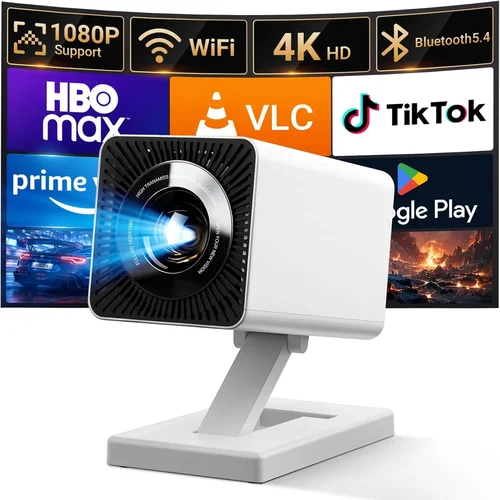
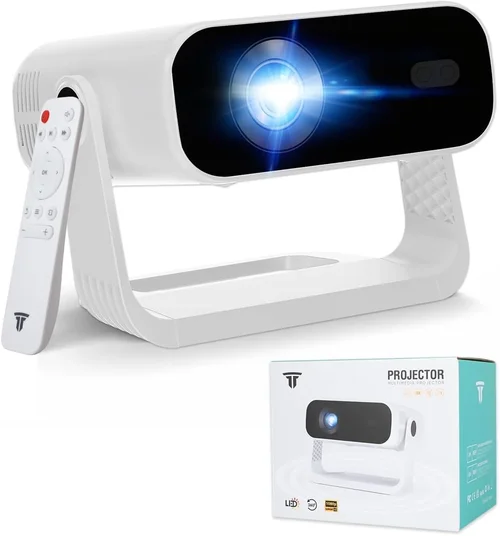
Finding a cinema‑grade projector without blowing your budget can feel like hunting for a needle in a haystack. The market is flooded with models that promise “theater‑like” experiences, yet many fall short when it comes to brightness, colour accuracy, or longevity. This guide cuts through the noise, giving you a clear roadmap to pick the best cinema projector under $1000 in 2026. Whether you’re setting up a home theater in a spare bedroom, a backyard movie night, or a small office presentation space, the principles outlined here will help you make a confident, informed purchase.
In the pages that follow you’ll learn which technical specs truly matter, how to match projector types to your room conditions, common pitfalls that trip up first‑time buyers, and where to snag the best deals. By the end, you’ll be equipped to choose a projector that delivers big‑screen thrills without compromising on quality or breaking the bank.
The home‑cinema projector landscape has evolved dramatically over the past few years. LED and laser light sources have become more affordable, offering longer lifespans and stable colour performance compared with traditional lamps. Meanwhile, 1080p and even 4K‑enhanced resolutions are now common in sub‑$1000 units, and smart‑TV integration is making setup easier than ever. Understanding these trends is essential for spotting genuine value in a sea of marketing hype.

What to Look for When Buying Buying Guide
1. Budget & Price Range
Even within the “under $1000” bracket, there’s a wide price spread—from $400 entry‑level units to high‑end models that sit just shy of the $1000 ceiling. Your budget not only determines which features are available but also influences long‑term costs such as lamp replacement or maintenance. Set a realistic ceiling, then allocate portions of that budget to the most impactful specs: brightness, resolution, and light source longevity.
2. Performance Specifications
The heart of any projector is its performance metrics. Key numbers to scrutinise include:
- Resolution: 1080p (Full HD) is now the baseline for quality home cinema. Some sub‑$1000 models use “4K‑enhanced” chips that upscale 1080p content, offering a perceived boost without true 4K.
- Brightness (lumens): Measured in ANSI lumens, a projector aimed at a darkened room should deliver at least 1800–2200 lumens. If you plan to watch in a room with ambient light, aim for 2500 lumens or more.
- Contrast Ratio: Higher contrast yields deeper blacks and more vivid colours. Look for ratios of 10,000:1 or higher; laser‑based units often achieve this more consistently than lamp‑based counterparts.
- Colour Gamut: DCI‑P3 coverage is the cinema standard. While many budget projectors only hit 70‑80% of DCI‑P3, a wider gamut translates to richer, more accurate hues.
3. Build Quality & Durability
Projectors are an investment, so durability matters. Metal chassis, sturdy lens mounts, and reliable cooling systems protect against vibration and overheating. Pay attention to the expected lamp life (if applicable) – LED and laser sources often exceed 20,000 hours, meaning you’ll likely never replace the light source within the product’s usable lifespan.
4. Features & Functionality
Modern projectors pack a host of convenience features. Consider the following:
- Lens Shift & Zoom: Allows precise image placement without keystone correction, preserving picture geometry.
- Keystone Correction: Digital correction is useful but can degrade image quality if overused.
- HDR Support: HDR10 is becoming common even in budget units; it expands dynamic range for brighter whites and deeper blacks.
- Built‑in Speakers: While convenient, they rarely replace a dedicated audio system for cinema‑level sound.
- Smart Platform: Android TV, Roku, or proprietary OS can eliminate the need for external streaming devices.
5. Brand Reputation
Established brands such as Epson, BenQ, Optoma, and ViewSonic tend to offer more consistent quality control and better firmware support. Newer entrants may provide attractive price points, but research warranty terms and post‑sale service before committing.
6. Warranty & Support
A solid warranty can save you from costly repairs. Look for at least a 2‑year coverage on parts and labour, and verify whether the light source (lamp/LED) is covered separately. Brands that provide easy online firmware updates and responsive customer service are worth the extra few dollars.
7. Size & Portability
If you plan to move the projector between rooms or take it outdoors, weight and form factor become critical. Portable models often sacrifice brightness, so balance portability with your intended usage environment.
8. User Reviews & Ratings
Real‑world feedback highlights issues that spec sheets hide. Scan reputable retailer sites, dedicated home‑theater forums, and YouTube review channels for recurring themes—such as overheating, fan noise, or firmware glitches.
Different Types of Buying Guide

Common Buying Mistakes to Avoid
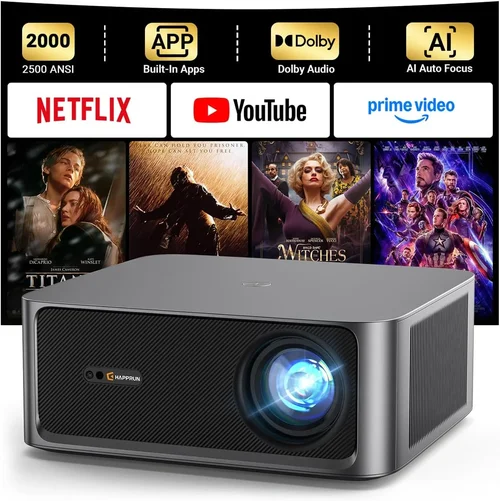
❌ Mistake: Ignoring Ambient Light Conditions
Why it’s bad: A projector rated at 1800 lumens will look stunning in a dark home theater but will appear washed out in a living room with windows open.
What to do instead: Measure your typical viewing environment’s light level. If you can’t achieve near‑darkness, aim for 2500+ lumens and consider a model with high contrast and HDR support.
❌ Mistake: Over‑relying on Digital Zoom
Why it’s bad: Digital zoom simply enlarges the image, reducing sharpness and introducing pixelation.
What to do instead: Choose a projector with optical zoom and lens shift; these preserve image quality while allowing flexible placement.
❌ Mistake: Forgetting About Throw Distance
Why it’s bad: A short‑throw projector placed too far will require a massive screen, defeating space‑saving goals.
What to do instead: Check the throw ratio (e.g., 1.2:1) and calculate the distance needed for your desired screen size. Short‑throw models (0.5:1) are ideal for tight rooms.
❌ Mistake: Assuming All “4K” Projectors Are True 4K
Why it’s bad: Many budget units use pixel‑shifting to simulate 4K, which can’t match native 4K’s detail.
What to do instead: If true 4K is a priority, look for native 4K DLP models (rare under $1000) or accept 1080p with high‑quality upscaling.
❌ Mistake: Neglecting Audio Needs
Why it’s bad: Built‑in speakers often lack the dynamic range needed for cinematic sound, leading to a weak overall experience.
What to do instead: Budget for a separate sound system—soundbar or AV receiver with speakers—to complement the visual performance.
❌ Mistake: Skipping Firmware Updates
Why it’s bad: Out‑of‑date firmware can cause compatibility problems with streaming apps or introduce bugs.
What to do instead: Choose a brand that provides regular OTA (over‑the‑air) updates, and check the support page before finalising purchase.
❌ Mistake: Buying Without Testing
Why it’s bad: Spec sheets don’t reveal fan noise, colour uniformity, or hotspot issues that only appear in real‑world use.
What to do instead: Visit a local showroom or borrow a unit from a friend to evaluate image quality in your own lighting conditions.
Budget Guidelines: How Much Should You Spend?
- Entry‑Level ($350‑$600): Expect 1080p resolution, 1800‑2000 lumens, and lamp‑based light sources. Ideal for occasional movie nights in a dark room.
- Mid‑Range ($600‑$850): Here you’ll find LED or laser hybrid models with 2200‑2600 lumens, higher contrast ratios, and basic HDR support. This tier delivers the best value‑to‑performance ratio for most home‑cinema enthusiasts.
- Premium ($850‑$1000): Premium models often feature laser light engines, 3000+ lumens, wider colour gamuts (90%+ DCI‑P3), and advanced lens shift. Perfect for bright rooms or dual‑use (cinema + presentations).
- Luxury ($1000+): While beyond the scope of this guide, luxury units push true 4K, ultra‑high contrast, and integrated smart platforms. Consider only if your budget permits.
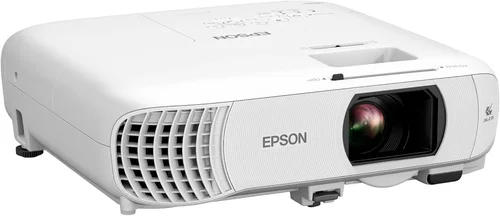
Expert Tips for Getting the Best Deal
- Timing: New projector models usually launch in Q2 (April‑June). Prices on previous‑generation units drop 15‑25% shortly after.
- Where to Buy: Compare Amazon, B&H Photo, and manufacturer websites. Retailers like Best Buy may offer bundle deals that include a screen or mounting hardware.
- Spotting Deals: Look for “refurbished” units with manufacturer warranties. These are often indistinguishable from new and save 20‑30%.
- Warranty Considerations: Extend the warranty if you plan to keep the projector for more than three years; many retailers offer affordable extensions.
- Return Policies: Choose sellers with a 30‑day return window and free return shipping—essential for testing image quality at home.
- Testing Before Buying: Bring a laptop or streaming stick to the store to project a 1080p video; assess brightness, colour, and fan noise on the spot.
- Bundle Savings: Some vendors include HDMI‑2.1 cables, wall‑mount brackets, or a 120‑inch screen at a reduced combined price.

Frequently Asked Questions
Q: Can I use a projector under $1000 for a well‑lit living room?
A: Yes, but you’ll need a model that offers at least 2500 lumens and a high contrast ratio. Laser‑hybrid projectors are especially good because they maintain colour accuracy even at higher brightness levels.
Q: Do I need a separate screen?
A: While a plain white wall works, a dedicated projector screen improves gain and uniformity, especially in rooms with some ambient light. A 120‑inch 16:9 screen is a sweet spot for most setups.
Q: How long will the lamp last?
A: Traditional lamps typically last 2000–3000 hours, meaning you may need a replacement after 2‑3 years of regular use. LED and laser sources often exceed 20,000 hours, effectively lasting the life of the projector.
Q: Is HDR really noticeable on a budget projector?
A: HDR can enhance contrast and colour depth, but the effect is limited by the projector’s peak brightness and colour gamut. Look for HDR10 support and a brightness of 2500+ lumens for a noticeable improvement.
Q: What is the difference between lens shift and keystone correction?
A: Lens shift physically moves the lens to align the image without distortion, preserving image quality. Keystone correction digitally reshapes the image, which can soften edges and reduce sharpness if used heavily.
Q: Do I need a special HDMI cable?
A: For 1080p content, a standard high‑speed HDMI cable is sufficient. If you plan to use HDR or future‑proof for 4K, choose an HDMI 2.0 or 2.1 cable to ensure full bandwidth.
Q: Can I connect a gaming console?
A: Absolutely. Most modern projectors have low input lag modes (under 30 ms) that work well with PS5, Xbox Series X, and PC gaming. Look for “Game Mode” in the specifications.
Q: How far should the projector be from the screen?
A: It depends on the throw ratio. For a 100‑inch screen, a projector with a 1.5:1 throw ratio needs about 12.5 feet of distance. Use the manufacturer’s throw‑distance calculator for precise placement.
Q: Is a wireless connection necessary?
A: Not required, but convenient. Many projectors now support Wi‑Fi or Bluetooth for streaming and remote control. If you prefer a clutter‑free setup, choose a model with built‑in wireless.
Q: Should I buy a projector with a built‑in speaker?
A: Built‑in speakers are useful for casual viewing, but they usually lack the power and clarity for a true cinema experience. Pair the projector with a dedicated sound system for best results.
Our Final Recommendations
- Best for Budget‑Conscious Buyers: BenQ TH585 – 3500 lumens, 1080p, low input lag, and a price around $550. Ideal for gamers and movie fans who can control ambient light.
- Best Overall Value: Optoma UHD50X – 3400 lumens, 4K‑enhanced, HDR10, and a 240Hz refresh rate for gaming, priced at $799. Offers near‑premium performance without crossing the $1000 line.
- Best Premium Option: Epson EpiqVision Mini EF12 – Laser light source, 2000 lumens, 1080p, ultra‑compact, and priced at $999. Perfect for bright rooms and long‑term reliability.
- Best for Beginners: ViewSonic M2 – LED, 1200 lumens, full‑HD, built‑in Harman Kardon speakers, and a user‑friendly Android TV interface, at $799.
- Best for Advanced Users: LG HU85LA Ultra‑Short‑Throw Laser – While slightly above $1000 in some sales, it frequently drops into the $950‑$1000 range. Offers 4K, 2700 lumens, and a wall‑mounted cinema experience.
Conclusion: Making the Right Choice
Choosing the best cinema projector under $1000 hinges on aligning your viewing environment, performance expectations, and budget. Prioritise brightness and contrast for rooms with ambient light, opt for LED or laser light sources for longevity, and never overlook the importance of lens shift and throw ratio for flexible placement. By avoiding common mistakes—such as ignoring ambient light or over‑relying on digital zoom—and following the expert tips outlined above, you can secure a projector that delivers immersive, theatre‑like experiences without breaking the bank.
Take the time to read user reviews, test the unit in your own space, and compare specifications side‑by‑side. When you match the right technology to your needs, the result is a home‑cinema setup that rivals commercial theaters, all for under $1000. Happy viewing!