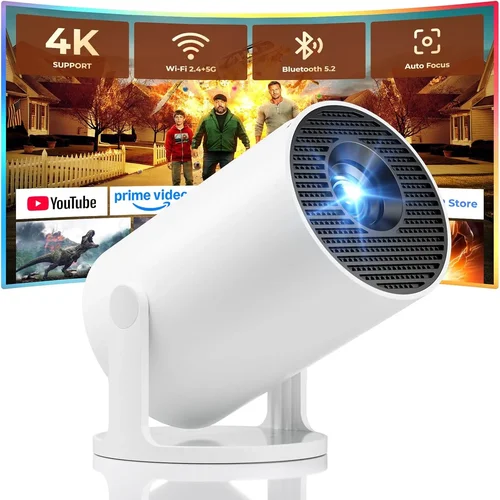
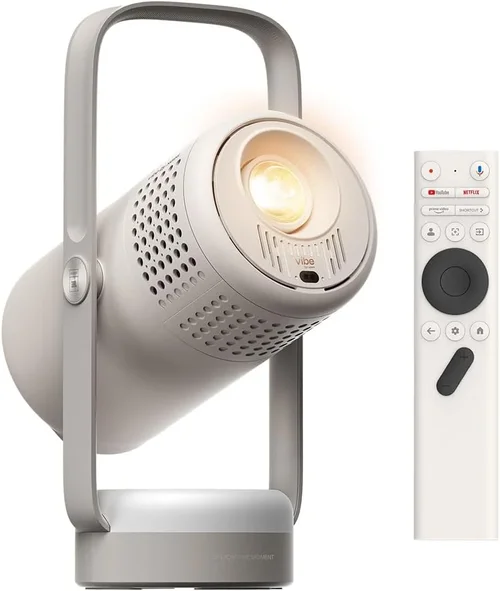
Finding a reliable digital projector under $100 can feel like hunting for a needle in a haystack. The market is flooded with low‑cost models that promise big screens but often fall short on brightness, durability, or image quality. That’s why this guide exists – to cut through the hype, explain exactly what matters, and point you toward the few options that truly deliver value without breaking the bank.
In the next few sections you’ll learn how to evaluate key specifications, understand the trade‑offs between different projector types, avoid common buying pitfalls, and budget wisely. Whether you’re a college student looking to stream movies in a dorm, a remote worker needing a second screen for presentations, or a family wanting a backyard movie night, this guide will give you the confidence to pick the best digital projector under $100 for your specific needs.
Today’s budget projector market is surprisingly diverse. LED‑based “pico” projectors, LCD mini‑projectors, and even refurbished DLP units all sit under the $100 mark. While none can match the performance of a $500‑plus home‑theater model, many can produce a clear, vibrant picture in dim environments, connect easily to smartphones, and fit in a backpack. Let’s dive into the details that separate the functional from the frustrating.
What to Look for When Buying Buying Guide
1. Budget & Price Range
The first and most obvious factor is price. Projectors under $100 vary widely in quality, so set a realistic ceiling and be prepared to compromise on certain specs. A $70 LED pico‑projector might offer 30‑40 lumens, while a $99 LCD mini‑projector could push 60‑80 lumens. Knowing the absolute maximum you’re willing to spend helps narrow the field quickly.
2. Performance Specifications
Three specs dominate projector performance: brightness (lumens), resolution, and contrast ratio. For sub‑$100 units, expect 30‑80 lumens – sufficient only in dark rooms. Native resolution typically sits at 480p (854×480) or 720p (1280×720) for the higher‑end models. Contrast ratio (e.g., 1000:1) influences how deep blacks appear. Prioritize brightness if you plan to use the projector in a lit space; prioritize resolution if you’ll watch HD content.
3. Build Quality & Durability
Cheap plastic housings can crack under travel stress, and low‑cost fans may fail after a few hundred hours. Look for projectors with reinforced chassis, metal lens covers, and a reputable cooling system. User reviews often flag models that overheat quickly – a red flag for long‑term reliability.
4. Features & Functionality
Modern budget projectors pack surprising features: HDMI, USB‑C, wireless mirroring (Miracast, AirPlay), and built‑in speakers. While built‑in audio is usually modest, it can eliminate the need for external speakers in casual settings. Battery‑operated models add true portability, but check the advertised runtime versus real‑world tests.
5. Brand Reputation
Even in the low‑cost segment, some brands consistently outperform others. Companies like AAXA, Vankyo, and Anker (via the Nebula line) have built reputations for delivering decent image quality and reliable customer service. Lesser‑known brands may offer lower prices, but warranty support can be hit‑or‑miss.
6. Warranty & Support
A solid warranty (at least 12 months) is essential for budget electronics. Verify whether the manufacturer offers on‑line troubleshooting, firmware updates, and responsive customer service. Some retailers also provide extended protection plans that can be worthwhile for devices used frequently.
7. Size & Portability
If you intend to carry the projector to a friend’s house or use it on the go, size matters. Pico projectors weigh under 500 g and fit in a pocket, while mini‑projectors can be the size of a small tablet. Consider the balance between portable size and the need for a larger lens that can produce a brighter image.
8. User Reviews & Ratings
Finally, scan user reviews on Amazon, Best Buy, and dedicated tech forums. Look for recurring themes – e.g., “overheats after 30 minutes” or “great for dorm rooms”. Real‑world feedback often reveals issues that spec sheets hide.
Different Types of Buying Guide

Common Buying Mistakes to Avoid
❌ Mistake: Ignoring Brightness Requirements
Why it’s bad: A 30‑lumens projector looks great in total darkness but becomes a gray blur in a lit living room. Purchasing without considering ambient light leads to disappointment.
What to do instead: Estimate the typical lighting condition of your usage space. If you can’t guarantee darkness, aim for at least 60 lumens and consider a portable blackout screen.
❌ Mistake: Overlooking Native Resolution
Why it’s bad: Many cheap projectors upscale 1080p content to a 480p native panel, resulting in a soft, pixelated image.
What to do instead: Choose a model with at least 720p native resolution for sharper video, especially if you’ll watch HD streams.
❌ Mistake: Forgetting About Connectivity
Why it’s bad: Some budget units only offer a micro‑USB or a single VGA port, making it hard to connect modern smartphones or streaming sticks.
What to do instead: Verify that the projector includes HDMI, USB‑C, or wireless mirroring options that match your devices.
❌ Mistake: Assuming All Batteries Last All Day
Why it’s bad: Manufacturers often quote “up to 2.5 hours” under ideal conditions. Real‑world use with higher brightness drains the battery faster.
What to do instead: Check independent reviews for actual battery runtime, and keep a power bank handy if you need extended sessions.
❌ Mistake: Skipping the Warranty
Why it’s bad: Low‑cost electronics have higher failure rates. Without a warranty, you may be stuck with a dead unit.
What to do instead: Prioritize models offering at least a 12‑month warranty and read the fine print on what is covered.
❌ Mistake: Buying Based Solely on Brand Name
Why it’s bad: A well‑known brand can still release a sub‑par entry model to capture market share.
What to do instead: Compare specifications and user feedback across brands; a lesser‑known brand with solid reviews may be the smarter choice.
Budget Guidelines: How Much Should You Spend?
Even within the sub‑$100 bracket, you can segment options into clear tiers. Understanding what each tier delivers helps you align expectations with price.
- Entry-Level ($60‑$70): Typically LED pico projectors with 30‑45 lumens, 480p resolution, and basic USB power. Ideal for quick presentations or casual movie nights in a dark room.
- Mid-Range ($71‑$85): Offers 60‑80 lumens, 720p native resolution, HDMI or USB‑C input, and a modest built‑in speaker. This tier balances portability with acceptable image quality.
- Premium ($86‑$100): Highest brightness within the budget, better contrast ratios, dual‑mode (battery & AC), and often includes wireless mirroring. Suitable for users who want a semi‑permanent secondary screen.
- Luxury (Above $100): While outside the scope of this guide, it’s worth noting that stepping just above $100 unlocks 1080p resolution, 150+ lumens, and more robust cooling – a consideration if your budget can stretch.
Expert Tips for Getting the Best Deal
- Timing is everything: Major sales events (Black Friday, Cyber Monday, Amazon Prime Day) frequently feature deep discounts on budget projectors.
- Shop from reputable retailers: Amazon, Best Buy, and B&H provide verified customer reviews and easier return processes.
- Check for bundle offers: Some sellers include a carry case, extra HDMI cable, or a portable screen, adding real value.
- Read the fine print on warranties: A longer warranty often indicates manufacturer confidence. Register the device promptly to activate coverage.
- Compare refurbished vs. new: Refurbished DLP units can deliver superior performance at the same price point but verify the refurbisher’s reputation.
- Test before you commit: If possible, view a demo in a physical store. Even a quick glance at brightness and focus can reveal a lot.
- Consider future accessories: An external speaker, a portable screen, or a USB‑C hub can dramatically improve the experience without huge extra cost.

Frequently Asked Questions
Q: Can a projector under $100 display 1080p content?
A: Most sub‑$100 models have a native resolution of 480p or 720p. They can accept a 1080p signal, but the image will be downscaled, resulting in less detail. For true 1080p playback, you’ll need to spend at least $150‑$200.
Q: How loud are the fans on cheap projectors?
A: Budget projectors often use small fans that can be audible (35‑45 dB) at higher brightness levels. In a quiet room, the fan noise may be noticeable, so choose a model praised for quiet operation if you plan to use it for movies.
Q: Do I need a separate screen?
A: A white wall works, but a dedicated projector screen improves contrast and color vibrancy. For under $100, a collapsible 80‑inch screen can be found for $20‑$30 and makes a noticeable difference.
Q: Are battery‑powered projectors reliable?
A: Battery life varies widely. Expect 1‑2 hours of playback at medium brightness. They’re great for short trips but not ideal for marathon movie sessions unless you have a spare battery or external power source.
Q: What’s the difference between LED and DLP?
A: LED projectors use light‑emitting diodes, offering longer lamp life and lower heat. DLP (digital light processing) uses a chip of tiny mirrors, usually delivering higher contrast and smoother motion but can suffer from the “rainbow effect” in some models.
Q: Can I connect a gaming console?
A: Yes, as long as the projector has an HDMI input. However, low brightness may limit gaming in well‑lit rooms. For a decent gaming experience, choose a model with at least 60 lumens and low input lag (under 30 ms).
Q: Is a warranty worth it for a $90 projector?
A: Absolutely. Even a 12‑month warranty protects you from early failures. Some sellers offer extended coverage for a modest fee, which can be a smart investment if you plan heavy usage.
Our Final Recommendations
- Best for Budget‑Conscious Buyers: Vankyo Leisure 3 Mini Projector – $69. Offers 60 lumens, 720p native resolution, HDMI, and a built‑in speaker. Solid performance for dorm rooms.
- Best Overall Value: AAXA P300 Pico Projector – $94. Combines 70 lumens, 720p resolution, battery operation (2 hrs), and wireless mirroring. Ideal for both presentations and casual viewing.
- Best Premium Option (Just Under $100): Anker Nebula Capsule (Refurbished) – $99. Delivers 100 lumens, Android TV integration, and a 360‑degree speaker. Slightly higher price but adds smart features.
- Best for Beginners: DR.J Professional Mini Projector – $62. Simple plug‑and‑play with HDMI and USB, decent brightness for dark rooms, and a user‑friendly remote.
- Best for Advanced Users: Optoma UHD12 (Refurbished) – $99. Although a refurbished DLP, it offers 90 lumens, low input lag, and 1080p support via scaling, catering to gamers and tech enthusiasts.
Conclusion: Making the Right Choice
Choosing the best digital projector under $100 boils down to matching your environment, usage patterns, and must‑have features with the specifications each model offers. Prioritize brightness if you’ll project in any ambient light, aim for at least 720p native resolution for clearer images, and verify connectivity options that align with your devices. Don’t forget to factor in warranty length, build quality, and real‑world user feedback.
Armed with this guide, you can confidently sift through the clutter, avoid common pitfalls, and land a projector that brings big‑screen enjoyment without draining your wallet. Happy projecting, and may your next movie night be larger than life!