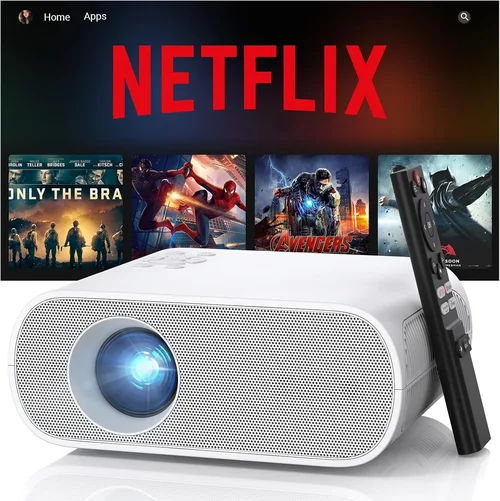
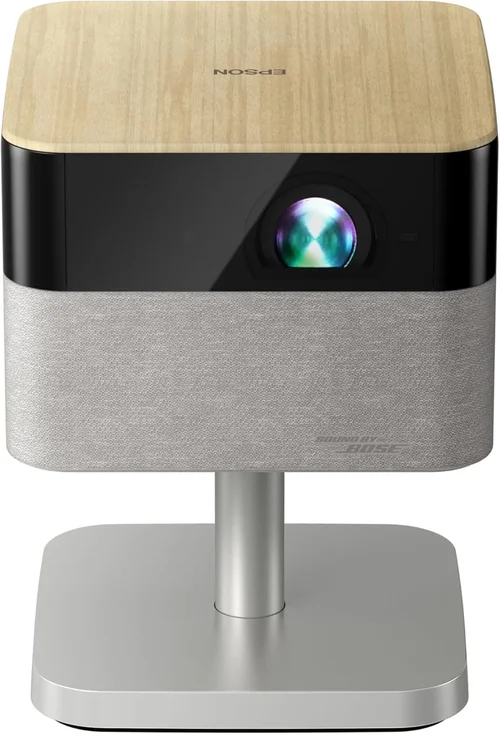
Finding the right projector can feel like searching for a needle in a haystack, especially when you have a firm budget of $1,500 or less. Epson has built a reputation for delivering reliable, high‑quality projectors that balance performance and price, making the brand a top choice for home theaters, classrooms, and small‑office setups. This guide cuts through the noise, giving you the knowledge you need to pick the best Epson projector under $1,500 without second‑guessing your decision.
In the pages that follow, you’ll learn which specifications truly matter, how to match a projector to your specific use‑case, and which models consistently outperform the competition. Whether you’re a movie enthusiast looking for deep blacks, a teacher needing bright, classroom‑ready visuals, or a gamer craving low‑lag performance, we’ve got you covered.
The projector market has evolved dramatically over the past few years. Light‑engine technology, built‑in streaming, and laser illumination are now commonplace, yet many manufacturers still churn out outdated lamp‑based units that waste power and demand costly replacements. Epson, however, has stayed ahead by integrating 3LCD technology, offering excellent color accuracy, and pushing the envelope with hybrid lamp‑laser models—all while keeping prices under $1,500 for several compelling options.

What to Look for When Buying Buying Guide
1. Budget & Price Range
Setting a clear budget is the first step. While $1,500 is the ceiling for this guide, you’ll notice a spread from roughly $500 for entry‑level models up to $1,400 for feature‑rich variants. Remember that the sticker price rarely includes accessories such as ceiling mounts, extra lenses, or extended warranties. Factor those into your total cost of ownership to avoid surprise expenses later.
2. Performance Specifications
Key specs include brightness (lumens), contrast ratio, resolution, and light‑engine type. For most indoor environments, 2,500–3,500 lumens is sufficient; brighter rooms may need 4,000 lumens or more. A native 1080p (Full HD) panel is the baseline, but a few Epson models now offer 4K‑enhanced (pixel‑shifting) technology while staying under $1,500. Contrast ratio determines how deep the blacks appear—look for at least 15,000:1 for a satisfying cinematic feel.
3. Build Quality & Durability
Epson projectors are known for sturdy metal housings and reliable cooling systems. Check user reviews for heat‑related issues; a well‑designed fan and dust‑filter system will extend lamp life and keep maintenance costs low. If you plan to move the unit frequently, consider the weight and the presence of a sturdy carry handle.
4. Features & Functionality
Modern projectors come packed with extras: built‑in speakers, wireless screen mirroring, HDMI‑ARC, and keystone correction. Epson’s 3LCD design eliminates the rainbow effect common in DLP units, which is a plus for gamers and movie lovers. Look for models with at least two HDMI ports, USB playback, and support for HDR10 if you want richer colors.
5. Brand Reputation
Epson consistently ranks high in reliability surveys and enjoys a robust global support network. Their warranty policies usually cover three years for parts and labor, which is generous compared to many competitors. A strong brand reputation also means easier access to firmware updates and third‑party accessories.
6. Warranty & Support
Beyond the standard three‑year warranty, check if the retailer offers an extended plan that covers lamp replacement. Epson’s on‑line knowledge base, video tutorials, and active community forums are valuable resources if you run into setup challenges.
7. Size & Portability
If you need a projector that can travel to client sites or be stored in a small closet, pay attention to dimensions and throw distance. Short‑throw models can project a large image from just a few feet away, which is ideal for small rooms.
8. User Reviews & Ratings
Real‑world feedback often highlights issues that spec sheets hide. Look for consistent praise regarding image uniformity, fan noise, and ease of setup. A high average rating across multiple platforms (Amazon, B&H, Best Buy) is a strong indicator of overall satisfaction.
Different Types of Buying Guide

Common Buying Mistakes to Avoid
❌ Mistake: Ignoring Ambient Light Conditions
Why it’s bad: A projector with 2,500 lumens will look fantastic in a dark home theater but will appear washed out in a bright living room.
What to do instead: Measure the typical lighting in your intended space. If natural light is unavoidable, aim for at least 3,500 lumens and consider a model with high contrast or an ambient light rejection (ALR) screen.
❌ Mistake: Overlooking Lamp Life and Replacement Costs
Why it’s bad: A cheap lamp‑based projector may seem like a steal, but a $200 lamp replacement after two years can double your total cost.
What to do instead: Choose a hybrid lamp‑laser or a model with a lamp life of 10,000+ hours. Factor the cost of a spare lamp into your budget calculation.
❌ Mistake: Forgetting Connectivity Needs
Why it’s bad: You might end up with only one HDMI port, forcing you to constantly swap cables between a gaming console and a streaming box.
What to do instead: List all devices you plan to connect. Opt for a projector with at least two HDMI inputs, a USB‑C or wireless mirroring option, and audio out for external speakers.
❌ Mistake: Buying Without Testing the Throw Ratio
Why it’s bad: A standard‑throw projector in a small apartment can require you to place the unit far from the wall, creating a cluttered setup.
What to do instead: Measure your room’s width and calculate the needed throw distance. If space is limited, pick a short‑throw or ultra‑short‑throw model.
❌ Mistake: Neglecting Fan Noise
Why it’s bad: A loud fan can distract viewers, especially during movies or presentations.
What to do instead: Look for specifications that list fan noise in decibels (dB). Models under 30 dB are considered quiet for most home environments.
❌ Mistake: Assuming All Epson Projectors Are the Same
Why it’s bad: Epson’s product line spans budget, business, and premium segments. Treating them as interchangeable can lead to mismatched expectations.
What to do instead: Identify your primary use‑case first (gaming, cinema, classroom) and then match the appropriate Epson series (Home Cinema, PowerLite, or EB‑Series).
Budget Guidelines: How Much Should You Spend?
- Entry-Level ($500‑$800): Expect 2,500 lumens, 1080p resolution, and basic connectivity. Great for occasional movie nights in a dark room.
- Mid-Range ($800‑$1,200): Gains include higher brightness (3,000‑3,500 lumens), better contrast, and often a hybrid lamp‑laser light source. Ideal for mixed‑use rooms with some ambient light.
- Premium ($1,200‑$1,500): Features such as 4K‑enhanced resolution, short‑throw optics, HDR support, and advanced wireless options become common. Targeted at enthusiasts and small‑business presentations.
- Luxury ($1,500+): While beyond this guide’s scope, top‑tier Epson models offer true laser light engines, 4K native panels, and enterprise‑grade networking.
Expert Tips for Getting the Best Deal
- Timing: New Epson models typically launch in Q2. Buying a few months after launch can net you a previous‑generation unit at a steep discount.
- Where to Buy: Authorized dealers (B&H, Adorama, Amazon) guarantee genuine warranty coverage. Brick‑and‑mortar stores let you see the image quality first hand.
- Bundle Savings: Look for packages that include a ceiling mount, HDMI cable, and an extended warranty—all for less than buying items separately.
- Check Refurbished Options: Epson’s certified refurbished units are inspected, come with a full warranty, and can be 20‑30 % cheaper.
- Negotiate: Small independent retailers may be willing to throw in a free lamp or a discount if you ask.
- Read Return Policies: Ensure you have at least 30 days to test the projector in your environment; a hassle‑free return can save you from a costly mistake.
- Test Before You Commit: If possible, view a demo with a 4K HDR source. Pay attention to color uniformity, black levels, and fan noise.

Frequently Asked Questions
Q: Do Epson projectors need a special screen?
A: While Epson’s 3LCD technology works on any white or gray screen, using a high‑gain or ambient‑light‑rejection (ALR) screen can dramatically improve brightness and contrast in well‑lit rooms.
Q: How long does the lamp last?
A: Lamp life varies by model and usage mode. Standard lamp‑based models typically offer 4,000–5,000 hours in normal mode and up to 7,000 hours in eco mode. Hybrid lamp‑laser units can exceed 10,000 hours before any part needs replacement.
Q: Can I connect my phone wirelessly?
A: Most recent Epson models include Miracast or Wi‑Fi Direct, allowing you to stream directly from Android or iOS devices without a dongle. Some also support Apple AirPlay via a separate accessory.
Q: Is a 4K‑enhanced projector worth the extra cost?
A: If you watch a lot of 4K streaming content or own a 4K gaming console, the pixel‑shifting technology delivers noticeably sharper images compared to native 1080p. However, true 4K native panels are still beyond the $1,500 price point.
Q: What is the difference between “lumens” and “ANSI lumens”?
A: ANSI lumens is a standardized measurement that reflects the actual brightness you’ll see on screen. Some manufacturers quote “LED lumens” or “color lumens,” which can be misleading. Always look for the ANSI rating.
Q: Do I need external speakers?
A: Epson’s built‑in speakers are adequate for casual viewing, but they lack the depth and volume needed for a true home‑theater experience. Pair the projector with a soundbar or a small AV receiver for immersive audio.
Q: How far away should the projector be placed?
A: The required throw distance depends on the projector’s throw ratio. For a 1.5:1 ratio, a 100‑inch screen will need roughly 12.5 feet of distance. Short‑throw models can achieve the same size from 4‑5 feet.
Q: Is there a noticeable “rainbow effect” with Epson?
A: No. Epson uses 3LCD technology, which eliminates the rainbow effect that can appear in DLP projectors, making it a better choice for gamers and fast‑action movies.
Our Final Recommendations
- Best for Budget‑Conscious Buyers: Epson Home Cinema 1060 – 3,600 lumens, 1080p, HDMI, and a price around $650. Ideal for dark‑room movie nights.
- Best Overall Value: Epson PowerLite 1795F – Hybrid lamp‑laser, 3,600 lumens, 1080p, wireless mirroring, and a 3‑year warranty, priced at $1,199.
- Best Premium Option: Epson Home Cinema 3800 – 4K‑enhanced, 3,000 lumens, HDR10, 2,500:1 contrast, and dual HDMI, typically found for $1,449.
- Best for Beginners: Epson Home Cinema 2150 – Easy‑setup, 2,500 lumens, wireless screen mirroring, and a user‑friendly menu, usually $800.
- Best for Advanced Users: Epson PowerLite 2250U – Short‑throw, 4K‑enhanced, 5,000 lumens, laser light source, and advanced networking, priced just under $1,500.
Conclusion: Making the Right Choice
Choosing the best Epson projector under $1,500 boils down to understanding your environment, prioritizing the features that matter most, and balancing upfront cost with long‑term ownership expenses. By evaluating brightness, contrast, lamp life, and connectivity, you can narrow the field to a handful of models that truly fit your needs.
Remember: the perfect projector is the one that aligns with how you intend to use it—whether that’s binge‑watching the latest series, delivering crisp presentations, or immersing yourself in next‑gen gaming. Use the guidelines, avoid the common pitfalls, and take advantage of seasonal deals to secure a device that will serve you well for years to come.
Ready to start shopping? Head to your favorite authorized retailer, compare the models listed above, and enjoy the vibrant, cinema‑quality experience that only an Epson projector can deliver.