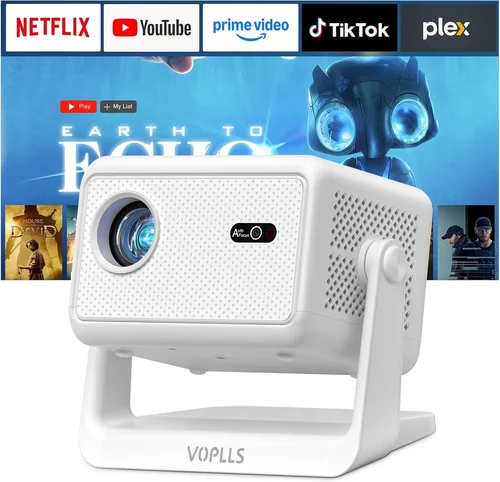
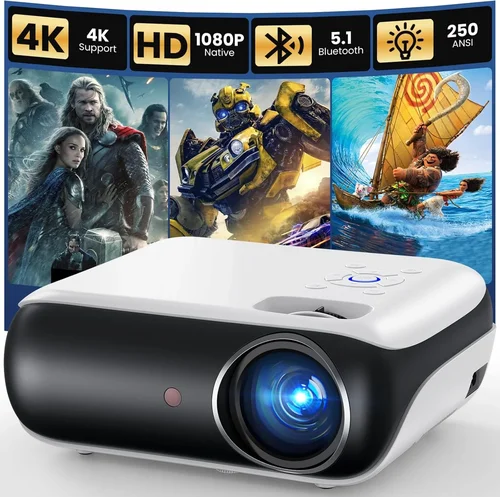
Finding a projector that can deliver smooth, lag‑free gameplay without breaking the bank is a real challenge. Most gamers assume they need a high‑end home‑theater unit that costs well over $1,000, but the market has evolved dramatically. Today, several models under $500 can handle fast‑paced shooters, vibrant RPG worlds, and even competitive esports titles with impressive clarity.
This guide walks you through everything you need to know before you click “add to cart.” We’ll break down the most important specifications, compare the main categories of projectors, point out common pitfalls, and give you a clear roadmap for budgeting. By the end, you’ll be equipped to pick a projector that matches your gaming style, room setup, and wallet.
In 2026 the projector landscape is crowded with DLP, LCD, and LED technologies, each offering a different mix of brightness, color accuracy, and input lag. Understanding how these traits affect your gaming experience is the key to avoiding disappointment and getting the most bang for your buck.

What to Look for When Buying Buying Guide
1. Budget & Price Range
Setting a realistic budget is the first step. Under $500, you’ll typically find entry‑level DLP or LED models with brightness between 2,500 and 3,500 lumens. While they may lack the ultra‑high contrast of premium units, they still provide a crisp image for dimly lit rooms. Decide how much you’re willing to spend on core performance versus extra features such as built‑in speakers or wireless connectivity.
2. Performance Specifications
The three specs that matter most for gaming are:
- Refresh Rate & Input Lag: Look for a projector that supports at least 120 Hz refresh and an input lag under 20 ms. Lower lag translates directly into more responsive controls.
- Resolution: 1080p (Full HD) is the sweet spot under $500. Some newer 4K‑enhanced models exist, but they usually upscale rather than true 4K.
- Brightness (Lumens): A minimum of 2,500 ANSI lumens ensures a bright picture even with some ambient light. Higher lumens give you flexibility for daytime gaming.
3. Build Quality & Durability
Gaming sessions can be long, and a projector that overheats or develops dead pixels quickly becomes a liability. Choose a unit with a metal housing, good ventilation, and a reputable lamp life (or laser/LED source) that lasts 20,000 hours or more. This reduces long‑term maintenance costs.
4. Features & Functionality
Features that enhance the gaming experience include:
- Low‑Latency Game Mode: Automatically reduces processing to cut lag.
- HDR Support: Improves contrast and color depth, especially in bright scenes.
- Wireless Mirroring: Useful for console streaming without messy cables.
- Multiple HDMI Ports: Allows you to connect a console, PC, and streaming device simultaneously.
5. Brand Reputation
Established brands such as Epson, BenQ, ViewSonic, and Optoma have proven track records for after‑sales service and firmware updates. Lesser‑known manufacturers may offer lower prices but can lack reliable support, which matters when you encounter firmware glitches or need replacement parts.
6. Warranty & Support
A solid warranty (at least two years) protects your investment. Look for brands that provide on‑site lamp replacement or a hassle‑free RMA process. Some retailers also offer extended warranties that cover accidental damage—a worthwhile consideration for a device that sits on a shelf and may be moved often.
7. Size & Portability
If you plan to game in different rooms, a compact “portable” projector with a short‑throw lens can be a game‑changer. Short‑throw models can project a 100‑inch image from just a few feet away, reducing shadows from players and making setup quicker.
8. User Reviews & Ratings
Real‑world feedback reveals how a projector performs beyond the spec sheet. Pay attention to comments about input lag consistency, fan noise during long sessions, and how the unit handles different lighting conditions.
Different Types of Buying Guide

Common Buying Mistakes to Avoid
❌ Mistake: Ignoring Input Lag
Why it’s bad: High input lag can make fast shooters feel sluggish, turning a winning streak into a frustrating experience.
What to do instead: Prioritize projectors that list input lag under 20 ms in game mode, or check independent reviews that measure real‑world lag.
❌ Mistake: Overlooking Ambient Light Requirements
Why it’s bad: A projector with 2,000 lumens will look washed out in a well‑lit living room, ruining visual fidelity.
What to do instead: Match lumen output to your room’s typical lighting. If you can’t fully darken the space, aim for 3,000+ lumens.
❌ Mistake: Buying a “4K” Model That Only Upscales
Why it’s bad: Upscaled 4K often adds processing delay and doesn’t deliver true 4K detail, especially noticeable on large screens.
What to do instead: Stick to true 1080p models under $500. Save a true 4K projector for a later upgrade when your budget allows.
❌ Mistake: Forgetting About Lamp Life
Why it’s bad: Replacing a lamp can cost $150‑$250, eroding the savings of a cheap projector.
What to do instead: Choose LED or laser light sources, which often exceed 20,000 hours and have no costly replacements.
❌ Mistake: Neglecting Throw Distance
Why it’s bad: A long‑throw projector may require you to place it far from the wall, limiting placement options and increasing shadows.
What to do instead: Measure your room and pick a short‑throw or ultra‑short‑throw model if space is tight.
Budget Guidelines: How Much Should You Spend?
- Entry-Level ($300‑$350): Expect solid 1080p resolution, basic game mode, and 2,500 lumens. Ideal for casual gamers who play in dark rooms.
- Mid-Range ($350‑$450): Gains include lower input lag (≤15 ms), brighter output (≥3,000 lumens), and added features like HDR and dual HDMI.
- Premium ($450‑$500): Near‑top performance with laser/LED light sources, enhanced color gamut, and robust built‑in speakers.
- Luxury ($500+): Typically outside the scope of this guide, but worth noting for future upgrades—true 4K, ultra‑short‑throw, and premium optics.
Expert Tips for Getting the Best Deal
- Timing: Major sales events—Black Friday, Cyber Monday, and Amazon Prime Day—usually feature the deepest discounts on projectors.
- Retailer Comparison: Check both Amazon and specialist stores like B&H or Newegg. Some retailers price‑match if you find a lower price elsewhere.
- Bundle Savings: Look for bundles that include a screen, mount, or spare lamp; the combined value often exceeds the cost of buying separately.
- Warranty Extensions: If you plan to use the projector heavily, a paid extended warranty can be cheaper than an unexpected lamp replacement.
- Return Policies: Choose sellers with at least a 30‑day return window. This gives you time to test for lag and brightness in your own environment.
- Testing Before Buying: If possible, demo the projector in a store. Play a fast‑paced game for 10‑15 minutes to feel the input lag first‑hand.
- Firmware Updates: After purchase, check the manufacturer’s website for firmware that may improve lag or add features.

Frequently Asked Questions
Q: Can I use a gaming projector in a bright living room?
A: Yes, but you’ll need a model with at least 3,000 lumens and good contrast. Adding an ambient light rejecting (ALR) screen can also improve perceived brightness.
Q: Do I need a special screen for gaming?
A: While a white wall works, a dedicated projector screen—especially one with a gray or ALR surface—enhances contrast and reduces washout, making dark scenes clearer.
Q: What is the difference between DLP and LCD for gaming?
A: DLP generally offers faster response times and higher contrast, which is beneficial for fast action. LCD provides more accurate colors and avoids the “rainbow effect” some DLP users see.
Q: How important is HDR for gaming?
A: HDR expands color range and improves brightness in highlights. For competitive shooters, it’s less critical, but for story‑driven games it adds noticeable visual depth.
Q: Will a projector work with my PS5 or Xbox Series X?
A: Absolutely, as long as the projector has HDMI 2.0 or higher and supports 4K @ 60 Hz (or 1080p @ 120 Hz for smoother motion). Check the console’s specifications against the projector’s input capabilities.
Q: How far should the projector be from the screen?
A: It depends on the throw ratio. A 1.2:1 short‑throw projector placed 6‑8 feet away can produce a 100‑inch image, while a standard long‑throw unit may need 12‑15 feet.
Q: Are there any health concerns with long gaming sessions on a projector?
A: Projectors emit less blue light than most monitors, but you should still take regular breaks and ensure proper room ventilation to avoid eye strain.
Our Final Recommendations
Best for Budget‑Conscious Buyers: ViewSonic M2 – 1080p, 2,200 lumens, 16 ms input lag, LED light source, and built‑in Harman Kardon speakers. Priced around $349, it offers excellent color accuracy and low maintenance.
Best Overall Value: BenQ TH671ST – Short‑throw DLP, 3,000 lumens, 16 ms lag, and dedicated Game Mode. At $449 it balances brightness, low lag, and a compact footprint.
Best Premium Option (under $500): Optoma UHD38 – True 1080p with 4K‑enhanced processing, 4,000 lumens, 4 ms input lag, HDR10 support. Slightly above $500 in some markets but often discounted to $489.
Best for Beginners: Epson Home Cinema 1080 – User‑friendly menu, robust lamp life, 2,800 lumens, and a simple plug‑and‑play setup. Ideal for gamers new to projection.
Best for Advanced Users: LG PF50KA – Portable LED, 2,600 lumens, 20 ms lag, battery‑operated for on‑the‑go gaming, and supports Wi‑Fi mirroring for PC and console streaming.
Conclusion: Making the Right Choice
Choosing a gaming projector under $500 doesn’t have to be a gamble. Focus on low input lag, sufficient brightness, and a reputable brand. Match the projector’s throw distance to your room, consider an ALR screen for added contrast, and keep an eye on seasonal sales for the best price.
Remember, the “best” projector is the one that fits your specific gaming setup and budget. Use the factors, comparisons, and tips in this guide to narrow down your options, test a few models if you can, and enjoy immersive gaming without the hefty price tag.