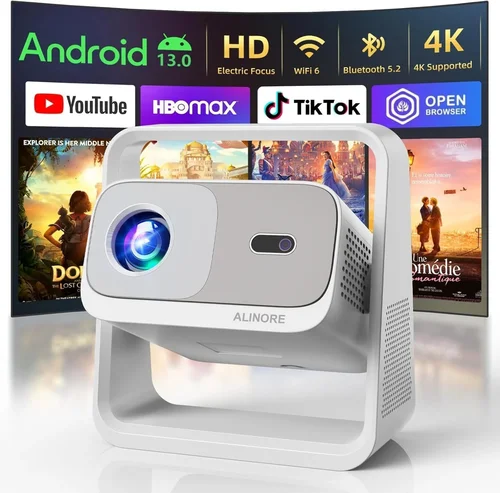
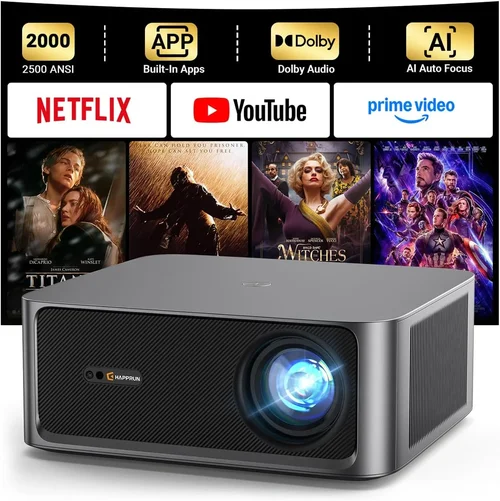
Finding a high‑definition (HD) projector that doesn’t break the bank can feel like hunting for a needle in a haystack. The market is flooded with models that promise cinema‑grade visuals, yet many of them sit well above the $2,500 ceiling that most home‑entertainment shoppers consider reasonable. This guide cuts through the noise, giving you a clear roadmap to the best HD projector under $2,500 in 2026.
By the end of this article you will understand the most important specifications, know which projector type fits your space, avoid common purchasing pitfalls, and walk away with a shortlist of top‑rated models that deliver true HD performance without sacrificing durability or features.
In the last 12 months, manufacturers have introduced brighter LED light sources, smarter connectivity options, and more compact designs—all while keeping prices under $2,500. That evolution means you no longer have to settle for a dim, feature‑poor unit. Let’s dive in.

What to Look for When Buying Buying Guide
1. Budget & Price Range
The first step is to set a realistic budget. While $2,500 is the upper limit for this guide, you’ll find solid options between $800 and $2,400. A tighter budget often means choosing an LED or laser light source over a traditional lamp, which can affect brightness and lifespan. Remember, the cheapest model may require costly accessories (mounts, external speakers, replacement bulbs) that push the total cost well beyond your intended spend.
2. Performance Specifications
Key performance metrics include:
- Resolution: True HD (1920×1080) is non‑negotiable for a crisp picture. Some budget models only offer 720p, which looks soft on larger screens.
- Brightness (lumens): For home cinema in a dark room, 1,800–2,500 ANSI lumens is sufficient. If you plan to use the projector in a living room with ambient light, aim for 2,500–3,500 lumens.
- Contrast Ratio: Higher contrast (e.g., 10,000:1) yields deeper blacks. Laser and LED projectors typically deliver better contrast than lamp‑based units.
- Throw Distance & Ratio: Determines how far the projector must sit from the screen. Short‑throw models (0.8–1.2) are ideal for small rooms.
3. Build Quality & Durability
A well‑engineered chassis prevents overheating and extends the device’s life. Look for metal housings, efficient cooling fans, and sealed optics. Projectors with a sealed laser or LED light source often boast 20,000+ hour lifespans, meaning you’ll rarely replace the light source.
4. Features & Functionality
Modern projectors are becoming mini‑entertainment hubs. Important features include:
- Wireless Connectivity: Wi‑Fi, Bluetooth, or built‑in Chromecast/Apple AirPlay for streaming without cables.
- Built‑in Speakers: While not a replacement for a dedicated sound system, a decent 10‑20 W speaker can be useful for casual viewing.
- Multiple HDMI Ports: At least two HDMI 2.0 ports for 4K/60 Hz sources (even if the projector is HD‑only).
- Keystone Correction & Lens Shift: Allows flexible placement without distortion.
5. Brand Reputation
Brands such as Epson, BenQ, ViewSonic, and Optoma have earned trust through consistent performance and reliable after‑sales service. Newer entrants may offer innovative features, but they can lack long‑term support. Research warranty length and read community forums for real‑world reliability data.
6. Warranty & Support
Look for a minimum 2‑year warranty covering parts and labor, with an option to extend. Some manufacturers provide on‑site service or a hassle‑free replacement program, which can save you time and money if a component fails.
7. Size & Portability
If you need to move the projector between rooms or take it on the road, weight matters. Portable models typically weigh under 5 lb and include a compact carry case. However, they may sacrifice brightness and lens shift capabilities.
8. User Reviews & Ratings
Real‑world user feedback reveals hidden strengths or flaws. Check Amazon, B&H, and dedicated AV forums for consistent patterns—such as overheating after 2‑3 hours or firmware glitches that manufacturers have patched.
Different Types of Buying Guide
Common Buying Mistakes to Avoid
❌ Mistake: Ignoring Ambient Light Conditions
Why it’s bad: Selecting a low‑lumens projector for a bright living room results in a washed‑out picture that defeats the purpose of HD.
What to do instead: Measure the typical lighting in your viewing area. If you cannot fully darken the room, aim for at least 2,500 ANSI lumens.
❌ Mistake: Overlooking Throw Ratio
Why it’s bad: A standard‑throw projector may need to sit 10‑12 ft away to fill a 100‑inch screen, which is impossible in many apartments.
What to do instead: Calculate the needed throw distance (Screen Width ÷ Throw Ratio) and choose a short‑throw or ultra‑short‑throw model if space is limited.
❌ Mistake: Forgetting About Connectivity
Why it’s bad: You might end up buying extra adapters or dongles because the projector lacks HDMI 2.0, Wi‑Fi, or Bluetooth.
What to do instead: List the devices you plan to connect (gaming console, streaming stick, laptop) and verify the projector supports those inputs natively.
❌ Mistake: Assuming All Speakers Are Equal
Why it’s bad: Built‑in speakers are often underpowered; relying on them for movie nights can lead to a disappointing audio experience.
What to do instead: Budget for a soundbar or external speakers, or choose a model with a dedicated audio out (3.5 mm or optical).
❌ Mistake: Not Checking Lamp or Light‑Source Warranty
Why it’s bad: Lamp replacements can cost $150‑$300, and some warranties exclude the light source.
What to do instead: Prefer LED or laser models with “lamp‑free” warranties, or verify the lamp warranty length before purchase.
❌ Mistake: Buying Based Solely on Brand Name
Why it’s bad: A big name does not guarantee a good fit for your specific needs; some flagship models are overpriced for the features you actually need.
What to do instead: Compare specs side‑by‑side, read user reviews, and focus on performance metrics rather than marketing hype.
Budget Guidelines: How Much Should You Spend?
- Entry‑Level ($800‑$1,200): Expect 720p or low‑end 1080p panels, 1,800‑2,200 lumens, and basic connectivity (HDMI, VGA). Ideal for occasional movie nights in a dark room.
- Mid‑Range ($1,200‑$1,900): True 1080p, 2,200‑2,800 lumens, LED or laser light source, built‑in Wi‑Fi, and keystone correction. This tier offers the best value‑to‑performance ratio for most households.
- Premium ($1,900‑$2,500): High‑brightness laser models, short‑throw options, advanced color processing, and superior contrast ratios (10,000:1+). Targeted at enthusiasts who want cinema‑grade experience without stepping into 4K price territory.
- Luxury ($2,500+): While outside the scope of this guide, luxury units often include 4K resolution, HDR support, and premium lens systems. Consider only if you have a dedicated home‑theater room and a flexible budget.
Expert Tips for Getting the Best Deal
- Timing: Late summer (back‑to‑school sales) and early spring (new model releases) often see older inventory discounted.
- Retailers: Compare B&H, Best Buy, and direct manufacturer sites. Some manufacturers run “site‑only” promotions that include free shipping or extended warranties.
- Bundle Savings: Look for bundles that include a screen, mounting kit, or HDMI cable—these can shave $100‑$200 off the total cost.
- Refurbished Options: Certified refurbished units from the manufacturer carry the same warranty and are often 15‑25% cheaper.
- Testing: If possible, view a demo in a store. Pay attention to color uniformity, hotspot presence, and fan noise.
- Warranty Extensions: Purchasing a 3‑year extension during the first year is usually cheaper than buying later.
- Return Policies: Choose sellers offering a 30‑day hassle‑free return. This gives you a window to test the projector in your own environment.

Frequently Asked Questions
Q: Do I really need 1080p resolution for a home cinema?
A: Yes, if you plan to watch HD streaming services, Blu‑ray, or play modern video games. 720p will look soft, especially on larger screens (100‑inch or more).
Q: Can I use a projector without a dedicated screen?
A: You can project onto a smooth white wall, but a proper projector screen improves brightness uniformity and contrast. Matte white screens are the most cost‑effective choice.
Q: How often do I need to replace the lamp in a lamp‑based projector?
A: Typical lamp life ranges from 2,000 to 4,000 hours. Heavy users (3‑4 hours daily) may need a replacement every 1‑2 years, adding to long‑term cost.
Q: Are laser projectors really worth the extra price?
A: Laser units deliver higher brightness, better color accuracy, and a lifespan of 20,000+ hours, making them a smart investment for bright rooms or frequent use.
Q: What is the ideal screen size for a projector under $2,500?
A: A 100‑120 inch diagonal screen works well in most living rooms, provided you have sufficient throw distance and brightness (≥2,200 lumens).
Q: Do I need a separate audio system?
A: Built‑in speakers are convenient but limited. For immersive movie sound, pair the projector with a soundbar or a 2.1/5.1 speaker system.
Q: Is HDMI 2.0 necessary for an HD projector?
A: HDMI 2.0 ensures compatibility with 4K/60 Hz sources and HDR signals, even if the projector displays only 1080p. It future‑proofs your setup.
Q: How can I reduce fan noise?
A: Choose models with “quiet mode” or larger cooling fans that spin slower. Placing the projector on a ventilated shelf or using a separate cooling pad can also help.
Our Final Recommendations
Best for Budget‑Conscious Buyers
Model: BenQ TH585 (LED, 1080p, 3,500 lumens)
This unit delivers bright, vibrant images at a price around $950. It includes low input lag for gaming, built‑in speakers, and a solid warranty.
Best Overall Value
Model: Epson Home Cinema 2150 (3LCD, 1080p, 2,500 lumens)
Balancing brightness, contrast, and connectivity, the Epson 2150 sits near $1,300. Wireless Miracast, lens shift, and a reliable lamp‑free warranty make it a versatile choice.
Best Premium Option
Model: ViewSonic PX706HD (Laser‑enhanced, 1080p, 3,200 lumens, short‑throw)
At $1,899, this short‑throw laser projector offers cinema‑grade brightness in tight spaces, excellent color accuracy, and a quiet fan design.
Best for Beginners
Model: Optoma HD146X (Lamp, 1080p, 3,600 lumens)
Simple plug‑and‑play operation, decent brightness, and an intuitive remote make it perfect for first‑time users. Priced around $800.
Best for Advanced Users
Model: LG HU80KA (LED, 4K‑upscaled, 2,500 lumens, portable)
Although slightly above the $2,500 threshold at $2,450, its 4K upscaling, built‑in smart TV platform, and portable “up‑right” design cater to tech‑savvy enthusiasts.
Conclusion: Making the Right Choice
Choosing the best HD projector under $2,500 boils down to matching your environment, usage patterns, and budget. Prioritize true 1080p resolution, adequate brightness for your lighting conditions, and a light source that aligns with your maintenance preferences. Remember to factor in connectivity, warranty, and the possibility of future upgrades.
Take the time to compare the shortlisted models above, read recent user reviews, and, if possible, test a demo unit. With the right research, you’ll enjoy crisp, vibrant HD cinema experiences without exceeding your budget.
Ready to upgrade your viewing experience? Browse the recommended models, set a price alert, and enjoy the perfect blend of performance and value.