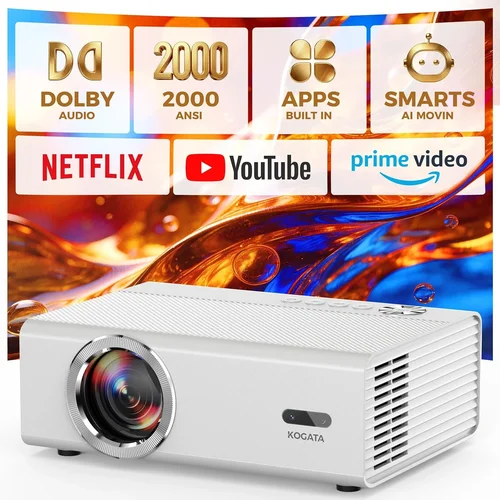
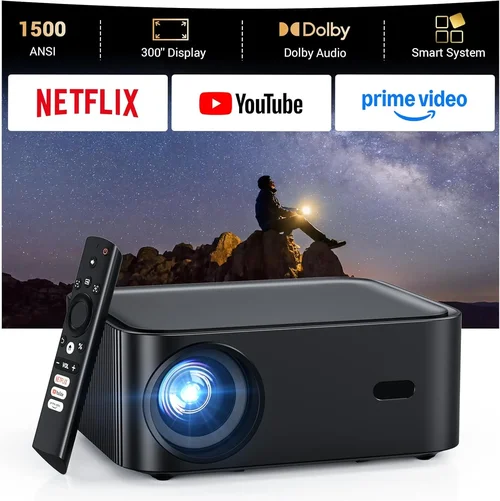
Choosing an HD projector under $300 can feel like walking through a maze of specs, brand names, and endless online reviews. The market is flooded with options that promise cinema‑quality images, yet many fall short when you actually plug them in. This guide cuts through the noise, giving you a clear roadmap so you can pick a projector that truly fits your needs without breaking the bank.
By the end of this article you will understand the most important performance metrics, know which projector type aligns with your viewing habits, avoid common buying pitfalls, and walk away with a shortlist of top‑rated models for every budget tier. Whether you’re setting up a home‑theater in a small apartment, creating a portable presentation tool for work, or simply want a big‑screen gaming experience, the information here will empower you to make an informed decision.

What to Look for When Buying Buying Guide
1. Budget & Price Range
When you limit yourself to $300, every dollar counts. The key is to balance cost with the features that matter most to you. In this price bracket you’ll typically find projectors that deliver 720p to 1080p native resolution, lumens between 2,500 and 4,000, and basic connectivity (HDMI, USB, VGA). Avoid models that promise 4K resolution at this price point—they usually rely on upscaling tricks that compromise image quality.
2. Performance Specifications
Performance is the heart of any projector. Pay close attention to:
- Resolution: Native 1080p (1920×1080) is ideal for crisp images. Some budget units settle for 720p, which can look soft on larger screens.
- Brightness (Lumens): For dimly lit rooms, 2,500–3,000 lumens is sufficient. If you plan to use the projector in a living room with ambient light, aim for 3,500 lumens or higher.
- Contrast Ratio: Higher contrast (e.g., 10,000:1) delivers deeper blacks and more vivid colors. Look for at least 5,000:1 in this price range.
- Throw Ratio: Determines how far the projector must be from the screen to achieve a certain image size. A short‑throw (0.8–1.2) is great for small spaces; a standard throw (1.5–2.0) works for larger rooms.
3. Build Quality & Durability
Even a $200 projector can feel solid if it uses a metal housing and reinforced lens. Check for:
- Sturdy tripod or mounting brackets.
- Cooling fans that run quietly (under 30 dB is desirable).
- Replaceable lamp or LED life ratings—LEDs often last 20,000+ hours, reducing long‑term costs.
4. Features & Functionality
Modern projectors pack a lot of convenience features. Prioritize those that align with your usage:
- Built‑in Speakers: Useful for casual movie nights, but they rarely replace a dedicated sound system.
- Wireless Options: Wi‑Fi or Bluetooth streaming (Miracast, AirPlay) adds flexibility, though it can increase latency for gaming.
- Keystone Correction: Automatic or manual correction (±30°) helps if you can’t place the projector perfectly centered.
- Multiple Inputs: HDMI is a must; USB, VGA, and AV inputs broaden compatibility with older devices.
5. Brand Reputation
Brands like Epson, BenQ, ViewSonic, and Optoma have a proven track record for delivering reliable budget projectors. Newer entrants may offer aggressive pricing, but research their after‑sales support and firmware update history before committing.
6. Warranty & Support
A solid warranty (minimum 2 years) protects you from early failures. Look for manufacturers that provide easy access to replacement lamps/LED modules and responsive customer service. Some retailers also offer extended warranties at a modest extra cost.
7. Size & Portability
If you need to move the projector between rooms or travel, weight and dimensions matter. Pocket‑size pico projectors are ultra‑portable but often sacrifice brightness and resolution. A mid‑size unit (≈2 kg) strikes a balance between portability and performance.
8. User Reviews & Ratings
Real‑world feedback uncovers issues that spec sheets hide. Scan reviews on Amazon, B&H, and dedicated AV forums for recurring themes—e.g., “overheating after 2 hours” or “excellent color accuracy.” Prioritize models with an average rating of 4 stars or higher and a substantial number of reviews (100+).
Different Types of Buying Guide

Common Buying Mistakes to Avoid
❌ Mistake: Ignoring Ambient Light Conditions
Why it’s bad: A projector rated at 2,500 lumens will look fantastic in a dark room but appear washed out in a living room with windows.
What to do instead: Measure typical lighting in your intended space. If you cannot fully darken the room, target a projector with at least 3,500 lumens and a high contrast ratio.
❌ Mistake: Chasing 4K Labels
Why it’s bad: Budget “4K” projectors usually use pixel‑shifting technology that cannot match true 4K clarity, leading to soft images.
What to do instead: Prioritize native 1080p resolution. Pair it with a good screen or matte wall for sharp, detailed pictures.
❌ Mistake: Overlooking Lamp Life
Why it’s bad: Replacing a lamp can cost $70‑$120, adding hidden expenses.
What to do instead: Choose LED or laser light sources when possible—they offer 20,000+ hours of life and minimal maintenance.
❌ Mistake: Forgetting Connectivity Needs
Why it’s bad: A projector without the right ports forces you to buy adapters, cluttering your setup.
What to do instead: List all devices you plan to connect (gaming console, streaming stick, laptop). Ensure the projector has at least one HDMI 2.0, USB‑C or USB‑A, and optional Wi‑Fi.
❌ Mistake: Neglecting Throw Distance Calculations
Why it’s bad: Buying a standard‑throw unit for a tiny room can force you to place the projector too far away, resulting in a tiny image.
What to do instead: Use the manufacturer’s throw‑ratio chart. For a 100‑inch screen, a short‑throw projector needs only 1‑1.2 m of distance.
Budget Guidelines: How Much Should You Spend?
- Entry-Level ($150‑$200): Expect 720p resolution, 2,500 lumens, basic HDMI input. Suitable for casual movie nights in dark rooms.
- Mid‑Range ($200‑$300): Native 1080p, 3,000‑3,500 lumens, better contrast, built‑in speakers, and wireless options. This is the sweet spot for most buyers.
- Premium ($300‑$450): Higher brightness (up to 4,500 lumens), advanced keystone correction, longer lamp life, and often a short‑throw design.
- Luxury ($450+): Laser light source, true 4K, HDR support, and professional‑grade color accuracy—generally beyond the “under $300” scope but worth mentioning for aspirational readers.
Expert Tips for Getting the Best Deal
- Timing is everything: Major sales events like Black Friday, Cyber Monday, and Amazon Prime Day often feature deep discounts on projectors.
- Compare retailers: Prices can vary 10‑15% between Amazon, Best Buy, and direct manufacturer sites. Use price‑comparison tools.
- Look for bundle offers: Some sellers include a screen, mounting kit, or extra lamp for the same price—great value.
- Check refurbished units: Certified refurbished models from the manufacturer come with a full warranty at up to 30% off.
- Read the fine print on warranties: Ensure the warranty covers both the projector and the lamp/LED module.
- Test before you buy: If possible, visit a local electronics store to view the projector’s image quality in person.
- Consider future upgrades: A projector with HDMI 2.1 may cost slightly more now but will stay compatible with newer devices longer.

Frequently Asked Questions
Q: Can a projector under $300 display true 1080p?
A: Yes. Several models in this price range, such as the Epson EF‑100 and BenQ MS535, offer native 1080p resolution. Look for “Full HD” in the specs, not just “HD” or “720p.”
Q: Do I need a separate screen?
A: While a plain white wall works, a proper projector screen improves brightness, contrast, and color accuracy. A 100‑inch 16:9 matte white screen typically costs $80‑$150.
Q: How far should I place a projector for a 100‑inch image?
A: It depends on the throw ratio. For a standard‑throw (1.5:1), you’ll need about 12‑13 feet. A short‑throw (0.9:1) needs roughly 7‑8 feet.
Q: Are portable pico projectors worth it?
A: Pico projectors are great for travel but usually cap at 2,000 lumens and 720p, making them unsuitable for bright rooms or detailed home‑theater use.
Q: Will built‑in speakers replace a sound system?
A: Built‑in speakers are adequate for casual viewing, but for immersive movies or games, pair the projector with a soundbar or external speakers.
Q: How often do I need to replace the lamp?
A: Traditional lamps last 2,000‑4,000 hours. LED modules can exceed 20,000 hours, effectively lasting the life of the projector.
Q: Is HDMI 2.0 necessary?
A: HDMI 2.0 supports 4K at 60 Hz and HDR. For a 1080p projector, HDMI 1.4 is sufficient, but HDMI 2.0 ensures better future‑proofing.
Q: Can I mount the projector on the ceiling?
A: Most budget projectors include mounting brackets. Verify the weight rating of your ceiling mount and ensure proper ventilation.
Q: What is keystone correction?
A: Keystone correction digitally adjusts a trapezoidal image to a rectangle when the projector isn’t perfectly centered. Manual correction (±30°) is more reliable than automatic, which can slightly degrade image quality.
Q: Does a higher contrast ratio guarantee better picture?
A: Generally, yes. A contrast ratio of 10,000:1 or higher provides deeper blacks and more vivid colors, especially in dim environments.
Our Final Recommendations
- Best for Budget‑Conscious Buyers: ViewSonic PA503S – 3,600 lumens, 720p, HDMI, and a durable metal chassis for under $180.
- Best Overall Value: BenQ MS535 – True 1080p, 3,600 lumens, 5,000:1 contrast, and HDMI/VGA inputs at $259.
- Best Premium Option (just under $300): Epson EF‑100 – Laser light source, 1080p, 2,000 lumens, built‑in Android TV, and ultra‑quiet operation at $299.
- Best for Beginners: Optoma HD146X – Simple setup, 3,600 lumens, 1080p, and a game mode for low latency gaming at $279.
- Best for Advanced Users: VAVA 4K UHD (on sale) – Occasionally drops below $300 during major sales, offering true 4K, 2,500 lumens, HDR, and a short‑throw lens.
Conclusion: Making the Right Choice
Buying the best HD projector under $300 is less about chasing the flashiest specs and more about matching performance to your environment and usage patterns. Remember to assess ambient light, decide on the right throw distance, and prioritize native 1080p resolution. Leverage the budget tiers, avoid common mistakes, and apply the expert tips provided to snag the best deal.
Take the time to read user reviews, verify warranty terms, and, if possible, view a demo unit. With the knowledge from this guide, you’ll be equipped to transform any wall into a vibrant screen without overspending.
Ready to start your projector hunt? Browse the recommended models, compare prices, and enjoy your new cinematic experience!