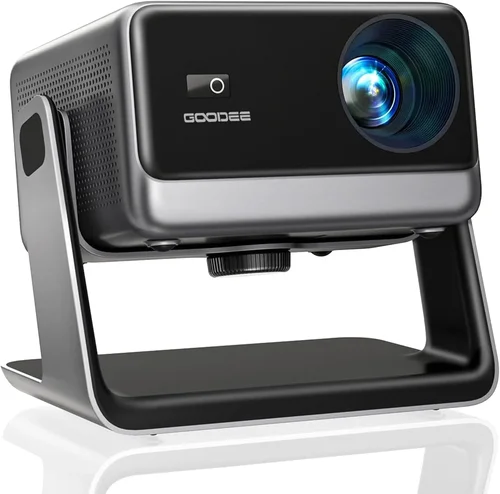
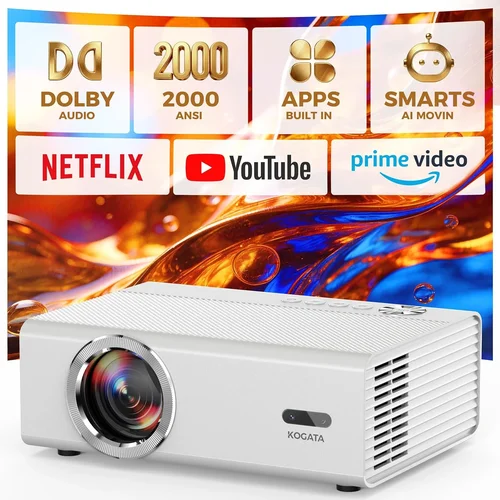
Home cinema projectors have moved from niche gadgets to mainstream must‑haves for anyone who wants a true‑to‑life movie night without the cost of a full‑size theater. Yet the market is crowded, and the price tag can quickly climb past $2,000 if you don’t know what you’re looking for. This guide cuts through the noise, giving you the knowledge you need to pick the best home cinema projector under $2,000 in 2026.
By the end of this article you will understand the most important specifications, the different projector families, common pitfalls, and exactly how much you should budget for each feature set. You’ll also walk away with curated recommendations for every type of viewer—from the casual binge‑watcher to the dedicated cinephile.
In 2026 the projector landscape is defined by three major trends: laser light sources becoming more affordable, 4K‑enhanced DLP chips delivering near‑native 4K at lower costs, and smart‑OS integration that lets you stream without a separate box. These advances mean that a high‑quality home cinema experience is now possible well under the $2,000 ceiling—provided you know which specs truly matter.

What to Look for When Buying Buying Guide
1. Budget & Price Range
The first decision is simple: how much are you willing to spend? While the headline says “under $2,000,” you’ll find a wide spread—from $800 entry‑level models to $1,950 premium options. Your budget will dictate which light source, resolution, and feature set are realistic. Remember that accessories such as a quality screen, mounting hardware, and audio solutions can add $200‑$500 to the total cost.
2. Performance Specifications
Performance is measured by four core specs:
- Resolution: Native 1080p is common, but many 4K‑enhanced DLP projectors now deliver near‑4K detail at a fraction of the price.
- Brightness (lumens): For a dedicated home theater with controlled lighting, 1,800‑2,500 ANSI lumens is ample. If you plan to watch in a brighter living room, aim for 2,500+ lumens.
- Contrast Ratio: Higher contrast (e.g., 30,000:1) yields deeper blacks and more punchy colors. Laser and DLP platforms typically offer the best contrast in this price segment.
- Color Accuracy: Look for a projector with a wide color gamut (Rec. 2020 or DCI‑P3 coverage) and good out‑of‑the‑box calibration.
3. Light Source Technology
Three light sources dominate the sub‑$2,000 market:
- LED: Long lifespan (30,000+ hours) and low power draw, but usually limited to 1,800‑2,200 lumens.
- Laser: Higher brightness, instant on/off, and superb color volume. Prices have dropped sharply, making laser the sweet spot for many buyers.
- Lamp (UHP): Still the cheapest, but lamps degrade over time (2,000‑3,000 hour life) and require periodic replacement.
4. Build Quality & Durability
A projector that feels cheap will wobble, overheat, and develop fan noise. Look for metal housings, sealed optics, and a robust cooling system. Check user reviews for long‑term reliability, especially for models that claim a 30,000‑hour LED lifespan.
5. Features & Functionality
Modern projectors are practically mini‑computers. Key features to evaluate:
- Smart OS: Android TV, Roku TV, or proprietary platforms let you stream directly.
- HDR Support: HDR10 is a must; HDR10+ or Dolby Vision are bonuses but rare under $2,000.
- Lens Shift & Zoom: Essential for flexible placement without keystone distortion.
- Keystone Correction: Digital correction is useful but can degrade image quality; optical keystone is preferred.
- Connectivity: HDMI 2.0/2.1, USB‑C, Wi‑Fi, Bluetooth, and Ethernet ports give you flexibility.
6. Brand Reputation
Brands like Epson, BenQ, Optoma, and ViewSonic have established service networks and firmware updates. Newer entrants (e.g., Xiaomi, Hisense) can offer aggressive pricing, but consider the availability of local support and spare parts.
7. Warranty & Support
A solid warranty (2‑3 years) that covers the light source is a strong indicator of confidence. Some manufacturers offer extended warranties for an additional fee—worth it if you plan heavy usage.
8. Size & Portability
If you need a projector that can travel or be stored away, consider the weight (under 5 lb is ideal) and throw distance. Short‑throw models are pricier but eliminate the need for a long distance to the screen.
Different Types of Buying Guide

Common Buying Mistakes to Avoid
❌ Mistake: Focusing Only on Lumens
Why it’s bad: Brightness is only part of the picture. A 3,000‑lumens projector in a dark room can wash out blacks if the contrast ratio is weak.
What to do instead: Balance lumens with contrast and color gamut. For a dark home theater, 1,800‑2,200 lumens with a contrast ratio above 30,000:1 is often superior.
❌ Mistake: Ignoring Throw Distance
Why it’s bad: Buying a standard‑throw unit for a 6‑foot room forces you to place the projector far away, resulting in a tiny image or the need for a massive screen.
What to do instead: Measure your room and choose a projector whose throw ratio fits. Short‑throw or ultra‑short‑throw models are ideal for limited spaces.
❌ Mistake: Overlooking Input Lag
Why it’s bad: Gamers often dismiss projectors because of perceived lag. Some budget models have >30 ms lag, which is noticeable in fast‑paced games.
What to do instead: Look for a “Game Mode” or specifications listing < 16 ms lag. DLP and laser models typically excel here.
❌ Mistake: Forgetting About Lens Shift
Why it’s bad: Relying on digital keystone can degrade image sharpness and introduce color fringing.
What to do instead: Choose a projector with optical lens shift (horizontal and/or vertical). It provides flexibility without sacrificing image quality.
❌ Mistake: Skipping Firmware Updates
Why it’s bad: Manufacturers often add features (e.g., new streaming apps) via firmware. An older unit stuck on outdated software can feel obsolete.
What to do instead: Verify that the brand offers regular OTA updates and that the model you pick has an active support roadmap.
❌ Mistake: Not Accounting for Screen Size & Type
Why it’s bad: Pairing a high‑resolution projector with a low‑gain, cheap screen can blunt contrast and color performance.
What to do instead: Invest in a proper projection screen—fixed‑frame or tensioned—matched to your projector’s brightness and ambient light conditions.
Budget Guidelines: How Much Should You Spend?
Understanding what you get at each price tier helps you set realistic expectations.
- Entry‑Level ($800‑$1,100): Typically LED or lamp‑based 1080p units. Good for casual movie nights, bright rooms, and occasional gaming. Expect limited lens shift and basic smart OS.
- Mid‑Range ($1,100‑$1,600): Here you’ll find 4K‑enhanced DLP or laser light sources, higher contrast ratios, and more robust connectivity. Ideal for dedicated home theaters with controlled lighting.
- Premium ($1,600‑$2,000): True 4K (or near‑4K) laser projectors with HDR10, wide color gamuts, and advanced features like frame interpolation and low‑lag gaming modes. This tier delivers a cinema‑grade experience without breaking the bank.
- Luxury ($2,000+): Though outside the scope of this guide, luxury models push 4K native resolution, laser phosphor tech, and integrated audio. Consider only if you have no budget constraints.
Expert Tips for Getting the Best Deal
- Timing: New projector releases typically arrive in March and September. Prices on previous‑generation models drop 10‑20% shortly after.
- Where to Buy: Authorized dealers (e.g., B&H, Adorama, Amazon’s “Ships from and sold by” status) guarantee warranty coverage. Brick‑and‑mortar stores let you demo units before purchase.
- Spotting Deals: Look for bundles that include a screen, ceiling mount, or extended warranty—these often provide better overall value.
- Warranty Considerations: Choose a plan that covers the light source for at least 2 years. Some brands offer free lamp replacements within the warranty period.
- Return Policies: A 30‑day return window is standard. Verify that the retailer accepts returns of large items without restocking fees.
- Testing Before Buying: If possible, view a 1080p test pattern and a 4K clip on the projector. Check for uniformity, color bleeding, and any visible “rainbow effect” (common in single‑chip DLP).
- Future‑Proofing: Ensure the unit has HDMI 2.1 for 4K @ 120 Hz if you plan to connect next‑gen consoles.

Frequently Asked Questions
Q: Do I need a separate AV receiver for a projector under $2,000?
A: Not necessarily. Many modern projectors include built‑in stereo speakers and a basic sound bar output. However, for true cinema audio you’ll want an external receiver and a 5.1 or 7.1 speaker setup, which adds to the overall cost.
Q: Can I use a projector as a primary TV?
A: Yes, if you choose a model with good brightness (2,500+ lumens) and low input lag. Pair it with an ambient‑light‑rejecting screen for daytime viewing.
Q: How long does a laser light source actually last?
A: Most laser projectors in this price range are rated for 20,000‑30,000 hours of use, which translates to roughly 10‑15 years of typical weekend movie watching.
Q: Is 4K‑enhanced the same as native 4K?
A: No. 4K‑enhanced (or “pixel‑shift”) uses a 1080p chip that rapidly shifts the image to simulate higher resolution. The result is sharper than plain 1080p but not quite true 4K. For most viewers, the difference is subtle, especially on screens under 120”.
Q: Should I buy a short‑throw or a standard‑throw projector?
A: Short‑throw is ideal for small rooms where you can’t place the projector far from the screen. Standard‑throw offers more flexibility for larger spaces and often comes at a lower price.
Q: What screen material should I choose?
A: For dark rooms, a high‑gain (≥1.2) matte white screen provides deep blacks. In brighter environments, an ambient‑light‑rejecting (ALR) screen with a gain of 1.0‑1.3 works best.
Q: Do I need a ceiling mount?
A: A ceiling mount provides the cleanest look and optimal alignment. If you’re renting or prefer flexibility, a tabletop or tripod mount works, but you’ll need to manage keystone correction.
Q: How much HDMI cable length can I use?
A: For 4K HDR at 60 Hz, stay under 15 ft with a high‑speed HDMI 2.0 cable. For longer runs, use active HDMI or fiber‑optic cables.
Q: Is there a noticeable “rainbow effect” on DLP projectors?
A: Single‑chip DLP can produce a rainbow artifact for some viewers, especially in high‑contrast scenes. If you’re sensitive, look for a multi‑chip DLP or an LED/Laser LCD model.
Q: Can I connect my projector to Wi‑Fi directly?
A: Most smart projectors have built‑in Wi‑Fi and support apps like Netflix, Disney+, and YouTube. For older models, a wireless HDMI dongle or streaming stick (Roku, Fire TV) is a simple solution.
Our Final Recommendations
- Best for Budget‑Conscious Buyers: BenQ TH585 – 1080p DLP, 3,500 lumens, low input lag, and a solid price around $799.
- Best Overall Value: Optoma UHD50X – 4K‑enhanced DLP, 3,400 lumens, 120 Hz gaming mode, HDR10, typically $1,299.
- Best Premium Option: Epson Home Cinema 5050UB – True 4K (pixel‑shift), 2,600 lumens, 2,500,000:1 contrast, lens shift, priced near $1,950.
- Best for Beginners: ViewSonic M2 – LED, portable, built‑in Harman Kardon speakers, Android TV, $1,099.
- Best for Advanced Users: LG CineBeam HU85LA – Ultra‑short‑throw laser, 2,700 lumens, 4K, HDR10, smart webOS, $1,999.
Conclusion: Making the Right Choice
Choosing the best home cinema projector under $2,000 boils down to matching your viewing environment, desired features, and budget. Prioritize contrast and color accuracy over raw lumens if you can control ambient light. Opt for laser or LED light sources for low maintenance, and never overlook lens shift and throw ratio, which save you from costly installation hacks.
Take the time to read user reviews, verify warranty terms, and test the projector in your own space whenever possible. With the right research, you’ll enjoy cinematic evenings at home without breaking the bank.
Ready to upgrade your movie nights? Use the recommendations above as a starting point, compare current prices, and pick the model that aligns with your room and lifestyle. Happy watching!