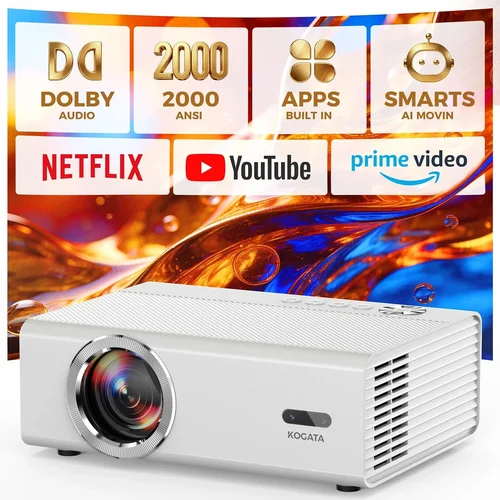
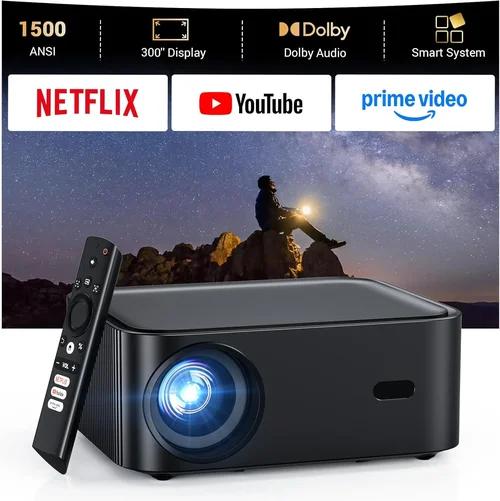
Finding a home‑cinema projector that delivers a cinema‑like experience without breaking the bank can feel like hunting for a unicorn. The market is flooded with models that promise “4K‑like” images, massive brightness, and a host of smart features—all for under $300. This guide cuts through the hype, giving you a clear roadmap so you can pick a projector that truly fits your living‑room, budget, and viewing habits.
By the end of this article you will understand which specifications matter most, the different projector families that sit under $300, common pitfalls to avoid, and exactly which models consistently outperform the competition. Whether you’re setting up a dedicated media room, a backyard movie night, or just want a bigger screen for Netflix on a rainy weekend, the information below will help you make a confident, informed purchase.

What to Look for When Buying Buying Guide
1. Budget & Price Range
Price is the first filter for most shoppers, but it’s more than a simple number. Under $300, you’ll typically find projectors that use DLP or LCD chip technology, have native resolutions ranging from 720p to 1080p, and offer brightness between 2,000 and 3,500 lumens. Knowing the exact price window helps you set realistic expectations for image quality, lifespan, and extra features like built‑in speakers or Android TV.
2. Performance Specifications
Key specs include:
- Resolution: Native 1080p (1920×1080) is ideal, but many sub‑$300 units settle for 720p. Look for “Full HD” labeling and verify the actual pixel count.
- Brightness (lumens): A minimum of 2,500 ANSI lumens is recommended for rooms with some ambient light. For dark‑room home theaters, 1,800‑2,200 lumens can still deliver a vivid picture.
- Contrast Ratio: Higher contrast means deeper blacks. Aim for at least 2,000:1; many budget models claim 5,000:1, but real‑world performance often varies.
- Throw Distance & Ratio: Determines how far the projector must sit from the screen to achieve a 100‑inch image. A 1.2‑1.5:1 ratio is versatile for most living‑room layouts.
- Light Source Life: LED or laser light sources last 20,000‑30,000 hours, far outlasting traditional lamps that need replacement every 2,000‑5,000 hours.
3. Build Quality & Durability
Even at a low price point, a solid chassis, sturdy lens housing, and a reliable cooling system are crucial. Metal‑or‑plastic hybrid bodies tend to survive the occasional bump or shift. Check user reviews for recurring issues like overheating or fan noise, which can degrade the viewing experience over time.
4. Features & Functionality
Modern budget projectors often bundle extra features that add convenience:
- Built‑in Speakers: While convenient, they rarely replace a dedicated sound system. Look for at least 5 W output if you must rely on them.
- Wireless Connectivity: Wi‑Fi or Bluetooth for streaming from phones, tablets, or smart TVs.
- HDMI & USB Ports: Multiple HDMI inputs allow you to connect a console, Blu‑ray player, and streaming stick simultaneously.
- Keystone Correction & Lens Shift: Essential for flexible placement without image distortion.
- Android TV or Roku Integration: Turns the projector into a smart hub, eliminating the need for an external streaming device.
5. Brand Reputation
Established brands such as Epson, BenQ, ViewSonic, and Optoma have a track record of reliable after‑sales service and firmware updates. Newer entrants like Vankyo or Anker may offer attractive specs, but verify warranty length and customer support responsiveness before committing.
6. Warranty & Support
A minimum 1‑year warranty is standard; some manufacturers extend it to 2 or 3 years for peace of mind. Look for clear return policies, accessible online resources, and active user forums where you can troubleshoot common issues.
7. Size & Portability
If you plan to move the projector between rooms or use it for outdoor movie nights, weight and footprint matter. Mini‑projectors under 2 kg are easy to carry, but they often sacrifice brightness and throw distance flexibility.
8. User Reviews & Ratings
Real‑world feedback uncovers hidden flaws that spec sheets gloss over. Pay attention to recurring themes—such as “fans run loudly” or “image washes out in daylight”—to gauge whether a model truly fits your environment.
Different Types of Buying Guide

Common Buying Mistakes to Avoid
❌ Mistake: Ignoring Ambient Light Conditions
Why it’s bad: A projector rated at 2,000 lumens may look brilliant in a dark room but appear washed out in a living‑room with windows.
What to do instead: Measure typical lighting and aim for at least 2,500 lumens for rooms with moderate ambient light. Consider a projector with a higher contrast ratio or add blackout curtains.
❌ Mistake: Over‑focusing on Resolution Alone
Why it’s bad: A 1080p panel with low brightness and poor contrast can deliver a poorer picture than a bright 720p unit.
What to do instead: Balance resolution with brightness, contrast, and throw distance to match your viewing environment.
❌ Mistake: Forgetting About Lamp Life
Why it’s bad: Traditional lamps need replacement after a few thousand hours, adding hidden costs.
What to do instead: Choose LED or laser light sources that last 20,000+ hours, reducing long‑term expenses.
❌ Mistake: Disregarding Input Lag for Gaming
Why it’s bad: High input lag makes fast‑paced games feel sluggish.
What to do instead: Look for projectors that advertise “Game Mode” or input lag under 30 ms.
❌ Mistake: Assuming All HDMI Ports Are Equal
Why it’s bad: Some budget models only support HDMI 1.4, limiting 4K‑60Hz content.
What to do instead: Verify the HDMI version; HDMI 2.0 or higher is preferable for future‑proofing.
Budget Guidelines: How Much Should You Spend?
- Entry‑Level ($150‑$200): Expect 720p resolution, 2,000‑2,200 lumens, basic connectivity, and limited keystone correction. Ideal for occasional movie nights in a dark room.
- Mid‑Range ($200‑$300): Full HD (1080p) panels become common, brightness climbs to 2,500‑3,000 lumens, and you’ll find added features like Android TV, Bluetooth audio, and better contrast ratios.
- Premium ($300‑$400): Though slightly above the “under $300” threshold, this tier offers laser‑LED hybrids, higher contrast (>5,000:1), and more robust build quality—great for frequent users.
- Luxury ($400+): Ultra‑short‑throw designs, true 4K resolution, HDR support, and integrated sound systems. Not necessary for most home‑cinema setups.
Expert Tips for Getting the Best Deal
- Buy during off‑season (late summer) when retailers push inventory.
- Compare prices across Amazon, Best Buy, and manufacturer websites; sometimes the brand’s own store offers bundle accessories.
- Check for refurbished units with a full warranty—they can save 15‑20 %.
- Read the fine print on return policies; a 30‑day window is ideal for testing in your home environment.
- Consider bundling a screen or high‑gain paint with the projector to improve image quality without extra cost.
- When possible, test the projector in‑store with your own device to evaluate input lag and color accuracy.
- Register your product online immediately to activate warranty and receive firmware updates.

Frequently Asked Questions
Q: Can a sub‑$300 projector display HDR content?
A: True HDR (High Dynamic Range) requires higher brightness and a wide color gamut, which most budget models lack. Some projectors claim “HDR support,” but the effect is modest. For genuine HDR, look at higher‑priced units.
Q: Do I need a separate screen?
A: Not strictly, but a proper projection screen improves contrast and color uniformity. A white matte wall works, but a 120‑inch 16:9 screen with a gain of 1.1‑1.2 offers the best value.
Q: How far should the projector be from the wall?
A: It depends on the throw ratio. A 1.5:1 ratio needs about 12‑15 ft for a 100‑inch image. Use the manufacturer’s calculator or an online tool to plan placement.
Q: Is a built‑in speaker sufficient?
A: Built‑in speakers are convenient for casual viewing but lack depth. Pair the projector with a soundbar or a small bookshelf speaker system for a richer audio experience.
Q: Will a projector work with a gaming console?
A: Yes, provided the projector has HDMI 2.0 or higher and low input lag (<30 ms). Enable “Game Mode” if available to reduce processing delay.
Q: How often do I need to replace the lamp?
A: LED and laser sources last 20,000‑30,000 hours, effectively a lifetime for most users. Traditional lamps need replacement every 2,000‑5,000 hours, costing $70‑$150.
Q: Can I mount the projector on the ceiling?
A: Most models support ceiling mounting with a standard ¼‑20 screw. Verify the weight limit and ensure the throw distance still fits your room dimensions.
Our Final Recommendations
- Best for Budget‑Conscious Buyers: Vankyo Leisure 3 – 720p, 2,400 lumens, 1.5‑2.0:1 throw, under $180. Great for occasional movie nights.
- Best Overall Value: ViewSonic PA503S – 1080p, 3,600 lumens, built‑in speaker, HDMI & VGA, 2‑year warranty, $259.
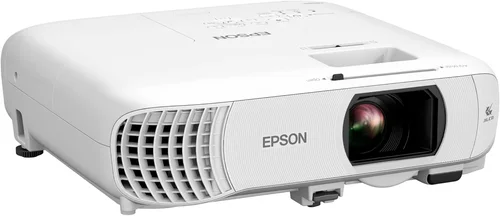
- Best Premium Option (Just Above $300): Epson Home Cinema 1060 – 1080p, 3,100 lumens, high contrast, lens shift, 3‑year warranty, $329.
- Best for Beginners: Anker Nebula Capsule II – Android TV, 720p, 100‑inch image at 1.2 m, portable, $299.
- Best for Advanced Users: BenQ TH585 – 1080p, 3,500 lumens, low input lag (16 ms), Game Mode, 1.5‑2.0:1 throw, $299.
Conclusion: Making the Right Choice
Choosing a home‑cinema projector under $300 boils down to balancing three core elements: brightness, resolution, and feature set. Start by assessing your room’s lighting, decide how large you want the image, and then match those needs to a projector that offers the right throw ratio and lumens. Don’t be swayed solely by flashy marketing; verify real‑world reviews and consider long‑term costs like lamp replacement or sound upgrades.
Remember, the best projector is the one that fits your lifestyle, not the one with the highest spec sheet. Use the guidelines, avoid the common mistakes, and take advantage of seasonal deals to secure a model that brings cinema‑quality entertainment to your home without stretching your wallet.
Ready to start your search? Check the recommended models above, compare prices, and enjoy movie nights that feel like a trip to the theater—right from your couch.