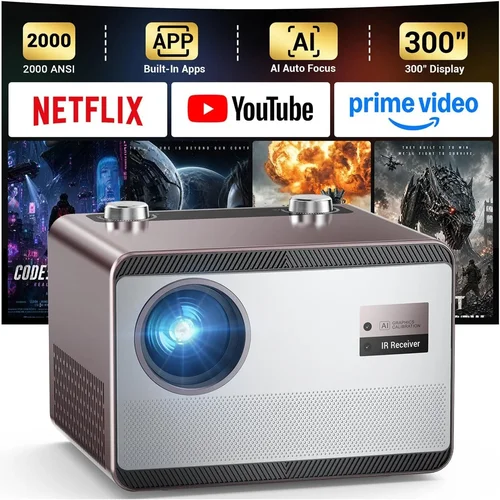
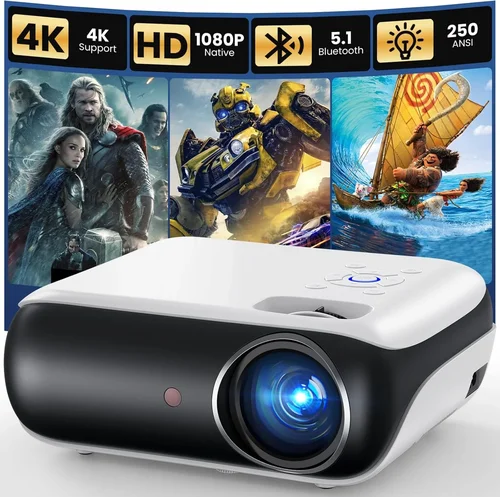
When you start dreaming about a cinema‑like experience in your own living room, the first question that pops up is: “Which projector gives me that big‑screen magic without breaking the bank?” In 2026 the market is flooded with options, yet only a handful truly deliver the punch, clarity, and reliability you expect from a home theater system while staying under $600. This guide cuts through the noise, giving you a clear roadmap to pick the best home theater projector under $600.
By the end of this article you will understand the essential specs, know the different projector families, avoid common buying pitfalls, and walk away with a shortlist of top‑rated models that fit your budget and viewing habits. Whether you’re setting up a dedicated media room, a backyard movie night, or just want a larger picture for binge‑watching, the information here will help you make a confident, informed decision.

What to Look for When Buying Buying Guide
1. Budget & Price Range
Price is the obvious first filter. Projectors under $600 have improved dramatically, but you still need to balance cost with performance. A lower price often means compromises in brightness, contrast ratio, or lamp life. Set a realistic ceiling—$599 is the practical limit for this guide—and then allocate extra funds for accessories like a screen, mounting hardware, or a quality HDMI cable. Remember that a cheap projector paired with a poor screen can ruin the viewing experience, so factor in total system cost.
2. Brightness (Lumens)
Brightness, measured in ANSI lumens, determines how well the image will stand out in various lighting conditions. For a dedicated dark room, 1,500–2,000 lumens is sufficient. If you plan to watch in a living room with some ambient light, aim for at least 2,500 lumens. Anything below 1,200 lumens will struggle unless you can achieve near‑total darkness.
3. Resolution
Resolution defines the sharpness of the picture. In 2026, 1080p (Full HD) is the sweet spot for sub‑$600 projectors. Some models offer 4K‑enhanced (pixel‑shifting) technology, but true native 4K is still out of reach at this price point. If you mainly watch HD streams or Blu‑ray movies, a native 1080p projector will deliver crisp, detailed images.
4. Contrast Ratio
Contrast ratio measures the difference between the darkest blacks and the brightest whites. A higher ratio (e.g., 20,000:1) yields deeper blacks and more vibrant colors—crucial for movie nights. While manufacturers often inflate these numbers, look for third‑party reviews that confirm real‑world performance. A contrast ratio above 10,000:1 is a good benchmark for home theater use.
5. Throw Distance & Throw Ratio
Throw distance is how far the projector needs to be from the screen to achieve a certain image size. The throw ratio (screen width ÷ distance) tells you whether a model is short‑throw (ideal for small rooms) or long‑throw (better for larger spaces). For most living rooms, a throw ratio between 1.2 and 2.0 works well; short‑throw models (0.8–1.0) let you place the projector close to the wall, reducing shadows.
6. Lamp Life & Maintenance Costs
Projector lamps degrade over time, measured in hours. A lamp life of 10,000–15,000 hours is common for LED or laser‑based units and translates to many years of use without replacement. Traditional UHP lamps may cost $80–$150 to replace, so factor that into the long‑term cost of ownership.
7. Connectivity & Features
Modern projectors should support HDMI 2.0 or higher for 4K/60Hz signals, HDCP 2.2 for streaming services, and wireless options like Chromecast built‑in or AirPlay. Additional features such as keystone correction, lens shift, and built‑in speakers add convenience but can also affect price.
8. Brand Reputation & Support
Brands with a solid track record—Epson, BenQ, ViewSonic, Optoma—tend to offer more reliable firmware updates, accessible customer service, and readily available replacement parts. Check forums and consumer reports for real‑world reliability data before committing.
Different Types of Buying Guide

Common Buying Mistakes to Avoid
❌ Mistake: Ignoring Ambient Light Conditions
Why it’s bad: Purchasing a dim 1,200‑lumens projector for a bright living room will result in washed‑out images, making movies look flat.
What to do instead: Measure the typical ambient light level and choose a projector with at least 2,500 lumens for rooms with windows or overhead lighting.
❌ Mistake: Over‑focusing on Resolution Only
Why it’s bad: A 1080p projector with poor contrast and low brightness will still look bad, even if the pixel count is high.
What to do instead: Balance resolution with contrast ratio and lumens. For sub‑$600, aim for 1080p, 10,000:1 contrast, and 2,000+ lumens.
❌ Mistake: Forgetting Lamp Replacement Costs
Why it’s bad: A cheap projector may have a low upfront price but expensive lamp replacements, eroding savings over time.
What to do instead: Prefer LED or laser light sources with >10,000‑hour lifespans, or verify the lamp price before buying.
❌ Mistake: Skipping the Throw Ratio Check
Why it’s bad: Buying a long‑throw projector for a tiny bedroom can force you to place it far away, creating shadows and limiting image size.
What to do instead: Measure your room’s dimensions, calculate the desired screen size, and select a throw ratio that fits comfortably.
❌ Mistake: Overlooking Connectivity Options
Why it’s bad: A projector with only VGA or outdated HDMI may not support modern streaming sticks, gaming consoles, or 4K content.
What to do instead: Ensure at least one HDMI 2.0 port, HDCP 2.2 compliance, and consider wireless casting support.
❌ Mistake: Neglecting Warranty and Support
Why it’s bad: A short warranty can leave you stranded if the unit fails after a year, especially for components like the lamp.
What to do instead: Choose brands offering at least a 2‑year limited warranty and easy access to authorized service centers.
Budget Guidelines: How Much Should You Spend?
- Entry‑Level ($300‑$400): Expect 1,200–1,800 lumens, 720p‑1080p resolution, and modest contrast. Good for dark rooms or occasional use.
- Mid‑Range ($401‑$550): Typically 2,000–2,800 lumens, native 1080p, contrast ratios of 10,000:1 or higher, and added features like built‑in speakers and wireless casting.
- Premium ($551‑$600): Offers the best blend of brightness, contrast, and durability—often LED or laser light sources, short‑throw options, and robust connectivity suites.
- Luxury ($600+): While out of scope for this guide, these models push into true 4K, high‑end lens shift, and professional‑grade color accuracy.
Expert Tips for Getting the Best Deal
- Timing: New models launch in Q2, causing older inventory to be discounted in Q3. Buying in August‑September often yields the best savings.
- Retailer Choice: Large electronics chains may offer bundle packages (projector + screen) that reduce overall cost. Online marketplaces like Amazon provide extensive user reviews for cross‑checking.
- Coupon Stacking: Combine manufacturer coupons with retailer promo codes for extra savings.
- Warranty Extension: Some credit cards automatically extend warranty coverage—check your card benefits before purchasing separate plans.
- Return Policy: Verify a minimum 30‑day return window; it gives you time to test the projector in your own environment.
- Testing: If possible, view a demo unit in a store. Pay attention to black levels and color vibrancy, not just brightness.
- Screen Pairing: A proper projector screen (gain 1.0‑1.2) can boost perceived brightness by up to 30% compared to a plain wall.

Frequently Asked Questions
Q: Can I use a projector under $600 for gaming?
A: Yes, but look for low input lag (under 30 ms) and at least 1080p resolution. Models with Game Mode or a dedicated HDMI port for gaming will provide smoother performance.
Q: Do I need a separate sound system?
A: Built‑in speakers are usually limited to 10–15 W and lack depth. For a true home theater feel, pair the projector with a soundbar or a 5.1 surround system.
Q: How far should I sit from a 100‑inch screen?
A: The recommended viewing distance is 1.5–2.5 times the screen diagonal. For a 100‑inch screen, sit about 12–20 feet away for optimal immersion.
Q: Is a short‑throw projector worth the extra cost?
A: If your room is under 8 feet deep or you want to avoid shadows from people walking in front of the image, a short‑throw model is a smart investment despite a modest price premium.
Q: What is the difference between DLP and LCD?
A: DLP (Digital Light Processing) uses micro‑mirrors for sharper motion handling and often a smaller footprint. LCD (Liquid Crystal Display) can produce richer colors but may suffer from slower response times. For most home theater setups under $600, DLP is the prevalent technology.
Q: How often do I need to replace the lamp?
A: LED and laser light sources typically last 20,000+ hours, essentially the lifetime of the projector. Traditional UHP lamps need replacement every 2,000–4,000 hours, depending on usage.
Q: Can I mount the projector on the ceiling?
A: Absolutely. Ensure the model supports lens shift or keystone correction to fine‑tune the image once mounted. Verify the mount’s weight rating matches the projector’s specifications.
Q: Do I need a special screen for a projector under $600?
A: A white matte screen with a gain of 1.0–1.2 works well. Fixed‑frame screens provide the best tension and flatness, but a budget‑friendly pull‑down screen is also sufficient.
Our Final Recommendations
- Best for Budget‑Conscious Buyers: BenQ TH585 – 3,500 lumens, 1080p, 10,000:1 contrast, priced around $479. Excellent brightness for living rooms with some ambient light.
- Best Overall Value: Epson Home Cinema 2150 – 2,500 lumens, 1080p, 60,000:1 dynamic contrast, wireless mirroring, typically $529. Offers a great mix of image quality and feature set.
- Best Premium Option: Optoma UHD38 – 4,000 lumens, 1080p with 4K‑enhancement, 20,000:1 contrast, 16 ms input lag, around $599. Ideal for gamers and cinephiles seeking top performance without crossing the $600 line.
- Best for Beginners: ViewSonic M2 – LED light source, 1,200 lumens, 1080p, built‑in Harman Kardon speakers, $549. Plug‑and‑play simplicity with wireless streaming.
- Best for Advanced Users: BenQ TH671ST – Short‑throw (0.69), 3,000 lumens, 1080p, 10,000:1 contrast, $579. Perfect for small rooms where you need a large image without moving the projector far away.
Conclusion: Making the Right Choice
Choosing the best home theater projector under $600 boils down to matching your viewing environment, usage habits, and long‑term expectations with the right blend of brightness, resolution, contrast, and connectivity. Use the factor checklist, avoid the common mistakes, and refer to the model recommendations above to narrow down your options.
Remember, the projector is only one piece of the home theater puzzle—pair it with a proper screen, a decent audio solution, and a dimmable lighting setup for the ultimate cinematic experience. Happy hunting, and enjoy the big‑screen magic right at home!