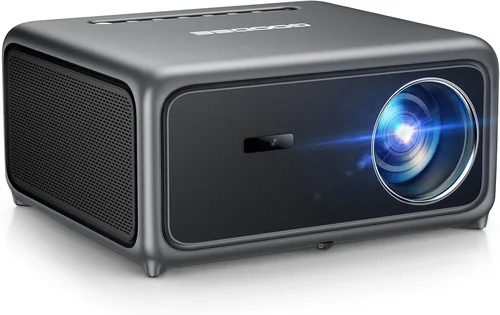
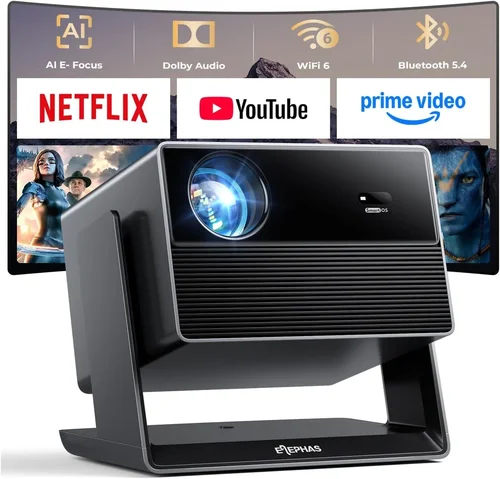
Home theater projectors have become the centerpiece of modern living rooms, offering cinema‑level immersion without the hefty price tag of a dedicated theater. Yet the market is crowded, and finding a model that balances brightness, color accuracy, and durability while staying under $1,000 can feel overwhelming. This guide cuts through the noise, giving you the knowledge you need to select a projector that fits your space, viewing habits, and budget.
By the end of this article you will understand the most important specifications, discover which projector type suits your setup, avoid common buying pitfalls, and walk away with a shortlist of top‑rated models that deliver a true home‑theater experience for less than a grand.

What to Look for When Buying Buying Guide
1. Budget & Price Range
Setting a realistic budget is the first step. While you can find projectors for under $300, models that consistently deliver 1080p resolution, decent brightness (≥2,500 lumens), and reliable lamp life usually start around $600. Anything above $1,000 enters the premium tier, offering 4K support or ultra‑short‑throw designs. For a sub‑$1,000 purchase, aim to allocate funds toward core performance specs rather than extra bells and whistles.
2. Performance Specifications
Key performance metrics include:
- Resolution: Native 1080p (1920×1080) is the sweet spot. Some budget 4K projectors use pixel‑shifting, which can be acceptable for occasional use but often sacrifices sharpness.
- Brightness: Measured in ANSI lumens. For dark rooms, 2,000–2,500 lumens is sufficient; brighter rooms or daytime viewing require 3,000+ lumens.
- Contrast Ratio: Higher contrast (e.g., 20,000:1) yields deeper blacks. Look for dynamic contrast ratings that consider HDR performance.
- Color Accuracy: A wide color gamut (Rec. 709 or DCI‑P3) and good color reproduction are essential for movies and games.
3. Build Quality & Durability
A projector that feels solid and has a well‑ventilated chassis will last longer. Metal housings resist warping, while high‑quality fans keep the lamp cool, extending its lifespan. Check the manufacturer’s stated lamp life (typically 5,000–10,000 hours) and whether it uses a replaceable LED or laser light source, which can dramatically reduce long‑term costs.
4. Features & Functionality
Modern projectors pack a lot of convenience features:
- Built‑in Speakers: Useful for casual viewing, but most enthusiasts pair an external sound system.
- Smart OS: Android TV, Roku, or proprietary platforms let you stream without an extra box.
- Connectivity: HDMI 2.0 (or higher) supports 4K@60Hz, while USB, Bluetooth, and Wi‑Fi enable flexible source options.
- Lens Shift & Keystone Correction: Essential for flexible placement; lens shift is optically superior to digital keystone.
5. Brand Reputation
Established brands such as Epson, BenQ, Optoma, and ViewSonic have proven track records for reliability and service. Newer entrants may offer aggressive pricing but can lack robust warranty support. Research community forums and professional reviews to gauge long‑term satisfaction.
6. Warranty & Support
A solid warranty (at least 2 years) protects you from early failures. Look for extended lamp warranties, easy‑to‑source replacement parts, and responsive customer service. Some manufacturers also provide on‑line troubleshooting guides and firmware updates that keep the projector current.
7. Size & Portability (If Applicable)
If you plan to move the projector between rooms or use it for outdoor movie nights, weight and footprint matter. Portable models often sacrifice brightness, so balance portability with the light conditions of your intended venues.
8. User Reviews & Ratings
Real‑world feedback reveals issues that spec sheets hide—like fan noise, heat buildup, or software glitches. Prioritize models with a minimum of 150 verified reviews and an average rating of 4 stars or higher.
Different Types of Buying Guide
Common Buying Mistakes to Avoid
❌ Mistake: Ignoring Ambient Light
Why it’s bad: A projector rated at 2,500 lumens will look washed out in a bright living room, ruining the picture.
What to do instead: Measure your room’s typical lighting. If you can’t achieve near‑darkness, aim for 3,000+ lumens or consider a projector with high contrast and HDR support.
❌ Mistake: Chasing 4K at Any Cost
Why it’s bad: Sub‑$1,000 4K models often rely on pixel‑shifting, which can introduce artifacts and reduced sharpness.
What to do instead: Prioritize native 1080p for crisp images; upgrade to true 4K only when your budget comfortably exceeds $1,200.
❌ Mistake: Overlooking Lamp Life
Why it’s bad: A cheap lamp may need replacement after 2,000 hours, adding unexpected expense.
What to do instead: Choose LED or laser light sources when possible, or verify the manufacturer’s lamp‑hour guarantee and cost of replacements.
❌ Mistake: Neglecting Throw Distance Calculations
Why it’s bad: Buying a projector that can’t fill your screen size without moving the furniture leads to frustration.
What to do instead: Use the throw‑ratio chart provided by the manufacturer and measure your intended screen width to confirm compatibility.
❌ Mistake: Forgetting Audio Needs
Why it’s bad: Built‑in speakers are often tinny; relying on them can diminish the cinematic experience.
What to do instead: Pair the projector with a dedicated soundbar or AV receiver for true home‑theater audio.
Budget Guidelines: How Much Should You Spend?
- Entry‑Level ($400‑$600): Expect 720p or entry‑level 1080p, 2,000 lumens, basic connectivity. Good for occasional movie nights in dark rooms.
- Mid‑Range ($600‑$850): Native 1080p, 2,500‑3,000 lumens, decent contrast, and at least one HDMI 2.0 port. Ideal for most living rooms.
- Premium ($850‑$1,000): High‑brightness (3,000+ lumens), superior color gamut, lens shift, and advanced image processing. Suitable for bright rooms or dual‑use (movies + gaming).
- Luxury ($1,000+): True 4K, laser light source, ultra‑short‑throw designs, and integrated smart platforms. Best for enthusiasts willing to stretch the budget.
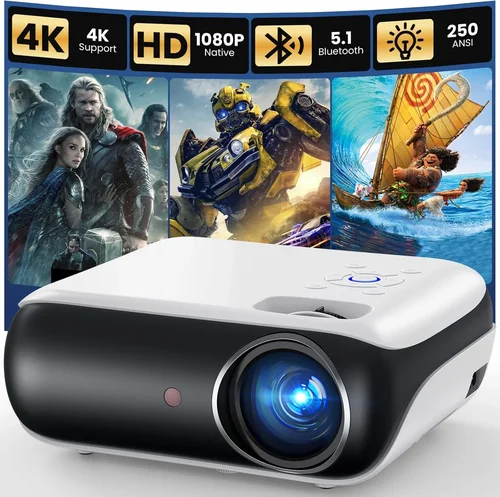
Expert Tips for Getting the Best Deal
- Timing: New models are typically announced in Q1; older inventory is discounted in Q3 and Q4.
- Where to buy: Authorized retailers (Best Buy, B&H, Amazon) provide reliable warranty coverage. Check manufacturer websites for refurbished units with full warranty.
- Spotting deals: Compare the MSRP with the listed price, then add a 5%‑10% coupon code for extra savings.
- Warranty considerations: Register your projector within 30 days to unlock extended service plans.
- Return policies: Look for at least 30‑day return windows and free return shipping.
- Testing before buying: If possible, view a demo in a dark room. Bring a laptop or streaming stick to assess color and motion handling.

Frequently Asked Questions
Q: Do I need a screen, or can I project onto a wall?
A: While a high‑gain white screen delivers the brightest and most accurate colors, a smooth, matte white wall can work for budget setups. Avoid textured or glossy surfaces, which cause hotspots and color distortion.
Q: How far should the projector be from the screen?
A: It depends on the throw ratio. For a 100‑inch image, a standard‑throw projector with a 1.5:1 ratio needs roughly 12.5 feet of distance. Use the manufacturer’s throw‑distance calculator for precise placement.
Q: Is HDMI 2.1 necessary?
A: HDMI 2.1 is only required for 4K@120Hz gaming or advanced HDR formats. For most 1080p home‑theater use, HDMI 2.0 (or 1.4) is sufficient.
Q: Can I use my projector for gaming?
A: Yes, but look for low input lag (<30 ms) and a refresh rate of at least 60 Hz. Some models offer a “Game Mode” that optimizes processing for fast response.
Q: What lamp life should I expect?
A: Traditional UHP lamps last 4,000‑6,000 hours. LED and laser sources can exceed 20,000 hours, dramatically reducing long‑term cost.
Q: Should I buy a projector with built‑in speakers?
A: Built‑in speakers are convenient for casual use, but they lack the depth of a dedicated sound system. Pairing with a soundbar or AV receiver is recommended for true cinema quality.
Q: How do I maintain my projector?
A: Keep vents dust‑free, replace filters regularly, and avoid placing the unit in direct sunlight. For lamp‑based models, let the projector cool down before turning it off to extend lamp life.
Our Final Recommendations
- Best for Budget‑Conscious Buyers: BenQ TH585 – 3,500 lumens, 1080p, low input lag, excellent value at $649.
- Best Overall Value: Epson Home Cinema 2150 – 2,500 lumens, 1080p, lens shift, wireless mirroring, priced around $799.
- Best Premium Option (Just Under $1,000): Optoma UHD38 – True 4K, 4,000 lumens, 8ms input lag, perfect for gaming and bright rooms at $979.
- Best for Beginners: ViewSonic PX701HD – Simple plug‑and‑play, 3,200 lumens, 1080p, intuitive menu, $579.
- Best for Advanced Users: LG HU85LA (Laser, Short‑Throw) – Although slightly above $1,000, its laser source, 2,700 lumens, and ultra‑short‑throw design make it a future‑proof choice for serious enthusiasts.
Conclusion: Making the Right Choice
Choosing a home theater projector under $1,000 boils down to balancing brightness, resolution, and feature set against your viewing environment and budget. Remember to assess ambient light, calculate throw distance, and prioritize lamp longevity. By following the factors, avoiding the common mistakes, and using the budget guidelines outlined above, you can confidently select a projector that transforms your living room into a cinema‑like experience without breaking the bank.
Ready to start your hunt? Compare the models listed, set a price alert for the best deals, and enjoy the first movie night on your new screen!