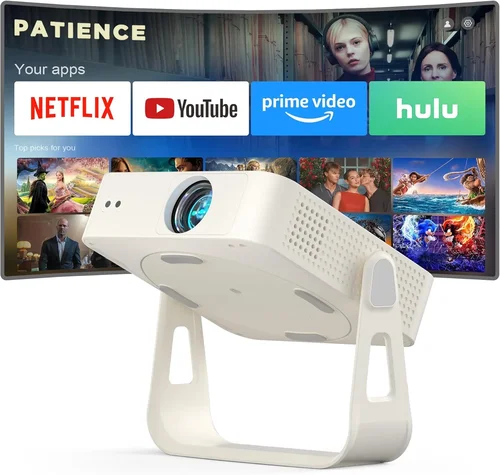
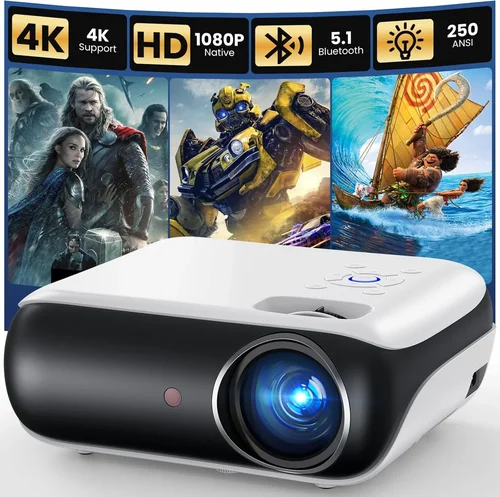
Finding a home‑theater projector that delivers a cinema‑like experience without breaking the bank can feel like hunting for a needle in a haystack. Prices have dropped dramatically over the past few years, yet the market is flooded with models that promise “4K,” “HDR,” or “laser light,” often at a price point well above $500. This guide cuts through the noise, focusing on the best home theater projectors you can buy for under $500 in 2026. Whether you’re setting up a dedicated media room, a backyard movie night, or a compact living‑room setup, the information here will help you make a confident, informed purchase.
In the pages that follow you’ll learn how to evaluate key specs, understand which projector type fits your space, avoid common buying pitfalls, and stretch every dollar for maximum performance. We also break down budget tiers, share insider tips on scoring the best deals, and answer the most frequently asked questions about budget projectors. By the end, you’ll know exactly which model aligns with your needs and how to get the most out of it.
The projector market today is more diverse than ever. LED and laser light sources are challenging traditional lamp‑based units, while improvements in contrast ratio and color accuracy are making low‑cost models surprisingly capable. However, compromises still exist—especially in brightness and built‑in audio. Understanding these trade‑offs is the first step toward a satisfying home‑theater experience that stays under $500.

What to Look for When Buying Buying Guide
1. Budget & Price Range
Price is the most obvious filter, but it also determines which technologies are realistically available. Under $500, you’ll mostly encounter DLP or LCD panels paired with LED or short‑life lamps. Expect trade‑offs in brightness (usually 2,000‑3,000 lumens) and native resolution (often 1080p or 720p). Set a hard ceiling, then allocate a portion of that budget for accessories such as a proper screen, mounting hardware, and cables.
2. Performance Specifications
Key performance metrics include:
- Resolution: Native 1080p (1920×1080) is ideal; 720p is acceptable for smaller screens.
- Brightness: Measured in ANSI lumens; 2,500+ is a safe minimum for rooms with some ambient light.
- Contrast Ratio: Higher contrast delivers deeper blacks. Look for at least 10,000:1.
- Color Gamut: A wider color space (e.g., DCI‑P3) improves HDR performance, though budget models rarely cover the full spectrum.
- Throw Distance: Determines how far the projector must be from the screen to achieve a given image size.
3. Build Quality & Durability
Even a $300 projector should feel solid. Check for a metal chassis, robust cooling fans, and a reliable lens housing. A well‑engineered projector will stay aligned, resist overheating, and survive occasional moves.
4. Features & Functionality
Modern projectors bundle useful extras. Prioritize:
- Built‑in Speakers: Most budget units have modest 5‑10 W speakers—good for casual viewing, but not a substitute for a sound system.
- Connectivity: HDMI 2.0 or higher, USB, Bluetooth, and Wi‑Fi are common. Multiple HDMI ports allow you to switch between a console and a streaming box.
- Keystone Correction & Lens Shift: Essential for flexible placement; digital keystone can degrade image quality, so optical shift is preferable.
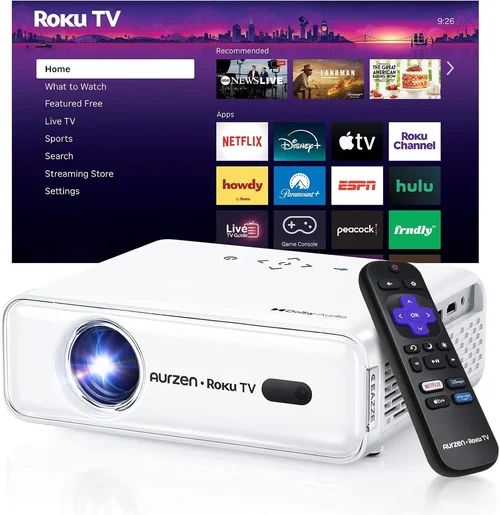
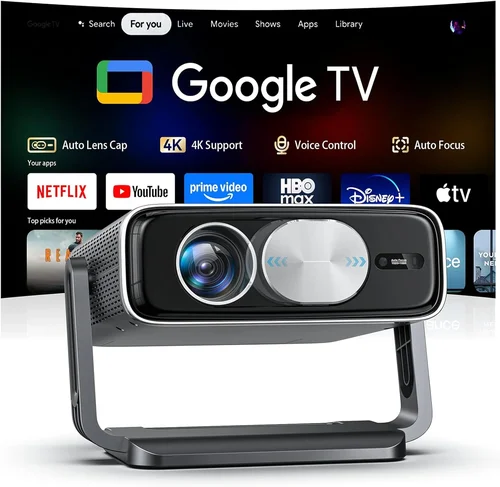
- Smart Features: Some models include Android TV or Roku integration, eliminating the need for an external streaming device.
5. Brand Reputation
Established brands (Epson, BenQ, Optoma, ViewSonic) tend to provide more reliable firmware updates and better customer support. Newer entrants may offer innovative features at a lower price but can lack long‑term service networks.
6. Warranty & Support
Look for at least a one‑year warranty covering the lamp or LED light source. Extended warranties are often worth the extra cost, especially if you plan heavy usage. Verify the brand’s support channels—live chat, phone, and community forums can be lifesavers.
7. Size & Portability
If you need a projector you can move between rooms or take on the road, weight and footprint matter. Portable models often sacrifice brightness and lens shift, so balance portability with performance needs.
8. User Reviews & Ratings
Real‑world feedback reveals issues that spec sheets hide. Look for consistent themes in reviews—e.g., “overheats after 2 hours” or “great picture but flimsy remote.” Pay attention to verified purchases on sites like Amazon, Best Buy, and dedicated AV forums.
Different Types of Buying Guide

Common Buying Mistakes to Avoid
❌ Mistake: Buying Based Only on Price
Why it’s bad: The cheapest option often lacks essential features like adequate brightness or a reliable lamp life, leading to frustration.
What to do instead: Set a realistic budget ceiling, then prioritize specs that matter most for your environment (e.g., lumens for a bright living room).
❌ Mistake: Ignoring Throw Distance
Why it’s bad: A projector that needs to sit 12 feet away will be useless in a 6‑foot living room.
What to do instead: Measure your space, calculate the required throw ratio, and choose a model (short‑throw or standard) that fits.
❌ Mistake: Overlooking Connectivity
Why it’s bad: Without the right ports you may need extra adapters, adding cost and potential signal loss.
What to do instead: Make a list of devices (gaming console, streaming stick, sound system) and ensure the projector has compatible inputs.
❌ Mistake: Assuming Built‑In Speakers Are Sufficient
Why it’s bad: Most budget projectors have tinny, low‑power speakers that cannot reproduce cinematic sound.
What to do instead: Plan for external audio—soundbars or a modest AV receiver—especially for movies.
❌ Mistake: Forgetting About Lamp/LED Lifespan
Why it’s bad: Replacing a lamp can cost $80‑$150, eroding the savings of a cheap projector.
What to do instead: Choose LED or laser models with 20,000+ hour lifespans, or verify the lamp warranty length.
❌ Mistake: Neglecting Room Light Conditions
Why it’s bad: A 2,000‑lumens projector will look washed out in a sunny room.
What to do instead: Assess ambient light levels and aim for higher brightness or add blackout curtains.
❌ Mistake: Skipping User Reviews
Why it’s bad: Specs don’t reveal software bugs, remote‑control quirks, or noise levels.
What to do instead: Read multiple verified reviews and pay attention to recurring issues.
Budget Guidelines: How Much Should You Spend?
- Entry-Level ($250‑$300): Expect 720p resolution, 2,000 lumens, and basic HDMI connectivity. Good for occasional movie nights in dark rooms.
- Mid‑Range ($301‑$450): Typically 1080p, 2,500‑3,000 lumens, better contrast, and added features like lens shift or basic smart OS.
- Premium ($451‑$500): Near‑top of the budget bracket; may include higher brightness, superior color accuracy, and more robust build quality.
- Luxury ($501+): Outside the scope of this guide, but worth noting for readers who might stretch their budget for laser light sources and true 4K.
Expert Tips for Getting the Best Deal
- Timing: New projector releases usually happen in Q2. Purchasing a few months later can yield discounts on the previous generation.
- Where to Buy: Compare Amazon, B&H Photo, and manufacturer websites. Retailers sometimes bundle a screen or extra cable for free.
- Spotting Deals: Look for “open‑box” or “refurbished” listings from reputable sellers—these are often as good as new with a reduced price.
- Warranty Considerations: Register your projector immediately for extended coverage. Some brands extend warranty if you purchase through authorized dealers.
- Return Policies: Verify a 30‑day return window with free shipping; this gives you a safety net to test the unit in your space.
- Testing Before Buying: If possible, view a demo unit in a store. Pay attention to uniformity, color bleeding, and fan noise.
- Bundling Accessories: A proper screen (gain 1.0–1.2) dramatically improves perceived contrast and brightness compared to a painted wall.

Frequently Asked Questions
Q: Can I get a true 4K projector under $500?
A: True native 4K panels are still expensive; most sub‑$500 models use “4K‑enhanced” processing on a 1080p chip. They upscale content but don’t deliver true 4K detail.
Q: How long does the lamp last in a budget projector?
A: Traditional lamps last 2,000‑3,000 hours. LED or laser light sources, which are common in newer budget units, can exceed 20,000 hours, effectively lasting the life of the projector.
Q: Do I need a separate screen?
A: While you can project onto a white wall, a dedicated screen improves brightness uniformity and color accuracy, especially in rooms with ambient light.
Q: Is a short‑throw projector worth the extra cost?
A: If you have limited distance from the wall, a short‑throw unit prevents image distortion and allows a larger screen without moving furniture. Expect to pay $50‑$100 more than a standard throw model.
Q: Will HDMI 2.0 support HDR on a $500 projector?
A: Some mid‑range models include HDR10 support, but the limited brightness may prevent a truly impactful HDR experience. Expect modest improvement over SDR.
Q: How important is contrast ratio?
A: High contrast (10,000:1 or more) yields deeper blacks, essential for movies. In bright rooms, contrast matters less than brightness.
Q: Can I use a projector for gaming?
A: Yes, as long as the projector supports at least 60 Hz refresh rate and low input lag (under 30 ms). Many budget units now list “Game Mode” to reduce lag.
Q: Do I need a ceiling mount?
A: Ceiling mounting provides optimal alignment and reduces keystone correction, preserving image quality. If you can’t mount, a sturdy tripod with adjustable height works.
Q: Are portable pico projectors viable for home theater?
A: Pico projectors are convenient but typically limited to 720p and 1,500 lumens, making them best for small, dark rooms or casual use.
Our Final Recommendations
Best for Budget‑Conscious Buyers: ViewSonic PA503W – 3,600 lumens, 720p, HDMI & VGA, solid build, under $250.
Best Overall Value: BenQ TH585 – 1080p, 3,500 lumens, low input lag (16 ms), built‑in speaker, priced at $449.
Best Premium Option (just under $500): Optoma GT1080HDR – 1080p, 3,800 lumens, short‑throw, HDR10, 8 ms input lag, $489.
Best for Beginners: Epson Home Cinema 1060 – Easy setup, 1080p, 3,100 lumens, automatic keystone, $399.
Best for Advanced Users: LG PF50KA – LED, 1080p, 600 lumens (ideal for dark rooms), wireless screen share, Android TV, $479.
Conclusion: Making the Right Choice
Choosing a home theater projector under $500 is less about finding the cheapest unit and more about matching the right features to your viewing environment. Remember to assess brightness, resolution, throw distance, and connectivity before you click “add to cart.” Use the budget tiers as a roadmap, avoid the common pitfalls listed above, and leverage the expert tips to snag the best possible deal.
When you focus on what truly matters—room lighting, screen size, and your primary use case—you’ll end up with a projector that delivers immersive movie nights without stretching your wallet. Happy viewing, and may your first binge‑watch be unforgettable!