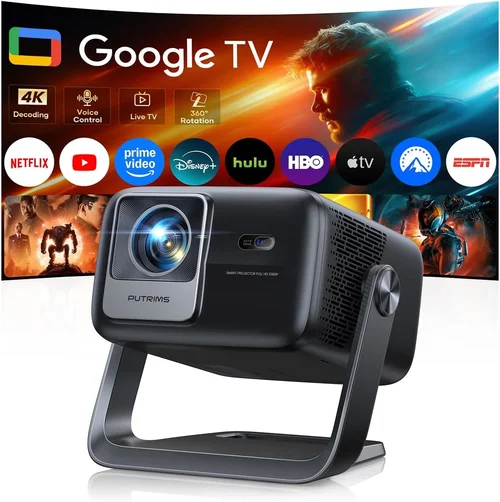
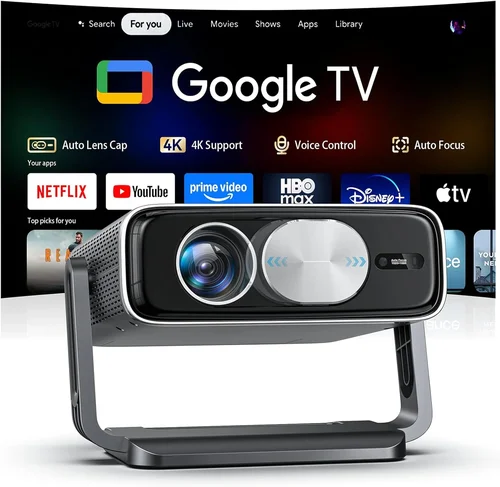
Finding a cinema‑quality experience without blowing your budget is a challenge many home‑entertainment lovers face. The market is flooded with high‑end models that cost a small fortune, yet there is a growing selection of capable projectors that sit comfortably under $500. This guide cuts through the noise, giving you the knowledge you need to pick a projector that delivers bright, sharp images without sacrificing reliability.
In the pages that follow you will learn what technical specs truly matter, how to match a projector to your room, and which models consistently outperform the competition. By the end, you’ll be equipped to make a confident purchase that turns movie nights, gaming sessions, and sports marathons into unforgettable events.
The home‑theater projector landscape has evolved dramatically over the past few years. LED and laser light sources have become more affordable, offering longer lifespans and better color accuracy than traditional lamps. Meanwhile, manufacturers have improved throw ratios, built‑in speakers, and smart‑TV integration—all at price points that were unheard of a decade ago. Understanding these advances is essential for anyone shopping under $500.

What to Look for When Buying Buying Guide
1. Budget & Price Range
Even within the sub‑$500 segment, prices can vary widely based on features and brand reputation. Set a firm ceiling—say $450—to leave room for accessories such as a screen, mounting hardware, or a short‑throw lens. Remember that the cheapest option may lack essential performance metrics like brightness or contrast, leading to frustration down the line.
2. Performance Specifications
Key specs include:
- Brightness (lumens): For a dark home theater, 1,500–2,200 lumens is adequate. If you plan to watch in a living‑room with ambient light, aim for 2,500 lumens or higher.
- Resolution: Native 1080p (Full HD) is the sweet spot under $500. Some 4K‑enhanced models upscale, but they cannot match true 4K detail.
- Contrast Ratio: Higher contrast yields deeper blacks. Look for a ratio of at least 10,000:1; many budget units achieve this through dynamic contrast technologies.
- Throw Ratio: Determines how far the projector must sit from the screen. Short‑throw (0.8–1.2) is ideal for small rooms; standard throw (1.5–2.0) works in larger spaces.
3. Build Quality & Durability
Projectors in this price bracket often use plastic housings to keep costs down. Check for sturdy hinges, a well‑sealed lamp compartment, and a reliable cooling fan. Models with metal frames or reinforced chassis tend to survive the rigors of frequent moving and installation.
4. Features & Functionality
Consider the following add‑ons:
- Built‑in Speakers: While most budget projectors have modest audio, a 10‑20 W speaker can suffice for casual viewing.
- Connectivity: HDMI 2.0 is a must; HDMI ARC or HDMI‑CEC adds convenience. USB‑C, Wi‑Fi, and Bluetooth are bonuses for streaming.
- Smart Platform: Some models run Android TV or Roku, eliminating the need for an external streaming box.
- Lens Shift & Keystone Correction: Essential for flexible placement without image distortion.
5. Brand Reputation
Established brands such as Epson, BenQ, ViewSonic, and Optoma tend to offer better firmware support and more readily available replacement parts. Newer entrants can surprise with innovation, but research their after‑sales track record before committing.
6. Warranty & Support
A minimum 1‑year warranty is standard; 2‑year coverage indicates confidence in product durability. Verify whether the warranty covers the light source, as lamp replacements can be costly even on LED models.
7. Size & Portability
If you plan to move the projector between rooms or take it outdoors, weight and footprint matter. Portable pico‑projectors under 2 kg are available, but they often sacrifice brightness. Balance portability with the viewing experience you desire.
8. User Reviews & Ratings
Real‑world feedback uncovers issues that spec sheets hide. Look for consistent praise on image quality and reliable customer service. A pattern of complaints about overheating or firmware glitches should raise red flags.
Different Types of Buying Guide

Common Buying Mistakes to Avoid
❌ Mistake: Ignoring Ambient Light Conditions
Why it’s bad: A projector rated at 1,500 lumens will look fantastic in a dark room but appear washed out in a bright living area.
What to do instead: Measure typical ambient light levels and choose a model with at least 2,500 lumens if you cannot fully darken the space.
❌ Mistake: Overlooking Throw Ratio
Why it’s bad: Buying a standard‑throw projector for a 6‑ft room may force you to place it too far back, resulting in a tiny image.
What to do instead: Calculate the required throw distance (screen width × throw ratio) and verify the projector fits your mounting options.
❌ Mistake: Assuming All 1080p Projectors Are Equal
Why it’s bad: Some budget models use pixel‑shifting or lower‑quality panels, leading to softness and color banding.
What to do instead: Look for native Full HD panels with DLP or LCD technology from reputable manufacturers.
❌ Mistake: Forgetting About Lamp/Light‑Source Life
Why it’s bad: Replacing a traditional lamp can cost $80‑$120, eroding the savings of a cheap projector.
What to do instead: Prioritize LED or laser light sources that promise 20,000+ hours of use.
❌ Mistake: Neglecting Connectivity Needs
Why it’s bad: A projector with only one HDMI port forces you to constantly swap cables between a console and a streaming stick.
What to do instead: Choose a unit with at least two HDMI inputs, plus USB or Bluetooth for extra flexibility.
❌ Mistake: Buying Without Testing
Why it’s bad: Image quality can vary dramatically depending on the screen material and room acoustics.
What to do instead: Visit a local electronics store, view the projector on a proper screen, and listen to the built‑in speakers before purchasing.
Budget Guidelines: How Much Should You Spend?
- Entry‑Level ($300‑$350): Expect 1,200–1,800 lumens, basic LCD panel, limited connectivity. Good for occasional movie nights in a dark room.
- Mid‑Range ($351‑$450): Brightness climbs to 2,200–2,800 lumens, native 1080p, better contrast, and often includes a short‑throw option.
- Premium ($451‑$500): LED or laser light source, enhanced color accuracy (Rec. 709), dual HDMI, and integrated smart OS.
- Luxury ($500+): While beyond the scope of this guide, high‑end models push 4K resolution and HDR10+ at a significant price jump.
Expert Tips for Getting the Best Deal
- Timing: Late summer often sees inventory clearance as manufacturers prepare for the holiday lineup.
- Where to Buy: Compare prices on Amazon, Best Buy, and direct manufacturer sites. Some retailers offer bundle packages that include a screen or wall mount.
- Spotting Deals: Look for “refurbished” units with a full warranty—these are often like‑new and priced 15‑25% lower.
- Warranty Considerations: Register the product immediately to unlock extended coverage options.
- Return Policies: Choose sellers with at least a 30‑day return window; this gives you time to test in your actual environment.
- Testing Before Buying: Bring a laptop or streaming stick to the store to evaluate HDMI performance and color rendering.
- Screen Choice: Pair your projector with a 120‑inch matte white screen for optimal brightness and minimal hotspot.
- Future‑Proofing: Opt for HDMI 2.0 or higher to ensure compatibility with upcoming 4K content and higher frame‑rate gaming.

Frequently Asked Questions
Q: Can I use a budget projector for gaming?
A: Absolutely, provided the model offers low input lag (ideally under 30 ms) and a refresh rate of 60 Hz or higher. Many mid‑range 1080p projectors meet these criteria, especially those marketed toward gamers.
Q: Do I need a separate sound system?
A: Built‑in speakers are adequate for casual viewing, but for a true theater experience you’ll want external speakers or a soundbar. Connect via HDMI ARC or optical audio if the projector supports it.
Q: How far away should the projector be from the screen?
A: Use the formula: Throw Distance = Screen Width × Throw Ratio. For a 100‑inch (≈88 in) screen with a 1.5 throw ratio, you’ll need about 11 ft of distance.
Q: Is a 4K‑enhanced projector worth it?
A: Under $500, 4K‑enhanced units rely on pixel‑shifting and cannot match true 4K detail. If you crave genuine 4K, you’ll need to stretch the budget or wait for prices to drop.
Q: What is the difference between LCD and DLP?
A: LCD panels typically deliver richer colors and smoother gradients, while DLP offers sharper contrast and less “rainbow” effect. Both can perform well; personal preference and brand implementation matter more.
Q: Will the projector work with a ceiling mount?
A: Most models support VESA mounting patterns (100 × 100 mm or 200 × 200 mm). Verify the mount compatibility before purchase.
Q: How long does the lamp last?
A: LED and laser light sources often exceed 20,000 hours, effectively lasting the lifetime of the projector for average home use. Traditional lamps usually need replacement after 2,000‑3,000 hours.
Q: Is a warranty necessary?
A: Yes. A solid warranty protects you against early failures and often includes lamp coverage, which can be a costly component on non‑LED models.
Q: Can I project onto a painted wall?
A: A matte white or light‑gray wall works, but a dedicated screen provides better uniformity and higher gain, especially in bright rooms.
Q: Do I need a special screen for short‑throw projectors?
A: Not necessarily, but a screen with a higher gain (1.2‑1.5) helps maximize brightness when the projector sits close to the wall.
Our Final Recommendations
- Best for Budget‑Conscious Buyers: ViewSonic PA503S – Offers 3,600 lumens, 800×600 native resolution, and a solid lamp life at just $329.
- Best Overall Value: BenQ TH585 – 3,500 lumens, native 1080p, low input lag (≈16 ms), and a short‑throw lens for $449.
- Best Premium Option: Epson Home Cinema 2150 – Laser‑based light source, 2,500 lumens, 1080p, and built‑in Android TV for $499.
- Best for Beginners: Optoma HD146X – Easy setup, 3,600 lumens, and a user‑friendly menu at $399.
- Best for Advanced Users: LG PF50KA – Portable LED, 600 lumens (ideal for dark rooms), 1080p, and full smart‑OS integration for $489.
Conclusion: Making the Right Choice
Choosing a home‑theater projector under $500 boils down to balancing brightness, resolution, and feature set against your specific viewing environment. By focusing on the factors outlined—lumens, throw ratio, light source, and connectivity—you can avoid common pitfalls and select a model that delivers cinema‑like immersion without breaking the bank.
Remember, the best projector is the one that fits your room, your usage patterns, and your budget. Use the checklist, compare the tables, and leverage the expert tips to secure a deal that turns every movie night into a memorable event. Happy viewing!