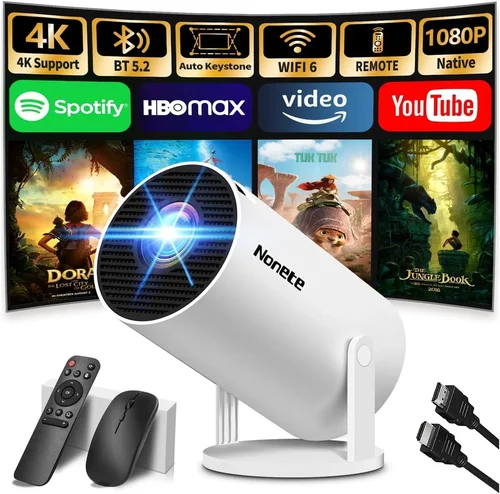
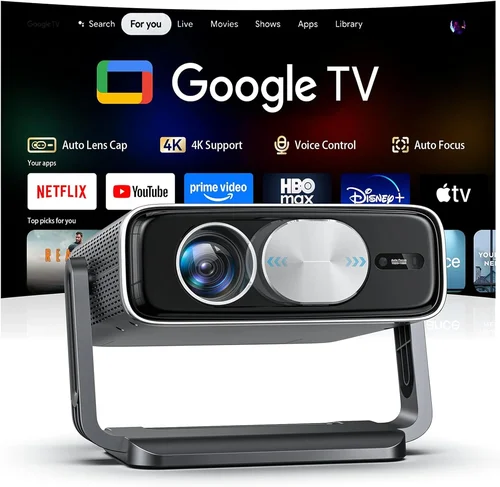
Choosing a projector for a home theater can feel like navigating a maze of specs, brand names, and price tags. The good news is that you don’t have to be a tech‑savvy guru to find a machine that delivers cinema‑grade images without breaking the bank. This guide pulls together the most important information you need to make an informed decision, whether you’re setting up a dedicated media room or turning a spare bedroom into a movie haven.
In the pages that follow you’ll learn how to evaluate brightness, contrast, resolution, and connectivity, discover which projector type fits your space, avoid common purchasing pitfalls, and see our top picks for every budget. By the end, you’ll be equipped to choose the best home theater projector under $5,000 that matches your viewing habits, room conditions, and long‑term goals.

What to Look for When Buying Buying Guide
1. Budget & Price Range
Even though the ceiling for this guide is $5,000, you’ll find a wide spread of performance within that band. Setting a realistic budget early helps narrow down the options and prevents you from chasing features you’ll never use. Remember that the projector is only part of the total cost; you’ll also need a screen, mounting hardware, and possibly a dedicated lamp or laser source replacement down the line.
2. Performance Specifications
The core specs that dictate picture quality are brightness (measured in lumens), contrast ratio, resolution, and color accuracy. For a darkened home theater, 1,500–2,500 lumens is usually sufficient, while rooms with ambient light may require 3,000+ lumens. A native 4K UHD panel or DLP chip delivers the sharpest images, but a high‑quality 1080p projector with good upscaling can still look stunning on a 100‑inch screen. Contrast ratio determines how deep the blacks appear; a ratio of 20,000:1 or higher is ideal for true‑to‑life depth.
3. Build Quality & Durability
Projectors are long‑term investments, so look for robust chassis construction, reliable cooling systems, and a lamp or laser module with a long lifespan. Metal housings and sealed optics protect against dust, which is especially important if the unit will sit in a living area. Check the manufacturer’s stated MTBF (Mean Time Between Failures) for an extra confidence boost.
4. Features & Functionality
Modern projectors come packed with smart capabilities. Built‑in Android TV or Roku can eliminate the need for an external streaming box. Look for multiple HDMI 2.0/2.1 ports, USB‑C for video input, and support for HDR10+ or Dolby Vision if you plan to watch high‑dynamic‑range content. Lens shift, keystone correction, and zoom range give you flexibility in placement without sacrificing image geometry.
5. Brand Reputation
Established brands such as Epson, BenQ, Optoma, and Sony have proven track records for reliability and service. Newer entrants like LG and Xiaomi offer competitive pricing but may have limited after‑sales support in certain regions. Research brand forums and consumer reports to gauge long‑term satisfaction.
6. Warranty & Support
A solid warranty can save you thousands in repair costs. Look for at least a 2‑year warranty that covers the lamp or laser module, with options to extend. Verify whether the manufacturer provides on‑site service or requires you to ship the unit. Quick, responsive support is a major plus, especially for high‑usage home theaters.
7. Size & Portability (if applicable)
If you plan to move the projector between rooms or take it to a friend’s house, size and weight matter. Ultra‑short‑throw (UST) models sit just inches from the screen, freeing up floor space, while portable pico projectors are great for occasional movie nights but usually lack the brightness needed for a permanent setup.
8. User Reviews & Ratings
Technical specs tell part of the story; real‑world usage reveals the rest. Scan Amazon, B&H, and AV forums for recurring themes—both praise and complaints. Pay attention to comments about fan noise, heat, and firmware stability, as these can affect daily enjoyment.
Different Types of Buying Guide
Common Buying Mistakes to Avoid
❌ Mistake: Ignoring Ambient Light
Why it’s bad: A projector rated for 2,000 lumens will look washed‑out in a bright living room, ruining the cinematic experience.
What to do instead: Measure the room’s typical light level and aim for a brightness 30‑40% higher than the ambient lux. Consider a projector with a higher lumen rating or add blackout curtains.
❌ Mistake: Over‑Focusing on Resolution Alone
Why it’s bad: A 4K projector with poor contrast and low brightness can look worse than a solid 1080p unit.
What to do instead: Balance resolution with contrast ratio and lumens. If your screen size is under 100 inches, a high‑quality 1080p may be perfectly adequate.
❌ Mistake: Forgetting Lens Shift & Keystone
Why it’s bad: Relying solely on digital keystone correction can degrade image quality and introduce lag.
What to do instead: Choose a model with optical lens shift and a decent zoom range. This allows precise placement without compromising sharpness.
❌ Mistake: Skipping the Lamp/Laser Life Calculation
Why it’s bad: Replacing a lamp can cost $300‑$600, and laser modules, while longer‑lasting, still have a finite lifespan.
What to do instead: Look at the manufacturer’s rated hours (e.g., 5,000‑7,000 for lamps, 20,000+ for lasers) and calculate the long‑term cost per hour of use.
❌ Mistake: Not Testing the Throw Distance
Why it’s bad: Buying a projector that can’t fill your desired screen size from the planned mounting spot leads to costly ceiling mounts or repositioning.
What to do instead: Use the projector’s throw‑ratio chart to verify that your room dimensions match the image size you want.
❌ Mistake: Overlooking Audio Integration
Why it’s bad: Most projectors have weak built‑in speakers, resulting in a subpar soundstage.
What to do instead: Plan for external audio—soundbars, AV receivers, or dedicated speakers—and ensure the projector has HDMI ARC or optical audio out.
Budget Guidelines: How Much Should You Spend?
- Entry-Level ($1,200‑$2,000): Expect solid 1080p performance, 2,500–3,000 lumens, and basic HDR support. Ideal for smaller rooms or first‑time buyers.
- Mid‑Range ($2,000‑$3,500): Access to true 4K UHD or 4K‑enhanced panels, higher contrast ratios (15,000:1+), and richer color gamuts (Rec. 709 or DCI‑P3). Often includes lens shift and better connectivity.
- Premium ($3,500‑$5,000): Laser‑phosphor light sources, native 4K, HDR10+ & Dolby Vision, extensive port selection, and robust build quality. Best for dedicated home theaters.
- Luxury ($5,000+): Professional‑grade cinema projectors with 10,000+ lumens, 1,000,000:1 contrast, and ultra‑low latency for gaming. Typically overkill for most residential setups.
Expert Tips for Getting the Best Deal
- Timing: New projector releases usually debut in Q2. Buying a generation older (e.g., 2023 models in 2026) can save you 15% while still offering cutting‑edge features.
- Where to Buy: Authorized dealers (B&H, Adorama, Amazon “Ships from and sold by” the brand) provide genuine warranties. Local AV stores let you demo units before committing.
- Spotting Deals: Look for bundle offers that include a screen, mounting kit, or extra lamp. The total value often exceeds the discount on the projector alone.
- Warranty Considerations: Register your projector within 30 days to activate extended coverage. Some retailers offer accidental damage protection for an additional fee.
- Return Policies: A 30‑day return window with free shipping is ideal. Test the projector in your home environment; if it doesn’t meet expectations, you can return it hassle‑free.
- Testing Before Buying: Bring a laptop or streaming stick to the store and project a 4K HDR test pattern. Check for uniform brightness, color accuracy, and fan noise.
- Future‑Proofing: Choose a model with HDMI 2.1 and support for 4K @ 120 Hz if you plan to game on next‑gen consoles.

Frequently Asked Questions
Q: Do I need a separate screen, or can I project onto a wall?
A: While a smooth, white wall works for casual viewing, a dedicated projector screen (gain 1.0‑1.2) dramatically improves brightness uniformity and color accuracy, especially in rooms with any ambient light.
Q: How far should the projector be from the screen?
A: It depends on the throw ratio. A standard‑throw projector with a 1.5:1 ratio needs 12‑15 feet to fill a 100‑inch screen, whereas an ultra‑short‑throw can sit 2‑4 inches from the wall for the same size.
Q: Is laser really better than lamp?
A: Laser light sources offer consistent brightness over their lifespan, lower heat, and virtually no lamp replacements. They are pricier upfront but often cheaper over the long term.
Q: Can I use a projector for gaming?
A: Yes, provided the model supports low input lag (under 20 ms) and high refresh rates (120 Hz via HDMI 2.1). Look for “Game Mode” settings that disable image processing.
Q: What is the ideal screen size for a 4K projector?
A: For 4K, a 100‑120‑inch screen offers a balance between pixel density and immersion. Larger screens can still look great if you sit far enough away (approximately 1.5‑2× the diagonal).
Q: How often do I need to replace the lamp or laser module?
A: Lamp‑based units typically last 3,000‑5,000 hours; laser modules can exceed 20,000 hours. Your usage pattern (e.g., 4 hours per day) will dictate replacement intervals.
Q: Are there any health concerns with long‑term projector use?
A: Projectors emit low levels of blue light compared to phones or tablets. Maintaining a proper viewing distance (at least 2‑3 feet) and taking regular eye breaks (20‑20‑20 rule) keeps eye strain minimal.
Our Final Recommendations
- Best for Budget‑Conscious Buyers: Epson Home Cinema 3800 – 4K‑enhanced, 3,000 lumens, excellent contrast, and a price around $1,500.
- Best Overall Value: BenQ HT3550 – True 4K UHD, HDR10, 2,000 lumens, and superb color accuracy for $2,300.
- Best Premium Option: Sony VPL‑VW715ES – Laser‑phosphor, 4K SXRD panel, 2,500 lumens, and native HDR10+ for $4,800.
- Best for Beginners: Optoma UHD50X – 4K, 3,400 lumens, low input lag (16 ms), easy setup, price under $2,000.
- Best for Advanced Users: LG HU85LA Ultra‑Short‑Throw 4K Laser – 4K laser, 2,700 lumens, 0.25‑inch throw, perfect for living‑room walls, priced at $4,700.
Conclusion: Making the Right Choice
Investing in a home theater projector under $5,000 is a balance of technical specs, room conditions, and personal preferences. Start by assessing your space’s lighting, desired screen size, and how you’ll use the system (movies, gaming, streaming). Then match those needs to the key factors we’ve outlined—brightness, contrast, resolution, and feature set—while staying within your budget tier.
Remember, the most expensive model isn’t automatically the best for you. A well‑chosen mid‑range projector can deliver a cinema‑like experience for years. Use the expert tips, avoid the common pitfalls, and lean on user reviews to validate your choice. When you’re ready, click through to your preferred retailer, test the unit if possible, and enjoy countless evenings of immersive entertainment.