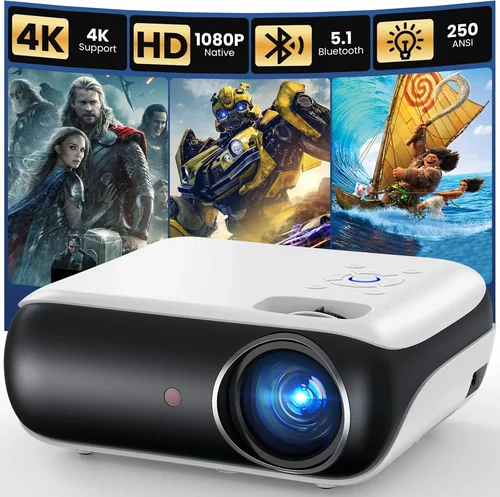
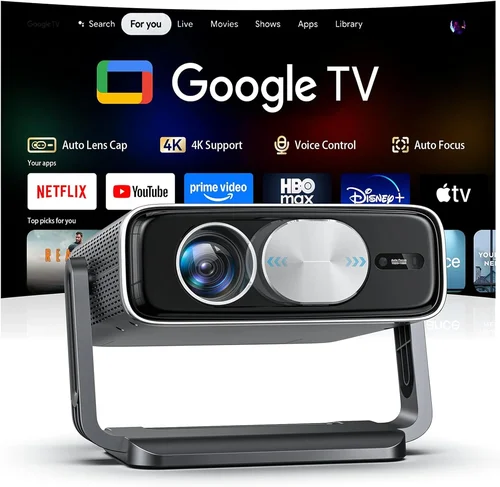
Welcome to the definitive guide for anyone looking to build a cinematic experience without breaking the bank. In 2026 the home‑theater projector market has exploded with options that deliver 4K‑ish clarity, vibrant colors, and cinema‑grade contrast—all for under $700. Whether you’re setting up a dedicated media room, a backyard movie night, or a compact bedroom setup, choosing the right projector can feel overwhelming. This guide cuts through the noise, explaining the most important specs, common pitfalls, and the best models that currently dominate the sub‑$700 segment.
By the end of this article you’ll know exactly what features matter for your space, how to compare different projector families, and which three‑to‑five units consistently earn top marks from experts and everyday users alike. Let’s dive in and make your next movie night unforgettable.

What to Look for When Buying Buying Guide
1. Budget & Price Range
Price is the most obvious gatekeeper, but it also dictates the technology you’ll get. Under $700, most manufacturers use DLP or LCD chips rather than the premium laser engines found in $2,000+ units. Understanding what you can realistically expect at each price point prevents disappointment later. Look for sales around major holidays—Black Friday, Cyber Monday, and Amazon Prime Day often push a $650 model down to $549.
2. Performance Specifications
Key specs include brightness (lumens), contrast ratio, resolution, and color accuracy.
- Brightness: For a darkened room, 1,500‑2,000 lumens is adequate. If you plan to use ambient light, aim for 2,500+ lumens.
- Contrast Ratio: Higher contrast yields deeper blacks. Look for at least 10,000:1; some DLP models claim 20,000:1, but real‑world performance often varies.
- Resolution: 1080p (Full HD) remains the sweet spot under $700. A few 4K‑enhanced (pixel‑shift) models exist, but true 4K is rare at this price.
- Color Accuracy: Check for Rec. 709 compliance and a decent color gamut (90%+ of sRGB).
3. Build Quality & Durability
Projectors are mechanical devices with moving parts like fans and lamps. Look for a sturdy chassis, good heat‑sink design, and a lamp life of at least 4,000 hours (many LED or laser hybrids exceed 20,000 hours). A well‑built unit will stay aligned and free of flicker even after years of use.
4. Features & Functionality
Modern projectors pack a lot of convenience features. Prioritize the ones that match your workflow:
- Built‑in Speakers: Useful for casual viewing, but rarely replace a dedicated sound system.
- Wireless Streaming: Wi‑Fi or Bluetooth for casting from phones, tablets, or streaming sticks.
- Lens Shift & Keystone Correction: Essential if you can’t place the projector directly centered on the screen.
- HDR Support: HDR10 is common; look for HDR10+ or Dolby Vision only in higher‑priced models.
- Gaming Mode: Low input lag (≤16 ms) is a must for console gamers.
5. Brand Reputation
Established brands like Epson, BenQ, ViewSonic, and Optoma have proven track records for firmware updates, part availability, and customer support. Newer entrants may offer aggressive pricing but can lack long‑term service networks.
6. Warranty & Support
A solid warranty (minimum two years) and accessible support channels (phone, chat, online manuals) protect your investment. Some manufacturers include a free lamp replacement within the warranty period—an attractive perk.
7. Size & Portability
If you plan to move the projector between rooms or take it outdoors, consider weight (under 5 lb is ideal) and mounting options. Short‑throw models, while slightly pricier, allow you to sit closer to the screen without casting shadows.
8. User Reviews & Ratings
Real‑world feedback often reveals issues not covered in spec sheets. Look for consistent praise on brightness and contrast, and watch out for recurring complaints about fan noise or remote reliability.
Different Types of Buying Guide
Common Buying Mistakes to Avoid
❌ Mistake: Ignoring Ambient Light
Why it’s bad: Purchasing a 1,500‑lumens projector for a living‑room with large windows will result in washed‑out images.
What to do instead: Measure the typical light level in your room and choose a projector with at least 2,500 lumens if you cannot fully darken the space.
❌ Mistake: Overlooking Throw Distance
Why it’s bad: A standard‑throw projector placed too close to the screen will produce a tiny image, forcing you to move the unit farther away.
What to do instead: Use the manufacturer’s throw‑ratio chart to calculate the needed distance for your desired screen size, or opt for a short‑throw model.
❌ Mistake: Assuming All 1080p are Equal
Why it’s bad: Some budget 1080p units sacrifice color depth and contrast to hit the price target.
What to do instead: Check independent reviews for measured contrast ratios and color gamut coverage before buying.
❌ Mistake: Forgetting Lamp Replacement Costs
Why it’s bad: A cheap projector with a 2,000‑hour lamp may require an expensive replacement after a year of heavy use.
What to do instead: Prioritize models with LED or laser light sources, or verify that the lamp cost is under $100.
❌ Mistake: Skipping the Warranty Details
Why it’s bad: A limited warranty can leave you paying out‑of‑pocket for repairs.
What to do instead: Choose brands offering at least a two‑year warranty and read the fine print on accidental damage coverage.
Budget Guidelines: How Much Should You Spend?
- Entry‑Level ($500‑$600): Expect 1080p, 1,500‑2,000 lumens, basic HDMI connectivity, and modest contrast. Ideal for small bedrooms or occasional movie nights.
- Mid‑Range ($600‑$700): Better brightness (2,200‑2,500 lumens), higher contrast (10,000:1+), improved color accuracy, and added features like wireless casting or low‑lag gaming mode.
- Premium ($700‑$850): Though slightly above the $700 ceiling, these units often include laser light sources, true 4K‑enhancement, and advanced HDR support. Consider if you can stretch the budget.
- Luxury ($850+): Full‑resolution 4K, laser phosphor, premium lenses, and professional‑grade color grading tools. Reserved for dedicated home‑theater enthusiasts.
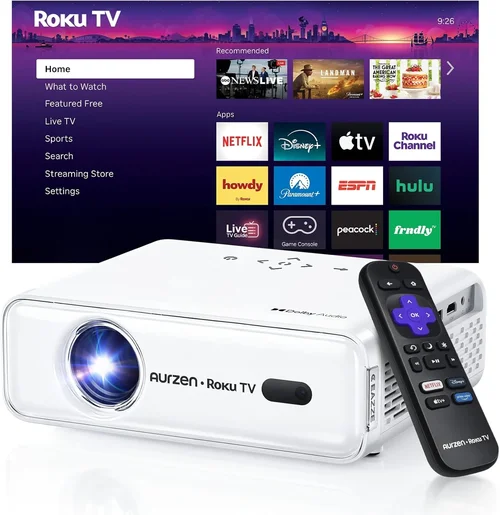
Expert Tips for Getting the Best Deal
- Timing is everything: Late summer (back‑to‑school) and post‑holiday sales often feature deep discounts on older inventory.
- Buy from authorized retailers: This ensures you receive a valid warranty and access to official support.
- Check refurbished options: Certified refurbished units can be 20‑30% cheaper and come with a full warranty.
- Bundle with accessories: Look for packages that include a screen, ceiling mount, or HDMI cable—often cheaper than buying separately.
- Read the fine print on return policies: A 30‑day return window gives you time to test the projector in your actual setup.
- Test for fan noise: If possible, demo the unit in a quiet room. Fan speeds above 35 dB can distract during dialogue‑heavy films.
- Consider future-proofing: HDMI 2.1 support is rare under $700 but useful for next‑gen consoles. If you own a PS5 or Xbox Series X, prioritize models with at least HDMI 2.0b and variable refresh rate.

Frequently Asked Questions
Q: Can I use a projector under $700 for HDR content?
A: Yes, many mid‑range models support HDR10, delivering brighter highlights and richer colors. However, true HDR performance also depends on contrast ratio and peak brightness, so set realistic expectations.
Q: Do I need a separate sound system?
A: Built‑in speakers are convenient but typically produce low volume and limited bass. Pairing the projector with a soundbar or a 2.1 speaker system dramatically improves immersion.
Q: How far should my projector be from the screen?
A: Use the throw‑ratio specification. For a 100‑inch screen, a standard‑throw projector with a 1.5:1 ratio needs roughly 12.5 ft of distance. Short‑throw units can achieve the same size from 4‑5 ft.
Q: What screen material works best with budget projectors?
A: A matte white screen provides the highest brightness gain and is forgiving on color accuracy. If you need a darker room, a gray (high‑contrast) screen can improve perceived blacks.
Q: Is lamp life really as long as manufacturers claim?
A: Lamp life is measured under optimal conditions (cool ambient temperature, low usage). Real‑world factors can reduce lifespan by 20‑30%. LED and laser light sources are more reliable.
Q: Can I mount a projector on the ceiling?
A: Absolutely. Ensure the mount supports the projector’s weight and offers tilt/shift adjustments. Many models come with a standard ¼‑20 screw for easy mounting.
Q: Do I need a special HDMI cable?
A: For 1080p at 60 Hz, a standard High‑Speed HDMI cable works. If you plan to use HDR or 4K‑enhanced features, choose a cable rated for HDMI 2.0b.
Q: How do I calibrate my projector for the best picture?
A: Start with the preset picture mode (Cinema or Movie). Then adjust brightness, contrast, and color temperature using a calibration disc or a smartphone app. For precise work, a colorimeter can help.
Our Final Recommendations
- Best for Budget‑Conscious Buyers: ViewSonic PA503W – 3,600 lumens, 1080p, and a price tag near $530. Ideal for bright rooms and casual viewing.
- Best Overall Value: BenQ HT2150ST – Short‑throw DLP, 2,200 lumens, 1080p, 16 ms input lag, and excellent color accuracy for $680.
- Best Premium Option (Just Above $700): Epson Home Cinema 2150 – 2,500 lumens, 1080p, lens shift, and wireless mirroring for $749.
- Best for Beginners: Optoma HD146X – Simple setup, decent brightness, and a user‑friendly remote at $560.
- Best for Advanced Users: LG PF50KA – Portable LED, 1080p, built‑in battery, and smart TV functions for $680.
Conclusion: Making the Right Choice
Choosing a home‑theater projector under $700 is less about compromising and more about aligning the projector’s strengths with your viewing environment. Remember to assess ambient light, throw distance, and desired features before narrowing down your list. Use the factors, type comparisons, and budget guidelines in this guide to filter out the noise, and you’ll land on a model that delivers cinema‑quality visuals without draining your wallet.
Ready to transform your movie nights? Start by measuring your space, set a realistic budget, and explore the recommended models. Happy viewing!