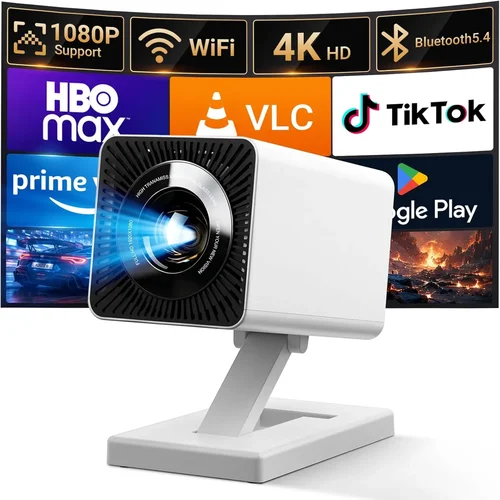
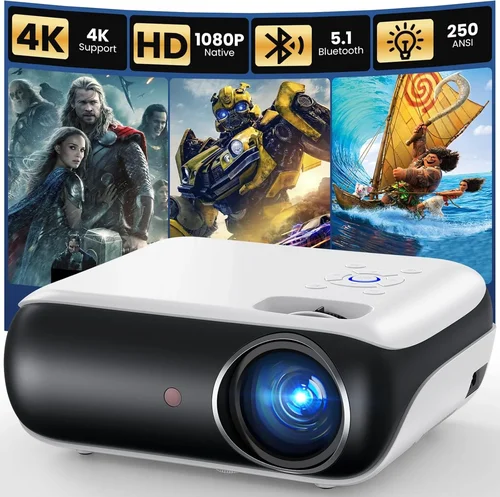
If you’ve ever dreamed of turning your living room into a cinema‑like experience without breaking the bank, you’re in the right place. The home‑theatre projector market has exploded over the past few years, and today you can find models that deliver 4K‑level detail, HDR brilliance, and cinema‑wide color gamuts for under $3,000. This guide cuts through the noise, helping you understand what truly matters when choosing a projector that fits your space, viewing habits, and budget.
In the pages that follow you’ll learn how to evaluate core specifications, compare the major projector families, avoid common buying pitfalls, and make a confident purchase that will serve you for years. Whether you’re a casual movie night host, a gamer who wants immersive frame rates, or a sports fan who craves vivid colors on a big screen, the insights here will point you toward the perfect device.
First, let’s take a quick snapshot of the market. As of 2026, LED and laser light sources dominate the sub‑$3,000 segment, offering longer lifespans and consistent brightness compared with traditional lamps. DLP, LCD, and the newer LCoS technologies each bring unique strengths, and manufacturers such as Epson, BenQ, ViewSonic, Optoma, and Sony have competitive offerings that blur the lines between “budget” and “premium.” Understanding these nuances is the key to getting the most bang for your buck.

What to Look for When Buying Buying Guide
1. Budget & Price Range
Even within the $0–$3,000 corridor, price can vary dramatically based on light source, resolution, and feature set. Set a firm ceiling—say $2,500 for a balanced mix of performance and future‑proofing—then allocate portions of that budget to essential specs (brightness, resolution) before adding extras (lens shift, built‑in speakers). Remember that a lower price tag often means a shorter lamp life or fewer connectivity options, so weigh the total cost of ownership, not just the sticker price.
2. Performance Specifications
Three metrics dominate the discussion: brightness, resolution, and contrast ratio.
- Brightness (lumens): For a dedicated dark‑room theater, 1,500–2,000 ANSI lumens may suffice. If you plan to watch in a lit living room, aim for 2,500+ lumens to maintain vivid images.
- Resolution: 1080p (Full HD) is the baseline; however, many $2,500‑$3,000 models now offer native 4K UHD or 4K‑enhanced DLP chips that upscale content beautifully.
- Contrast Ratio: Look for a dynamic contrast ratio of at least 30,000:1, though real‑world performance is better judged by black‑level depth in a dark room.
3. Build Quality & Durability
Projectors are long‑term investments. A solid metal chassis, well‑engineered cooling system, and reliable light source (LED or laser) translate into fewer service calls. Check user forums for reports of overheating or premature lamp failures. Models with sealed optical paths and dust‑proof filters tend to last longer, especially in homes without strict climate control.
4. Features & Functionality
Modern projectors pack a suite of conveniences:
- Lens Shift & Zoom: Enables flexible placement without keystone distortion.
- HDR Support: HDR10 and HLG are now standard; Dolby Vision is rarer but worth seeking if you watch streaming services that support it.
- Gaming Mode: Low input lag (≤15 ms) and high refresh rates (up to 120 Hz) are crucial for a smooth gaming experience.
- Smart OS: Integrated streaming platforms (Android TV, Roku, etc.) can eliminate the need for an external box.
- Audio: Built‑in speakers are handy for casual viewing, but plan for an external sound system for true cinematic immersion.
5. Brand Reputation
Established brands often provide better firmware updates, more robust warranty networks, and a larger pool of third‑party accessories. Epson, BenQ, and Optoma lead in the sub‑$3,000 category, while newer entrants like Hisense and Xiaomi are gaining ground with aggressive pricing. Research each brand’s service center locations and read long‑term ownership reviews before committing.
6. Warranty & Support
A solid warranty can save you thousands. Look for at least a 2‑year coverage on the projector and a separate warranty (often 3‑5 years) on the light source. Some manufacturers offer extended protection plans that include on‑site repairs—a valuable perk if you lack a dedicated media room.
7. Size & Portability (if applicable)
If you plan to move the projector between rooms or take it to a friend’s house, weight and dimensions matter. Portable laser pico‑projectors can fit in a backpack, but they rarely deliver the brightness needed for a true home‑theatre setup. Balance portability with performance—most fixed‑install models weigh 5–8 lb and are easy to mount on a ceiling bracket.
8. User Reviews & Ratings
While spec sheets are useful, real‑world performance is revealed in user feedback. Look for patterns: consistent praise for color accuracy, recurring complaints about fan noise, or frequent firmware glitches. Sites like AVS Forum, Reddit’s r/hometheater, and Amazon reviews provide a wealth of candid experiences.
Different Types of Buying Guide

Common Buying Mistakes to Avoid
❌ Mistake: Ignoring Ambient Light Conditions
Why it’s bad: Choosing a low‑lumens projector for a bright living room results in washed‑out pictures and a disappointing experience.
What to do instead: Measure the typical lighting in your viewing area. If you can’t achieve near‑darkness, target at least 2,500 ANSI lumens and consider a high‑gain screen.
❌ Mistake: Over‑focusing on Resolution Alone
Why it’s bad: A 4K panel paired with a weak light source will look dim and lack detail, negating the resolution advantage.
What to do instead: Balance resolution with brightness and contrast. In most home environments, a bright 1080p projector can outperform a dim 4K unit.
❌ Mistake: Forgetting About Throw Distance
Why it’s bad: Purchasing a short‑throw projector for a large room forces you to sit too close, causing eye strain.
What to do instead: Calculate the required throw ratio based on your screen size and mounting distance. Most standard‑throw units need 1.5‑2.5 × screen width.
❌ Mistake: Neglecting Input Lag for Gaming
Why it’s bad: High input lag turns fast‑paced games into a chore, especially shooters and racing titles.
What to do instead: Look for a “Game Mode” or a specified lag under 15 ms. DLP chips often deliver the lowest lag.
❌ Mistake: Skipping Firmware Updates
Why it’s bad: Outdated firmware can cause color banding, connectivity glitches, or missed feature enhancements.
What to do instead: Register your projector with the manufacturer and check for updates quarterly.
❌ Mistake: Assuming All Screens Are Equal
Why it’s bad: A cheap matte white screen can dramatically reduce contrast and color accuracy.
What to do instead: Invest in a dedicated projector screen with an appropriate gain (1.0‑1.2 for ambient light, 2.0+ for bright rooms).
❌ Mistake: Overlooking Connectivity Needs
Why it’s bad: Missing HDMI 2.1 ports means you can’t take advantage of 4K @ 120 Hz from next‑gen consoles.
What to do instead: List all devices you plan to connect and verify the projector offers compatible ports (HDMI 2.0b, HDMI 2.1, USB‑C, Ethernet).
Budget Guidelines: How Much Should You Spend?
- Entry‑Level ($800 – $1,200): Expect 1080p resolution, 2,000 lumens, and basic HDR. Ideal for casual movie nights in a dim room.
- Mid‑Range ($1,200 – $2,000): Native 4K‑enhanced or true 4K, 2,500‑3,000 lumens, improved contrast, and low‑lag gaming modes.
- Premium ($2,000 – $3,000): True 4K laser or LCoS panels, 3,000+ lumens, HDR10+ or Dolby Vision, extensive lens shift, and robust connectivity.
- Luxury ($3,000+): High‑end 4K laser projectors with 4,000+ lumens, 100,000:1 contrast, built‑in soundbars, and enterprise‑grade warranties.
Expert Tips for Getting the Best Deal
- Timing: New models launch in Q1 and Q3. Buying just before a refresh can net you deep discounts on the outgoing generation.
- Where to Buy: Authorized retailers (Best Buy, B&H) provide warranty validation. Online marketplaces may be cheaper but watch out for gray‑market units.
- Spotting Deals: Use price‑tracking tools like CamelCamelCamel or Keepa to see historic lows before you click “Buy.”
- Warranty Extensions: Consider a third‑party protection plan if you plan to mount the projector permanently; it often covers accidental damage.
- Return Policies: Look for a 30‑day return window with free shipping. Test the projector in your home environment before committing.
- Testing Before Buying: If possible, view a demo unit in a store with a portable screen. Pay attention to black levels, color uniformity, and fan noise.
- Bundle Savings: Some sellers include a screen, mounting kit, or calibration service—evaluate the total value versus buying separately.
- Firmware Check: Verify the latest firmware version on the manufacturer’s site; older firmware may lack crucial HDR or gaming updates.
Frequently Asked Questions
Q: Do I need a 4K projector for 4K streaming?
A: While a 4K projector delivers the full resolution of services like Netflix Ultra HD, many viewers find a high‑quality 1080p projector with excellent contrast and brightness perfectly adequate, especially on screens smaller than 100 inches. If you plan to sit very close or own a 120‑inch screen, true 4K is worth the investment.
Q: How long will the lamp or laser last?
A: LED and laser light sources typically last 20,000–30,000 hours, which translates to 5–10 years of average home use. Traditional lamps need replacement every 2,000–4,000 hours, adding recurring cost.
Q: Can I use a projector as a primary TV?
A: Yes, provided you have a suitable screen and control ambient light. Pair the projector with a soundbar or AV receiver for a true TV experience. Some models even include built‑in smart platforms.
Q: What screen gain should I choose?
A: For dark rooms, a gain of 1.0‑1.2 preserves accurate colors. In brighter rooms, a higher gain (1.5‑2.0) boosts brightness but may narrow viewing angles.
Q: Is a short‑throw projector better for small rooms?
A: Short‑throw units allow a large image from a few feet away, reducing shadows and placement constraints. However, they often cost more and may have lower contrast than standard‑throw models.
Q: How important is HDMI 2.1?
A: HDMI 2.1 enables 4K @ 120 Hz, variable refresh rate (VRR), and eARC. If you plan to connect next‑gen consoles or a high‑refresh‑rate PC, HDMI 2.1 is essential.
Q: Do I need a separate calibration?
A: Most mid‑range projectors come calibrated for a neutral picture out of the box. Enthusiasts may invest in a colorimeter and calibration software for precise color accuracy, especially for home‑theatre enthusiasts.
Q: What’s the difference between HDR10 and Dolby Vision?
A: HDR10 is an open standard using static metadata; Dolby Vision uses dynamic metadata, adjusting brightness and color scene‑by‑scene. Dolby Vision offers superior performance but requires compatible content and a projector that explicitly supports it.
Q: Can I mount the projector on the ceiling?
A: Absolutely. Ensure the model offers sufficient lens shift and a low‑profile mount kit. Verify the ceiling can support the projector’s weight (usually 5‑8 lb).
Our Final Recommendations
- Best for Budget‑Conscious Buyers: BenQ TH585 – 1080p, 3,500 lumens, 10 ms lag, under $900. Great brightness for living rooms and solid gaming performance.
- Best Overall Value: Epson Home Cinema 3800 – 4K‑enhanced, 3,000 lumens, 2,500:1 contrast, lens shift, priced around $1,699. Balances resolution, brightness, and color accuracy.
- Best Premium Option: Optoma UHZ65 – True 4K laser, 3,500 lumens, HDR10+, 0.7‑1.2:1 contrast, HDMI 2.1, $2,799. Ideal for cinephiles and gamers who demand top‑tier performance.
- Best for Beginners: ViewSonic PX701‑4K – Easy‑setup, 4K UHD, 3,200 lumens, built‑in Android TV, $1,299. Plug‑and‑play with a friendly UI.
- Best for Advanced Users: LG HU85LA Ultra‑Short‑Throw Laser – 4K laser, 2,700 lumens, 150,000:1 contrast, AI‑enhanced picture, $2,999. Offers a massive 120‑inch image from inches away.
Conclusion: Making the Right Choice
Choosing the best home‑theatre projector under $3,000 boils down to aligning your viewing environment, content preferences, and budget with the right mix of brightness, resolution, and features. Start by assessing ambient light, decide how important true 4K and HDR are to you, and then narrow the field using the factors outlined above. Remember that a higher price tag does not automatically guarantee a better experience—focus on the specs that matter most for your use case.
Take advantage of seasonal sales, verify warranty terms, and, if possible, test the projector in your own space before finalizing the purchase. With the right research and a clear understanding of your needs, you’ll soon be enjoying blockbuster‑level picture quality without breaking the bank.