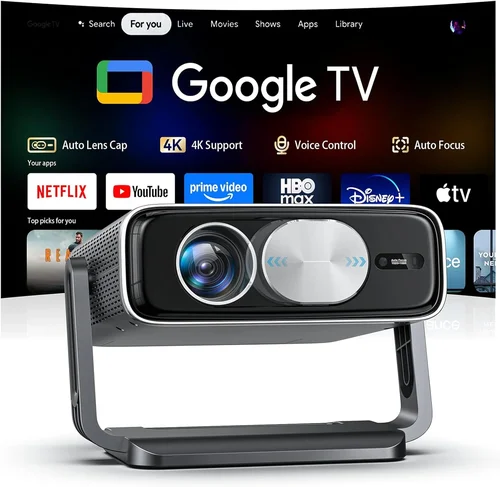
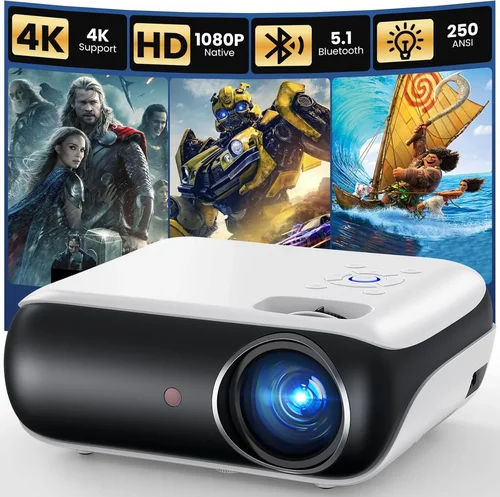
If you’ve ever dreamed of turning your living room into a cinema‑style experience without breaking the bank, you’re in the right place. The home theatre projector market has exploded over the past few years, and today you can find models that deliver 4K‑level detail, HDR brilliance, and cinema‑wide color gamut for under $5,000. This guide cuts through the noise, helping you understand what truly matters, avoid common pitfalls, and walk away with a projector that fits your space, budget, and viewing habits.
In the next few sections we’ll explore the essential specs you need to evaluate, compare the major projector families, break down how much you should realistically spend, and hand you a set of proven tips to snag the best deal. By the end, you’ll be equipped to choose a projector that not only looks amazing on paper but also shines in your home‑theatre setup.

What to Look for When Buying Buying Guide
1. Budget & Price Range
Even within the “under $5,000” bracket, there’s a wide spread of price points. Your budget determines which features are realistic – for example, true 4K DLP chips often start around $3,500, while 1080p models with premium lenses may sit comfortably under $2,000. Set a hard ceiling, then allocate portions of that budget to accessories (screen, mounting hardware, calibration tools) so you don’t overspend on the projector alone.
2. Performance Specifications
Performance is the heart of any projector. Key metrics include:
- Resolution: 4K UHD (3840×2160) delivers the sharpest image, but 1080p (1920×1080) can still look superb on screens up to 120”.
- Brightness (ANSI lumens): For a dark‑room home theatre, 1,800–2,500 lumens is ample. If you plan to watch with some ambient light, aim for 2,500–3,500 lumens.
- Contrast Ratio: Higher contrast (e.g., 50,000:1 or more) yields deeper blacks and more vivid colors.
- Color Gamut & HDR: Look for DCI‑P3 coverage of at least 90% and HDR10 support. Some models also include HDR10+ or Dolby Vision.
- Throw Ratio: Determines how far the projector must sit from the screen. Short‑throw (0.8–1.2:1) is ideal for small rooms; standard throw (1.5–2.5:1) works in larger spaces.
3. Build Quality & Durability
A projector is an investment that should last 5–7 years with proper care. Look for metal chassis, a sealed lamp compartment (or laser light source), and a reputable cooling system that stays quiet. Laser or LED light sources, while pricier upfront, often outlive traditional lamps by 20,000+ hours and require less maintenance.
4. Features & Functionality
Modern projectors are packed with “smart” capabilities. Consider whether you need:
- Built‑in streaming apps (Netflix, Amazon Prime, Disney+) and Wi‑Fi.
- Wireless screen mirroring (AirPlay, Miracast, Chromecast).
- Lens shift (vertical/horizontal) for flexible placement.
- Multiple HDMI 2.1 ports for 4K@120Hz gaming.
- Integrated speakers (useful for casual viewing, but not a substitute for a proper sound system).
5. Brand Reputation
Brands such as Epson, BenQ, Optoma, Sony, and LG have established track records in home cinema. Research each manufacturer’s history of firmware updates, customer service responsiveness, and community support. A strong brand often translates into longer software life and easier troubleshooting.
6. Warranty & Support
Projectors can be finicky, so a solid warranty is crucial. Look for at least a 2‑year parts‑and‑labor guarantee, with optional extensions for the light source. Confirm that the manufacturer has local service centers or authorized repair partners to avoid long shipping delays.
7. Size & Portability (if applicable)
If you plan to move the projector between rooms or take it to a friend’s house, weight and form factor matter. Ultra‑short‑throw (UST) models tend to be bulkier, while pico‑projectors are lightweight but usually lack the brightness needed for a true home theatre.
8. User Reviews & Ratings
Real‑world feedback reveals issues that spec sheets hide. Scan Amazon, B&H, and dedicated AV forums for recurring themes—such as fan noise, firmware bugs, or lamp life concerns. A product with a high average rating but many low‑score reviews for a specific flaw may need a closer look.
Different Types of Buying Guide

Common Buying Mistakes to Avoid
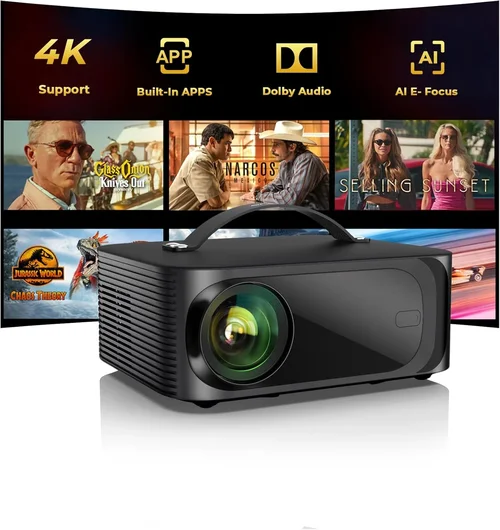
❌ Mistake: Ignoring Ambient Light
Why it’s bad: Buying a dim 1,800‑lumens projector for a room with windows will result in washed‑out images and a frustrating experience.
What to do instead: Measure the typical ambient light level, then add at least 500‑1,000 lumens to the recommended brightness. Consider a screen with high gain or an ambient‑light rejecting (ALR) surface.
❌ Mistake: Over‑focusing on Resolution Alone
Why it’s bad: A 4K panel with poor contrast and low brightness can look worse than a high‑quality 1080p unit.
What to do instead: Balance resolution with contrast, brightness, and color gamut. For most living‑room sizes, a 1080p projector with 2,500+ lumens and 90% DCI‑P3 often outperforms a low‑end 4K model.
❌ Mistake: Forgetting About Throw Ratio
Why it’s bad: Placing a standard‑throw projector too close to the screen forces you to enlarge the image, causing distortion.
What to do instead: Calculate the required distance: Distance = Throw Ratio × Screen Width. Choose a short‑throw or UST model if space is limited.
❌ Mistake: Skipping Lens Shift & Keystone Checks
Why it’s bad: Relying on digital keystone can degrade image quality and waste processing power.
What to do instead: Opt for a projector with at least ±10% vertical lens shift. Horizontal shift is a bonus for off‑center mounts.
❌ Mistake: Assuming All Lamps Are Equal
Why it’s bad: Traditional UHP lamps fade over time, and replacement costs can add up.
What to do instead: Prioritize laser or LED light sources when possible. If you must go with a lamp, verify the rated life (ideally 3,000+ hours) and cost of replacements.
❌ Mistake: Overlooking Connectivity Needs
Why it’s bad: A projector lacking HDMI 2.1 will bottleneck 4K@120Hz gaming or HDR performance.
What to do instead: List all devices you plan to connect (AV receiver, console, streaming stick) and ensure the projector offers enough HDMI ports with the right version, plus audio‑out options.
❌ Mistake: Not Testing Before Purchase
Why it’s bad: Factory calibrations vary; a unit that looks perfect in a showroom may need tweaking.
What to do instead: If buying in‑store, request a demo with your own source material. For online purchases, buy from retailers with a generous return window and test the image in your own lighting conditions.
Budget Guidelines: How Much Should You Spend?
Understanding how far your money goes helps you set realistic expectations.
- Entry‑Level ($1,500 – $2,200): Expect 1080p resolution, 2,000–2,500 lumens, and basic HDR. Good for small rooms or secondary setups.
- Mid‑Range ($2,200 – $3,500): Here you’ll find true 4K DLP or laser‑hybrid LCD models, 2,500–3,500 lumens, and robust lens shift. Ideal for most dedicated home theatres.
- Premium ($3,500 – $4,800): Native 4K panels, 3,000+ lumens, 100% DCI‑P3, HDR10+/Dolby Vision, and ultra‑low input lag for gaming.
- Luxury ($4,800+): Flagship models with premium optics, motorized lenses, built‑in AI upscaling, and extended warranties. Overkill for casual viewers but perfect for cinephiles.
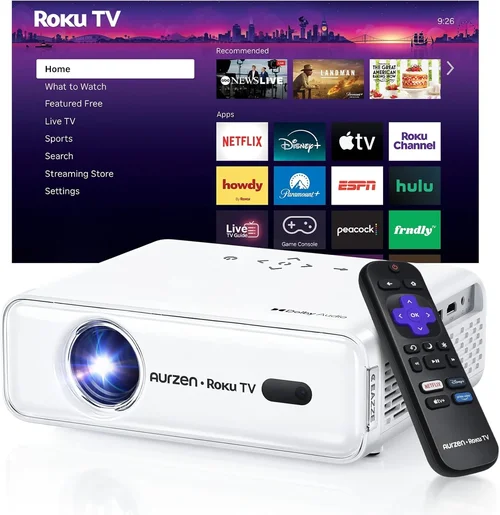
Expert Tips for Getting the Best Deal
- Timing is everything: Major sales events—Black Friday, Cyber Monday, and Amazon Prime Day—often feature 20‑30% off premium projectors.
- Shop refurbished: Manufacturer‑refurbished units come with full warranties at 15‑25% lower prices.
- Bundle wisely: Some retailers offer bundles that include a screen, wall mount, and calibration tools for a lower combined cost.
- Check firmware updates: A recent firmware patch can fix color banding or improve HDR performance, adding value without extra spend.
- Negotiate return policies: Ensure at least a 30‑day return window; some specialty AV stores will even extend to 60 days for high‑ticket items.
- Use price‑tracking tools: Websites like CamelCamelCamel or Keepa alert you when a projector’s price drops below your target.
- Consider extended warranty: If you plan to keep the projector for 5+ years, an extended laser‑source warranty can be a smart safeguard.
- Test with your own content: Bring a 4K HDR test disc or a streaming device to the store to see real‑world performance.

Frequently Asked Questions
Q: Do I need a 4K projector to watch 4K content?
A: Not necessarily. Many 1080p projectors upscale 4K sources quite well, especially when paired with a high‑quality screen. However, for true pixel‑perfect detail and the best HDR experience, a native 4K projector is the optimal choice.
Q: How far should my projector be from the screen?
A: It depends on the throw ratio. For a 120‑inch screen (≈106″ width), a 1.5:1 throw ratio requires ~13 feet of distance, while a 0.9:1 short‑throw needs only ~8 feet. Use the manufacturer’s calculator for precise placement.
Q: Is a laser light source worth the extra cost?
A: Yes, if you value longevity and consistent brightness. Laser units typically last 20,000+ hours and maintain color accuracy over time, eliminating the need for lamp replacements.
Q: Can I use a projector with a regular TV wall?
A: You can, but a dedicated projection screen (gain 1.0–1.2) will dramatically improve contrast and color saturation. If you must use a wall, choose a matte white paint with low reflectivity.
Q: What is the ideal screen size for a 4K projector?
A: For a 4K projector, a screen between 100‑130 inches diagonal offers the best balance of detail and immersion in a typical home theatre. Larger screens may not show additional detail unless you sit very close.
Q: Do I need a separate AV receiver?
A: Most projectors handle video only. A quality AV receiver provides surround sound processing, HDMI switching, and room correction, creating a complete cinema experience.
Q: How loud are projector fans?
A: Fan noise varies. Look for models rated ≤30 dB (A‑weighted) at full brightness. Some high‑end units include a “quiet mode” that reduces fan speed at the cost of a few lumens.
Q: Is lens shift more important than zoom?
A: Lens shift allows you to move the image vertically/horizontally without distortion, while zoom changes image size. For flexible mounting, prioritize lens shift; zoom is a nice convenience.
Q: Will HDR work on any screen?
A: HDR performance depends on screen gain and reflectivity. A low‑gain (0.8–1.0) screen preserves highlight detail, while a high‑gain screen can boost brightness but may flatten blacks.
Our Final Recommendations
- Best for Budget‑Conscious Buyers: BenQ HT3550 – 1080p, 2,200 lumens, 95% DCI‑P3, excellent color accuracy, under $2,000.
- Best Overall Value: Epson Home Cinema 5050UB – 4K‑enhanced, 2,600 lumens, 2,500,000:1 contrast, lens shift, solid HDR, priced around $3,200.
- Best Premium Option: Sony VPL‑VW715ES – Native 4K, laser light source, 2,800 lumens, 120Hz gaming, HDR10+, approx. $4,800.
- Best for Beginners: Optoma UHD50X – 4K, 3,400 lumens, low input lag (16ms), easy setup, $2,700.
- Best for Advanced Users: LG CineBeam HU85LA – Ultra‑short‑throw, 4K laser, 2,700 lumens, AI picture calibration, $4,600.
Conclusion: Making the Right Choice
Choosing a home theatre projector under $5,000 is less about chasing the highest specs and more about matching performance to your environment, viewing habits, and budget. Start by measuring your room, decide how much ambient light you’ll have, and then prioritize brightness, contrast, and color gamut accordingly. Remember that a well‑calibrated 1080p projector can outshine a poorly tuned 4K unit.
Use the checklist above, avoid the common pitfalls, and leverage the buying tips to secure the best possible deal. With the right projector, you’ll transform movie nights, gaming sessions, and sports broadcasts into unforgettable experiences—right from the comfort of your own home.