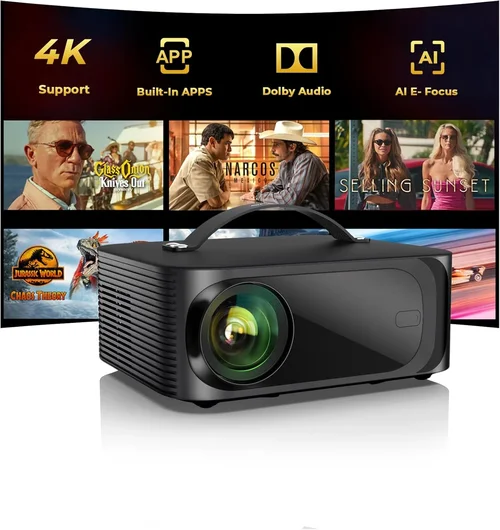
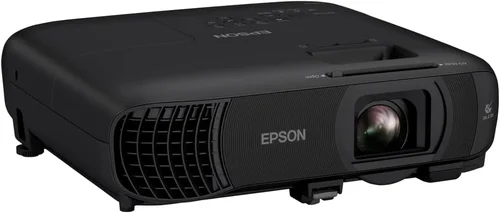
If you’ve ever dreamed of turning your living room into a mini‑theater without splurging on a massive home‑cinema system, you’re not alone. The market for budget‑friendly home video projectors has exploded, and today you can find models that deliver crisp 1080p images, solid contrast, and smart connectivity—all for under $500. This guide cuts through the noise, helping you understand exactly what to look for, where to find the best deals, and which projector will suit your unique setup.
In the next several pages we’ll explore the most important buying criteria, compare the major projector categories, flag common pitfalls, and hand‑pick the top performers in each price tier. By the end, you’ll have a clear roadmap for buying a projector that fits your budget, space, and entertainment goals.

What to Look for When Buying Buying Guide
1. Budget & Price Range
When you set a maximum spend of $500, you’re already narrowing the field to entry‑level and some mid‑range models. Within this bracket, price often reflects a trade‑off between native resolution, brightness, and added features such as built‑in speakers or smart OS. Knowing how much you’re willing to stretch beyond $500 can unlock a few higher‑lumens options, but for most households, a $450‑$500 projector will deliver the best balance of performance and value.
2. Performance Specifications
Resolution – Look for at least 1080p (1920×1080) native resolution. Many budget projectors use 720p chips with upscaling; while they can look decent on a small screen, they’ll lose sharpness on a 100‑inch diagonal.
Brightness (Lumens) – Measured in ANSI lumens, this tells you how well the projector will perform in ambient light. For a darkened room, 1500‑2000 lumens is sufficient; for a living room with some light, aim for 2000‑2500 lumens.
Contrast Ratio – Higher contrast means deeper blacks and more detail in dark scenes. A ratio of 10,000:1 is a good baseline for budget units.
Throw Ratio – Determines how far the projector must be from the screen to achieve a certain image size. A short‑throw (0.8‑1.2) is ideal for small rooms, while a standard throw (1.5‑2.0) works well in larger spaces.
3. Build Quality & Durability
Even at a lower price point, you want a projector that feels solid and can survive occasional moves. Look for metal or high‑grade plastic housings, a sturdy lens cover, and a reliable cooling system. Models with fan‑less designs are quieter but may run hotter, so check user reviews for overheating complaints.
4. Features & Functionality
Modern projectors often bundle extra tech that can save you money on accessories:
- Built‑in Speakers – While they won’t replace a dedicated sound system, a decent 5‑10 W speaker can handle casual movie nights.
- Wireless Connectivity – Wi‑Fi or Bluetooth for screen mirroring from phones, tablets, or laptops.
- Smart OS – Some units run Android TV or Roku, giving you direct access to Netflix, YouTube, and other apps.
- Multiple Input Ports – HDMI 2.0, USB‑C, VGA, and audio out options increase flexibility.
5. Brand Reputation
Brands like Epson, BenQ, ViewSonic, and Optoma have built strong reputations for reliability and support. Newer entrants (e.g., Anker Nebula, Xgimi) offer innovative features but may have shorter warranty periods. Research the brand’s track record, especially regarding firmware updates and customer service responsiveness.
6. Warranty & Support
Most projectors in this price range come with a 1‑year limited warranty. Some manufacturers extend this to two years if you register online. Look for easy‑to‑reach support channels—live chat, phone, or a robust knowledge base—because troubleshooting a lamp or firmware issue can be time‑consuming.
7. Size & Portability
If you plan to move the projector between rooms or take it to a friend’s house, weight and footprint matter. Portable models typically weigh under 5 lb and come with a carry case. However, portability can sometimes mean lower brightness, so balance your need for mobility with performance.
8. User Reviews & Ratings
Beyond the spec sheet, real‑world feedback tells you how a projector performs over months of use. Pay attention to recurring themes—such as “fan noise at high brightness” or “excellent colors for the price.” A product with thousands of reviews and an average rating of 4.2 / 5 is generally a safe bet.
Different Types of Buying Guide

Common Buying Mistakes to Avoid
❌ Mistake: Ignoring Ambient Light Conditions
Why it’s bad: A projector rated at 1500 lumens will look great in a dark home theater but will appear washed out in a living room with windows.
What to do instead: Measure the typical lighting in your viewing area. If you can’t fully darken the room, target a projector with at least 2000 lumens and consider a high‑gain screen.
❌ Mistake: Focusing Solely on Resolution
Why it’s bad: A 1080p projector with low brightness and poor contrast can still deliver a subpar experience.
What to do instead: Balance resolution with lumens, contrast, and color accuracy. For $500, a true 1080p panel with 2000+ lumens is the sweet spot.
❌ Mistake: Overlooking Lamp Life and Replacement Cost
Why it’s bad: Some cheap units use lamps that need replacement after 2000‑3000 hours, adding $80‑$120 to the total cost of ownership.
What to do instead: Choose LED or laser‑phosphor models where possible; they often exceed 20,000 hours and have minimal degradation.
❌ Mistake: Forgetting About Audio Needs
Why it’s bad: Built‑in speakers on budget projectors are usually tinny. Relying on them can lead to a disappointing movie night.
What to do instead: Plan for an external sound solution—soundbar, bookshelf speakers, or a cheap AV receiver.
❌ Mistake: Skipping the Throw Distance Calculation
Why it’s bad: Buying a standard‑throw projector for a tiny room forces you to place it far away, creating a tiny image or requiring a long cable run.
What to do instead: Use the manufacturer’s throw‑ratio chart to determine the ideal distance for your desired screen size.
❌ Mistake: Not Checking Compatibility With Existing Devices
Why it’s bad: Some older laptops only output VGA, while many modern projectors only have HDMI.
What to do instead: Verify the ports you need—HDMI, USB‑C, VGA, or audio‑out—and buy the necessary adapters in advance.
Budget Guidelines: How Much Should You Spend?
- Entry‑Level ($250‑$350): Expect 720p resolution, 1500 lumens, basic HDMI input, and limited warranty. Good for occasional use or gaming on a small screen.
- Mid‑Range ($351‑$450): True 1080p, 2000‑2300 lumens, improved contrast, and often includes wireless mirroring or basic Android TV.
- Premium ($451‑$500): High‑brightness (2500+ lumens), short‑throw options, laser or LED light source, and a full Android TV or Roku platform.
- Luxury ($501+): While beyond the scope of this guide, luxury models push into 4K UHD, 3000+ lumens, and advanced color processing. Consider saving for these if you demand cinema‑grade performance.
Expert Tips for Getting the Best Deal
- Timing: Late summer (July‑August) is when manufacturers clear inventory before new models launch.
- Where to Buy: Compare Amazon, Best Buy, and manufacturer websites. Often the manufacturer’s site offers bundle codes for free HDMI cables or a discounted wall‑mount.
- Spotting Deals: Look for “refurbished” units with a full warranty—these are often like‑new and up to 30% cheaper.
- Warranty Extension: If you plan heavy use, purchase an extended warranty within 30 days of purchase; many retailers offer 2‑year protection for an additional $40‑$60.
- Return Policies: Verify a 30‑day return window and a free‑return shipping label. This lets you test the projector in your own space.
- Testing Before Buying: If possible, view a demo at a local store. Bring a laptop or phone to test HDMI and wireless mirroring.
- Screen Choice: A white matte screen can boost perceived brightness by 30% compared to a painted wall.
- Cable Quality: Use high‑speed HDMI 2.0 cables for 1080p@60 Hz; cheap cables can cause flicker or signal loss.

Frequently Asked Questions
Q: Can a $500 projector replace my TV?
A: Yes, for a dedicated viewing room with controlled lighting, a 1080p, 2000‑lumens projector can provide a larger image than a typical 55‑inch TV at a lower cost. However, for bright living rooms or day‑time viewing, a TV still has an advantage.
Q: Do I need a separate screen?
A: Not strictly. A smooth, white wall works, but a purpose‑built projector screen improves gain, contrast, and color uniformity, especially in rooms with ambient light.
Q: How long does the lamp last?
A: LED and laser light sources last 20,000‑30,000 hours, effectively the life of the projector. Traditional lamps in this price range average 2,500‑4,000 hours, after which replacement costs apply.
Q: Is 1080p enough for 4K movies?
A: Most streaming services downscale 4K content to 1080p for bandwidth reasons. A good 1080p projector will still deliver a satisfying experience, though you won’t see true 4K detail.
Q: Will I need a separate sound system?
A: Built‑in speakers are adequate for casual viewing. For immersive cinema, pair the projector with a soundbar or a simple 2.1 speaker system.
Q: Can I mount the projector on the ceiling?
A: Absolutely. Ensure the mount supports the projector’s weight and provides adequate ventilation. Most models include a keystone correction feature to adjust for angled placement.
Q: What is keystone correction?
A: Keystone correction digitally adjusts a trapezoidal image back to a rectangle when the projector isn’t perfectly perpendicular to the screen. Use it sparingly, as heavy correction can soften the image.
Q: Do I need a special screen for short‑throw projectors?
A: Short‑throw projectors work best with a high‑gain screen placed close to the wall. A matte white screen works fine, but a specialized short‑throw screen can reduce hotspots.
Q: How do I connect my phone wirelessly?
A: Most modern budget projectors support Miracast, AirPlay (via a dongle), or a dedicated app. Check the spec sheet for the supported protocol and install the companion app on your phone.
Our Final Recommendations
Best for Budget‑Conscious Buyers
Model: ViewSonic PA503S
At $329, this projector offers 3600 lumens, 800×600 native resolution (WXGA scaling), and a long‑life lamp. Ideal for bright rooms and casual movie nights.
Best Overall Value
Model: BenQ TH585
Priced at $479, it delivers true 1080p, 3500 lumens, low input lag for gaming, and a 10,000:1 contrast ratio. The included 1‑year warranty and solid build make it a top all‑rounder.
Best Premium Option
Model: Epson Home Cinema 2100
At $499, this laser‑phosphor unit offers 2500 lumens, 1080p, and a built‑in Android TV interface. The laser light source ensures >20,000 hours of use without lamp replacement.
Best for Beginners
Model: Anker Nebula Capsule II
For $449, this portable pico projector packs Android TV 9.0, 720p native (upscaled to 1080p), and a built‑in 5 W speaker. Its compact form factor makes setup a breeze.
Best for Advanced Users
Model: Optoma GT1080HDR
At $499, this short‑throw projector offers 1080p HDR support, 3800 lumens, and a 0.5‑1.2 throw ratio, perfect for small apartments where you can sit close to the wall.
Conclusion: Making the Right Choice
Choosing the best home video projector under $500 boils down to matching your environment, usage patterns, and budget. Prioritize brightness and contrast for rooms with ambient light, ensure true 1080p resolution for sharp images, and consider smart features if you want an all‑in‑one streaming solution. Remember to factor in lamp life, audio needs, and the type of screen you’ll use.
By applying the criteria outlined in this guide, avoiding the common pitfalls, and leveraging the expert tips for scoring the best deal, you’ll be well‑equipped to bring cinematic magic into your home without breaking the bank. Happy watching!