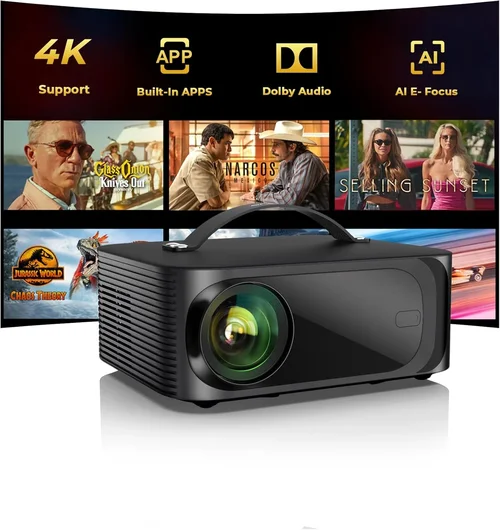
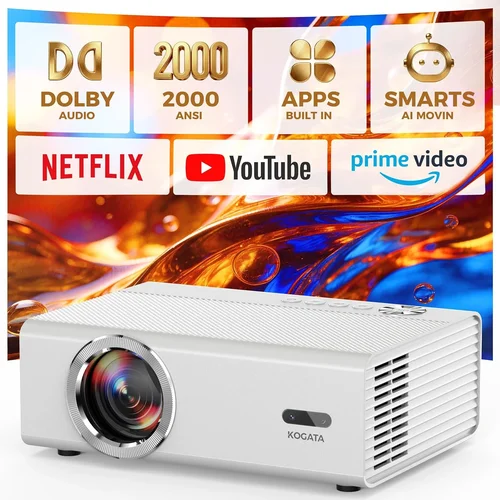
Choosing a projector that relies on LED technology can feel like stepping into a maze of specs, brand promises, and price tags. The good news is that LED projectors have become far more affordable and reliable, making them a solid choice for anyone who wants a cinema‑style experience without breaking the bank. This guide pulls together the most important information you need to find the best LED projector under $200, so you can watch movies, stream games, or give a presentation with confidence.
In the following sections you’ll learn how to evaluate brightness, resolution, connectivity, and durability—all while staying within a tight budget. We’ll also compare the main types of LED projectors, highlight common buying pitfalls, and give you a clear, step‑by‑step plan for getting the most value for your money.

What to Look for When Buying Buying Guide
1. Budget & Price Range
When you set a ceiling of $200, every dollar counts. Look for models that consistently stay under that limit across major retailers, not just on sale for a few days. Keep an eye on bundled accessories—sometimes a slightly higher price includes a remote, a screen, or a warranty that would otherwise cost extra.
2. Brightness (Lumens)
LED projectors typically deliver anywhere from 100 to 2,500 ANSI lumens. For a sub‑$200 unit, expect 100‑300 lumens. This is adequate for dark rooms, bedrooms, or small home theaters. If you plan to use the projector in a living room with some ambient light, aim for the higher end of that range.
3. Resolution
Resolution determines how sharp the image appears. Most budget LED projectors are 720p (HD) or 1080p (Full HD). While 1080p models exist under $200, they often compromise on brightness or color accuracy. Decide whether crisp detail or brighter images matter more for your primary use.
4. Contrast Ratio
Contrast ratio measures the difference between the darkest blacks and the brightest whites. A higher ratio (e.g., 2,000:1) yields richer colors and deeper blacks—important for movies. LED technology naturally offers good contrast, but cheaper units may list inflated numbers. Look for third‑party reviews that verify the claim.
5. Connectivity & Compatibility
Modern projectors should support HDMI, USB‑C, and wireless options like Miracast or AirPlay. For a $200 projector, HDMI is the baseline; USB‑C and wireless are bonuses that add flexibility for laptops, phones, and streaming sticks.
6. Portability & Size
If you need a projector for travel, camping, or occasional presentations, weight and footprint matter. Many sub‑$200 LED models weigh under 2 lb and feature a compact design that fits in a backpack.
7. Build Quality & Durability
LED light sources last 20,000‑30,000 hours, far longer than traditional bulbs. Still, the housing should be sturdy enough to survive frequent moves. Look for metal or high‑grade ABS shells and reinforced lens covers.
8. Brand Reputation & Support
Brands such as Anker (Nebula), ViewSonic, and Epson have established track records for after‑sales service. Even smaller brands can be reliable, but verify warranty length (ideally 1‑2 years) and the availability of replacement parts.
Different Types of Buying Guide
Common Buying Mistakes to Avoid
❌ Mistake: Ignoring Ambient Light Conditions
Why it’s bad: A projector rated at 200 lumens will look fantastic in a dark bedroom but will appear washed out in a bright living room.
What to do instead: Assess the typical lighting where you’ll use the device. If you can’t control ambient light, add a blackout curtain or choose a model with at least 300 lumens.
❌ Mistake: Chasing the Highest Resolution Only
Why it’s bad: A 1080p projector with 100 lumens may deliver a dim image that defeats the purpose of higher resolution.
What to do instead: Balance resolution with brightness. For most under‑$200 needs, 720p with 250‑300 lumens offers a more enjoyable viewing experience.
❌ Mistake: Overlooking Input Lag for Gaming
Why it’s bad: High input lag (>60 ms) makes fast‑paced games feel sluggish.
What to do instead: Look for a projector that advertises “gaming mode” or has an input lag under 30 ms.
❌ Mistake: Forgetting About Speaker Quality
Why it’s bad: Built‑in speakers on cheap projectors are often tinny, forcing you to buy external audio.
What to do instead: Check the wattage and frequency response. If you need better sound, budget for a small Bluetooth speaker.
❌ Mistake: Assuming All LED Projectors Are Low‑Maintenance
Why it’s bad: While LEDs last long, dust buildup on the lens can degrade image quality.
What to do instead: Choose a model with an easy‑access filter and a cleaning guide in the manual.
Budget Guidelines: How Much Should You Spend?
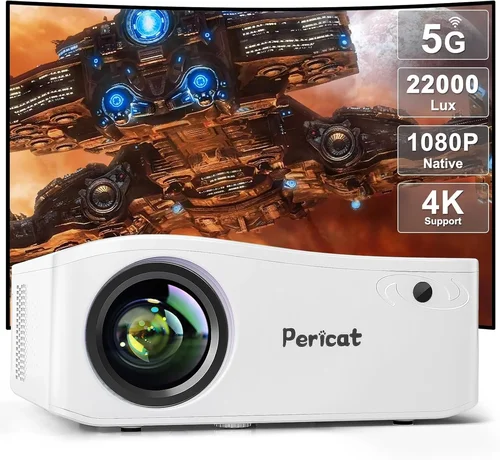
- Entry‑Level ($120‑$150): Expect 720p resolution, 150‑250 lumens, basic HDMI input, and a plastic housing. Ideal for occasional movie nights in a dark room.
- Mid‑Range ($151‑$180): You’ll find 720p‑1080p options, 250‑300 lumens, improved contrast, and added USB‑C or wireless casting. Good for small home theaters and casual gaming.
- Premium ($181‑$200): Higher brightness (300+ lumens), true 1080p, built‑in speakers >5 W, and extra ports (audio out, Ethernet). Suited for multi‑purpose use—movies, presentations, and light gaming.
Expert Tips for Getting the Best Deal
- Shop during major sales events—Black Friday, Cyber Monday, and post‑Christmas clearance often bring LED projectors under $200.
- Check refurbished or open‑box listings from reputable sellers; they can be as good as new with a lower price.
- Compare warranty terms. A longer warranty can offset a slightly higher upfront cost.
- Read user reviews focusing on brightness and durability, not just overall star rating.
- If possible, test the projector in a store. Bring a laptop to check HDMI compatibility and image quality.
- Consider bundle deals that include a screen or portable speaker, which can be cheaper than buying accessories separately.

Frequently Asked Questions
Q: Can an LED projector under $200 replace a TV?
A: It can for occasional movie nights in a dark room, but it won’t match a TV’s brightness or HDR performance in a bright living area.
Q: How long does an LED lamp actually last?
A: Most LED light engines are rated for 20,000‑30,000 hours, which translates to several years of weekly use before any noticeable dimming.
Q: Do I need a separate screen?
A: Not strictly. A smooth white wall works, but a dedicated screen improves color accuracy and contrast, especially in rooms with ambient light.
Q: Is Bluetooth audio reliable on cheap projectors?
A: Bluetooth can work, but latency may be noticeable. For gaming, wired audio or a low‑latency Bluetooth speaker is preferable.
Q: What is the difference between ANSI lumens and LED lumens?
A: ANSI lumens are a standardized measurement used for traditional lamps. LED manufacturers sometimes quote “LED lumens,” which can be higher but are not directly comparable. Stick to ANSI for realistic expectations.
Q: Can I use a projector with a smartphone?
A: Yes, most models with HDMI or USB‑C support can mirror a phone. Wireless casting (Miracast, AirPlay) adds convenience but may introduce slight lag.
Q: How far can I place a projector for a 100‑inch image?
A: Throw distance varies by model. Most budget LED projectors have a 1.2‑1.5:1 throw ratio, meaning you’ll need roughly 10‑12 ft of distance for a 100‑inch diagonal.
Our Final Recommendations
- Best for Budget‑Conscious Buyers: Anker Nebula Capsule II – $149, 720p, 200 lumens, built‑in Android TV, portable battery.
- Best Overall Value: ViewSonic M1 Mini Plus – $179, 720p, 250 lumens, Harman Kardon speakers, Wi‑Fi casting.
- Best Premium Option: Epson EF-100 – $199, 1080p, 300 lumens, low input lag, laser‑LED hybrid for extra brightness.
- Best for Beginners: Vankyo Leisure 3 – $129, 720p, easy setup, multiple inputs, solid warranty.
- Best for Advanced Users: BenQ GV1 – $199, 720p, 300 lumens, Bluetooth audio, short‑throw lens for small rooms.
Conclusion: Making the Right Choice
Finding the best LED projector under $200 boils down to matching your primary use case with the right mix of brightness, resolution, and connectivity. Remember to factor in the room’s lighting, the importance of sound, and whether you need portability. By avoiding common mistakes, using the budget guidelines, and applying the expert tips above, you can secure a projector that delivers big‑screen enjoyment without draining your wallet.
Ready to make a purchase? Start by narrowing your list to the models highlighted in our recommendations, compare current prices, and take advantage of seasonal sales. Happy viewing!