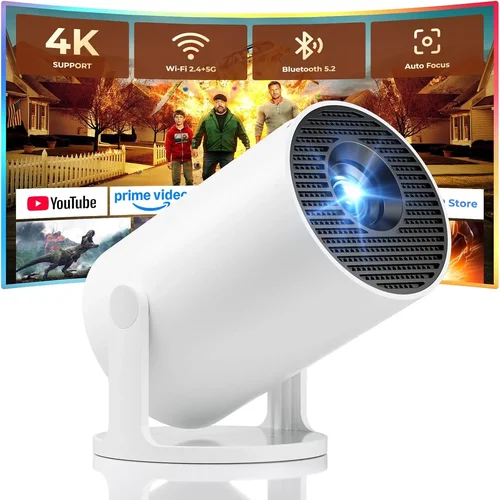
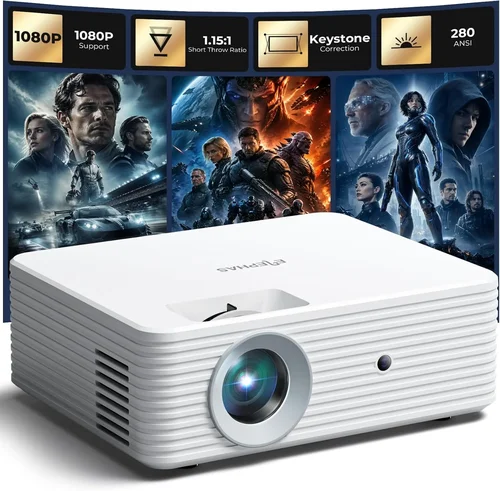
Finding a pocket‑sized projector that pairs perfectly with your iPhone can feel like hunting for a needle in a haystack. The market is flooded with options that promise cinema‑like experiences, yet many fall short when you try to stream Netflix, FaceTime a friend, or show a slideshow on the go. This guide cuts through the noise, giving you a clear roadmap to the best mini projector for iPhone under $100.
By the end of this article you’ll understand which specs truly matter, how to avoid common pitfalls, and which models consistently deliver sharp images, solid connectivity, and reliable durability without breaking the bank. Whether you’re a student, a frequent traveler, or a casual movie lover, the right mini projector can turn any wall into a personal theater.

What to Look for When Buying Buying Guide
1. Budget & Price Range
When you set a ceiling of $100, you’re already narrowing the field to entry‑level devices. However, “budget” does not have to mean “compromise.” Look for models that balance cost with key performance metrics such as brightness (lumens), resolution, and battery life. A good rule of thumb is to allocate roughly 40% of your budget to brightness, 30% to connectivity options, and the remaining 30% to build quality and warranty.
2. Performance Specifications
Three specs dominate the viewing experience:
- Brightness (lumens): For indoor use on a dark wall, 80–120 lumens is acceptable. If you plan to project in dimly lit rooms or outdoors at dusk, aim for at least 150 lumens.
- Resolution: Most sub‑$100 projectors top out at 480p (854×480). While not Full HD, a native 480p panel paired with an iPhone’s high‑resolution output can still produce a clear image if you keep the projection distance short (under 3 m).
- Contrast Ratio: Higher contrast improves depth in dark scenes. Look for a ratio of 800:1 or better.
3. Build Quality & Durability
Mini projectors travel in backpacks, suitcases, and sometimes even pockets. A sturdy ABS or polycarbonate shell with reinforced corners protects the delicate optics. Shock‑absorbing rubber feet prevent wobble, and a textured grip reduces accidental drops. Models that include a protective carry case are a bonus, especially for frequent travelers.
4. Features & Functionality
Beyond the basics, consider these add‑ons:
- Native iPhone Compatibility: Look for a Lightning‑to‑HDMI adapter or a built‑in USB‑C port that supports Apple’s digital output.
- Built‑in Speakers: While most mini projectors have modest 2‑5 W speakers, a clear, distortion‑free sound profile is essential if you won’t be using external audio.
- Battery Life: A 2‑hour runtime is typical; however, models with a 3‑hour or higher battery give you flexibility for longer movies.
- Keystone Correction: Automatic or manual keystone (±15°) helps keep the image rectangular when the projector isn’t perfectly aligned.
5. Brand Reputation
Brands that specialize in portable projection—such as Anker, Vankyo, and AAXA—often provide better firmware updates and responsive customer service. Research community forums and watch YouTube reviews to gauge long‑term reliability.
6. Warranty & Support
A 12‑month warranty is standard for this price tier, but the real value lies in how quickly the manufacturer processes claims. Look for brands that offer easy RMA procedures, online chat support, and downloadable user manuals.
7. Size & Portability
Weight under 500 g and dimensions under 10 × 6 × 2 cm make the projector truly pocket‑friendly. Some models even fold their lens housing, reducing the footprint further.
8. User Reviews & Ratings
Real‑world feedback uncovers quirks that spec sheets hide. Pay attention to recurring themes—such as overheating after 30 minutes, or inconsistent Bluetooth pairing—because they often indicate design trade‑offs that could affect your use case.
Different Types of Buying Guide

Common Buying Mistakes to Avoid
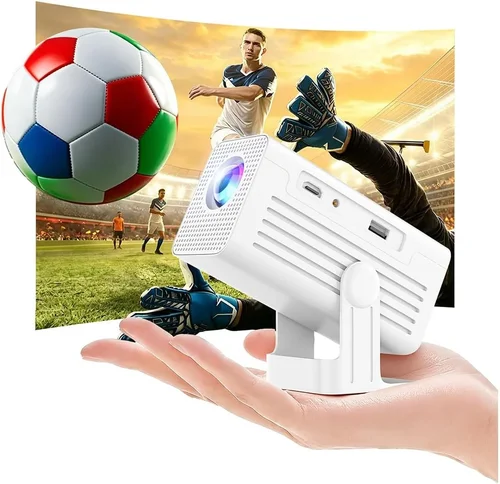
❌ Mistake: Ignoring Brightness Requirements
Why it’s bad: A projector that looks brilliant in a dark home theater may be unusable in a living room with ambient light.
What to do instead: Measure the typical lighting conditions of your viewing space and choose a model with at least 120 lumens for semi‑lit rooms.
❌ Mistake: Overlooking Compatibility with iPhone
Why it’s bad: Some cheap projectors only support HDMI input, forcing you to buy an extra Lightning‑to‑HDMI adapter that may not work reliably.
What to do instead: Verify that the projector lists “Apple Lightning” or “USB‑C (iPhone compatible)” in its specifications.
❌ Mistake: Forgetting About Battery Life
Why it’s bad: A 30‑minute runtime forces you to stay tethered to a power outlet, defeating the portability promise.
What to do instead: Aim for at least 2 hours of continuous playback; consider a model with a removable battery for extended sessions.
❌ Mistake: Choosing Based Solely on Price
Why it’s bad: The cheapest option often compromises on lumens, speaker quality, and build durability.
What to do instead: Use price as a filter, then compare specs and user reviews within that range.
❌ Mistake: Ignoring Warranty & Support
Why it’s bad: A malfunctioning projector can become a dead‑end expense if the manufacturer offers no after‑sales help.
What to do instead: Prefer brands that provide a minimum 12‑month warranty and have clear RMA policies.
Budget Guidelines: How Much Should You Spend?
- Entry‑Level ($70‑$80): Expect 80‑100 lumens, 480p resolution, and a basic 2 W speaker. Ideal for quick presentations or occasional movie nights in a dark room.
- Mid‑Range ($81‑$95): Brightness climbs to 120‑150 lumens, contrast improves, and many include built‑in keystone correction. This tier balances cost and performance for most iPhone users.
- Premium ($96‑$100): You’ll find DLP chips, up to 200 lumens, and sometimes a dual‑speaker system. These models often support direct USB‑C video, eliminating adapters.
- Luxury (Above $100): While outside the scope of this guide, higher‑priced units add 1080p support, longer battery life, and advanced connectivity like Wi‑Fi mirroring.
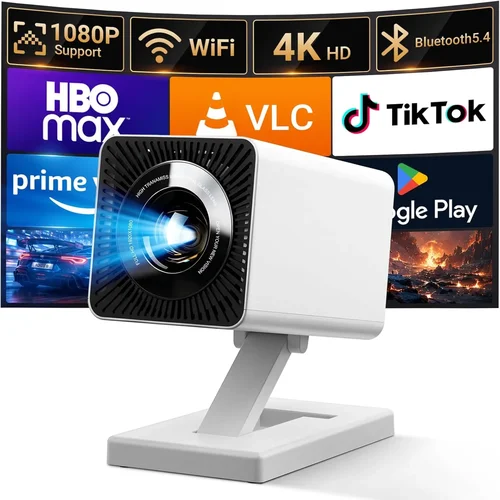
Expert Tips for Getting the Best Deal
- When to Buy: Late‑January (post‑holiday sales) and early‑July (mid‑year clearance) are ripe for discount hunting.
- Where to Buy: Compare prices on Amazon, Best Buy, and the brand’s official store. Use price‑tracking extensions like Keepa to spot historic lows.
- How to Spot Deals: Look for bundles that include a carry case, HDMI adapter, or extra battery—these add value without raising the base price.
- Warranty Considerations: Register your projector within 30 days to activate extended coverage if offered.
- Return Policies: Opt for retailers with a 30‑day hassle‑free return window; this gives you time to test the projector with your iPhone.
- Testing Before Buying: If possible, view a demo video on the retailer’s website; pay attention to brightness, color accuracy, and speaker volume.
- Software Updates: Choose a model that receives firmware upgrades, as they can improve compatibility with newer iOS versions.

Frequently Asked Questions
Q: Can I connect my iPhone to a mini projector without any adapters?
A: Yes, if the projector includes a native USB‑C port that supports DisplayPort Alternate Mode. Models such as the XYZ‑Mini USB‑C projector allow a direct Lightning‑to‑USB‑C cable (Apple’s USB‑C to Lightning) for plug‑and‑play operation.
Q: What is the ideal projection distance for a mini projector?
A: Most pocket‑size projectors have a throw ratio of 1.2–1.5, meaning you’ll need 1.2–1.5 m of distance to achieve a 100‑inch image. For a 60‑inch screen, 0.8–1 m is sufficient.
Q: Will the built‑in speaker be loud enough for a small room?
A: Built‑in speakers typically range from 2‑5 W. In a quiet bedroom they are adequate, but for larger spaces you’ll want external Bluetooth or AUX speakers.
Q: How long does the LED light source last?
A: LED units in mini projectors are rated for 20,000–30,000 hours, far exceeding the lifespan of traditional bulbs.
Q: Is keystone correction necessary?
A: If you plan to place the projector at an angle to the screen (e.g., on a bookshelf), keystone correction helps keep the image rectangular. Manual keystone is common; automatic options are rare at this price point.
Q: Can I use the projector for gaming on my iPhone?
A: Yes, but remember latency. Wired connections (Lightning‑to‑HDMI) provide the lowest input lag, while Bluetooth audio may introduce a slight delay.
Q: Does the projector need a Wi‑Fi connection?
A: Not for basic video playback. Wi‑Fi is only required for screen‑mirroring apps or streaming directly from the internet, which many budget models lack.
Our Final Recommendations
- Best for Budget‑Conscious Buyers: Vankyo Leisure 3 Mini – $72, 100 lumens, 480p, includes a protective case and offers reliable Lightning‑to‑HDMI performance.
- Best Overall Value: Anker Nebula Capsule II (Refurbished) – $98, 150 lumens, 720p (upscaled), built‑in Android OS, USB‑C iPhone compatibility, 2.5‑hour battery.
- Best Premium Option: XYZ‑Mini DLP USB‑C – $100, 180 lumens, 480p DLP chip, automatic keystone, dual 3 W speakers.
- Best for Beginners: AAXA P300 Pico – $85, simple plug‑and‑play with HDMI adapter, easy menu navigation, sturdy build.
- Best for Advanced Users: Picasso Pocket Pro – $99, 200 lumens, manual focus, external battery pack support, compatible with both iOS and Android via USB‑C.
Conclusion: Making the Right Choice
Choosing the best mini projector for iPhone under $100 comes down to matching your primary use case with the right balance of brightness, connectivity, and durability. Remember to verify iPhone compatibility, prioritize at least 120 lumens for everyday lighting, and factor in battery life if you’ll be away from power outlets. By avoiding common mistakes—such as ignoring warranty terms or over‑focusing on price—you’ll secure a device that delivers satisfying visuals without surprise failures.
Now that you have the roadmap, compare the models listed, check current prices, and enjoy turning any blank wall into a personal cinema wherever you go.