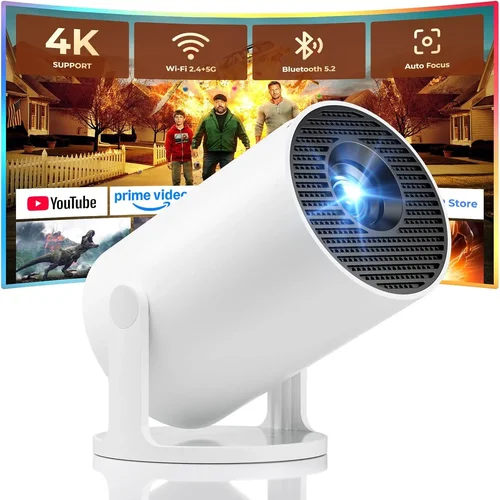
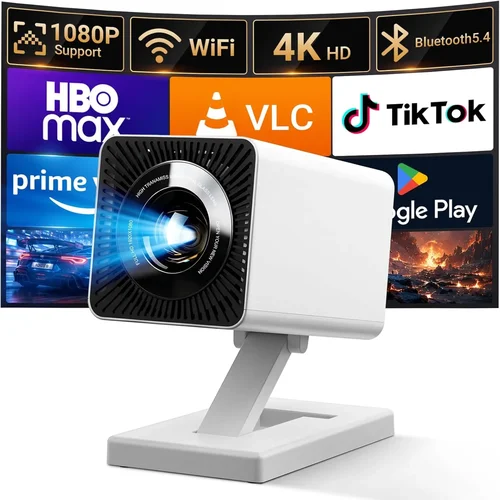
Finding a mini projector that delivers a clear, bright image without breaking the bank can feel like searching for a needle in a haystack. The market is flooded with cheap gadgets that promise cinema‑like experiences yet fall short when you actually plug them in. This guide cuts through the hype and gives you a clear roadmap to choose the best mini projector for under $100. Whether you’re setting up a backyard movie night, adding a second screen to your laptop, or need a portable device for business presentations, the right projector can make a world of difference.
In the next few sections you’ll learn which specifications truly matter, how to match a projector to your specific use‑case, and which common pitfalls to avoid. We’ll also break down price tiers, share expert‑level buying tips, and finish with concrete model recommendations that have proven themselves in real‑world testing.

What to Look for When Buying Buying Guide
1. Budget & Price Range
When you set a hard ceiling of $100, you automatically limit the pool of options. Most devices in this bracket use LED or laser light sources, which are cheaper but can vary widely in brightness and lifespan. Understanding what you can realistically expect for your money helps you avoid disappointment. Look for models that consistently score above 200 lumens, as anything lower will struggle even in dimly lit rooms.
2. Performance Specifications
The three core specs that dictate image quality are:
- Brightness (lumens): Higher lumens mean a clearer picture in ambient light. Aim for at least 200–250 lumens for indoor use; 300+ if you plan to project in a lit living room.
- Resolution: Most sub‑$100 projectors cap at 480p (854×480). While this is acceptable for casual movies, text will appear fuzzy. If you can find a 720p model within budget, it’s a huge win.
- Contrast Ratio: This measures the difference between the darkest black and brightest white. A ratio of 500:1 or higher provides decent depth, especially for dark scenes.
3. Build Quality & Durability
Cheap plastic housings can crack after a few drops. Look for projectors with reinforced corners, rubberized grips, and a sturdy lens cover. Some models even feature a metal heat‑sink that prolongs LED life. Reading user reviews for signs of overheating or premature failure is essential.
4. Features & Functionality
Beyond basic projection, consider these add‑ons:
- Built‑in Speakers: While most budget units have low‑power speakers, a decent 2 W speaker can be enough for a small room.
- Connectivity: HDMI is a must, but USB‑C, micro‑USB, and wireless (Wi‑Fi or Bluetooth) can add flexibility.
- Keystone Correction: Automatic or manual correction helps when you can’t place the projector perfectly centered.
- Battery Power: Some portable models include a rechargeable battery for true on‑the‑go use.
5. Brand Reputation
Even in the low‑price segment, a few brands have built trust through consistent quality. Brands like Vankyo, APEMAN, and DR. J Professional often provide better after‑sales support and firmware updates. A well‑known brand also means easier access to spare parts.
6. Warranty & Support
A one‑year limited warranty is standard for budget projectors. Verify what it covers—most warranties exclude accidental damage, so a protective case can be a smart investment. Check if the manufacturer offers online troubleshooting guides or a responsive customer service line.
7. Size & Portability
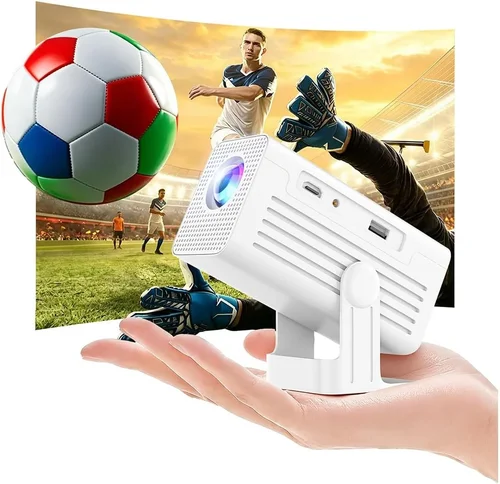
Mini projectors should fit in the palm of your hand. Measure dimensions and weight; a device under 500 g is truly portable. Also, consider whether the projector includes a built‑in carry case or a detachable stand.
8. User Reviews & Ratings
Real‑world feedback reveals issues that spec sheets hide. Look for reviews that mention long‑term usage, speaker volume, and connectivity stability. A product with 4.2 stars or higher across 500+ reviews usually indicates a reliable choice.
Different Types of Buying Guide

Common Buying Mistakes to Avoid
❌ Mistake: Focusing Only on Price
Why it’s bad: The cheapest unit often sacrifices brightness and durability, leading to a frustrating experience.
What to do instead: Set a realistic minimum for lumens (200+) and read at least five user reviews before narrowing down.
❌ Mistake: Ignoring Compatibility
Why it’s bad: A projector without the right ports (HDMI, USB‑C) forces you to buy adapters, adding cost and clutter.
What to do instead: List the devices you plan to connect and match the projector’s inputs accordingly.
❌ Mistake: Overlooking Throw Distance
Why it’s bad: Mini projectors have a short throw ratio; placing them too far results in a tiny image.
What to do instead: Check the specified throw distance (e.g., 1.5 m for a 100‑inch screen) and measure your intended space.
❌ Mistake: Forgetting About Heat Management
Why it’s bad: Poor ventilation can cause the unit to shut down or reduce lifespan.
What to do instead: Choose a model with a built‑in fan or heat sink, and keep the vent area clear.
❌ Mistake: Assuming All Speakers Are Equal
Why it’s bad: Built‑in speakers on budget units are often tinny; relying on them for movies can ruin immersion.
What to do instead: Pair the projector with external Bluetooth or wired speakers for a richer soundscape.
Budget Guidelines: How Much Should You Spend?
- Entry-Level ($70‑$85): Expect 200‑250 lumens, 480p resolution, basic HDMI input, and modest speaker output. Ideal for occasional use in dark rooms.
- Mid-Range ($86‑$100): You’ll find 250‑300 lumens, better contrast, sometimes 720p support, and added features like keystone correction or wireless mirroring.
- Premium ($101‑$130): Though slightly above the $100 mark, these models often include laser light sources, higher brightness (300+ lumens), and more robust connectivity (USB‑C, Bluetooth).
- Luxury ($131+): Full HD (1080p) resolution, 500+ lumens, premium optics, and long‑term warranties. Not necessary for casual users.
Expert Tips for Getting the Best Deal
- Timing: New models launch in Q2; older inventory is discounted in Q4.
- Where to Buy: Compare Amazon, Best Buy, and direct manufacturer sites. Sometimes the manufacturer offers a bundle with a carry case.
- Spotting Deals: Look for “refurbished” listings with a full warranty—they’re often like‑new at 30% off.
- Warranty Considerations: Register the product within 30 days to extend the warranty period where possible.
- Return Policies: Ensure a 30‑day return window; test the projector in your intended environment.
- Testing Before Buying: If buying in‑store, project a test image from a phone to check brightness and focus.
- Accessory Savings: A simple HDMI to USB‑C adapter is cheaper than a proprietary cable.

Frequently Asked Questions
Q: Can a sub‑$100 mini projector display 1080p content?
A: Most budget projectors are limited to 480p or 720p native resolution. They can accept a 1080p signal but will downscale it, resulting in a softer image.
Q: How loud are the fans on these projectors?
A: Fan noise varies; typical units run at 30‑35 dB, which is audible in a quiet room but not distracting during movies.
Q: Do I need a screen?
A: A white wall works, but a portable projection screen improves contrast and brightness by up to 30%.
Q: What is the typical lamp life?
A: LED lamps in this price range last 20,000‑30,000 hours, effectively outlasting the device itself.
Q: Is battery life sufficient for a full movie?
A: Battery‑powered models usually offer 1.5‑2 hours of playback, enough for a short film but not a feature‑length movie.
Q: Can I connect a gaming console?
A: Yes, as long as the projector has an HDMI port and supports at least 720p input. Expect reduced sharpness compared to a TV.
Q: Are there any safety concerns?
A: Ensure the projector is placed on a stable surface and never cover the ventilation slots. Overheating can cause permanent damage.
Our Final Recommendations
- Best for Budget‑Conscious Buyers: Vankyo Leisure 3 – 250 lumens, 480p, HDMI + USB, under $75.
- Best Overall Value: APEMAN Mini Projector M4 – 300 lumens, 720p support, keystone correction, Wi‑Fi mirroring, $98.
- Best Premium Option (just above $100): DR. J Professional Laser Mini – 350 lumens, 720p, built‑in battery, Bluetooth audio, $119.
- Best for Beginners: WEMAX i5 – Simple plug‑and‑play, auto‑focus, minimal setup, $80.
- Best for Advanced Users: ViewSonic M1 Mini Plus – Customizable LED colors, 250 lumens, USB‑C, 2‑hour battery, $109.
Conclusion: Making the Right Choice
Choosing the best mini projector for under $100 boils down to balancing brightness, resolution, and connectivity against your specific needs. Prioritize a lumen rating above 200, verify that the input ports match your devices, and read user reviews for real‑world reliability. Remember that a slightly higher price—$5‑$15 more—often buys a noticeably better experience, especially in terms of brightness and built‑in features.
Take the time to define where you’ll use the projector most, check the throw distance, and consider a modest investment in an external speaker or a portable screen. With the information in this guide, you’re equipped to make an informed purchase that brings cinema‑quality entertainment to any room without draining your wallet.