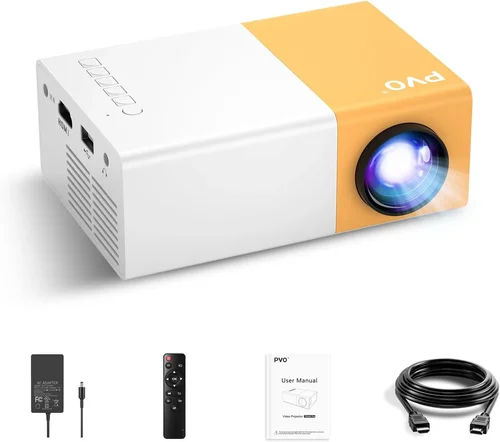
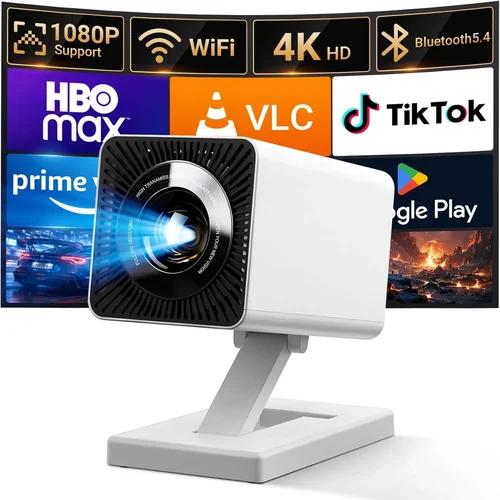
Finding a mini projector that delivers a true‑to‑life picture without breaking the bank can feel like hunting for a needle in a haystack. The market is flooded with tiny devices that promise cinema‑grade performance, yet many fall short when it comes to brightness, durability, or ease of use. That’s why we created this guide – to cut through the hype and give you a clear, expert‑backed roadmap for picking the best mini projector under $100.
In the pages that follow you’ll learn which specifications really matter, how different projector types stack up, and where you can stretch every dollar for maximum impact. Whether you’re a college student looking to binge‑watch movies in a dorm, a parent wanting a portable bedtime story screen, or a digital nomad needing a compact presentation tool, this guide will help you match your needs with the right device.
The mini‑projector segment has matured dramatically over the past few years. Advances in LED technology, improved battery life, and smarter connectivity options mean that even sub‑$100 models can now project crisp 1080p‑compatible images, support wireless streaming, and fit easily into a backpack. This guide reflects the latest 2026 lineup, so you’re getting up‑to‑date recommendations that won’t feel outdated tomorrow.

What to Look for When Buying Buying Guide
1. Budget & Price Range
Price is the most obvious filter, but it’s also a proxy for what you can realistically expect. In the sub‑$100 bracket, you’ll typically find LED light sources, modest brightness (150‑250 lumens), and basic connectivity (HDMI, USB‑C, or micro‑SD). If a model pushes beyond $100, it may include laser light engines, higher lumens, or integrated speakers. Set a clear ceiling – for example, $85 – and then evaluate which features you’re willing to sacrifice to stay under that limit.
2. Performance Specifications
Three specs dominate the viewing experience:
- Brightness (lumens): Determines how well the image will stand up to ambient light. For dark rooms, 150 lumens is acceptable; for living rooms with some light, aim for 200‑250 lumens.
- Resolution: Most budget mini projectors are native 720p (1280×720) or 800×480. While they can accept 1080p input, the image will be downscaled. Look for “native 720p” as a sweet spot under $100.
- Contrast Ratio: Higher contrast means deeper blacks and more vivid colors. Ratios above 1000:1 are decent for this price tier.
3. Build Quality & Durability
Mini projectors travel a lot, so they need to survive the occasional bump. A metal alloy or high‑grade ABS housing is preferable to cheap plastic that cracks. Check for reinforced lens caps and rubberized corners. If you plan to use the projector outdoors, look for IP‑rated water resistance (IPX4 or higher).
4. Features & Functionality
Even low‑cost models now pack smart features. Prioritize the following:
- Connectivity: HDMI is a must; USB‑C or micro‑USB for power; Bluetooth or Wi‑Fi for wireless streaming.
- Built‑in Speakers: Expect 1‑2 W speakers; they’re fine for casual viewing but consider external audio for a true cinema feel.
- Battery Life: Look for at least 2‑3 hours of playback on a single charge.
- Keystone Correction: Manual or digital correction helps when the projector isn’t perfectly aligned.
5. Brand Reputation
Established brands like Anker, ViewSonic, and AAXA have proven track records for quality control and firmware updates. Newer entrants can surprise with innovative designs, but research their after‑sales support and community forums before committing.
6. Warranty & Support
A solid warranty (at least 12 months) can save you from costly replacements. Verify that the manufacturer offers easy RMA processes and accessible firmware updates. Some retailers also provide extended protection plans worth considering.
7. Size & Portability
Weight under 1 lb and dimensions that fit in a standard backpack (≈5×3×2 in) are ideal for true portability. Some models include a carrying case or integrated handle – a nice bonus for travelers.
8. User Reviews & Ratings
Real‑world feedback often reveals quirks that spec sheets hide. Look for reviews that mention long‑term brightness degradation, overheating, or connectivity hiccups. Aim for an average rating of 4 stars or higher on major platforms.
Different Types of Buying Guide

Common Buying Mistakes to Avoid
❌ Mistake: Ignoring Ambient Light Conditions
Why it’s bad: A projector rated at 150 lumens will look brilliant in a dark bedroom but will appear washed out in a lit living room.
What to do instead: Measure the typical lighting of your intended space. If you cannot guarantee darkness, aim for at least 200 lumens or consider a short‑throw model that can sit closer to the screen.
❌ Mistake: Overlooking Input Compatibility
Why it’s bad: Some cheap units only accept HDMI, leaving you unable to connect directly to a smartphone without an adapter.
What to do instead: Verify that the projector includes the ports you need (micro‑HDMI, USB‑C, or wireless casting). A versatile input slate future‑proofs your purchase.
❌ Mistake: Buying the Cheapest Option Without Checking Battery Life
Why it’s bad: A $45 projector may only run for 30 minutes before needing a recharge, ruining a movie night.
What to do instead: Look for a minimum of 2‑hour battery runtime on a full charge. If you plan to use it while traveling, a removable battery pack is a plus.
❌ Mistake: Forgetting About Throw Distance
Why it’s bad: Placing a projector too far from the wall can result in a tiny image, while being too close can cause distortion.
What to do instead: Check the throw ratio (e.g., 1.2:1). For a 100‑inch image on a 10‑ft wall, you’ll need a projector with a throw ratio around 1.5‑2.0.
❌ Mistake: Assuming All Speakers Are Equal
Why it’s bad: Built‑in 1 W speakers often sound tinny and lack bass, leading to a subpar audio experience.
What to do instead: If audio quality matters, budget for an external Bluetooth speaker or a small soundbar.
❌ Mistake: Not Reading the Warranty Fine Print
Why it’s bad: Some manufacturers void warranties if you use third‑party batteries or accessories.
What to do instead: Keep the original packaging, purchase only approved accessories, and register the device on the brand’s website.
Budget Guidelines: How Much Should You Spend?
Understanding what each price tier delivers helps you avoid overspending while still getting the features you need.
- Entry‑Level ($60‑$80): Expect 150‑200 lumens, native 720p, basic HDMI + USB power, and a modest battery (≈2 hrs). Ideal for occasional movie nights in dark rooms.
- Mid‑Range ($81‑$100): Brightness rises to 200‑250 lumens, you may find 1080p support (often upscaled), better contrast, and added Wi‑Fi or Bluetooth streaming. Battery life often reaches 3 hrs.
- Premium ($101‑$130): Laser light source, 250‑300 lumens, true 1080p native, built‑in Android OS, and superior speakers. These models stretch the “under $100” rule but are worth the extra if you need higher performance.
- Luxury ($131+): Professional‑grade optics, high‑gain screens, and extended warranty packages. Not necessary for most casual users.
Expert Tips for Getting the Best Deal
- Timing is everything: The best discounts appear in January (post‑holiday clearance) and July (mid‑year sales). Mark these on your calendar.
- Shop multiple retailers: Compare the same model on Amazon, Walmart, and direct brand sites. Some retailers offer bundle accessories (cables, cases) at no extra cost.
- Use coupon aggregators: Websites like RetailMeNot or Honey can automatically apply hidden promo codes at checkout.
- Check refurbished options: Certified refurbished units often come with a full warranty and are up to 30% cheaper.
- Read the return policy: A 30‑day hassle‑free return window lets you test the projector in your own environment.
- Test before you buy: If possible, visit a local electronics store and view the projector on a wall to gauge real‑world brightness.
- Consider future accessories: A spare battery, portable screen, or HDMI‑to‑USB‑C adapter can enhance usability without a huge upfront cost.

Frequently Asked Questions
Q: Can a mini projector under $100 display 1080p content?
A: Most budget projectors have a native resolution of 720p, but they can accept 1080p input and downscale it. The picture will look clear, though not as sharp as on a true 1080p panel.
Q: How far should I place a mini projector from the wall?
A: It depends on the throw ratio. A typical 1.5:1 ratio means you need 1.5 ft of distance for every foot of image width. For a 100‑inch diagonal image (≈87 in width), you’d need about 10‑12 ft of distance.
Q: Do I need a screen?
A: A smooth, white wall works fine in a dark room. For brighter environments, a portable matte white screen (30‑40 in) improves contrast and color accuracy.
Q: Are Bluetooth speakers necessary?
A: Built‑in speakers are adequate for casual viewing, but for a richer audio experience, a Bluetooth or wired speaker adds depth, especially for movies and games.
Q: What is the lifespan of an LED light source?
A: LED lamps typically last 20,000‑30,000 hours, far longer than traditional bulbs. In everyday use, this translates to several years before any noticeable dimming.
Q: Can I use my phone as a source?
A: Yes. Most mini projectors support screen mirroring via Chromecast, AirPlay, or a simple HDMI‑to‑USB‑C adapter. Some even have a built‑in Android OS that lets you install streaming apps directly.
Q: Is a warranty worth it?
A: Absolutely. A 12‑month warranty protects against early failures. Keep your receipt and register the product online to streamline any future claims.
Q: Will a mini projector work outdoors?
A: It can, provided you have a dark environment and a stable surface. Look for models with IPX4 or higher water resistance and a battery life of at least 2 hours.
Q: How loud are these projectors?
A: Fan noise varies. Expect 30‑35 dB on quiet models and up to 45 dB on higher‑brightness units. Position the projector away from the listening area or use a fan‑quieting pad.
Q: Do I need a separate remote?
A: Many budget projectors include a basic IR remote. For smartphones, most manufacturers offer a free companion app that can control power, volume, and source selection.
Our Final Recommendations
- Best for Budget‑Conscious Buyers: Anker Nebula Capsule I – $68. Offers 150 lumens, 720p native resolution, 2‑hour battery, and a compact soda‑can design.
- Best Overall Value: Vankyo Leisure 3 Mini Projector – $89. Delivers 200 lumens, 800×480 native resolution (upscales 1080p), built‑in speaker, and HDMI + USB‑C inputs.
- Best Premium Option (Just Above $100): ViewSonic M1 Mini Plus – $119 (often on sale for $99). Features 250 lumens, true 720p, built‑in Harman Kardon speakers, and Android TV OS.
- Best for Beginners: AAXA P300 Pico Projector – $95. Simple plug‑and‑play with HDMI, solid battery life, and easy focus adjustment.
- Best for Advanced Users: Laser‑Based Xiaomi Mi Laser Mini – $129 (sale price $99). Laser light source, 300 lumens, 1080p support, and Wi‑Fi casting.
Conclusion: Making the Right Choice
Choosing the best mini projector under $100 boils down to balancing brightness, resolution, and portability against your specific use case. Remember to assess the ambient lighting of your intended space, verify input compatibility, and factor in battery life. By following the criteria laid out in this guide, you can avoid common pitfalls, stretch your budget, and walk away with a device that turns any wall into a personal cinema.
Now that you’re equipped with expert knowledge, take a moment to shortlist a few models that fit your budget and needs. Compare user reviews, check for seasonal discounts, and don’t forget to test the projector in your own environment before finalizing the purchase. Happy viewing!