Finding a mini projector that delivers a decent picture without breaking the bank can feel like hunting for a needle in a haystack, especially when you’re shopping in Australia where pricing, warranty, and compatibility can differ from overseas markets. This guide is designed to cut through the noise and give you a clear, step‑by‑step roadmap to pick the best mini projector under $100 AU. Whether you’re a student wanting to stream Netflix in a dorm, a parent looking for a portable movie night solution, or a business traveler needing a quick‑setup presentation tool, the information below will help you make an educated decision.
In the pages that follow you’ll learn which specifications truly matter at this price point, how to compare the different projector categories, and which common pitfalls to avoid. We’ll also break down realistic budget expectations, share insider tips on scoring the best deals, and answer the most frequently asked questions Australian shoppers have about mini projectors. By the end of this guide you’ll be equipped to select a model that matches your needs, fits your pocket, and lasts beyond the first few uses.

What to Look for When Buying Buying Guide
1. Budget & Price Range
When you set a hard ceiling of $100 AU, you immediately narrow the field to entry‑level models. At this price, manufacturers often cut back on lamp life, native resolution, and build quality to keep costs low. Understanding what you can realistically expect for your money prevents disappointment later. Look for clear pricing tiers within the sub‑$100 bracket – for example, $60‑$80 models typically offer basic 480p resolution and a modest 30‑40 lumen output, while $80‑$100 units may push 720p support and 40‑50 lumens. Keep an eye out for seasonal promotions; a $95 projector in November might drop to $75 during a Boxing Day sale.
2. Performance Specifications
The three specs that dominate picture quality are resolution, brightness (lumens), and contrast ratio. For a mini projector under $100, native resolutions of 480p (854×480) are common, but some newer models claim “720p support” – meaning they can accept a 720p signal but will downscale it. Brightness is usually measured in ANSI lumens; most budget units sit between 30 and 50 lumens, which is sufficient only in dark rooms. Contrast ratio (e.g., 1000:1) indicates how deep the blacks will appear; a higher number means better depth. When shopping, prioritize a higher brightness rating if you anticipate using the projector in rooms with some ambient light.
3. Build Quality & Durability
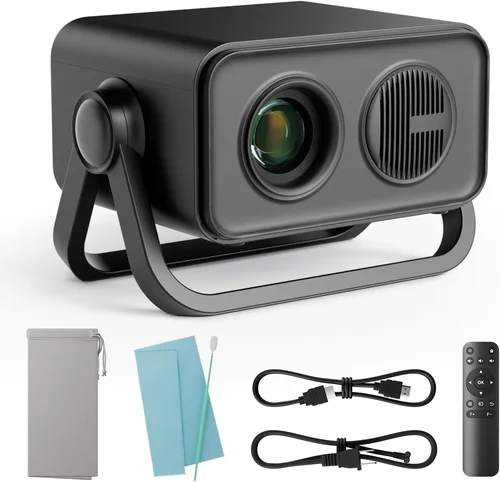
Cheap plastics and flimsy hinges are a hallmark of low‑cost electronics, but a well‑designed mini projector should still feel solid in the hand. Look for reinforced lens housings, rubberized grip zones, and a sturdy mounting bracket (if you plan to attach it to a ceiling or tripod). Since these devices are often moved from room to room, a robust chassis will survive drops and bumps. Many manufacturers also include protective covers for the lens – a small but valuable addition.
4. Features & Functionality
Beyond the core picture specs, modern mini projectors pack a surprising amount of extra functionality. Common features to evaluate include:
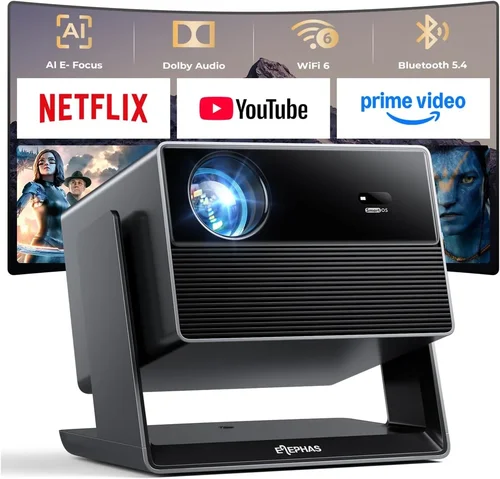
- Wireless connectivity: Wi‑Fi or Bluetooth for screen mirroring from phones, tablets, or laptops.
- Built‑in speakers: While most cheap projectors have low‑power speakers (1‑2 W), they can be useful for casual viewing without external audio.
- USB‑C / HDMI inputs: Dual input options increase flexibility; HDMI is essential for gaming consoles, while USB‑C works well with newer smartphones.
- Battery operation: Some models include an internal rechargeable battery, providing 1‑2 hours of unplugged use – ideal for outdoor picnics.
- Keystone correction: Manual or digital correction helps align the image when the projector isn’t perfectly centered.
Prioritize the features you’ll actually use; every added function can increase price and complexity.
5. Brand Reputation
Even within the sub‑$100 market, certain brands have earned a reputation for reliability. In Australia, manufacturers such as Vankyo, APEMAN, and Elephas often receive positive local reviews, while lesser‑known Chinese brands may offer lower prices but variable quality. Checking Australian consumer forums, product reviews on sites like ProductReview.com.au, and the length of a brand’s warranty can give you confidence before you click “Buy Now”.
6. Warranty & Support
A longer warranty signals that a company stands behind its product. Most budget mini projectors come with a 6‑month to 1‑year warranty; some retailers extend this to 2 years for a small fee. Verify whether the warranty covers the lamp (the most likely component to fail) and whether you need to ship the device back to the manufacturer overseas or can return it to a local Australian service centre. Good after‑sales support can save you both time and money.
7. Size & Portability
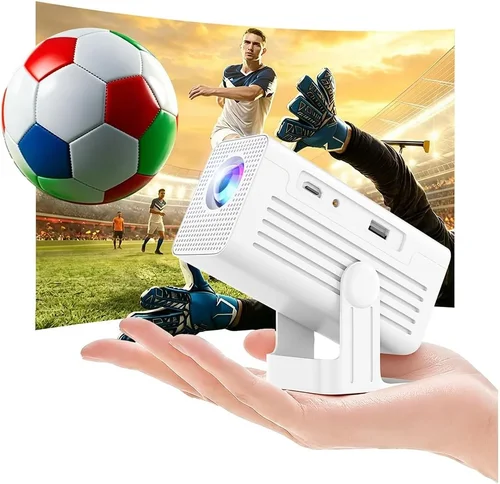
True mini projectors are often palm‑sized, weighing under 300 g and measuring less than 10 cm on any side. If you plan to carry the unit in a backpack for travel or outdoor use, look for models with a compact form factor and a built‑in handle or strap loop. Some units also include a detachable lens cap that doubles as a protective case.
8. User Reviews & Ratings
Numbers on a spec sheet only tell part of the story. Real‑world user reviews reveal how a projector performs over weeks and months of use. Pay attention to recurring comments about overheating, flickering, or app compatibility. In the Australian market, look for reviews that mention local power voltage (230 V) and plug type (I‑type). A model with a high average rating (4 stars or above) and a large number of reviews is generally a safer bet.
Different Types of Buying Guide

Common Buying Mistakes to Avoid
❌ Mistake: Ignoring Ambient Light Conditions
Why it’s bad: A projector rated at 30 lumens will look bright in a dark bedroom but will appear washed out in a living room with curtains open.
What to do instead: Measure the typical lighting of your intended space. If you cannot guarantee darkness, aim for at least 40‑50 lumens and consider a projector with a higher contrast ratio.
❌ Mistake: Over‑focusing on Resolution Only
Why it’s bad: A 720p claim on a $90 projector often means the device merely accepts a 720p input and scales it down to its native 480p panel, providing no real image improvement.
What to do instead: Prioritize native resolution (the actual pixel count of the projector’s chip). For sub‑$100 units, 480p native is realistic; look for models that genuinely support higher resolutions without heavy down‑scaling.
❌ Mistake: Forgetting About Compatibility with Australian Power
Why it’s bad: Some imported projectors are designed for 110 V markets. Plugging them into a 230 V Australian outlet without a proper step‑down transformer can damage the unit.
What to do instead: Verify that the product listing states “230 V compatible” or includes an Australian plug adapter. When in doubt, contact the seller before purchasing.
❌ Mistake: Assuming All Built‑In Speakers Are Sufficient
Why it’s bad: Built‑in speakers on budget models rarely exceed 2 W, resulting in tinny sound that struggles in larger rooms.
What to do instead: If audio quality matters, budget for an external Bluetooth speaker or a small soundbar. Check that the projector offers a 3.5 mm audio jack or Bluetooth output.
❌ Mistake: Not Checking the Return Policy
Why it’s bad: Mini projectors can have “dead on arrival” (DOA) issues like a dead lamp or corrupted firmware. Without a clear return window, you may be stuck with a defective unit.
What to do instead: Purchase from retailers that provide at least a 30‑day return period and a hassle‑free refund process. Keep the original packaging until you’re sure the projector works as expected.
❌ Mistake: Overlooking the Need for a Screen
Why it’s bad: Projecting onto a plain wall can degrade image quality due to texture and color inconsistencies.
What to do instead: Invest in a cheap 80‑inch white projection screen or a portable pull‑up screen. Even a smooth white sheet can dramatically improve perceived brightness and contrast.
❌ Mistake: Buying the Cheapest Option Without Research
Why it’s bad: Extremely low‑priced models often cut corners on lamp life, resulting in a device that fails after a few months.
What to do instead: Compare at least three models, read user reviews, and consider the total cost of ownership, including possible replacement lamps.
Budget Guidelines: How Much Should You Spend?
Understanding what you get at each price tier helps you set realistic expectations and avoid overpaying for features you’ll never use.
- Entry‑Level ($60‑$75): Expect 30‑35 lumens, native 480p, basic HDMI input, and a small plastic body. Ideal for occasional backyard movies in total darkness.
- Mid‑Range ($76‑$90): You’ll see 40‑45 lumens, optional Wi‑Fi, slightly better contrast, and sometimes a built‑in speaker upgrade. This tier balances price and performance for most casual users.
- Premium ($91‑$100): Highest brightness in the sub‑$100 segment (up to 50 lumens), 720p support (often true native), battery operation, and more robust build quality. Best for users who need flexibility and a longer lamp life.
- Luxury ($101+): Though outside the scope of this guide, luxury mini projectors often exceed $150 and include features like 1080p native resolution, 100+ lumens, and advanced keystone correction.
Expert Tips for Getting the Best Deal
- Timing is everything: Major Australian sales events – Boxing Day, End of Financial Year, and Black Friday – often feature deep discounts on electronics, sometimes up to 30% off.
- Shop at trusted retailers: Big‑box stores like JB Hi‑Fi, Harvey Norman, and Officeworks sometimes carry exclusive bundles with extra cables or a screen. Online giants such as Amazon AU and Kogan also run flash sales.
- Use coupon codes: Before checkout, search for “mini projector coupon AU” – you might find a 5‑10% off code for first‑time buyers.
- Check the warranty extension: Some sellers offer a discounted extended warranty at checkout; weigh the cost against the risk of lamp failure.
- Read the fine print on shipping: Free shipping thresholds can vary; adding a cheap accessory (like a HDMI cable) may push you over the limit, saving you money.
- Test before you fully commit: If buying in‑store, ask to see a demo. Even a brief projection onto a wall will reveal brightness and focus quality.
- Consider refurbished units: Certified refurbished models from reputable sellers can provide a like‑new experience at 15‑20% lower price, often with a full warranty.

Frequently Asked Questions
Q: Can a mini projector under $100 display 1080p content?
A: Most sub‑$100 models have a native resolution of 480p and can only “accept” a 1080p signal, which they downscale. You will not get true 1080p clarity, but the image will still be watchable if the source material is high quality and you’re in a dark environment.
Q: How long does the lamp last on a budget projector?
A: LED lamps in cheap projectors typically last between 20,000 and 30,000 hours. In practice, you may see a gradual dimming after a few years of regular use, but outright failure is rare within the first 12‑18 months.
Q: Do I need a special screen for a mini projector?
A: While a plain white wall works, a dedicated projection screen improves brightness and contrast by up to 30%. Portable pull‑up screens are inexpensive and fold flat for travel.
Q: Is Wi‑Fi connectivity reliable on these cheap units?
A: Wi‑Fi on budget models can be finicky, especially with older Android versions. For stable streaming, a wired HDMI connection or a USB‑C to HDMI adapter is more reliable.
Q: Can I use a mini projector for gaming?
A: Yes, but keep expectations realistic. Low input lag (under 30 ms) is rare under $100, and the limited brightness may affect fast‑moving scenes in bright rooms. A dark room and a short throw distance help mitigate these issues.
Q: Are there any Australian‑specific safety certifications I should look for?
A: Look for the RCM (Regulatory Compliance Mark) symbol on the product or packaging. It indicates the device meets Australian electrical safety standards.
Q: What is the best way to clean the lens?
A: Use a soft microfiber cloth and a small amount of lens‑cleaning solution. Avoid abrasive materials; a gentle circular motion removes dust without scratching the coating.
Q: Can I connect a Bluetooth speaker?
A: Most budget mini projectors include a 3.5 mm audio jack, which is the simplest way to attach external speakers. Some newer models also support Bluetooth audio, but latency can be an issue for movies.
Q: How far can I place the projector from the screen?
A: Throw distance varies by model, but many pocket projectors work best between 1.5 m and 2.5 m (5‑8 ft). Check the manufacturer’s specifications for “throw ratio” to calculate the optimal distance for your desired image size.
Our Final Recommendations
- Best for Budget‑Conscious Buyers: APEMAN Mini Projector M4 – $68 AU, 30 lumens, native 480p, HDMI + USB‑C, solid plastic build, 6‑month warranty.
- Best Overall Value: Vankyo Leisure 3W – $92 AU, 45 lumens, 720p support, dual speaker output, Wi‑Fi mirroring, and a 12‑month warranty.
- Best Premium Option (still under $100): Elephas Q4 – $99 AU, 50 lumens, true 720p native, built‑in Android 9.0 OS, battery life up to 2 hours, and a 1‑year warranty.
- Best for Beginners: DR. J Professional Mini Projector – $75 AU, plug‑and‑play HDMI, simple menu, and a very user‑friendly remote.
- Best for Advanced Users: Wimius S9 – $98 AU, 40 lumens, manual keystone, multiple input ports (HDMI, USB‑C, AV), and a modular lens cap for easy upgrades.
Conclusion: Making the Right Choice
Choosing the best mini projector under $100 AU boils down to balancing three core elements: brightness, durability, and the features you truly need. Remember that a darker viewing environment amplifies the impact of lumens, while a sturdy build protects your investment during travel. By following the factor checklist, avoiding the common mistakes listed, and applying the expert tips for deals and warranties, you’ll walk away with a projector that delivers enjoyable movies, presentations, or gaming sessions without the regret of overspending.
Take a moment to list your top priorities – is it portability, battery life, or perhaps Android streaming? Match those priorities to one of the recommended models above, double‑check the Australian‑specific warranty, and you’re ready to press “Buy”. Happy projecting!