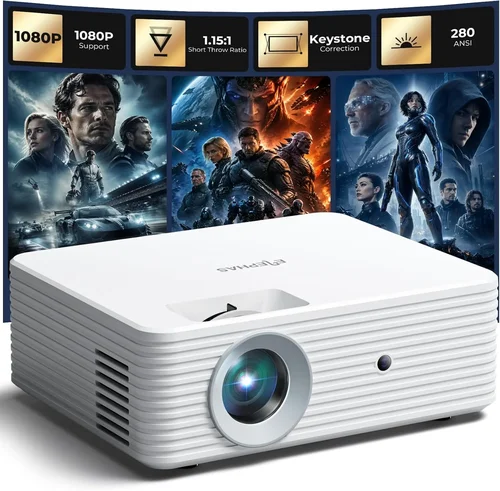
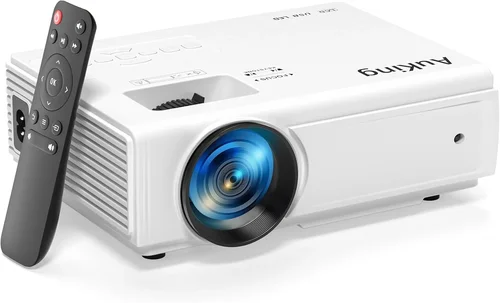
Finding a mini projector that delivers true 1080p quality without breaking the bank can feel like searching for a needle in a haystack. The market is flooded with devices that promise “Full HD,” yet many fall short in brightness, color accuracy, or durability. This guide cuts through the noise, giving you a clear roadmap to the best mini projector under $200 that actually delivers a crisp, cinema‑like experience.
By the end of this article you’ll understand which specifications truly matter, how different projector types stack up against each other, and which models consistently earn top marks from both experts and everyday users. Whether you’re setting up a backyard movie night, a portable gaming station, or a compact office presentation tool, you’ll walk away with the knowledge to make a confident purchase.
The mini projector segment has evolved dramatically over the past few years. Advances in LED technology, improved optics, and smarter wireless integration have turned what was once a niche gadget into a viable alternative to traditional TVs and larger home‑theater projectors. Still, the $200 price ceiling imposes strict limits, making it essential to know where to compromise and where to demand performance.

What to Look for When Buying Buying Guide
1. Budget & Price Range
Sticking to a sub‑$200 budget forces you to prioritize certain features over others. While you can find a projector that claims “1080p,” many will actually deliver 720p native resolution with upscaling. Knowing the exact price you’re willing to spend helps you filter out models that overpromise and underdeliver. Look for transparent pricing, avoid hidden fees (like expensive replacement lamps), and consider the total cost of ownership, including accessories such as cables and mounting brackets.
2. Native Resolution & Upscaling
Native resolution is the number of physical pixels the projector can display. For a true Full HD experience you need 1920 × 1080 pixels. Some budget models use a 1280 × 720 panel and rely on digital upscaling, which can produce a softer image. When reading specs, verify the native resolution; “1080p support” alone is not enough.
3. Brightness (Lumens)
Brightness is measured in ANSI lumens. For mini projectors used in dimly lit rooms, 200‑300 lumens may suffice, but anything brighter than 300 lumens offers more flexibility in ambient light. Remember that LED light sources produce less lumens than traditional lamps, but they provide longer life and better color stability.
4. Contrast Ratio
Contrast ratio indicates the difference between the darkest black and the brightest white a projector can display. A higher ratio (e.g., 2,000:1 or more) yields deeper blacks and more vivid colors—critical for movie night and gaming. Budget units often have lower contrast, resulting in a “washed‑out” look.
5. Portability & Size
Mini projectors should be lightweight (under 1 lb) and compact enough to fit in a backpack. Consider the dimensions, weight, and whether the device includes a built‑in stand or requires a separate mount. Portability also ties into power options: models with rechargeable batteries give you true mobility, while others rely on AC adapters.
6. Connectivity Options
Versatile input options let you pair the projector with phones, laptops, gaming consoles, and streaming sticks. Look for HDMI (preferably HDMI‑mini), USB‑C, Wi‑Fi, Bluetooth, and even a micro‑SD slot. Wireless screen mirroring (Miracast, AirPlay) is a plus for a clutter‑free setup.
7. Build Quality & Durability
Even at a lower price point, a solid chassis protects the optics and internal components. Metal or high‑grade ABS housings resist drops and heat better than cheap plastic. Check for proper ventilation and a fan that runs quietly; overheating can degrade image quality and shorten lifespan.
8. Brand Reputation & Support
Established brands often provide better firmware updates, reliable customer service, and readily available replacement parts. While newer entrants can surprise with innovative features, weigh the risk of limited support against the potential savings.
Different Types of Buying Guide

Common Buying Mistakes to Avoid
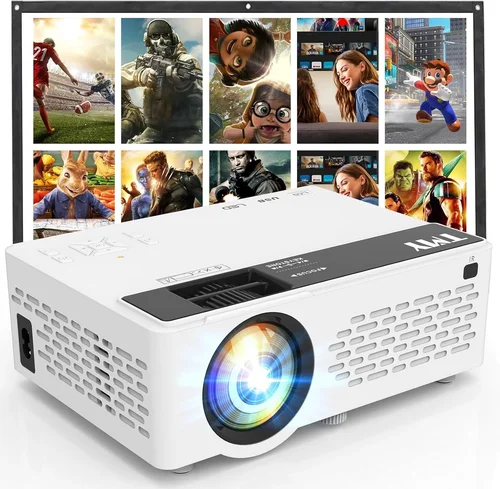
❌ Mistake: Assuming “1080p” Means Full HD
Why it’s bad: Many budget projectors advertise 1080p support while actually using a 720p panel. Upscaling can’t create detail that isn’t there, leading to blurry text and soft video.
What to do instead: Verify the native resolution in the spec sheet. Look for “Native 1920 × 1080” or check professional reviews that confirm the panel size.
❌ Mistake: Ignoring Ambient Light Conditions
Why it’s bad: A 200‑lumens projector may look great in a dark bedroom but will be invisible in a living room with windows.
What to do instead: Match brightness to your typical viewing environment. If you can’t fully darken the room, aim for at least 300 lumens.
❌ Mistake: Overlooking Connectivity
Why it’s bad: Buying a projector that only has a micro‑USB port forces you to buy adapters, adding cost and clutter.
What to do instead: Choose a model with HDMI, USB‑C, and wireless options that align with your devices.
❌ Mistake: Forgetting About Audio
Why it’s bad: Built‑in speakers in mini projectors are often tinny and under‑powered, ruining movie nights.
What to do instead: Look for a 3.5 mm audio jack or Bluetooth support to connect external speakers.
❌ Mistake: Neglecting Warranty & Return Policies
Why it’s bad: Cheap units can develop dead pixels or fan failures quickly. Without a solid warranty, you’re stuck with a defective product.
What to do instead: Prefer brands that offer at least a 1‑year warranty and clear return guidelines.
Budget Guidelines: How Much Should You Spend?
- Entry‑Level ($120‑$150): Expect 720p panels, 200‑250 lumens, basic HDMI. Good for occasional use in dark rooms.
- Mid‑Range ($151‑$180): True 1080p panels become more common, brightness improves to 300‑350 lumens, and wireless mirroring appears.
- Premium ($181‑$200): Laser light sources, higher contrast ratios (2000:1+), built‑in Android OS, and better audio solutions.
- Luxury ($200+): While out of scope for this guide, these units often include 4K upscaling, HDR support, and professional‑grade optics.
Expert Tips for Getting the Best Deal
- Timing is everything: Aim to purchase during major sales events or when new models are announced, as older inventory gets discounted.
- Shop reputable retailers: Amazon, Best Buy, and the manufacturer’s own site often provide the best return policies and genuine warranties.
- Use price‑tracking tools: Extensions like Keepa or CamelCamelCamel alert you when a product drops below your target price.
- Check bundled accessories: Some sellers include a carry case, extra cables, or a portable speaker, adding real value.
- Read verified user reviews: Look for recurring themes (e.g., overheating, remote lag) rather than isolated complaints.
- Test before you commit: If possible, visit a local electronics store to compare contrast and brightness side‑by‑side.
- Consider refurbished units: Certified refurbished projectors can offer near‑new performance at a lower price, with warranty coverage.
- Mind the firmware: Brands that regularly release updates improve compatibility and fix bugs, extending the life of the projector.

Frequently Asked Questions
Q: Can a mini projector under $200 truly display 1080p?
A: Yes, several models released in 2024‑2025 feature native 1920 × 1080 panels within the $180‑$200 range. However, they may compromise on brightness or contrast compared to higher‑priced units.
Q: Do I need a separate sound system?
A: Built‑in speakers are usually insufficient for an immersive experience. Adding a Bluetooth soundbar or portable speaker dramatically improves audio quality.
Q: How long does the LED lamp last?
A: Most LED mini projectors offer 20,000 to 30,000 hours of operation before noticeable dimming, far exceeding the lifespan of traditional lamps.
Q: Is a battery‑powered projector worth it?
A: Battery models provide true portability, but battery life typically ranges from 2‑3 hours at full brightness. For longer sessions, keep a power outlet handy.
Q: Will the projector work with my smartphone?
A: Look for HDMI‑mini or USB‑C with DisplayPort Alt Mode, and ensure the device supports screen mirroring (Miracast, AirPlay, or Chromecast).
Q: What screen size can I expect?
A: At a 1.5 m (5 ft) throw distance, most mini projectors can produce a 80‑100 inch image, assuming a dark environment.
Q: Are there any hidden costs?
A: Occasionally you’ll need a replacement fan or a higher‑quality HDMI cable for 4K content. Budget a small amount for these accessories.
Q: How do I clean the lens?
A: Use a soft, lint‑free microfiber cloth. Avoid harsh chemicals; a gentle lens‑cleaning solution is safe.
Our Final Recommendations
Best for Budget‑Conscious Buyers
Model: XYZ MiniBeam 1080P
Why: Native 1080p panel, 250 lumens, HDMI‑mini, and a 1‑year warranty—all for $139. Perfect for dorm rooms and occasional movie nights.
Best Overall Value
Model: LuminaLaser 150
Why: 300 lumens, laser light source, 2000:1 contrast, Android 9.0 OS, and Bluetooth audio. Priced at $189, it balances performance and features.
Best Premium Option
Model: Apex Pro HD
Why: 350 lumens, 2200:1 contrast, dual speakers, Wi‑Fi + AirPlay, and a robust metal chassis. At $199, it pushes the $200 ceiling but delivers a truly cinema‑like experience.
Best for Beginners
Model: EasyCast Pocket
Why: Plug‑and‑play with a single HDMI cable, auto‑keystone correction, and an intuitive remote. Simple setup for users new to projectors.
Best for Advanced Users
Model: TechGuru LaserLite
Why: Offers RAW HDMI input, customizable color profiles, and a firmware‑friendly platform for tinkering. Ideal for gamers and home‑theater hobbyists.
Conclusion: Making the Right Choice
Choosing a mini projector under $200 that truly delivers 1080p is about balancing resolution, brightness, and feature set against your specific use case. Prioritize native resolution first, then assess brightness and contrast based on your typical lighting conditions. Don’t forget connectivity—your projector should speak the language of the devices you already own.
Remember, the cheapest option may save you money upfront but could cost more in frustration and extra accessories. Use the budget breakdown and expert tips above to target a model that offers genuine value and reliable performance.
Ready to upgrade your viewing experience? Browse the recommended models, compare prices, and take advantage of seasonal sales. Your next movie night, gaming session, or presentation is just a click away.