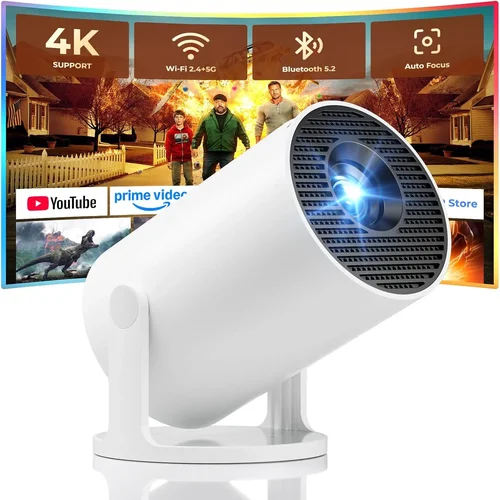
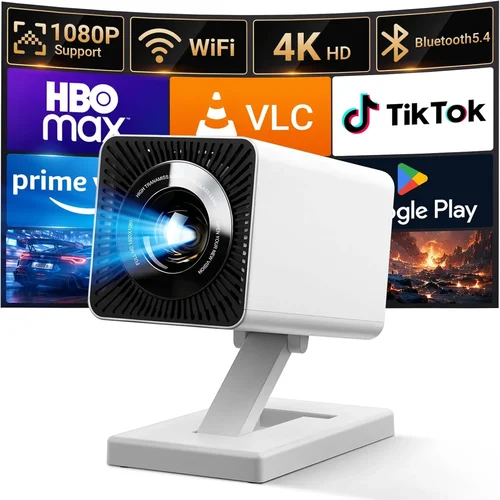
Welcome to the most thorough guide you’ll find on mini projectors under $500. Whether you’re a frequent traveler, a home‑theater hobbyist, or just someone who wants to turn a blank wall into a cinema‑sized screen without breaking the bank, this article will give you the knowledge you need to make a confident purchase.
In the next few minutes you’ll discover the most important specs to evaluate, the different categories of mini projectors, common pitfalls to avoid, and a clear breakdown of how much you should really spend. By the end, you’ll be equipped to select a device that matches your budget, your space, and your viewing habits—without the guesswork.
The mini‑projector market has exploded over the past three years. Advances in LED and laser light sources, improvements in native resolution, and the rise of smart‑TV integration have turned once‑clunky pocket‑size gadgets into viable alternatives to traditional home‑theater setups. Yet the sheer number of models under $500 can feel overwhelming. That’s why we’ve distilled the jungle of specs, reviews, and marketing hype into a clear, step‑by‑step buying guide.

What to Look for When Buying Buying Guide
1. Budget & Price Range
Price is the most obvious filter, but it also determines which features are realistically available. In the sub‑$500 segment you’ll typically find three tiers: entry‑level (under $200), mid‑range ($200‑350) and upper‑mid (up to $500). Entry‑level units often sacrifice resolution and brightness, while the upper‑mid tier can deliver 1080p native resolution, higher lumens, and better connectivity options. Knowing how much you’re willing to invest helps you set realistic expectations and avoid disappointment.
2. Performance Specifications
Key performance metrics include:
- Resolution: Native 720p (1280×720) is common in budget models; 1080p (1920×1080) is a premium feature under $500, while 4K is virtually nonexistent at this price point.
- Brightness (Lumens): Measured in ANSI lumens, a minimum of 200–250 is needed for dim rooms, whereas 400+ lumens provide flexibility for daytime or well‑lit spaces.
- Contrast Ratio: Higher contrast yields deeper blacks. Look for ratios of 2000:1 or higher; many low‑cost units claim inflated numbers, so focus on real‑world reviews.
- Throw Ratio: Determines how large an image you can get at a given distance. A 0.5:1 throw ratio (short‑throw) lets you place the projector close to the wall, ideal for apartments.
3. Build Quality & Durability
Mini projectors travel a lot, so a sturdy chassis, reinforced lens housing, and reliable cooling (quiet fans or passive heat sinks) are essential. Metal bodies or high‑grade polycarbonate resist scratches and warping. Check for a solid hinge mechanism if the device includes a built‑in screen or a flip‑up lens.
4. Features & Functionality
Modern mini projectors are more than just image engines. Important features to weigh include:
- Built‑in Speakers: While most models have 2‑5 W speakers, they’re adequate for casual movie nights but not for immersive sound. Consider external Bluetooth or HDMI audio out if you have a sound system.
- Smart OS: Some units run Android TV, Roku, or proprietary platforms, letting you stream Netflix, YouTube, and more without a separate device.
- Connectivity: HDMI (full‑size or mini), USB‑C, USB‑A, Wi‑Fi, Bluetooth, and sometimes Miracast or AirPlay. The more options, the easier it is to pair with phones, laptops, or gaming consoles.
- Battery Life: Built‑in batteries range from 1.5 hours to 4 hours of playback. If you plan to use the projector on the go, prioritize longer runtime.
- Keystone Correction & Lens Shift: Automatic or manual keystone (±30°) helps align a rectangular image on uneven surfaces. Lens shift is rare in mini projectors but a nice bonus.
5. Brand Reputation
Brands like Anker (Nebula), ViewSonic, Epson, and Xiaomi have built credibility through consistent product quality and responsive support. Lesser‑known manufacturers can offer attractive specs on paper, but they may lack firmware updates or reliable warranty service. Research brand forums and look for a track record of software updates, especially for smart‑OS models.
6. Warranty & Support
A solid warranty (at least one year) protects you against early failures. Check if the manufacturer offers on‑site repair, a hassle‑free RMA process, and how easy it is to reach customer service. Some retailers provide extended protection plans that can be worth the extra cost.
7. Size & Portability
True mini projectors weigh under 1 kg and measure roughly 5‑6 inches in length. If you’ll carry it in a backpack or luggage, look for a compact form factor, a protective case, and a low‑profile power adapter.
8. User Reviews & Ratings
Beyond professional tests, real‑world user feedback reveals long‑term reliability, firmware quirks, and the true quality of built‑in speakers. Focus on reviews that mention the same use‑case you have—e.g., “outdoor camping,” “gaming,” or “business presentations.”
Different Types of Buying Guide

Common Buying Mistakes to Avoid
❌ Mistake: Focusing Only on Resolution
Why it’s bad: A higher resolution is meaningless if the projector cannot produce enough brightness for your environment. You may end up with a crisp image that is invisible in daylight.
What to do instead: Balance resolution with lumens. For most indoor use, 1080p paired with 300‑400 ANSI lumens offers the best overall experience under $500.
❌ Mistake: Ignoring Throw Ratio
Why it’s bad: Buying a long‑throw projector for a 6‑foot room forces you to place the unit far from the wall, which can create clutter and reduce image sharpness.
What to do instead: Measure your intended distance and choose a throw ratio that delivers a 100‑inch image at that space. Short‑throw models (0.5‑0.8:1) are ideal for apartments.
❌ Mistake: Overlooking Connectivity
Why it’s bad: Some cheap units only have a micro‑HDMI port, making it difficult to connect modern laptops or gaming consoles without adapters.
What to do instead: Prioritize models with full‑size HDMI, USB‑C (with DisplayPort Alt Mode), and wireless casting options like Miracast or AirPlay.
❌ Mistake: Assuming Built‑In Speakers Are Sufficient
Why it’s bad: Mini‑projector speakers often max out at 5 W, which can sound tinny in larger rooms.
What to do instead: Plan for external audio—Bluetooth headphones, a portable soundbar, or a simple 3.5 mm wired speaker.
❌ Mistake: Neglecting Warranty & Support
Why it’s bad: A defective LED or battery can render the projector useless, and without a solid warranty you’ll face costly repairs.
What to do instead: Choose brands that offer at least a one‑year warranty and easy RMA processes. Register the product promptly to activate support.
❌ Mistake: Buying Without Testing the Image
Why it’s bad: Spec sheets don’t reveal color accuracy, fan noise, or real‑world contrast.
What to do instead: Test the projector in a store or order from a retailer with a generous return policy. Project a high‑contrast test pattern to evaluate performance.
❌ Mistake: Forgetting About Heat Management
Why it’s bad: Mini projectors can overheat during extended playback, leading to automatic shutdowns.
What to do instead: Look for models with efficient cooling (large low‑speed fans or passive heat sinks) and consider a small external fan or a cooler environment for marathon movie sessions.
Budget Guidelines: How Much Should You Spend?
Understanding what each price tier delivers helps you avoid overspending while still getting the features you need.
- Entry-Level ($150‑$250): Expect 720p native resolution, 200‑250 lumens, basic HDMI connectivity, and modest battery life (1.5‑2 hours). Good for occasional backyard movies or presentations in dim rooms.
- Mid-Range ($250‑$350): You’ll find 1080p native resolution, 300‑400 lumens, short‑throw optics, and smarter OS options (Android TV or Roku). Battery life improves to 2‑3 hours, and you’ll often get dual speakers plus Bluetooth audio.
- Premium ($350‑$500): This tier delivers laser or hybrid LED‑laser light sources, 400‑500 lumens, higher contrast ratios (3000:1+), and advanced features like auto‑keystone, HDR support, and longer warranty periods. Ideal for semi‑dedicated home theater corners.
- Luxury ($500+): While beyond the scope of this guide, luxury units push into true 4K resolution, 600+ lumens, and premium build materials. Consider only if you’re willing to stretch the budget.
Expert Tips for Getting the Best Deal
- Timing: New models launch early in the year (January‑March). Prices of previous‑generation units drop shortly after, offering great value.
- Where to Buy: Reputable online retailers (Amazon, B&H, Newegg) provide extensive user reviews and easy returns. Physical stores let you see the image in person, which is invaluable.
- Spotting Deals: Compare the listed price with the manufacturer’s suggested retail price (MSRP). A genuine discount is usually 15%+ off MSRP.
- Warranty Considerations: Some sellers bundle an extended warranty for a modest fee—worth it if you travel a lot or plan heavy use.
- Return Policies: Look for at least a 30‑day return window. This gives you time to test the projector in your own space.
- Testing Before Buying: Bring a laptop or phone with a high‑resolution video and project a test pattern. Check for color banding, fan noise, and keystone correction.
- Bundle Savings: Some kits include a protective case, HDMI cable, and a portable screen at a lower combined price.
- Use Cashback & Reward Points: Credit cards that offer 2‑3% cashback on electronics can shave off an extra $10‑$15.

Frequently Asked Questions
Q: Can a mini projector under $500 replace a TV?
A: It can for many use‑cases, especially in small living rooms or bedrooms where a large screen is desired but wall mounting a TV isn’t feasible. However, TVs still win in brightness, HDR performance, and built‑in sound. If you need a primary display for daytime TV or gaming with high motion, a quality TV may be better.
Q: Do I need a separate screen?
A: Not necessarily. A smooth, white wall works fine in low‑light environments. For brighter rooms or outdoor use, a portable projection screen (white or gray) improves contrast and reduces ambient light washout.
Q: How long does the LED or laser light source last?
A: LED and laser light sources typically last 20,000‑30,000 hours, far longer than traditional lamps. At an average of 3 hours per use, that translates to over 15 years of life.
Q: Is a built‑in battery essential?
A: Only if you plan to use the projector away from power outlets—camping, picnics, or presentations in conference rooms. Otherwise, a plug‑in model offers more consistent brightness.
Q: Will a mini projector work with gaming consoles?
A: Yes, as long as the projector has a full‑size HDMI port that supports at least 1080p@60 Hz. For fast‑moving games, prioritize low input lag (under 30 ms) and higher refresh rates.
Q: How important is keystone correction?
A: Keystone correction helps when the projector can’t be placed perfectly perpendicular to the screen. Manual keystone (±15°) is common; automatic correction (±30°) adds convenience but may slightly degrade image sharpness.
Q: Can I connect my phone wirelessly?
A: Most modern mini projectors support Wi‑Fi casting (Miracast, AirPlay) or Bluetooth streaming. Some also have a dedicated app for iOS/Android that simplifies mirroring.
Q: Are there any health concerns with LED projectors?
A: LED and laser projectors emit low levels of blue light compared to traditional lamps. Still, avoid staring at the image for prolonged periods and keep the projector at a safe distance to reduce eye strain.
Q: What is the difference between ANSI lumens and LED lumens?
A: ANSI lumens measure actual light output in a controlled environment, while LED lumens are a marketing term that can be higher but not directly comparable. Always rely on ANSI lumens for realistic brightness expectations.
Our Final Recommendations
- Best for Budget‑Conscious Buyers: Anker Nebula Capsule II – $229. Offers 720p, 200 ANSI lumens, Android TV 9.0, and a 2‑hour battery. Compact enough for a backpack.
- Best Overall Value: ViewSonic M2 – $399. True 1080p, 1200 LED lumens (equivalent to ~600 ANSI), built‑in Harman Kardon speakers, and USB‑C power‑pass‑through.
- Best Premium Option: XGIMI MoGo Pro – $489. 1080p laser light source, 300 ANSI lumens, Android TV 10, auto‑keystone, and a 3‑hour battery.
- Best for Beginners: Vankyo Leisure 3 – $179. Simple plug‑and‑play, 1080p support via HDMI, 2000:1 contrast, and a user‑friendly remote.
- Best for Advanced Users: BenQ GS2 – $449. Laser light source, 200 ANSI lumens, Bluetooth audio, IPX2 splash resistance, and a built‑in Android TV OS.
Conclusion: Making the Right Choice
Choosing the best mini projector under $500 boils down to three core questions: How bright does it need to be for your environment? What resolution and connectivity options align with your devices? And how much portability do you truly need?
By weighing the factors outlined in this guide—budget, performance specs, build quality, features, brand trust, warranty, size, and real‑world user feedback—you can shortlist a handful of models that fit your lifestyle. Remember to test the unit if possible, take advantage of seasonal discounts, and protect your purchase with a solid warranty.
Now that you’re armed with expert knowledge, go ahead and pick the projector that will turn your bedroom wall, backyard fence, or conference room into a vibrant visual canvas. Happy viewing!