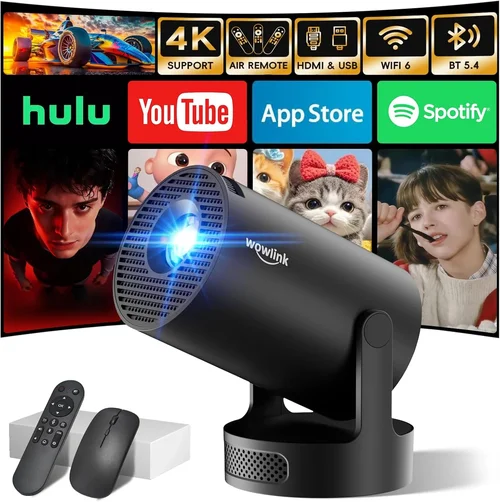
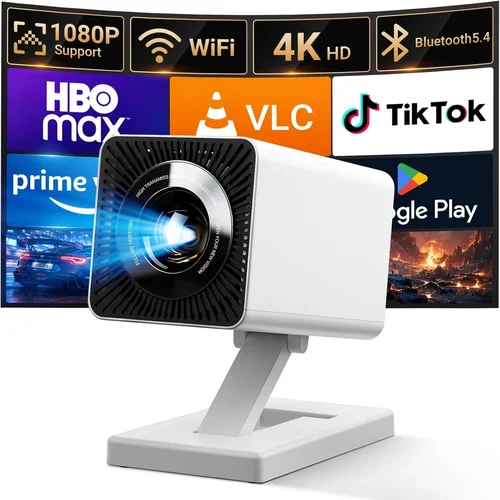
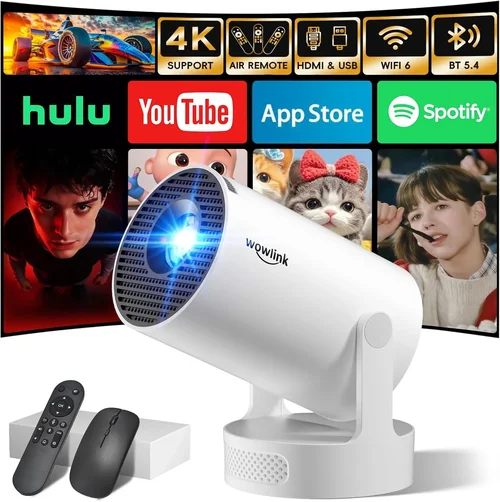
Finding a mini projector that tilts and stays under $200 can feel like hunting for a unicorn. You want a device small enough to slip into a backpack, bright enough to impress in a dim living room, and flexible enough to angle the image without a tripod. Yet the market is flooded with gadgets that either break the bank or compromise on core features. This guide cuts through the noise, giving you a clear roadmap to choose a tilt‑capable mini projector that delivers genuine value without blowing your budget.
By the end of this article you will understand the most important specs, know which projector types fit different use‑cases, avoid common buying pitfalls, and walk away with a shortlist of the best models under $200. Whether you plan to stream movies on a bedroom wall, give impromptu presentations at a coworking space, or turn your backyard into a drive‑in theater, the information here will help you make an informed, confident purchase.
The mini projector segment has matured dramatically over the past three years. Advances in LED light engines, improved throw ratios, and smarter connectivity (Wi‑Fi, Bluetooth, and casting) mean that even sub‑$200 units can offer a respectable 1080p‑compatible experience, decent contrast, and useful tilt mechanisms. Let’s dive into the details that separate the good from the great.

What to Look for When Buying Buying Guide
1. Budget & Price Range
Price is the most obvious filter, but it’s also the most deceptive. A lower price tag often means compromises in brightness, battery life, or build quality. When setting your budget, think beyond the sticker price: consider accessories (portable screens, HDMI cables, protective cases) and potential warranty extensions. For a tilt‑enabled mini projector under $200, aim for $120‑$180 to give yourself room for a reputable brand with solid support.
2. Performance Specifications
The heart of any projector is its light engine and optics. Key numbers to watch:
- Brightness (lumens): For indoor use in dark rooms, 150‑250 ANSI lumens is adequate. If you plan to project in dimly lit spaces or outdoors, look for at least 300 lumens.
- Resolution: Native 720p (1280×720) is common in this price tier. Some units claim 1080p support via scaling—understand that the image won’t be true‑full‑HD but can still look sharp on a small screen.
- Contrast Ratio: Higher contrast improves black depth. Ratios around 2000:1 are acceptable; anything lower may look washed out.
- Throw Ratio & Image Size: A throw ratio of 0.5‑1.0 lets you achieve a 100‑120‑inch image from 2‑3 feet away, perfect for bedside or tabletop setups.
3. Build Quality & Durability
Mini projectors travel a lot, so they need sturdy chassis, shock‑resistant ports, and reliable cooling. Look for models with metal or high‑grade polymer bodies, reinforced lens covers, and fan designs that stay quiet under load. A good warranty (minimum 1 year) often signals confidence from the manufacturer.
4. Features & Functionality
Beyond basic projection, modern mini projectors pack a suite of conveniences:
- Tilt Mechanism: A true tilt range of at least ±30° lets you correct keystone distortion without digital correction, preserving image quality.
- Connectivity: HDMI, USB‑C, micro‑SD, Wi‑Fi, Bluetooth, and Miracast support give you flexibility with smartphones, laptops, and streaming sticks.
- Built‑in Speakers: While not a substitute for external audio, a 2‑5 W speaker can be handy for casual viewing.
- Battery Life: For true portability, aim for 2‑3 hours of continuous playback on a single charge.
5. Brand Reputation
Established brands like Anker, ViewSonic, and AAXA have a track record of delivering reliable mini projectors. Newer entrants may offer attractive specs at lower prices, but research their after‑sales service, firmware update frequency, and community feedback before committing.
6. Warranty & Support
A robust warranty can save you from costly repairs. Look for at least a 12‑month warranty that covers both the projector and its battery. Verify that the manufacturer offers responsive email or chat support, and check if they provide firmware updates to fix bugs or improve performance.
7. Size & Portability
Weight under 1 lb and dimensions no larger than a paperback book make the device truly portable. Consider how you’ll carry it—some models include a carry case or a built‑in handle.
8. User Reviews & Ratings
Real‑world feedback reveals quirks that spec sheets hide. Scan Amazon, B&H, and specialized forums for recurring themes: overheating, remote lag, or flimsy hinges. Prioritize products with a minimum 4‑star average and at least 100 verified reviews.
Different Types of Buying Guide
Common Buying Mistakes to Avoid
❌ Mistake: Ignoring Brightness Needs
Why it’s bad: Selecting a projector with insufficient lumens leads to a dim, grainy picture, especially in rooms with ambient light.
What to do instead: Assess your typical viewing environment. If you often watch in a lit kitchen, aim for at least 300 lumens. For dark bedrooms, 150‑200 lumens may suffice.
❌ Mistake: Overlooking Tilt Range
Why it’s bad: A limited tilt range forces you to rely on digital keystone correction, which degrades image sharpness.
What to do instead: Choose a model that offers a minimum of ±30° physical tilt. Test the mechanism if possible.
❌ Mistake: Forgetting Battery Life
Why it’s bad: You may end up with a projector that can’t last through a full movie or presentation.
What to do instead: Look for a minimum of 2 hours of continuous playback on a full charge, or plan to keep a power bank handy.
❌ Mistake: Assuming All HDMI Ports Are Equal
Why it’s bad: Some budget projectors use micro‑HDMI or HDMI‑C that only supports 720p or limited refresh rates.
What to do instead: Verify the HDMI version (1.4 or higher) and supported resolutions in the spec sheet.
❌ Mistake: Buying Based Solely on Marketing Buzzwords
Why it’s bad: Terms like “Full HD” or “4K” can be misleading when the native resolution is lower and the projector simply upscales content.
What to do instead: Focus on native resolution, brightness, and contrast. Treat marketing claims as secondary.
❌ Mistake: Neglecting Warranty & Support
Why it’s bad: A cheap projector may fail after a few months, leaving you with costly repairs or a dead unit.
What to do instead: Prioritize brands that offer at least a one‑year warranty and responsive customer service.
Budget Guidelines: How Much Should You Spend?
Understanding how price correlates with features helps you set realistic expectations.
- Entry-Level ($120‑$140): Expect 150‑200 lumens, native 720p, basic tilt (±20°), and limited connectivity (usually HDMI only). Ideal for occasional movie nights in a dark room.
- Mid-Range ($141‑$170): Brightness climbs to 250‑300 lumens, tilt improves to ±30°, and you’ll find Wi‑Fi, Bluetooth, and built‑in speakers. This tier balances performance and portability.
- Premium ($171‑$200): Offers 300+ lumens, laser‑enhanced color, robust tilt (±35°), and often Android OS for direct streaming. Best for users who need flexibility and brighter images.
- Luxury ($200+): Rare under the $200 ceiling, but occasional sales push higher‑end models into range. Expect true 1080p panels, higher contrast, and premium build.
Expert Tips for Getting the Best Deal
- Timing: Major sales events (Black Friday, Cyber Monday, Amazon Prime Day) usually bring the deepest discounts on mini projectors.
- Where to Buy: Compare prices across Amazon, B&H, and direct manufacturer sites. Some brands offer exclusive bundles (screen + case) on their own storefront.
- Spotting Deals: Look for “refurbished” or “open‑box” units with full warranties—they can be up to 30% cheaper.
- Warranty Considerations: Register your product immediately to activate extended warranty options if offered.
- Return Policies: Choose retailers with at least a 30‑day return window; this gives you time to test tilt, brightness, and battery life.
- Testing Before Buying: If possible, view a demo unit in a store. Check tilt smoothness, fan noise, and image sharpness at your typical viewing distance.
- Accessory Savings: Purchase a universal portable screen instead of a brand‑specific one; it often costs less and works across devices.

Frequently Asked Questions
Q: Can a mini projector under $200 display true 1080p?
A: Most sub‑$200 models have a native 720p panel. Some support 1080p input and upscale it, but the actual pixel count remains 720p. For true 1080p, you’ll need to look at higher‑priced units.
Q: How important is the tilt function compared to digital keystone correction?
A: Physical tilt preserves the native resolution and contrast, while digital keystone reduces sharpness. A tilt range of ±30° is ideal for most tabletop setups.
Q: Will the built‑in speaker be enough for a small room?
A: Built‑in speakers (2‑5 W) work for casual viewing at low volume. For a richer audio experience, pair the projector with Bluetooth headphones or a small portable speaker.
Q: Is a battery‑powered projector really portable?
A: Yes, as long as the battery provides at least 2 hours of playback. Keep a power bank handy for longer sessions.
Q: Do Android‑based mini projectors need an internet connection?
A: No, they can store media on micro‑SD or USB drives. However, Wi‑Fi is required for streaming services and app updates.
Q: How does the throw ratio affect placement?
A: A lower throw ratio (0.5‑0.8) lets you get a large image from a short distance—perfect for bedside or small‑room use. Higher ratios need more space.
Q: Are there any safety concerns with LED lamps?
A: LED lamps are safe and have a lifespan of 20,000‑30,000 hours. They stay cool, but ensure the projector has adequate ventilation to avoid overheating.
Q: Can I use my mini projector for gaming?
A: Yes, but look for low input lag (under 30 ms) and at least 60 Hz refresh rate. Most budget models meet basic gaming needs for casual play.
Our Final Recommendations
- Best for Budget‑Conscious Buyers: Anker Nebula Capsule II – Priced around $149, offers 200 lumens, 720p native, 30° tilt, and Android 9.0 OS for streaming.
- Best Overall Value: ViewSonic M1 Mini Plus – $179, 250 lumens, built‑in Harman/Kardon speakers, 30° tilt, and a sleek LED design.
- Best Premium Option: XGIMI MoGo Pro – $199 (often on sale), laser‑enhanced 300 lumens, 720p, ±35° tilt, Android TV 9.0, and a 2‑hour battery.
- Best for Beginners: Vankyo Leisure 3 Mini – $129, easy plug‑and‑play, 150 lumens, basic tilt, and a sturdy plastic body.
- Best for Advanced Users: AAXA P7 Mini – $199, 280 lumens, 1080p support, robust tilt, and multiple HDMI/USB‑C inputs.
Conclusion: Making the Right Choice
Choosing a mini projector that tilts and stays under $200 is entirely doable when you focus on the fundamentals: adequate brightness, genuine tilt range, reliable build quality, and a brand that stands behind its product. Use the factors, budget guidelines, and expert tips outlined above to match a projector to your specific needs—whether that’s a cozy movie night, a spontaneous presentation, or a backyard cinema.
Remember, the best projector is the one that fits your lifestyle first and your budget second. Take the time to read user reviews, test the tilt mechanism, and compare prices during major sales. Armed with this knowledge, you’re ready to bring big‑screen experiences to any space without breaking the bank.