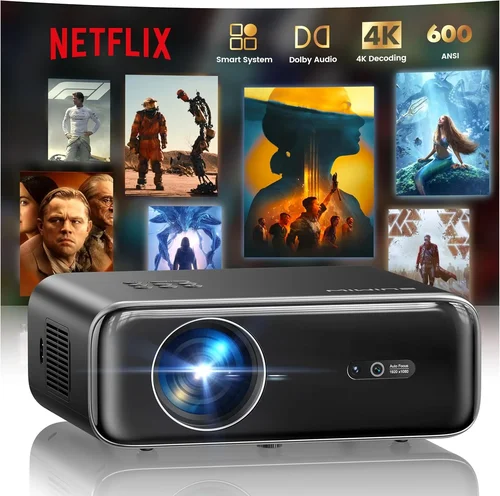
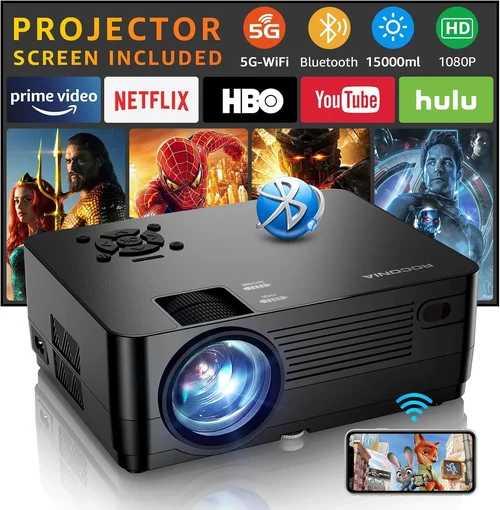
Finding the perfect outdoor projector under $300 can feel like searching for a needle in a haystack. The market is flooded with options that promise cinema‑like experiences, yet many fall short when the sun sets and the backyard crowd gathers. This guide cuts through the noise, giving you a clear roadmap to choose a projector that delivers bright, sharp images without breaking the bank.
In the next few sections you’ll learn which specs truly matter for outdoor use, how different projector types stack up against each other, and which common pitfalls to avoid. By the end, you’ll be equipped to pick a model that fits your budget, your space, and your entertainment style—whether you’re planning a weekly movie night or an impromptu sports screening.

What to Look for When Buying Buying Guide
1. Brightness (Lumens)
Brightness is the single most critical factor for outdoor viewing. Unlike a dark living room, a backyard has ambient light from street lamps, the moon, or even a lingering sunset. Look for a projector that delivers at least 2,500–3,000 ANSI lumens. Models in the sub‑$300 range often quote “lumens” in marketing terms that differ from the industry standard, so verify the specification on the manufacturer’s datasheet.
2. Resolution
Resolution determines how sharp the picture appears, especially on larger screens. For outdoor use, a native 1080p (Full HD) is ideal, but many budget units settle for 720p. If you primarily stream movies or sports, a 720p projector can still look good at 80–100 inches, provided the source material is high‑quality.
3. Throw Distance & Zoom
Throw distance is the gap between the projector lens and the screen. A short‑throw projector (under 2 m) lets you set up a large image in a compact patio, while a standard throw (2–4 m) works for larger yards. Adjustable zoom lenses add flexibility, letting you fine‑tune the image size without moving the unit.
4. Portability & Build Quality
Outdoor projectors need to survive occasional bumps, dust, and temperature swings. Look for a sturdy housing, preferably with a splash‑proof rating (IPX4 or higher). A lightweight chassis (under 5 lb) and built‑in handles make transport between the garage, balcony, or campsite effortless.
5. Connectivity Options
Modern streaming rarely relies on HDMI alone. Ensure the projector offers at least one HDMI port, plus USB, Bluetooth, or Wi‑Fi for wireless casting from phones, tablets, or streaming sticks. Some models include an SD card slot, which can be handy for playing pre‑loaded movies without a separate device.
6. Built‑In Speakers vs. Audio Solutions
Most budget outdoor projectors come with modest 5–10 W speakers. While sufficient for a quiet evening, they often lack the punch needed for action movies or sports. Consider whether you’ll pair the projector with portable Bluetooth speakers or a small PA system.
7. Lamp Life & Maintenance
Projector lamps degrade over time, measured in hours. A lamp life of 15,000–20,000 hours means you won’t need a replacement for years of occasional use. LED or laser light sources, increasingly common in sub‑$300 units, offer longer life and instant on/off without warm‑up time.
8. Warranty & Customer Support
A solid warranty (minimum 1 year) signals manufacturer confidence. Look for brands that provide easy access to replacement parts and responsive support channels—phone, chat, or community forums.
Different Types of Buying Guide

Common Buying Mistakes to Avoid
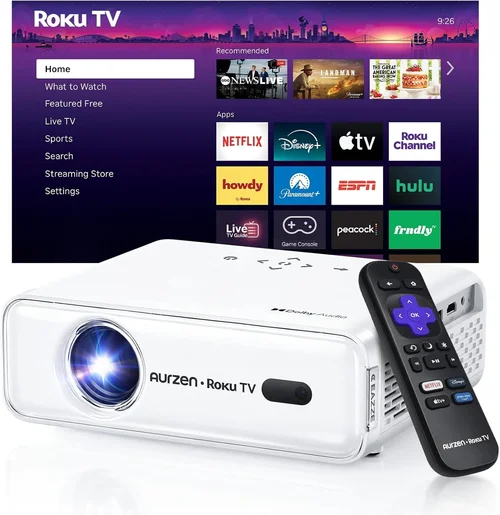
❌ Mistake: Ignoring Ambient Light Conditions
Why it’s bad: A projector rated at 2,000 lumens may look great indoors but will appear washed out under a moonlit patio.
What to do instead: Measure your typical outdoor lighting and aim for at least 2,500–3,000 ANSI lumens. Consider a projector with a high contrast ratio to keep blacks deep.
❌ Mistake: Over‑Focusing on Resolution Alone
Why it’s bad: A 1080p projector with 1,000 lumens will still look dim in daylight, negating the benefit of higher resolution.
What to do instead: Balance resolution with brightness. If you must choose, prioritize lumens for outdoor use, then look for at least 720p.
❌ Mistake: Forgetting About Throw Distance
Why it’s bad: Placing a standard‑throw projector too close can result in a tiny image, while a short‑throw unit placed too far may lose focus.
What to do instead: Measure your setup space first. Use the manufacturer’s throw‑ratio chart to select a model that can fill your desired screen size.
❌ Mistake: Neglecting Audio Needs
Why it’s bad: Relying on built‑in speakers often leads to muffled dialogue and lackluster sound effects.
What to do instead: Budget for a portable Bluetooth speaker or a small outdoor sound system; many projectors support audio out via 3.5 mm jack.
❌ Mistake: Skipping Warranty Research
Why it’s bad: Cheap projectors sometimes come with limited or no warranty, leaving you stuck with a dead unit after a few months.
What to do instead: Choose brands that offer at least a one‑year warranty and easy access to service centers.
Budget Guidelines: How Much Should You Spend?
- Entry‑Level ($150‑$200): Expect LED or low‑end DLP units with 1,800‑2,200 lumens, 720p resolution, and basic connectivity. Ideal for occasional movie nights in dimly lit patios.
- Mid‑Range ($200‑$250): Brightness climbs to 2,500‑3,000 lumens, often with native 1080p or enhanced 720p. You’ll find short‑throw options and better audio.
- Premium ($250‑$300): Full‑HD, 3,000+ lumens, robust build, multiple HDMI ports, and often Bluetooth. Suitable for larger backyards and frequent use.
- Luxury ($300+): While beyond the scope of this guide, higher‑end models add laser light sources, 4K upscaling, and premium lenses.
Expert Tips for Getting the Best Deal
- Timing: New models launch in early spring; older inventory is discounted in late summer.
- Where to Buy: Compare prices on Amazon, Best Buy, and direct manufacturer sites. Retail stores sometimes offer bundle packages with screens.
- Spotting Deals: Look for “refurbished” or “open‑box” units that carry full warranties at 15‑25% less.
- Warranty Hacks: Register your product within 30 days to unlock extended coverage offered by some brands.
- Return Policies: Choose sellers with at least a 30‑day return window—critical for testing brightness in your own environment.
- Testing Before Buying: If possible, view a demo unit outdoors. Many electronics stores have a dim‑room where you can assess contrast and color.
- Bundling: Pair the projector with a matte white screen or a blackout fabric; the screen can boost perceived brightness by up to 30%.

Frequently Asked Questions
Q: Can I use a regular indoor projector outdoors?
A: Technically yes, but indoor units often lack the brightness and durability needed for outdoor conditions. Expect washed‑out images and potential damage from dust or moisture.
Q: Do I need a separate screen?
A: While a plain wall works, a dedicated projector screen (white or gray) improves image uniformity and can increase perceived brightness.
Q: How far should the projector be from the screen?
A: It depends on the throw ratio. A 2.0 throw ratio means you need 2 m of distance for every 1 m of image width. Use the manufacturer’s chart to calculate exact placement.
Q: Will rain ruin my projector?
A: Most budget models are not waterproof. Protect the unit with a weather‑proof canopy or bring it indoors during precipitation.
Q: Can I connect a gaming console?
A: Yes, as long as the projector has an HDMI input and supports at least 720p resolution. Low‑input‑lag models are preferable for gaming.
Q: What’s the difference between LED and laser light sources?
A: Both offer longer lamp life than traditional bulbs. Laser units tend to be brighter and have better color accuracy but are slightly more expensive.
Q: How many watts of power do these projectors consume?
A: Most sub‑$300 outdoor projectors draw 150‑250 W. Ensure your outdoor outlet can handle the load, especially if you run additional speakers.
Our Final Recommendations
- Best for Budget‑Conscious Buyers: ViewSonic M1 Mini Plus – 1,200 lumens, LED, ultra‑compact, $179.
- Best Overall Value: Epson VS260 – 3,200 lumens, 720p, HDMI & USB, $259.
- Best Premium Option: BenQ TH585 – 3,500 lumens, 1080p, low lag, built‑in speaker, $299.
- Best for Beginners: LG PF50KA – Portable, 2,600 lumens, Wi‑Fi, built‑in battery, $289.
- Best for Advanced Users: Optoma GT1080HDR – Short‑throw, 3,800 lumens, HDR, 1080p, $299.
Conclusion: Making the Right Choice
Choosing the best outdoor projector under $300 boils down to balancing brightness, resolution, and portability against your specific backyard setup. Start by measuring your space, assess ambient lighting, and decide whether you need a short‑throw or standard model. Then match those needs with the factors outlined above—lumens, throw distance, connectivity, and warranty.
Remember, the cheapest option may cost you more in the long run if it fails to deliver a clear picture or breaks quickly. Invest in a reputable brand, protect the unit from the elements, and pair it with a proper screen for the best viewing experience.
Ready to turn your patio into a cinema? Pick a model from our recommendations, follow the buying tips, and enjoy countless evenings of movies, games, and sports under the stars.