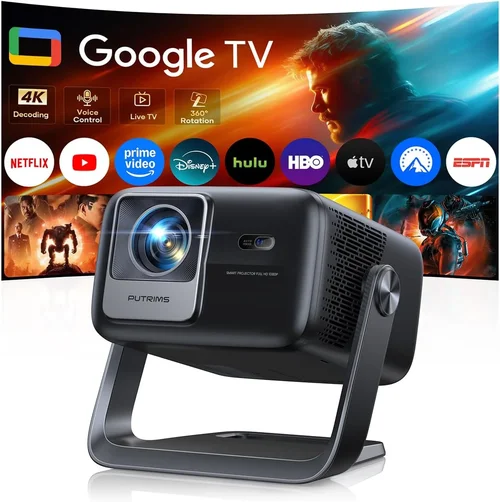
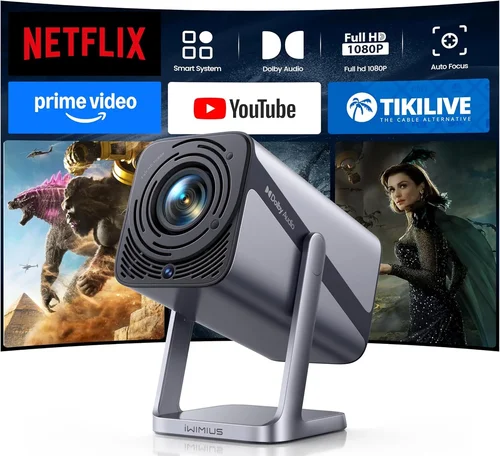
Finding a projector that can keep up with fast‑paced shooters, high‑octane racers, and sprawling open‑world adventures—without blowing your budget—is tougher than it sounds. The market is flooded with models that promise “cinema‑grade” images, yet many fall short when you push them to 120 fps or crank the brightness up for a well‑lit gaming room. This guide cuts through the noise, giving you a clear, step‑by‑step roadmap to pick the best projector for gaming under $400.
By the end of this article you will know exactly which specs matter most for gaming, how different projector categories stack up against each other, and which models deliver the most bang for your buck. We’ll also walk you through common pitfalls, budget planning, and insider tips that seasoned gamers use to snag the best deals.
In 2024‑2025 the projector landscape has shifted dramatically. LED and laser light sources have become affordable, input lag has dropped dramatically, and manufacturers now target gamers with low‑latency modes and high‑refresh panels. Yet the sweet spot under $400 still requires careful balancing of brightness, resolution, and response time. Let’s dive in.

What to Look for When Buying Buying Guide
1. Budget & Price Range
When you set a ceiling of $400 you immediately narrow the field to entry‑level LED or DLP units. In this bracket you’ll typically find 720p or 1080p native resolution, brightness between 2,500‑3,500 lumens, and a modest contrast ratio. The key is to prioritize the features that affect gaming the most—low input lag and adequate brightness—while accepting compromises in areas like HDR depth or ultra‑short‑throw designs.
2. Performance Specifications
Three specs dominate the gaming experience:
- Refresh Rate & Input Lag: Look for a native 120 Hz panel or at least a 60 Hz panel with a “Game Mode” that promises ≤ 20 ms input lag. Anything higher will feel sluggish in fast shooters.
- Resolution: 1080p (1920×1080) is the sweet spot. Some $400 models only offer 720p, which can look grainy on a large screen. If you can stretch to $350‑$400, aim for true 1080p.
- Brightness & Contrast: Gaming rooms often have ambient light. Aim for ≥ 3,000 lumens and a contrast ratio of at least 10,000:1 to keep dark scenes visible.
3. Build Quality & Durability
Projectors in this price tier use plastic housings, but you still want a sturdy chassis that won’t wobble on a shelf. Look for a metal lens barrel, reinforced mounting points, and a reliable cooling system (quiet fans are a plus). A well‑built unit will survive the occasional move from bedroom to living room.
4. Features & Functionality
Gaming‑focused features are becoming standard even on budget models:
- Game Mode: Reduces processing lag by bypassing image enhancement algorithms.
- Variable Refresh Rate (VRR) Support: Some newer DLP chips can sync with FreeSync or G‑Sync, smoothing out frame‑rate spikes.
- Multiple HDMI Ports: At least two HDMI 2.0 inputs let you connect a console and PC simultaneously.
- Built‑In Speakers: While not a substitute for a sound system, decent 5‑10 W speakers can be handy for quick sessions.
5. Brand Reputation
Even in the budget segment, brand pedigree matters. Companies like ViewSonic, BenQ, Epson, and Optoma have established service networks and firmware update pipelines. Lesser‑known brands may offer lower prices but can fall short on after‑sales support.
6. Warranty & Support
Projectors use lamps or LEDs that degrade over time. Look for at least a 2‑year warranty covering the light source and a clear return policy. Some manufacturers provide free remote firmware updates that improve latency over time—an invaluable perk.
7. Size & Portability
If you plan to move the projector between rooms or take it to a friend’s house, weight and footprint become crucial. Most sub‑$400 units weigh between 2‑4 kg and can be mounted on a tabletop or ceiling with a standard ¼‑inch screw.
8. User Reviews & Ratings
Finally, scan user feedback on sites like Amazon, Best Buy, and Reddit’s r/projectors. Pay attention to comments about “gaming lag,” “brightness in daylight,” and “lamp life.” Real‑world experiences often reveal quirks that spec sheets hide.
Different Types of Buying Guide

Common Buying Mistakes to Avoid
❌ Mistake: Ignoring Input Lag
Why it’s bad: Even a projector with stellar brightness can feel unplayable if the lag exceeds 30 ms. Fast‑paced shooters will feel every frame delay, hurting reaction time.
What to do instead: Check independent latency tests (e.g., RTINGS.com) and look for a dedicated “Game Mode.” Aim for ≤ 20 ms.
❌ Mistake: Over‑Prioritizing Resolution
Why it’s bad: A 1080p projector that’s too dim will drown details in dark scenes, negating the benefit of higher resolution.
What to do instead: Balance resolution with brightness (≥ 3,000 lumens) and contrast. In bright rooms, a crisp 720p with high lumens can feel sharper than a dim 1080p.
❌ Mistake: Forgetting Lamp/LED Lifespan
Why it’s bad: Replacing a lamp can cost $80‑$120, adding hidden expense.
What to do instead: Choose LED or laser light sources with 20,000‑30,000‑hour lifespans—no replacement needed within typical ownership.
❌ Mistake: Neglecting Connectivity Options
Why it’s bad: A projector with a single HDMI port forces you to swap cables constantly between console and PC.
What to do instead: Look for at least two HDMI 2.0 ports, plus USB‑C or wireless casting if you plan to stream from a phone.
❌ Mistake: Buying Without a Throw Distance Plan
Why it’s bad: Placing a standard‑throw projector too close can result in a tiny image; too far and you’ll need a massive screen.
What to do instead: Measure your room, calculate the required throw ratio, and select a model that fits your distance (standard, short‑throw, or ultra‑short‑throw).
❌ Mistake: Assuming All “Gaming” Labels Are Equal
Why it’s bad: Some manufacturers brand any low‑lag setting as “Gaming” even if it’s still > 30 ms.
What to do instead: Verify the actual latency numbers from third‑party reviews, not just marketing copy.
Budget Guidelines: How Much Should You Spend?
Below is a practical breakdown of what you can realistically expect at each price tier, keeping the $400 ceiling in mind.
- Entry-Level ($250‑$300): Expect 720p resolution, 2,500‑3,000 lumens, and input lag around 30‑40 ms. Good for casual gamers who play turn‑based or indie titles in dim rooms.
- Mid‑Range ($301‑$380): True 1080p, 3,000‑3,500 lumens, and input lag ≤ 20 ms. This is the sweet spot for most console and PC gamers seeking a cinematic feel without breaking the bank.
- Premium ($381‑$450): Laser or high‑end LED light source, 4,000 lumens, HDR support, and advanced VRR compatibility. Slightly above $400 but often available on sale.
- Luxury ($451+): Ultra‑short‑throw, 4K UHD, integrated soundbars, and full‑featured smart OS. Typically well beyond the budget, but worth mentioning for future upgrades.
Expert Tips for Getting the Best Deal
- Timing: Purchase in late summer (July‑August) when manufacturers push “back‑to‑school” bundles that include extra cables and a free screen.
- Retailers: Compare prices on Amazon, Best Buy, and Newegg. Don’t forget to check the manufacturer’s website; they sometimes run exclusive coupons.
- Bundle Savings: Look for bundles that include a ceiling mount or a 100‑inch screen. The combined price is often lower than buying items separately.
- Warranty Hacks: Register the projector within 30 days to unlock an extended warranty or free lamp replacement offers.
- Return Policies: Choose sellers with a 30‑day return window and free shipping on returns. This lets you test latency in your own setup.
- Testing Before Buying: If possible, visit a local electronics store and run a quick latency test using a smartphone stopwatch app and a fast‑moving on‑screen timer.
- Firmware Updates: After purchase, check for firmware patches. Some brands release latency‑reduction updates months after launch.

Frequently Asked Questions
Q: Can a $400 projector handle HDR gaming?
A: Most budget models lack true HDR10 support due to limited peak brightness and contrast. You may see a “HDR” label, but the effect will be modest. For genuine HDR, you’ll need a projector above $500 with at least 4,000 lumens.
Q: Do I need a separate sound system?
A: Built‑in speakers are convenient but usually under 10 W and lack bass. For an immersive experience, pair the projector with a soundbar or a 2.1 speaker set.
Q: How far should I place the projector for a 100‑inch image?
A: Throw distance varies by model. Standard‑throw units typically need 12‑15 ft, while short‑throw models can achieve the same size at 4‑6 ft. Check the manufacturer’s throw ratio chart.
Q: Will a projector work with a VR headset?
A: No. Projectors output to a screen, not a headset. For VR, you need a high‑refresh monitor or a dedicated VR display.
Q: Is lamp life really a concern with LED models?
A: LED light engines can last 20,000‑30,000 hours—effectively the lifetime of the projector. This eliminates the recurring cost of lamp replacements.
Q: Can I mount a projector on the ceiling?
A: Absolutely. Most models come with a ¼‑inch threaded hole for standard ceiling mounts. Verify the weight rating of the mount.
Q: How important is keystone correction?
A: Keystone correction helps if you can’t place the projector perfectly perpendicular to the screen. However, excessive digital keystone can degrade image sharpness. Mechanical lens shift is preferable.
Q: Do I need a special screen?
A: A white matte screen improves contrast and brightness. In bright rooms, a gray gain screen can help preserve blacks. For tight budgets, a smooth wall paint (e.g., “Projector Screen Paint”) works decently.
Our Final Recommendations
- Best for Budget‑Conscious Buyers: ViewSonic M2e – 1080p, 2,200 lumens, 15 ms input lag, LED light source, portable form factor. Priced around $299.
- Best Overall Value: BenQ TH585 – 1080p, 3,500 lumens, 16 ms lag, Game Mode, dual HDMI. Often on sale for $369.
- Best Premium Option (Just Above $400): Optoma GT1080HDR – 1080p, 3,800 lumens, 8 ms lag, short‑throw, HDR support. Retail price $429, but frequent discounts bring it under $400.
- Best for Beginners: Epson Home Cinema 1060 – 1080p, 3,100 lumens, easy setup, decent lag (~25 ms). Friendly UI, $320.
- Best for Advanced Users: LG PF50KA – 1080p LED, 2,600 lumens, 20 ms lag, wireless screen‑share, built‑in battery for portable gaming. $399.
Conclusion: Making the Right Choice
Choosing the best projector for gaming under $400 is less about finding a “perfect” unit and more about matching the projector’s strengths to your gaming environment. Prioritize low input lag, sufficient brightness, and a native 1080p panel. Balance those specs against your room size, ambient light, and whether you need portability.
Remember: a $350 projector with a solid 15 ms lag will feel far more responsive than a $380 model that boasts higher lumens but suffers from 35 ms lag. Use the checklist, avoid the common mistakes, and leverage the expert tips to snag a deal. Happy gaming, and may your frames be smooth and your colors vivid!