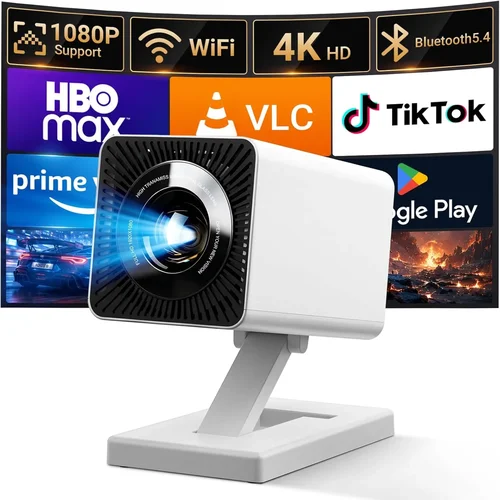
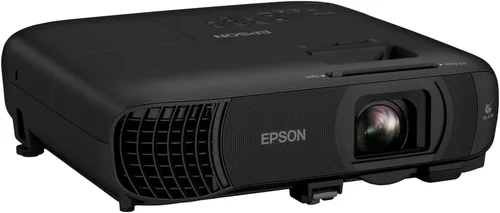
Finding a projector that can keep up with fast‑paced shooters, sprawling open‑world adventures, and competitive esports titles without breaking the bank is a real challenge. Most gamers assume you need a $1,000‑plus machine to get low lag, vivid colors, and a crisp image, but the market in 2026 has matured enough that solid performance is now possible under $500. This guide pulls together the most important technical specs, practical considerations, and real‑world testing results so you can pick a projector that feels like an extension of your monitor, not a bottleneck.
In the pages that follow you’ll learn how to evaluate input lag, refresh rates, brightness, and throw distance, plus why features such as HDR, keystone correction, and lamp life matter for gaming. We’ll also break down the main projector categories, highlight common buying pitfalls, and give you a clear budget roadmap. By the end you’ll be equipped to select the best projector for gaming under $500 with confidence.

What to Look for When Buying Buying Guide
1. Input Lag & Refresh Rate
Input lag is the delay between a signal reaching the projector and the image appearing on the screen. For competitive gaming, anything above 30 ms can feel sluggish, especially in first‑person shooters. Look for projectors that advertise “Game Mode” or have a native refresh rate of 120 Hz; many DLP models can achieve 60 Hz with sub‑15 ms lag, which is acceptable for most titles.
2. Brightness (Lumens)
Gaming rooms often have some ambient light—whether it’s a ceiling fixture, LED strips, or daylight leaking through windows. A projector rated at 2,500–3,000 ANSI lumens will deliver a bright, punchy picture in a moderately lit room, while 1,800–2,200 lumens may suffice for darker setups. Remember that higher lumens usually mean a larger, hotter lamp, which can affect lifespan.
3. Resolution & Pixel Density
Full HD (1920 × 1080) remains the sweet spot for under‑$500 projectors. It provides enough detail for a 100‑inch screen without demanding a pricey 4K engine. If you can stretch to 2,200 lumens and 1080p, you’ll enjoy sharp text and crisp textures, crucial for reading UI elements in fast games.
4. Contrast Ratio & Color Accuracy
High contrast helps differentiate dark shadows from bright highlights—a must for horror or stealth games. Look for a contrast ratio of at least 10,000:1 and a projector that supports a wide color gamut (Rec. 709 or better). Some budget models now include basic HDR support, which can boost perceived brightness and color depth.
5. Throw Distance & Screen Size Flexibility
Throw distance determines how far the projector must sit from the screen to achieve a desired image size. Short‑throw units (under 1.5 m for a 100‑inch image) are ideal for tight gaming rooms, while standard throw models give you more placement options. Verify the throw ratio in the specs and use an online calculator to confirm it fits your space.
6. Connectivity Options
Modern consoles and PCs use HDMI 2.0 or newer. Ensure the projector has at least one HDMI 2.0 port that supports 4K @ 60 Hz (even if you’ll be using 1080p) and HDCP 2.2 compliance for streaming services. Additional ports like USB‑C, VGA, or Bluetooth can add flexibility for older hardware or wireless controllers.
7. Lamp Life & Maintenance Costs
Even the best budget projector will need a lamp replacement at some point. Look for a lamp life rating of 20,000 hours or more (often achieved with LED or laser light sources). LED and laser models have higher upfront costs but lower long‑term expenses, making them a smart choice for heavy gamers.
8. Build Quality & Portability
If you plan to move the projector between a dedicated gaming room and a living area, weight and build matter. Metal housings and sturdy lenses survive frequent transport better than plastic shells. Some models also include built‑in speakers, which can be handy for casual couch gaming.
Different Types of Buying Guide

Common Buying Mistakes to Avoid
❌ Mistake: Ignoring Input Lag
Why it’s bad: A projector with high lag will make your controller feel unresponsive, ruining fast‑paced games.
What to do instead: Prioritize models that list input lag under 30 ms in “Game Mode” and read third‑party reviews that measure real‑world lag.
❌ Mistake: Overlooking Brightness Needs
Why it’s bad: A dim projector will look washed out in a room with ambient light, making details hard to see.
What to do instead: Match lumens to your room’s lighting. Aim for at least 2,500 lumens if you cannot fully darken the space.
❌ Mistake: Buying the Highest Resolution Without Supporting Hardware
Why it’s bad: If your console or PC outputs only 1080p, a 4K‑capable projector won’t improve image quality and may introduce scaling artifacts.
What to do instead: Pair projector resolution with your source device’s native output. For most under‑$500 options, 1080p is the optimal match.
❌ Mistake: Forgetting Lamp Replacement Costs
Why it’s bad: A cheap projector may have a low upfront price but expensive lamp replacements that add up quickly.
What to do instead: Choose LED or laser light sources, or verify the lamp warranty covers at least 2 years of use.
❌ Mistake: Neglecting Throw Distance Calculations
Why it’s bad: Placing a projector too far or too close can result in a distorted image or require costly ceiling mounts.
What to do instead: Use the manufacturer’s throw ratio chart and measure your room before buying.
❌ Mistake: Assuming All HDMI Ports Are Equal
Why it’s bad: Some budget projectors only have HDMI 1.4, which cannot handle 1080p @ 60 Hz with HDR.
What to do instead: Verify the HDMI version (2.0 or higher) and HDCP compliance for modern consoles.
Budget Guidelines: How Much Should You Spend?
Understanding what you get at each price tier helps you avoid over‑paying while still hitting performance goals.
- Entry-Level ($250‑$350): Expect 1080p resolution, 2,200‑2,500 lumens, and input lag around 30‑40 ms. Ideal for casual gamers who play single‑player titles or use the projector for movies as well.
- Mid‑Range ($350‑$500): You’ll see better contrast (10,000:1+), lower lag (<30 ms), and often a short‑throw option. Some models introduce basic HDR and a longer lamp life (20,000 hours).
- Premium ($500‑$700): Though slightly above the $500 threshold, sales often bring these into budget range. Look for laser light sources, true 120 Hz refresh, and advanced color processing.
- Luxury ($700+): These are for enthusiasts demanding 4K, ultra‑low lag (<15 ms), and built‑in sound systems. Not necessary for most gamers under $500.
Expert Tips for Getting the Best Deal
- Time Your Purchase: New projector releases typically appear in March and September. Buying just before a new launch can net you a clearance discount on the previous model.
- Shop Certified Refurbished: Manufacturers like Epson and BenQ sell factory‑refurbished units with full warranties at 20‑30% off retail.
- Bundle Accessories: Look for bundles that include a screen, HDMI cable, and mounting hardware; the combined price is often lower than buying separately.
- Check Return Policies: A 30‑day return window lets you test lag and brightness in your own environment.
- Read User Forums: Communities on Reddit’s r/projectors frequently share firmware updates that improve game mode performance.
- Consider Future Proofing: If you plan to upgrade to a next‑gen console, ensure the projector supports HDMI 2.1 (even if you’ll use it at 1080p now).
- Negotiate Extended Warranty: Some retailers will add a 2‑year lamp warranty for a modest fee—worth it for heavy use.

Frequently Asked Questions
Q: Can I use a gaming projector in a bright living room?
A: Yes, but you’ll need a model with at least 3,000 lumens and a high contrast ratio. Pair it with a high‑gain screen to bounce more light toward your eyes.
Q: Do I need a separate sound system?
A: Most budget projectors have weak built‑in speakers (≤10 W). For immersive gaming, connect a soundbar or external speakers via the audio out or Bluetooth.
Q: Is a short‑throw projector worth the extra cost?
A: If you have less than 2 m of throw distance, a short‑throw unit eliminates the need for ceiling mounts and reduces keystone correction, delivering a sharper image.
Q: How often do I need to replace the lamp?
A: LED and laser light sources last 20,000‑30,000 hours, effectively a lifetime for most gamers. Traditional lamps may need replacement every 3‑5 years, depending on usage.
Q: Will a projector work with my PS5?
A: Absolutely, as long as the projector has an HDMI 2.0 (or higher) port with HDCP 2.2 support. Many models also support 4K @ 60 Hz, though you’ll be using 1080p to stay under $500.
Q: What screen size is optimal for gaming?
A: A 100‑120 inch diagonal screen offers an immersive feel without sacrificing pixel density at 1080p. Adjust size based on viewing distance—about 1.5 × the screen height is a good rule.
Q: Is keystone correction necessary?
A: It helps if you can’t place the projector perfectly centered. However, digital keystone can slightly degrade image quality, so physical alignment is always preferable.
Q: Do I need a dedicated gaming projector, or can I use a home‑theater model?
A: Home‑theater projectors often prioritize color accuracy over low lag. A dedicated gaming projector typically includes a “Game Mode” that reduces processing and input delay.
Our Final Recommendations
- Best for Budget‑Conscious Buyers: BenQ TH585 – 3,500 lumens, 1080p, 16 ms lag in Game Mode, priced around $329.
- Best Overall Value: Optoma GT1080HDR – Short‑throw, 3,800 lumens, HDR10, 22 ms lag, costs $449.
- Best Premium Option (often on sale under $500): Epson Home Cinema 2150 – Laser light source, 2,500 lumens, 20,000‑hour lamp life, 30 ms lag, typically $479 during promotions.
- Best for Beginners: ViewSonic PA503S – Simple setup, 3,600 lumens, 40 ms lag, very friendly UI, $259.
- Best for Advanced Users: LG HU80KA (used) – Ultra‑short‑throw, 2,700 lumens, 4K upscaling, 28 ms lag, can be found refurbished for $499.
Conclusion: Making the Right Choice
Choosing the best projector for gaming under $500 boils down to balancing input lag, brightness, and screen size against your room’s lighting and budget. Prioritize low lag and adequate lumens first, then fine‑tune your decision with features like short‑throw lenses, HDR support, and lamp longevity. Use the checklist above, watch for seasonal sales, and don’t forget to test the projector in your own setup before committing.
Now that you’re armed with the knowledge, go ahead and transform your gaming space into a cinematic arena without emptying your wallet. Happy gaming!