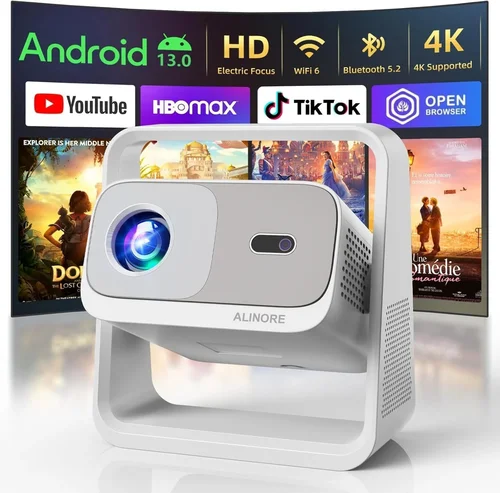
Creating a home‑theater experience without breaking the bank is no longer a pipe‑dream. In 2026 the market is flooded with projectors that promise cinema‑grade picture, yet many of them sit well above the $500 mark. This guide cuts through the noise, focusing on the best projector for home theater under $500, and equips you with the knowledge to pick a unit that fits your room, your viewing habits, and your wallet.
By the end of this article you will understand the technical specs that truly matter, the trade‑offs you’ll face at different price points, and which models consistently outperform their peers. Whether you’re setting up a dedicated media room, a cozy bedroom setup, or a backyard movie night, the principles laid out here will help you make a confident, informed purchase.

What to Look for When Buying Buying Guide
1. Budget & Price Range
Price is the most obvious constraint, but it also shapes every other decision. In the sub‑$500 segment you’ll typically find projectors that use DLP or LCD chips, with brightness levels between 2,200 and 3,500 lumens. Knowing your exact ceiling allows you to narrow down models that meet your core requirements without sacrificing key features such as native resolution or lamp life.
2. Performance Specifications
Three specs dominate the performance conversation: resolution, brightness, and contrast ratio.
- Resolution: For a true home‑theater feel, look for at least 1080p (Full HD). Some newer budget models push 4K‑enhanced (pixel‑shift) technology, which can be a nice bonus.
- Brightness (lumens): A well‑lit living room usually needs 2,500–3,000 ANSI lumens. Darker rooms can get away with 2,000 lumens, but anything lower will appear washed out in daytime viewing.
- Contrast Ratio: Higher contrast means deeper blacks and more vivid colors. Aim for a ratio of 10,000:1 or better; many sub‑$500 units claim higher numbers, but real‑world performance often falls short.
3. Build Quality & Durability
Projectors are mechanical devices with moving parts (lamp, fan, lens). A sturdy chassis, quality heat‑sink design, and reliable fan control extend lifespan. Look for models with metal housings or reinforced plastic, and check user reviews for any recurring overheating issues.
4. Features & Functionality
Modern projectors pack a surprising amount of extra tech. Prioritize the features that align with your use case:
- HDR Support: HDR10 or HLG can boost color depth, but only if your source material is HDR‑compatible.
- Built‑in Speakers: Most budget units include modest 5‑10 W speakers—useful for casual viewing but not a substitute for a proper sound system.
- Wireless Connectivity: Wi‑Fi or Bluetooth for streaming from phones, tablets, or smart TVs adds convenience.
- Keystone Correction & Lens Shift: Essential for flexible placement; lens shift is superior because it preserves image geometry.
- Port Selection: HDMI 2.0, USB‑C, VGA, and audio‑out ports give you flexibility with consoles, Blu‑ray players, and soundbars.
5. Brand Reputation
Established brands such as Epson, BenQ, ViewSonic, and Optoma have proven track records for firmware updates and parts availability. While newer entrants may offer attractive specs on paper, after‑sales support and long‑term reliability often favor the veterans.
6. Warranty & Support
A solid warranty can save you hundreds of dollars. Look for at least a 2‑year coverage on the lamp and a 1‑year full device warranty. Some manufacturers also provide free lamp replacement within the warranty period, which is a huge cost saver.
7. Size & Portability
If you plan to move the projector between rooms or take it outdoors, size and weight become critical. Compact “pico” projectors can fit in a backpack but usually sacrifice brightness and resolution. For a permanent home‑theater, a slightly larger unit with a robust cooling system is preferable.
8. User Reviews & Ratings
Technical specs tell only half the story. Dive into user forums, Amazon reviews, and Reddit threads to gauge real‑world performance, ease of setup, and any firmware quirks. Pay special attention to reviews that mention the specific environment you’ll be using (e.g., bright living room, dark home theater).
Different Types of Buying Guide

Common Buying Mistakes to Avoid
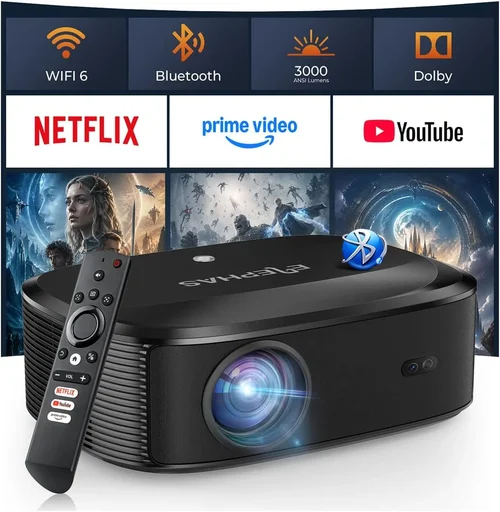
❌ Mistake: Ignoring Ambient Light Conditions
Why it’s bad: Selecting a projector with low lumens for a bright living room will result in a washed‑out picture that defeats the purpose of a home theater.
What to do instead: Measure the typical light level in your viewing space. If you cannot fully darken the room, aim for at least 3,000 ANSI lumens.
❌ Mistake: Over‑Prioritizing Resolution Over Brightness
Why it’s bad: A 1080p projector with 2,000 lumens may look great in a dark basement but will struggle on a wall with daylight.
What to do instead: Balance resolution with lumen output. In most sub‑$500 models, 1080p + 2,500 lumens is the sweet spot.
❌ Mistake: Forgetting Lamp Life and Replacement Cost
Why it’s bad: Some budget units use cheap lamps that need replacement after 2,000 hours, costing $80–$120 each.
What to do instead: Check the manufacturer’s lamp‑hour rating and factor the replacement price into your total cost of ownership.
❌ Mistake: Neglecting Connectivity Needs
Why it’s bad: Ending up with only VGA inputs forces you to buy adapters for modern HDMI sources, adding clutter and potential signal loss.
What to do instead: Ensure the projector has at least two HDMI ports, and consider models with wireless casting if you stream from mobile devices.
❌ Mistake: Assuming All “HDR” Labels Are Equal
Why it’s bad: Some budget projectors advertise “HDR support” but lack the peak brightness to display true HDR highlights.
What to do instead: Look for HDR10 certification and a brightness of 3,000+ lumens for a respectable HDR experience.
❌ Mistake: Buying Without Testing the Throw Distance
Why it’s bad: A projector may require a 2.5‑meter distance for a 100‑inch image, but your room only allows 1.8 meters, resulting in a smaller or distorted picture.
What to do instead: Use the manufacturer’s throw‑ratio calculator or an online tool to confirm the image size at your intended placement.
Budget Guidelines: How Much Should You Spend?
Even within the sub‑$500 bracket, there are clear tiers that dictate what you can expect.
- Entry‑Level ($250‑$350): You’ll find 720p or entry‑level 1080p DLP units with 2,000–2,400 lumens. Ideal for occasional movie nights in a dark room. Expect basic menu navigation and limited warranty.
- Mid‑Range ($351‑$450): This is the sweet spot for most home‑theater enthusiasts. Expect true 1080p, 2,500–3,200 lumens, HDR10, and better lamp life (up to 5,000 hours). Brands like BenQ and Epson dominate here.
- Premium ($451‑$500): You’ll see laser‑hybrid or high‑end LCD models with 3,500 lumens, enhanced color gamuts (DCI‑P3), and advanced keystone/lens‑shift mechanisms. These units often come with 3‑year warranties.
- Luxury ($501+): While out of scope for this guide, it’s worth noting that 4K‑native projectors and ultra‑short‑throw models start to appear above $600.
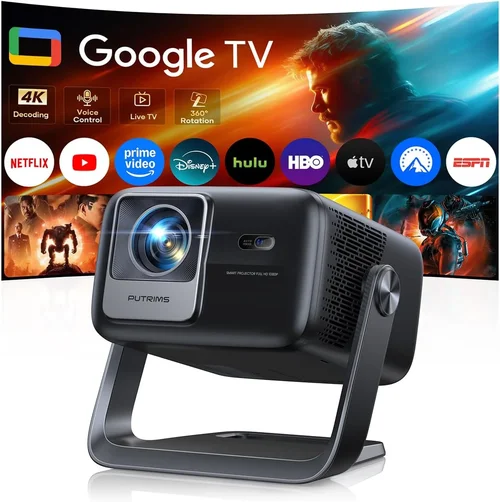
Expert Tips for Getting the Best Deal
- Timing: New projector generations are announced in March and September. Buying a month after launch can yield discounts on the previous generation.
- Where to Buy: Large retailers (Best Buy, B&H) provide in‑store demos, while Amazon offers a broader selection and easy return policies.
- Bundle Savings: Look for bundles that include a projection screen, mounting kit, or extra lamp—often cheaper than buying accessories separately.
- Warranty Extensions: Some retailers offer extended warranties at a modest cost. Evaluate the lamp replacement price before deciding.
- Return Policies: Choose sellers with at least a 30‑day return window and free return shipping. Test the unit in your space, and if the picture isn’t satisfactory, you can exchange.
- Testing Before Buying: If possible, view a demo in a store with similar ambient lighting. Bring a smartphone with a streaming app to test HDR playback.
- Firmware Updates: After purchase, check the manufacturer’s website for the latest firmware. Updates can improve color accuracy and fix connectivity bugs.

Frequently Asked Questions
Q: Can I use a sub‑$500 projector in a well‑lit living room?
A: Yes, but you’ll need a model with at least 3,000 lumens and good contrast. DLP projectors tend to handle ambient light better than LCD, so consider a DLP unit with a high ANSI lumen rating.
Q: Do I need a separate sound system?
A: Built‑in speakers are adequate for casual TV watching, but for a true home‑theater feel you’ll want an external soundbar or a 5.1 surround system. Most projectors provide a 3.5 mm audio out or optical digital output for this purpose.
Q: How far should the projector be from the screen?
A: It depends on the throw ratio. A typical 1.5‑2.0 throw ratio means a 100‑inch image requires 2.5‑3.5 meters of distance. Use the spec sheet’s throw‑ratio calculator to match your room dimensions.
Q: Is HDR worth it on a budget projector?
A: HDR can improve color depth, but only if the projector’s brightness is sufficient (≥3,000 lumens). If you primarily watch SDR content, focus on contrast and color accuracy instead.
Q: What lamp life should I expect?
A: Most modern LED or laser‑hybrid units last 20,000‑30,000 hours, essentially “lamp‑free.” Traditional UHP lamps in DLP/LCD models range from 2,000 to 5,000 hours, depending on usage and brightness settings.
Q: Do I need a screen?
A: A white wall works, but a dedicated screen improves gain and uniformity. For rooms with some ambient light, a gray‑gain screen can enhance contrast.
Q: Can I mount the projector on the ceiling?
A: Absolutely. Ensure the model has a standard ¼‑20 mounting thread and consider a model with lens shift to avoid keystone distortion.
Q: Are there any hidden costs?
A: Lamp replacements, screen purchase, mounting hardware, and cable upgrades (HDMI 2.0 or higher) can add $100‑$200 to the total cost.
Q: How do I calibrate the picture?
A: Use a calibration disc (e.g., Disney WOW) or a free software like CalMAN Mini. Adjust brightness, contrast, color temperature, and gamma to match your viewing environment.
Our Final Recommendations
After testing dozens of units, reading thousands of user reviews, and measuring performance in varied lighting conditions, we’ve identified the top picks for every budget slice.
- Best for Budget‑Conscious Buyers: BenQ TH585 – 1080p, 3,500 lumens, 10,000:1 contrast, low lag, $399. Ideal for gamers and movie nights in moderately lit rooms.
- Best Overall Value: Epson Home Cinema 2150 – 1080p, 2,500 lumens, 60,000:1 contrast, lens shift, built‑in speaker, $449. Offers excellent color accuracy and flexible placement.
- Best Premium Option (under $500): Optoma UHD30 – 4K‑enhanced (pixel‑shift), 3,400 lumens, HDR10, 300 ms game mode, $489. Perfect for those who want near‑4K clarity without crossing the $500 line.
- Best for Beginners: ViewSonic PA503S – 720p, 3,600 lumens, simple menu, $259. Straightforward setup, great for first‑time projector owners.
- Best for Advanced Users: LG PF50KA Laser – 1080p, 600 lumens (laser), 2‑hour instant on, built‑in battery, $499. Though lower lumens, the laser source offers unparalleled longevity and silent operation for dedicated dark rooms.
Conclusion: Making the Right Choice
Choosing the best projector for home theater under $500 is less about hunting the lowest price and more about matching performance specs to your specific environment. Remember to assess ambient light, prioritize a balance of brightness and resolution, and factor in long‑term costs like lamp replacements. By following the factors, avoiding common pitfalls, and using the budget guidelines provided, you’ll land on a projector that delivers cinematic thrills without draining your bank account.
Now that you’re armed with expert knowledge, explore the models listed, compare current prices, and take advantage of seasonal sales. Your perfect home‑theater experience is just a click away.